
Singleton | Login To See Price
App Introduction
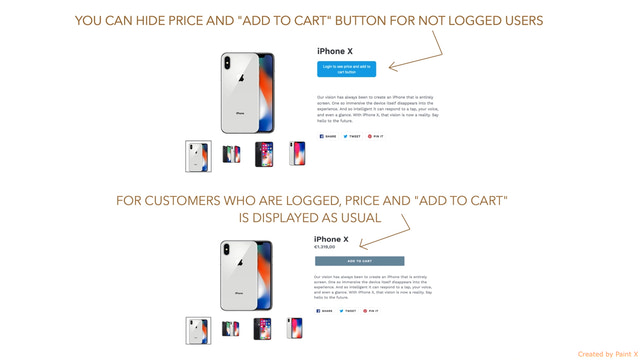
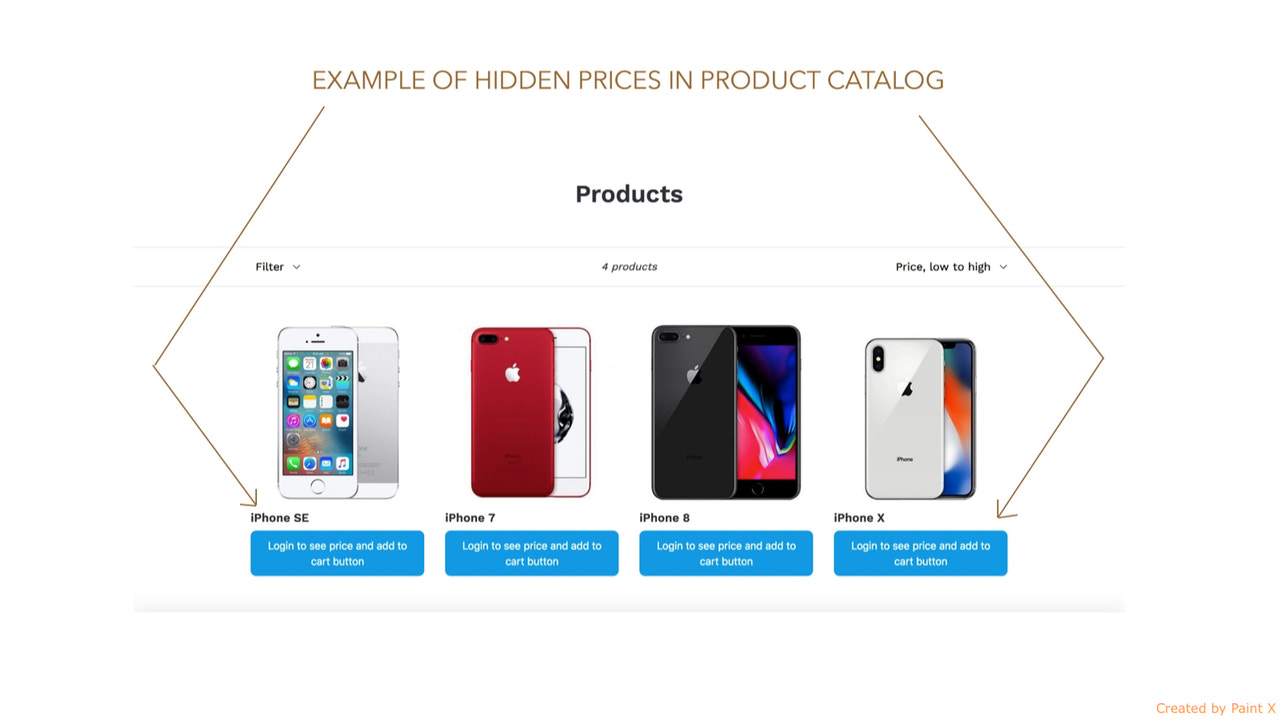
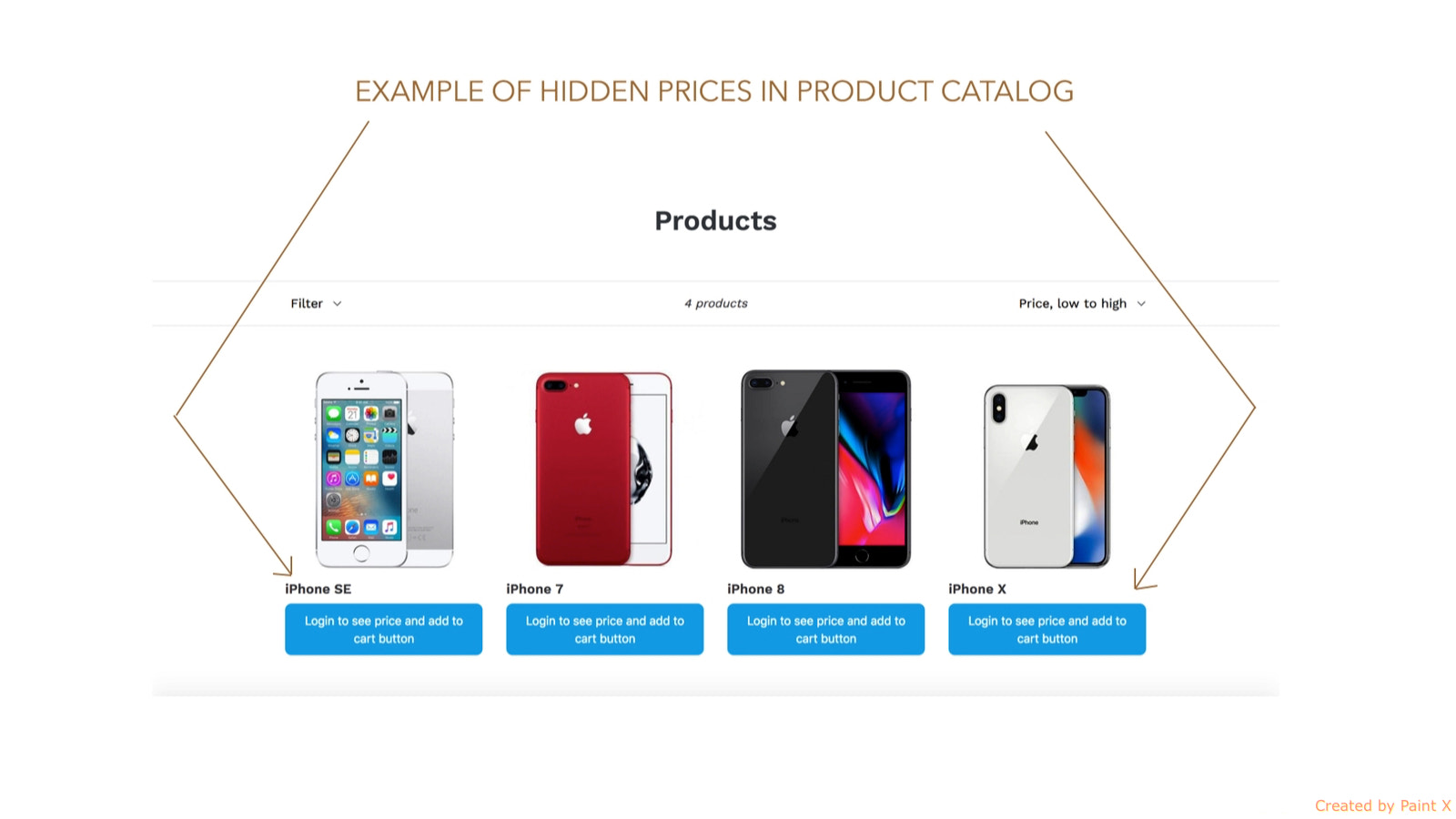
This B2B app lets you hide product prices and the "Add to Cart" button from unlogged-in customers. Do you want to create a B2B space for your customers and only show prices and the "Add to Cart" button to registered users? This app is the solution to achieve that. Prices and the "Add to Cart" button will be hidden from visitors. Only registered users can see them after logging in. Users must first sign up and create an account to view product prices and the "Add to Cart" button. For visitors with hidden prices and "Add to Cart" buttons, you can display your own custom message box.
Core Functionality
- Hide product prices and the "Add to Cart" button for unlogged customers
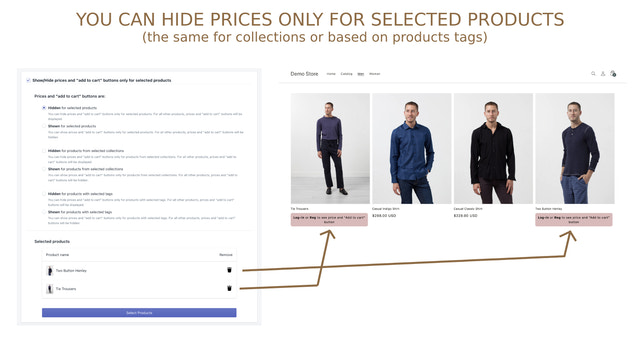
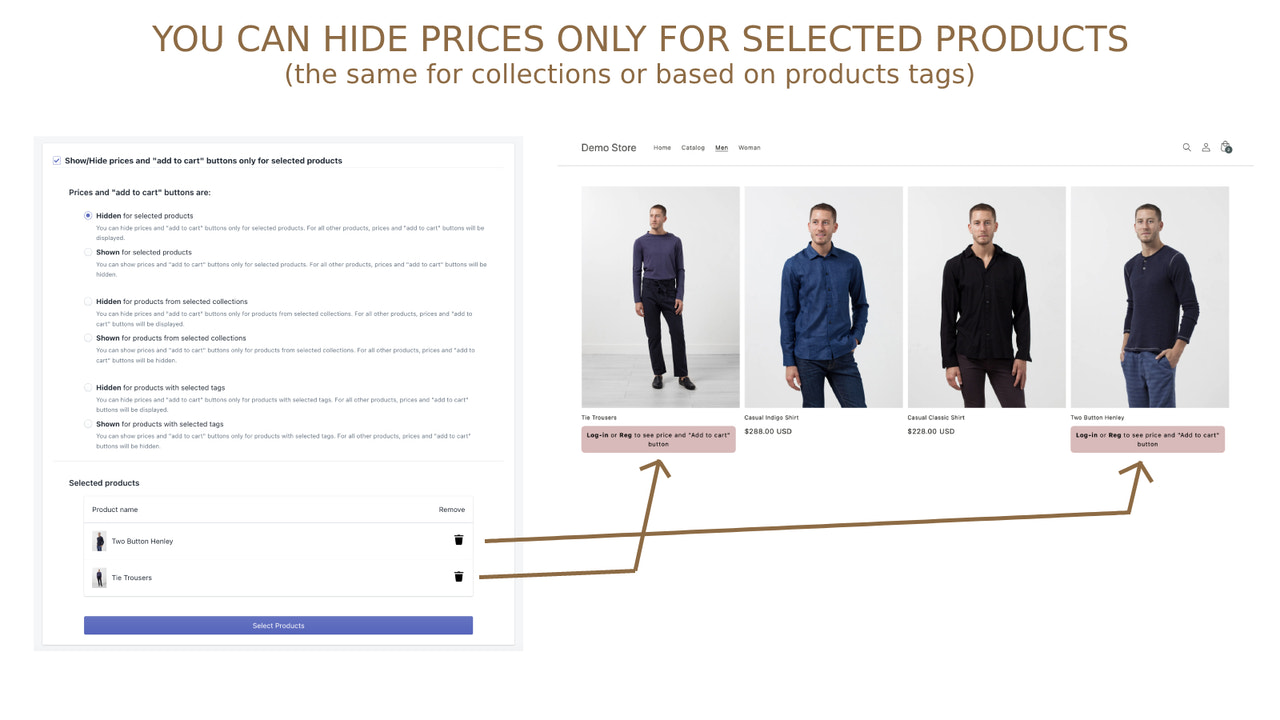
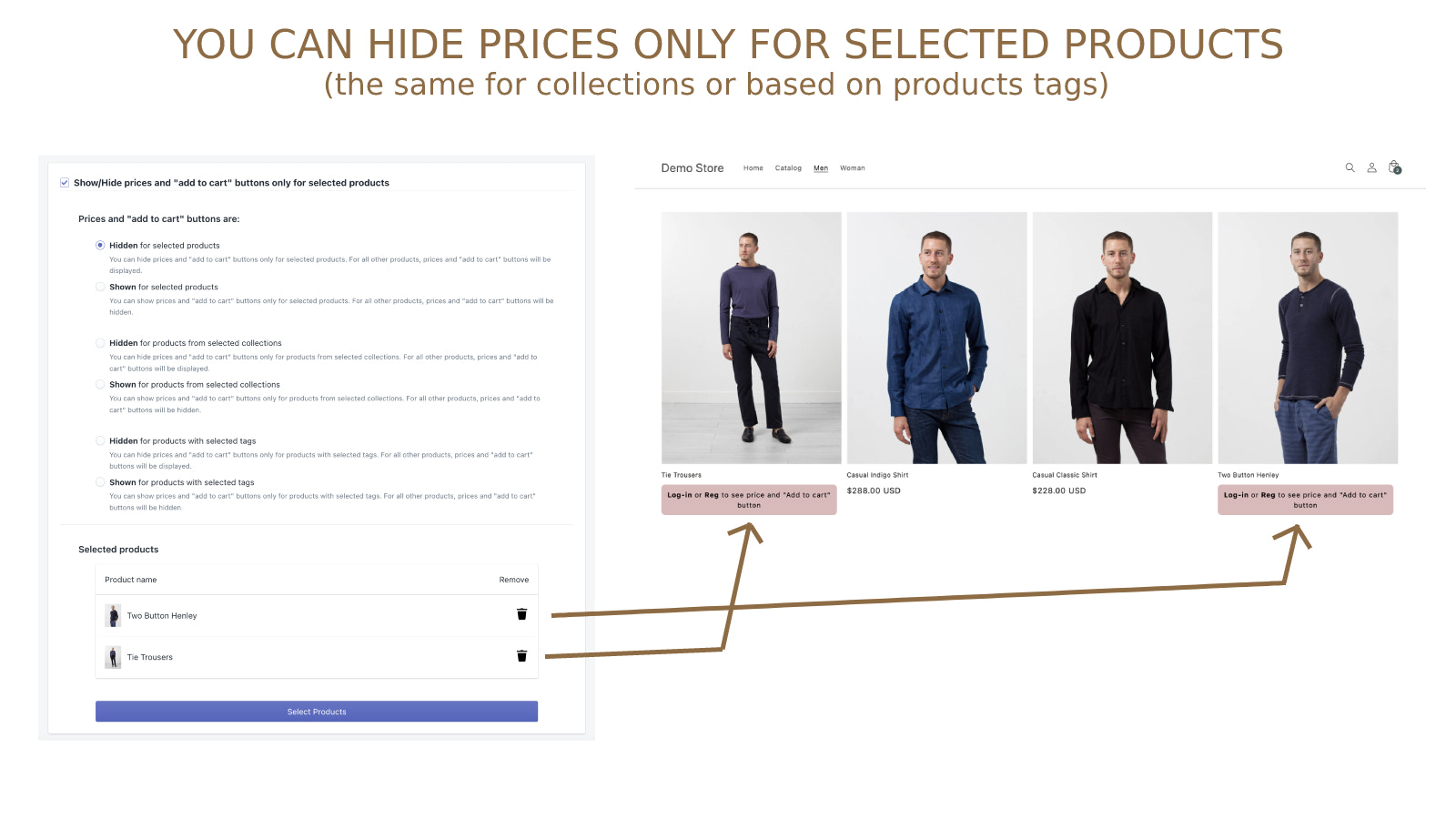
- You can even hide prices and the "Add to Cart" button for selected products only
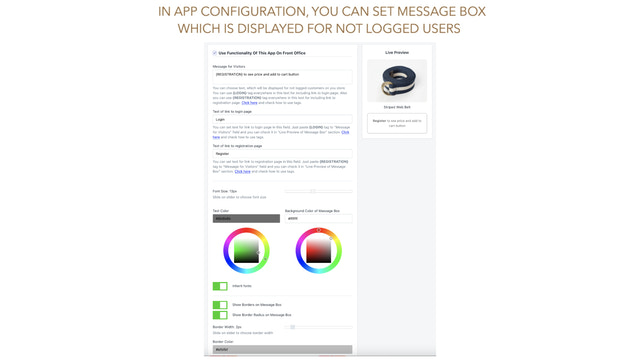
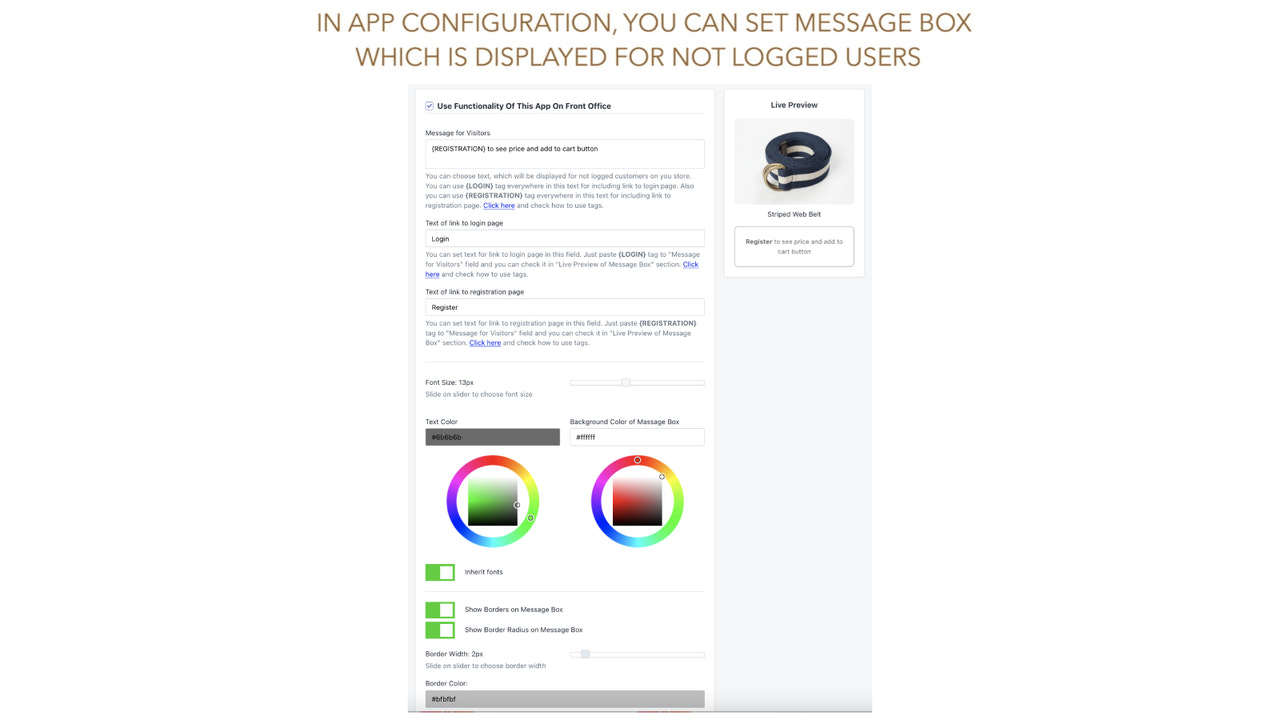
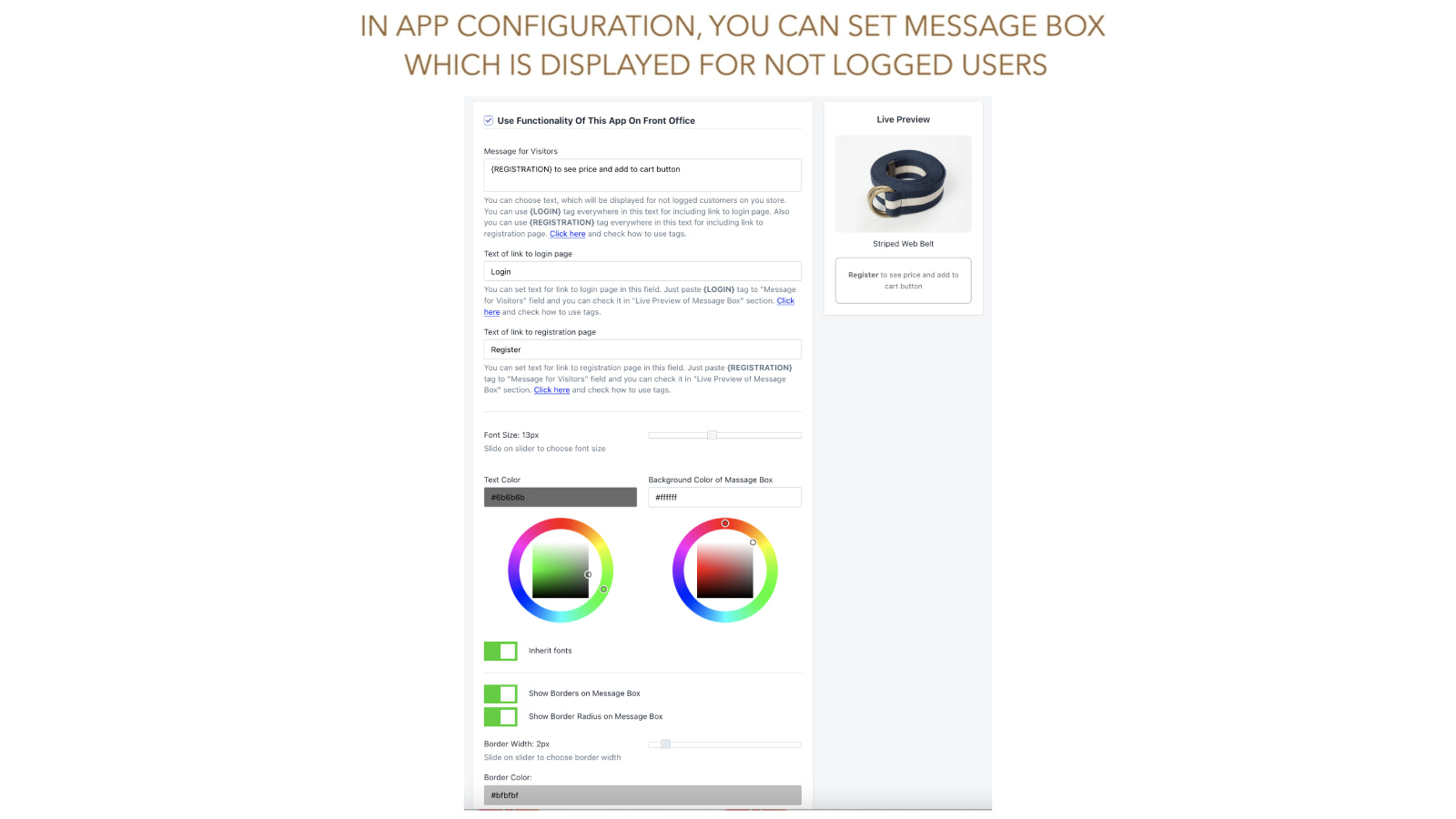
- Show a custom message to unlogged users instead of prices and the "Add to Cart" button
- Design custom messages for unlogged customers that match your theme
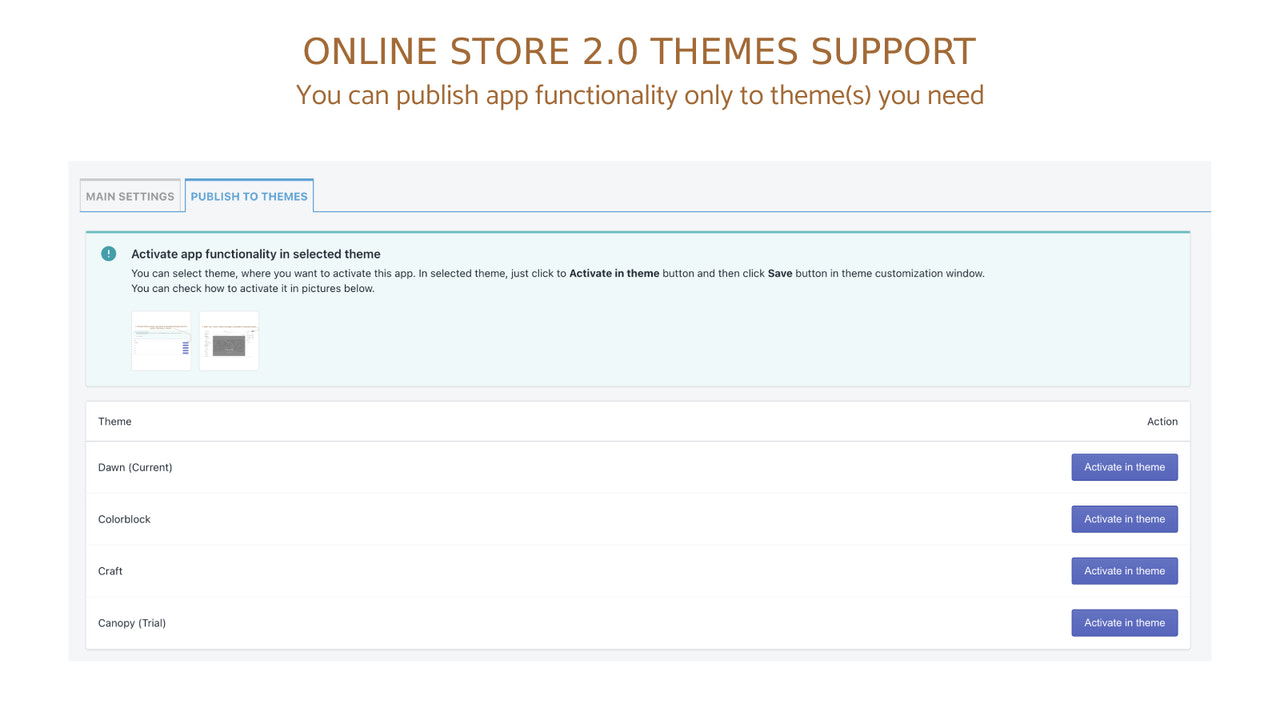
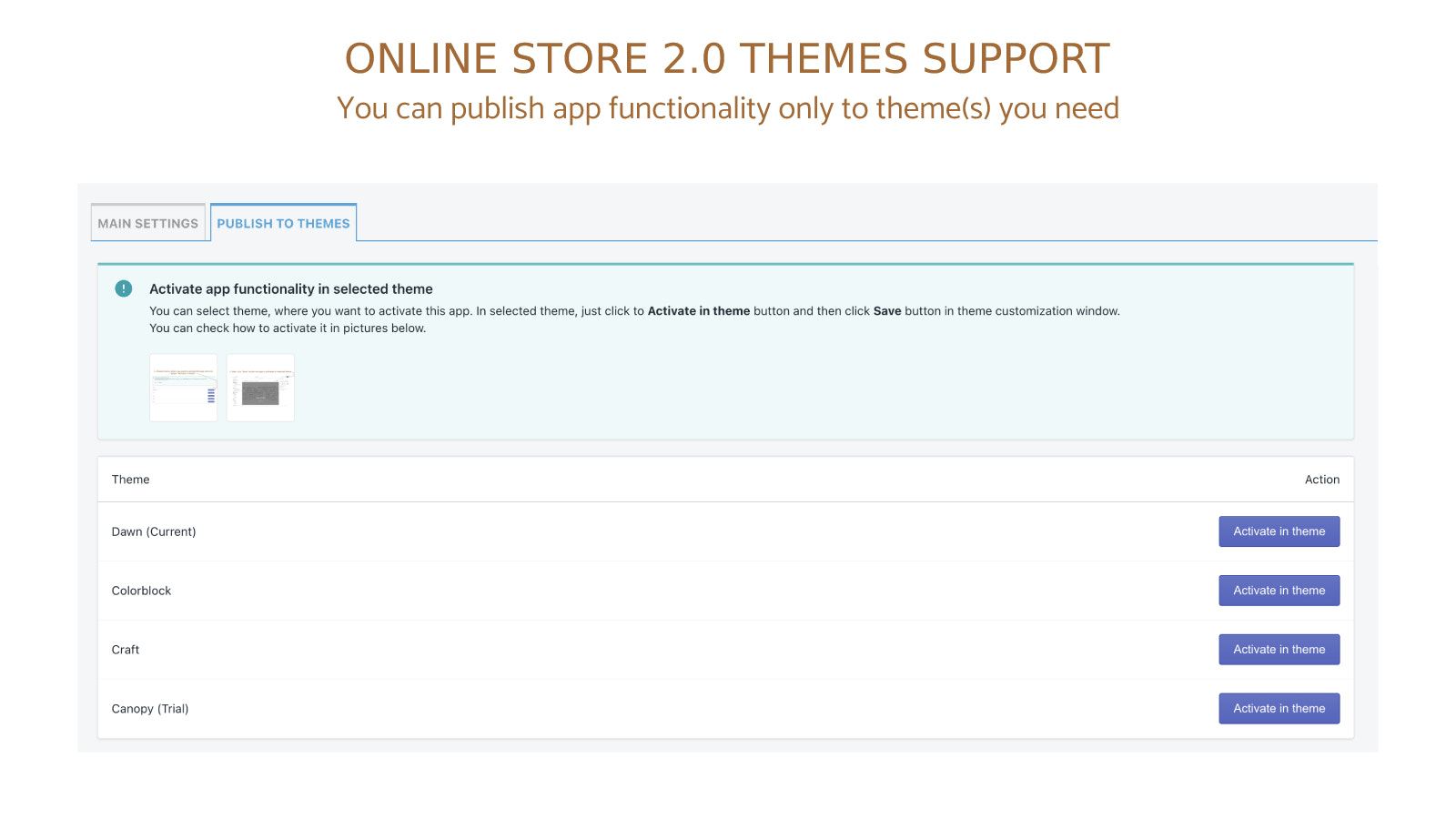
- Activate the app's features only in the themes you want
Merchant-Friendly
- Membership E-commerce
- B2B Wholesale Merchants
- High-Priced Independent Stations
- Custom Product Merchants
Basic Information
- Developer:Singleton software
- Address:Javornícka 12, Banská Bystrica, 97411, SK
- Price: Free / Free plan
- Rating:4.5 / 5
- Comment Count:59 comment
- Release Date:2018-6-11
- Supported languages:English
- Compatible products:Shopify
Application Screenshot



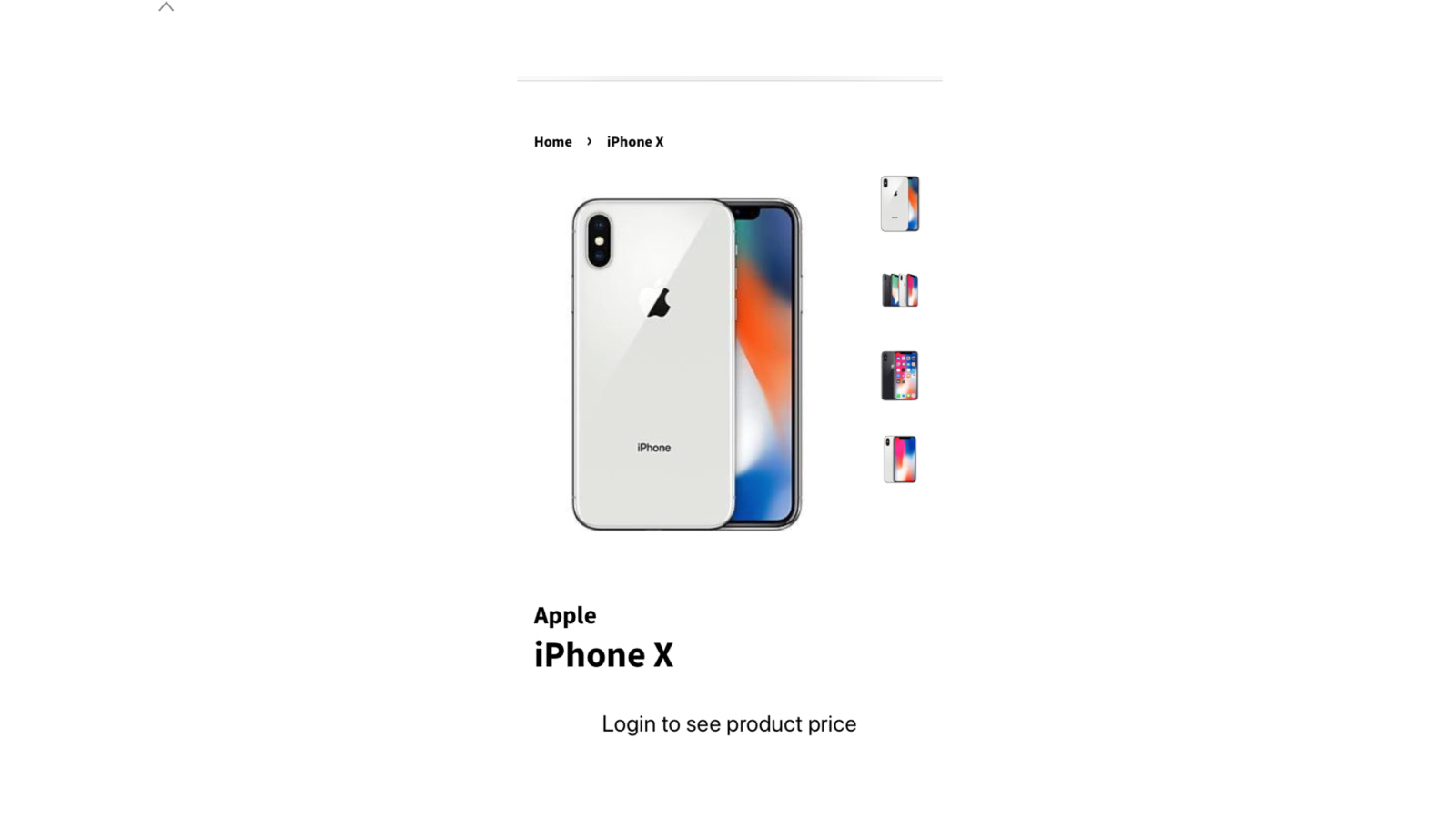
Price Plan
Base plan
- Includes all features
User Location & Comments
User Location
Comments
Shopify API Used
- PUT /admin/api/shop.json
- GET /admin/api/shop.json
- GET /admin/api/themes.json
Permission:write_shop,read_shop,read_themes
- PUT /admin/api/products/{product_id}.json
- GET /admin/api/products.json
- GET /admin/api/products/{product_id}.json
Permission:write_products,read_products,manage_products
- POST /admin/api/metafields.json
- PUT /admin/api/metafields/{metafield_id}.json
- GET /admin/api/metafields.json
Permission:write_metafields,read_metafields,manage_theme_assets
- PUT /admin/api/themes/{theme_id}/assets.json
- GET /admin/api/themes/{theme_id}/assets.json
- GET /admin/api/shop.json
Permission:write_theme_assets,read_theme_assets,manage_themes
- PUT /admin/api/apps/{app_id}/settings.json
- GET /admin/api/themes.json
- PUT /admin/api/metafields.json
Permission:write_apps,read_apps,manage_themes