
App Introduction
Reduce the cost of managing tags. Boost sales by fixing missing or incorrect tags. Automated. For Shopify store owners looking to simplify their tag management process and reduce the cost of managing tags, Tag Genie is the ultimate tool. Tag Genie offers bulk editing, full-screen tag browsing, automated rules to streamline tag management, and validation features to get notified of missing or incorrect tags. Optimized for common scenarios like deleting old or unused tags, merging tags, fixing capitalization, removing duplicates, and more — it’s the best way to organize your store.
Core Functionality
- Browse and bulk edit tags in a highly configurable UI fullscreen mode
- Automate product, order, and customer tagging with pre-built tag rules
- Validation - Define rules to get notified when tags are missing or incorrect
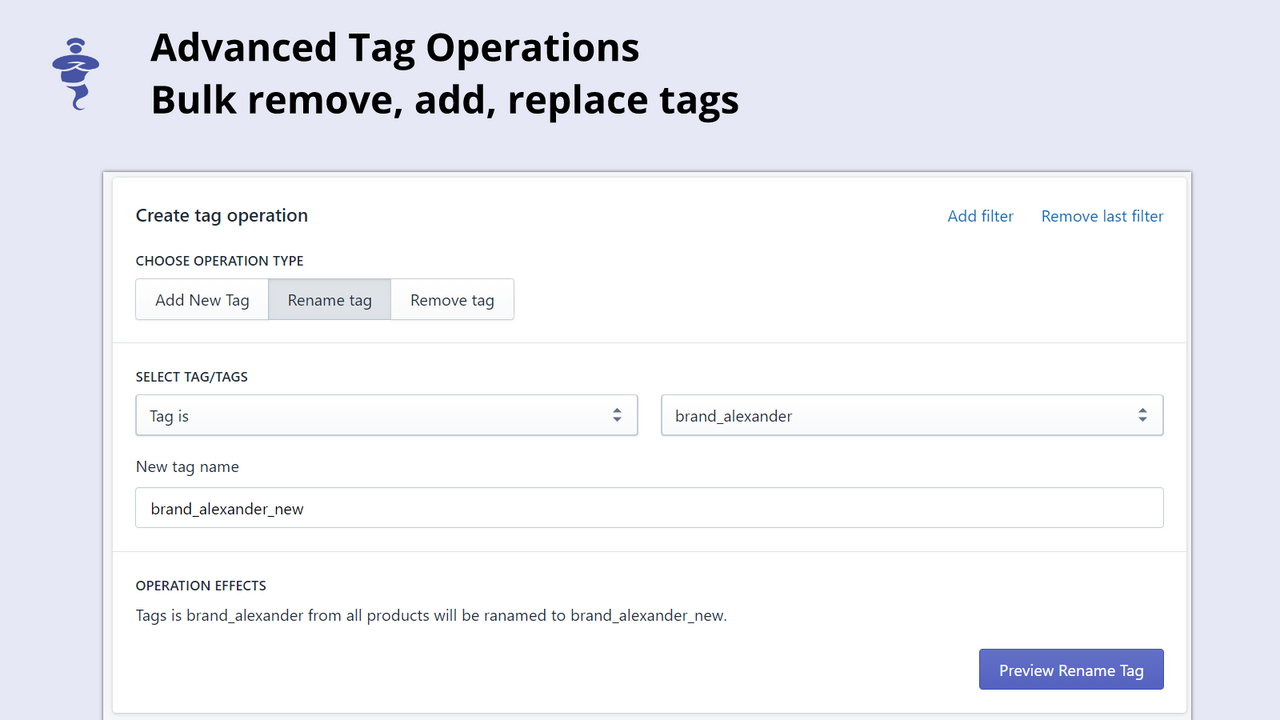
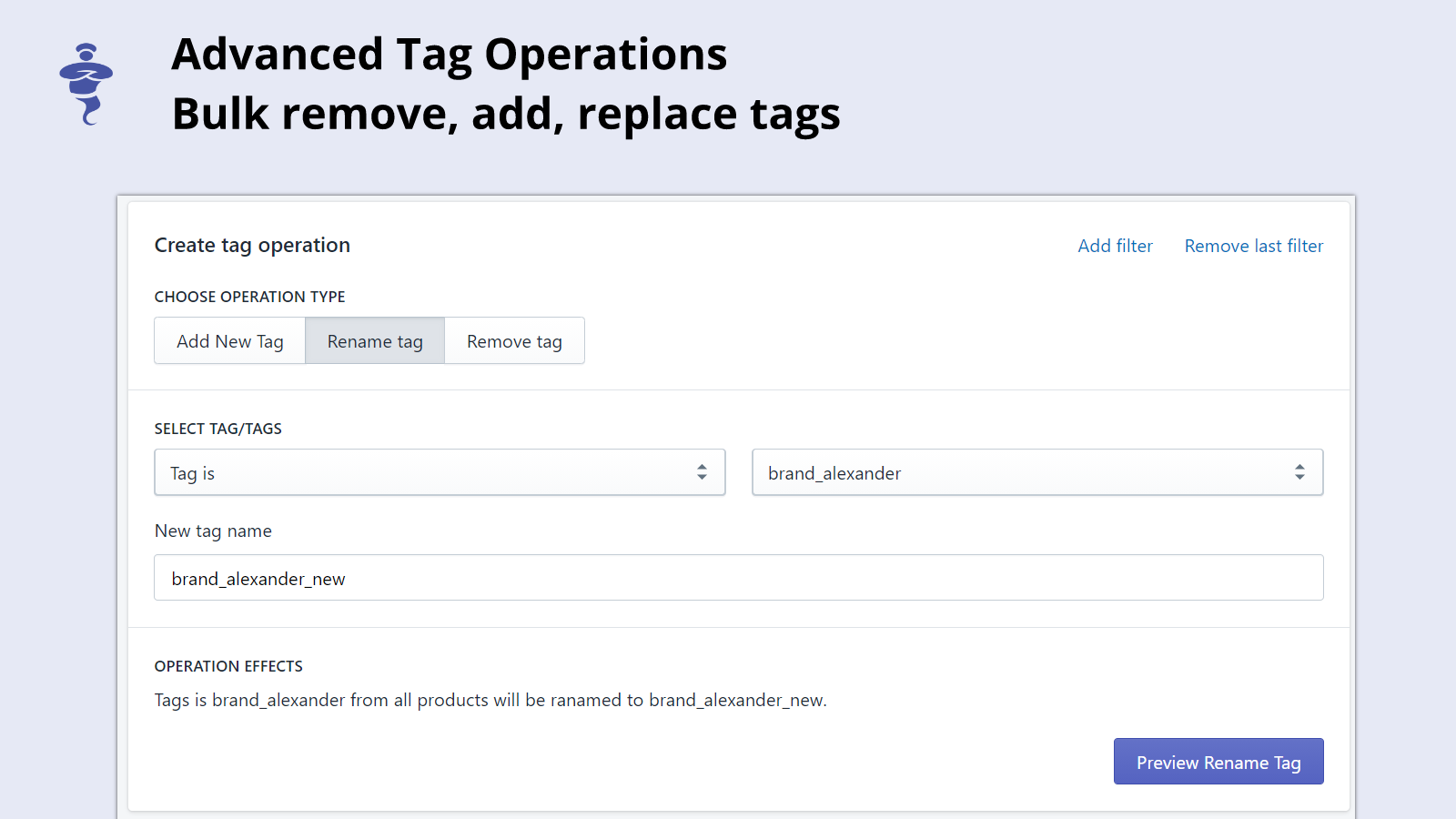
- Common bulk edit scenarios - Merge, rename, capitalize, delete old tags, etc.
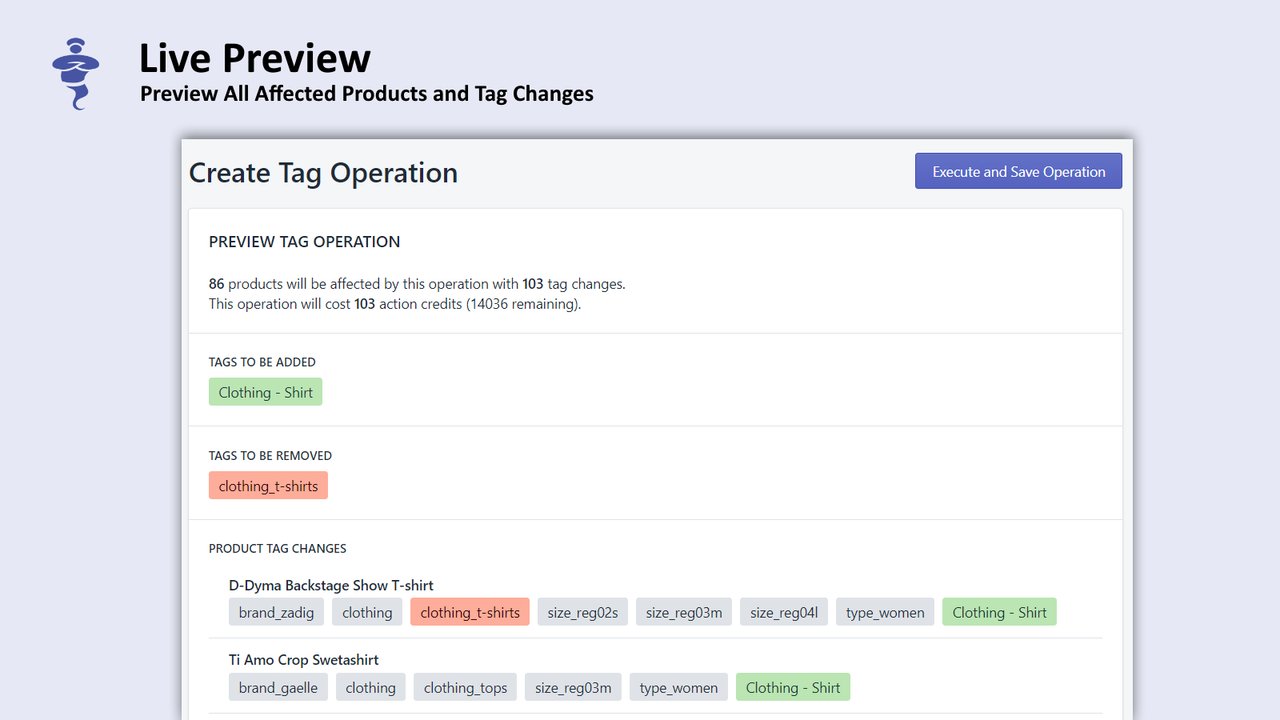
- Preview the effect of tag operations before execution
Merchant-Friendly
- Product-based Independent Store
- Order-managed E-commerce
- Customer-segmented Merchants
- Multi-category E-commerce
Basic Information
- Developer:MMS Software Ltd.
- Address:58 San Stefano str., fl. 5, ap. 17, Plovdiv, 4000, BG
- Price: Free / Free plan
- Rating:4.9 / 5
- Comment Count:15 comment
- Release Date:2020-8-10
- Supported languages:English
- Compatible products:Shopify
Application Screenshot
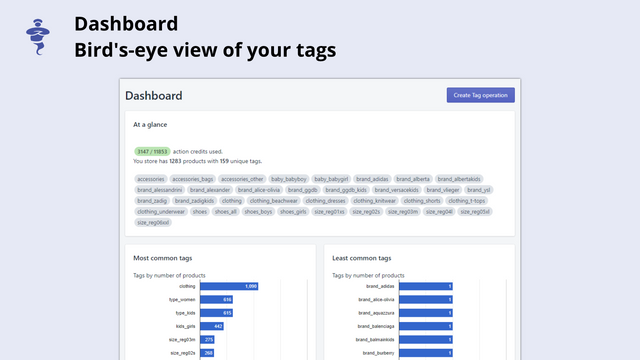
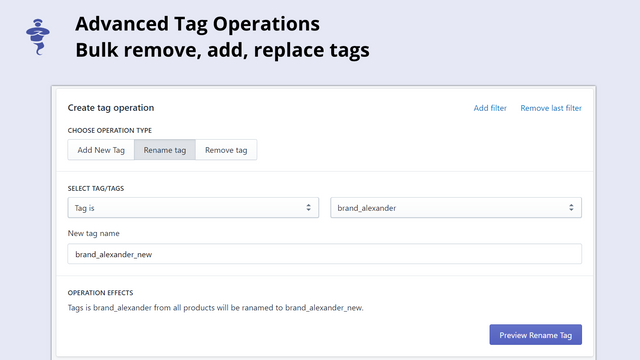
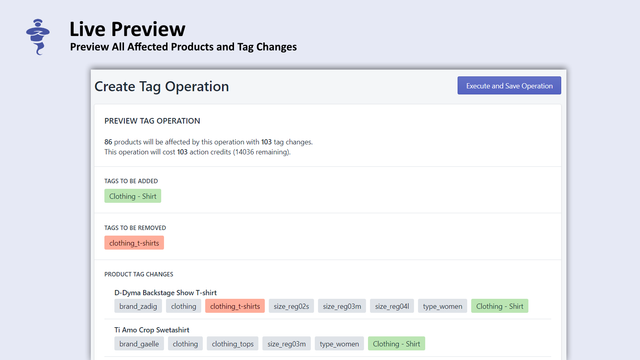
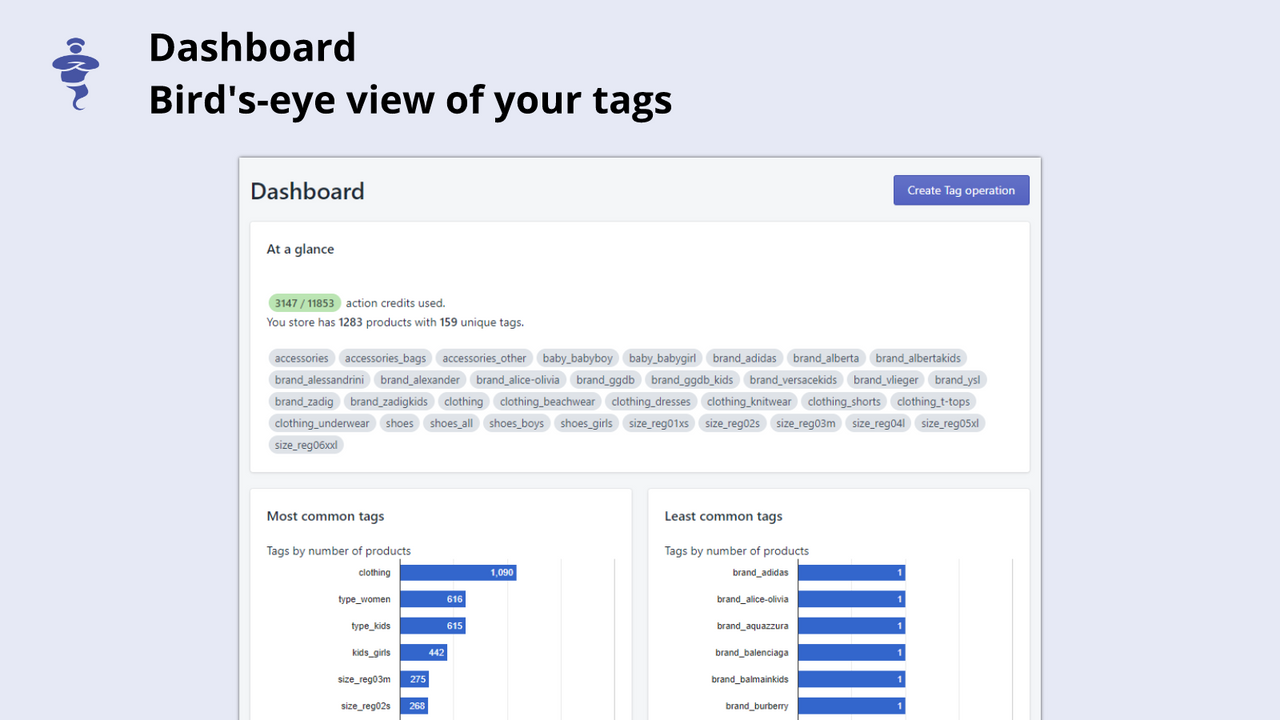


Price Plan
Basic Shopify
- We recommend prices for merchants on the Basic Shopify plan. Please visit taggenieapp.com/pricing to view our Feels Good pricing model.
Shopify
- We recommend prices for merchants using Shopify plans. Please visit taggenieapp.com/pricing to view our Feels Good pricing model.
Advanced Shopify
- We recommend prices for merchants on the Advanced Shopify plan. Please visit taggenieapp.com/pricing to view our Feels Good pricing model.
Shopify Plus
- Pricing for merchants on the Shopify Plus plan is recommended. Please visit taggenieapp.com/pricing to view our Feels Good pricing model.
User Location & Comments
User Location
Comments
Shopify API Used
- POST /admin/api/tags/bulk_edit.json
- GET /admin/api/tags/bulk_edit/preview.json
- PUT /admin/api/tags/bulk_edit/{job_id}.json
Permission:write_tags,read_tags,manage_products
- POST /admin/api/tag_rules.json
- PUT /admin/api/tag_rules/{id}.json
- GET /admin/api/tag_rules.json
Permission:write_tag_rules,read_tag_rules,manage_orders
- POST /admin/api/tag_rules/validate.json
- GET /admin/api/tag_rules/validation_status.json
- PUT /admin/api/tag_rules/{id}/validation.json
Permission:read_tag_rules,manage_customers,write_notifications
- POST /admin/api/tags/merge.json
- POST /admin/api/tags/rename.json
- POST /admin/api/tags/delete_old.json
Permission:write_tags,read_tags,manage_products
- POST /admin/api/tags/preview.json
- GET /admin/api/tags/preview/{action_id}.json
- PUT /admin/api/tags/preview/{action_id}/update.json
Permission:read_tags,manage_orders,manage_customers