
Singleton | Second Image Hover
App Introduction
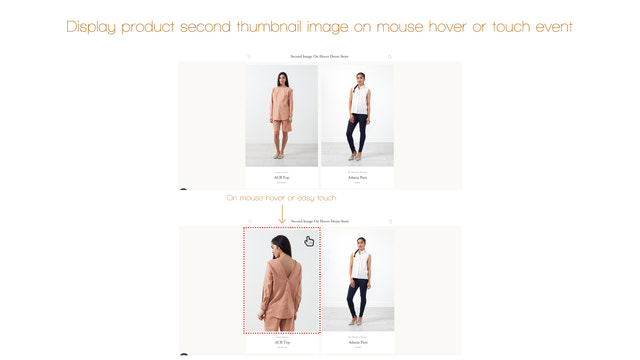
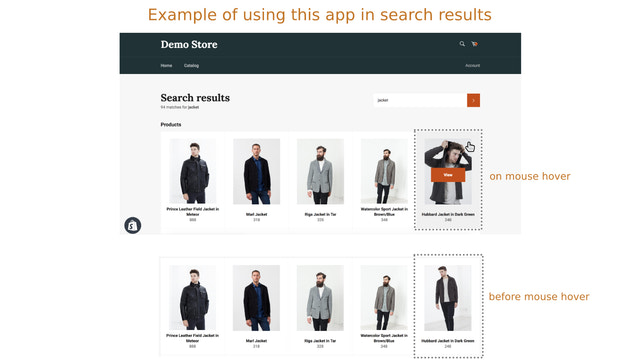
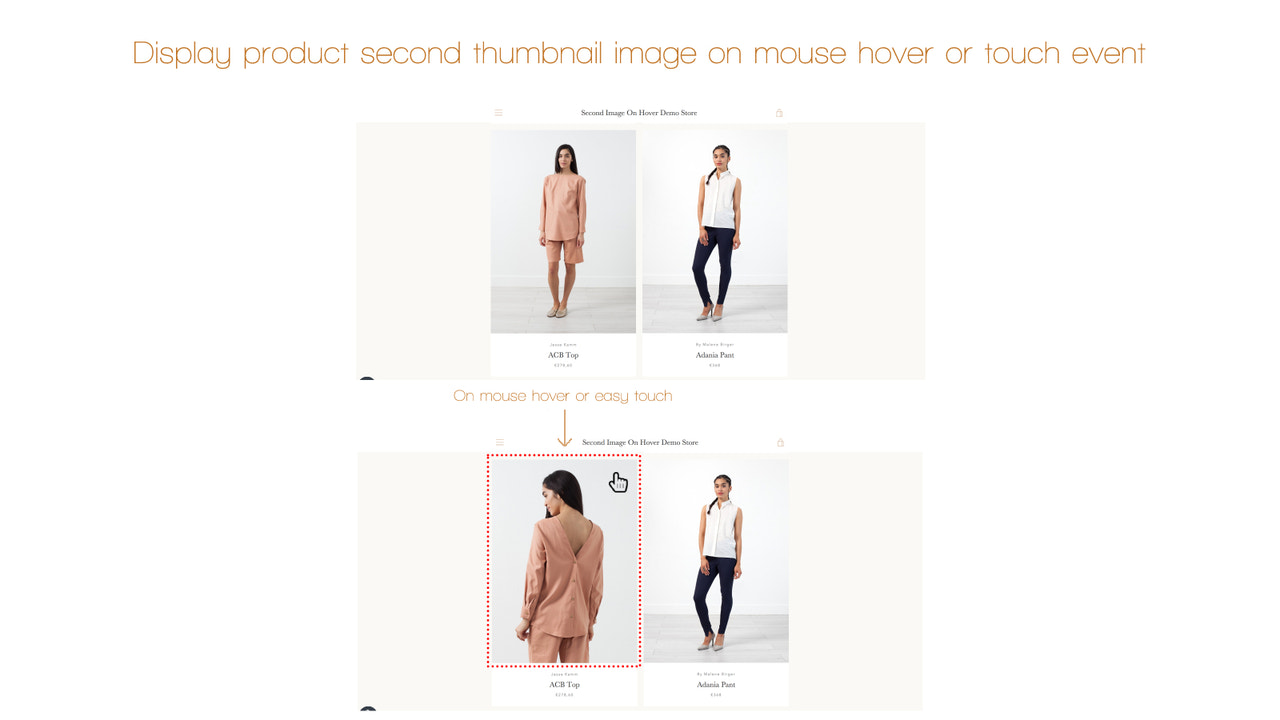
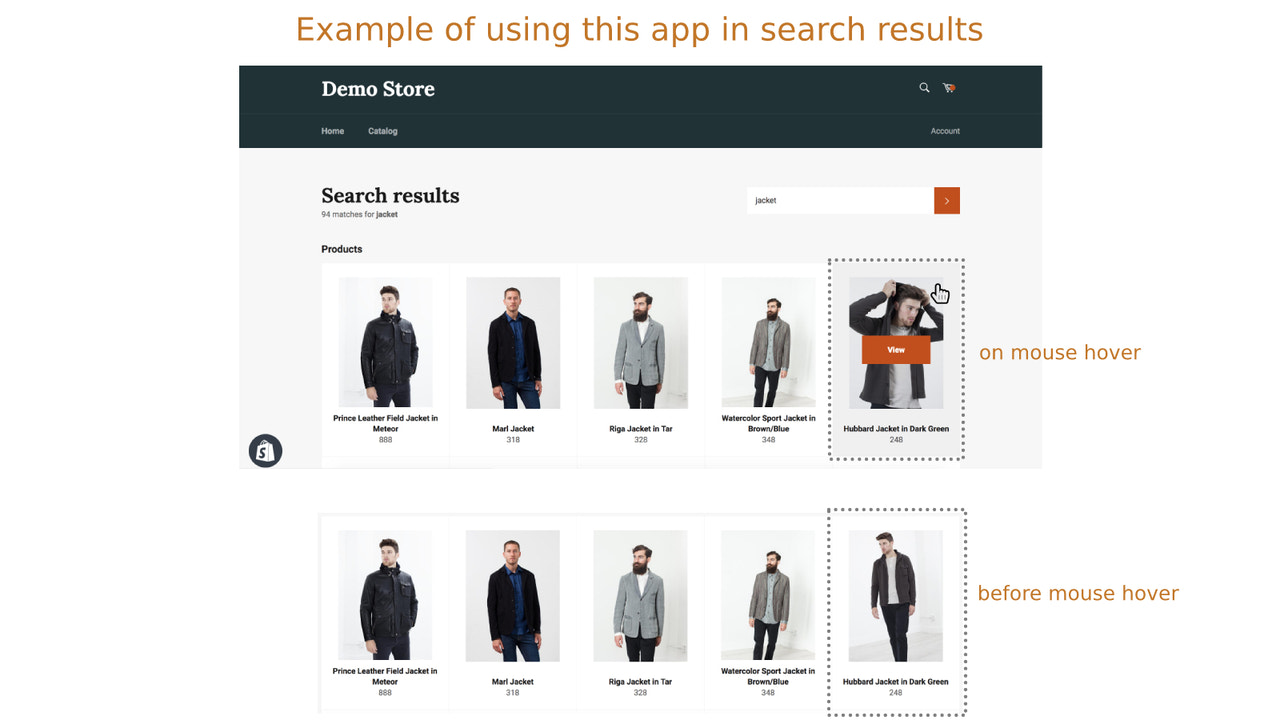
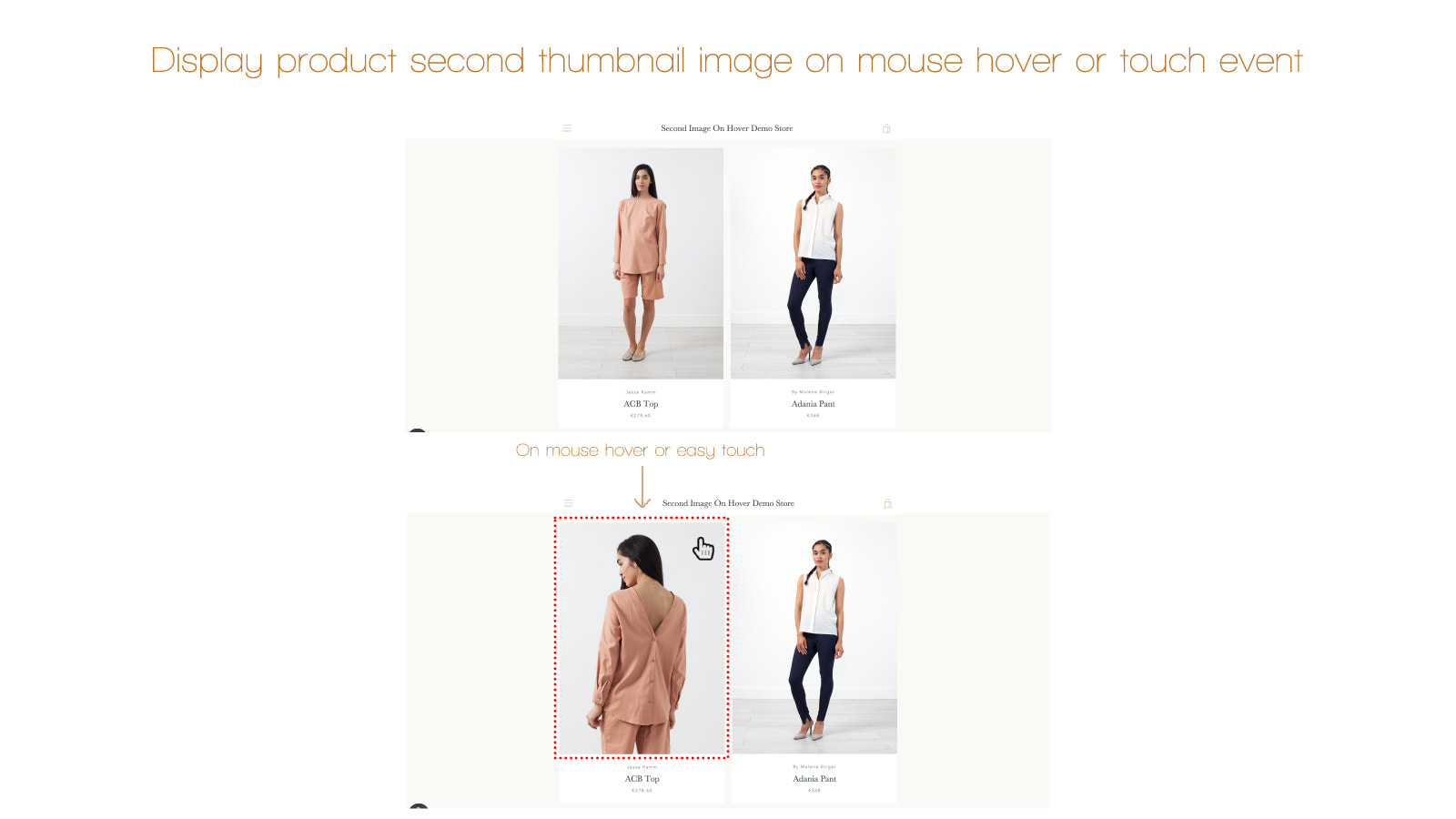
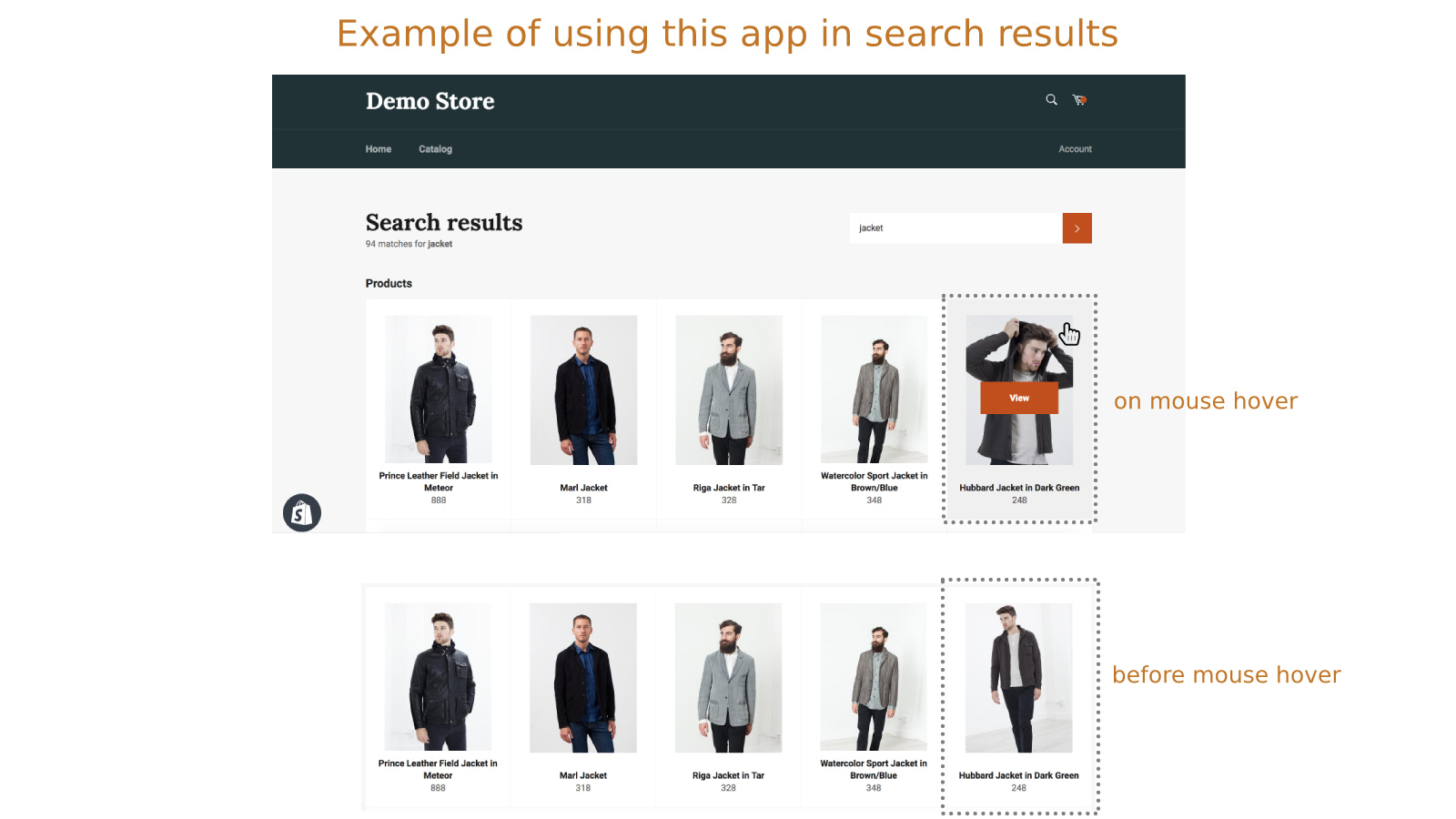
Display a second product thumbnail image on hover or touch events across all collections. Give your customers a faster way to see more information about your products. In all collections, when customers move their cursor over a product thumbnail, the product image will switch to the second one. The app will pull the second image from your product management (backend). This means you can set the second image to show exactly what you want. For example, if you offer products with multiple color variants, you can show customers different product colors in collections—no need for them to visit the product page.
Core Functionality
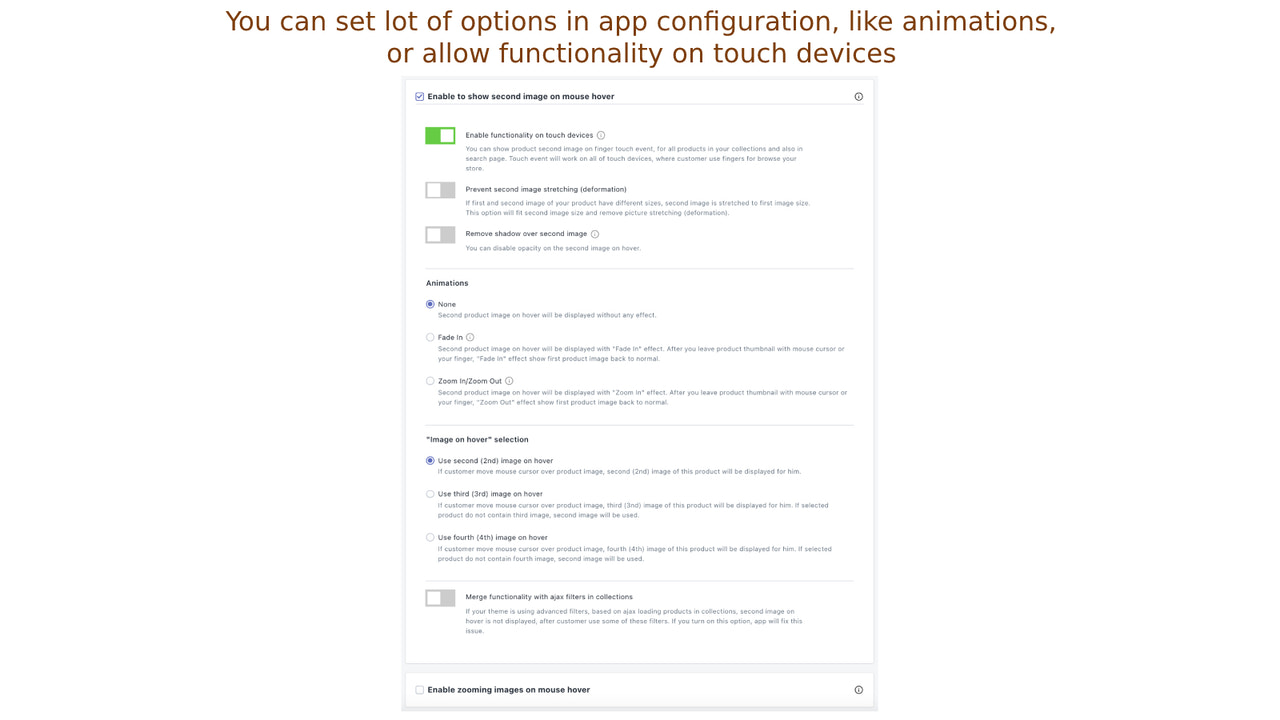
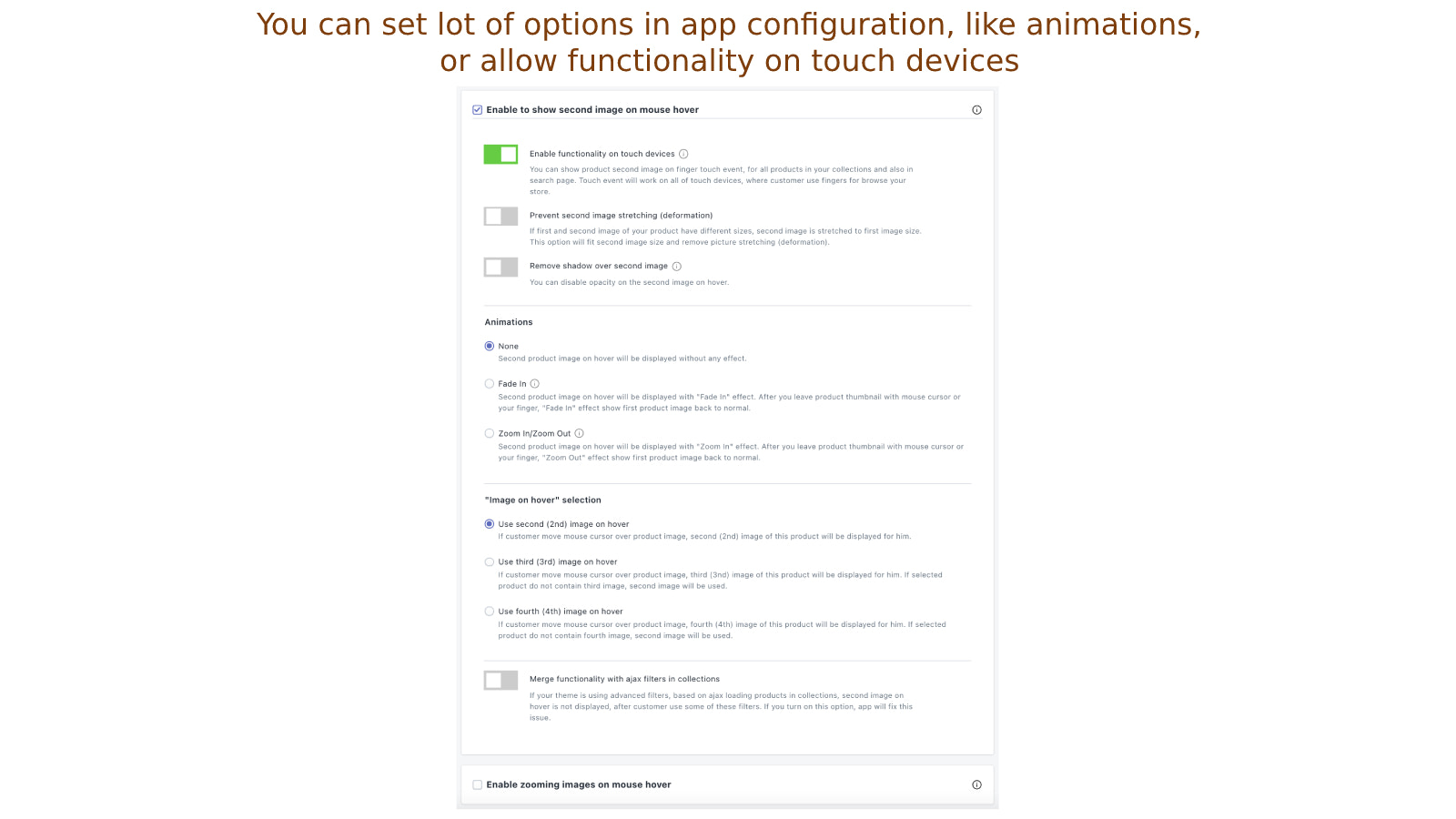
- Display a second product image on mouse hover or touch event (on mobile phones or tablets)
- Choose the animation between the first and second image on hover (fade in, zoom in/out)
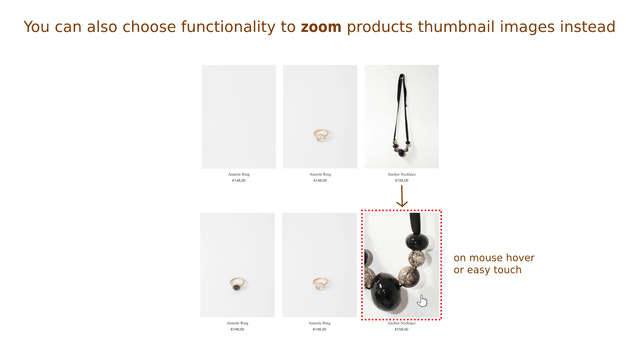
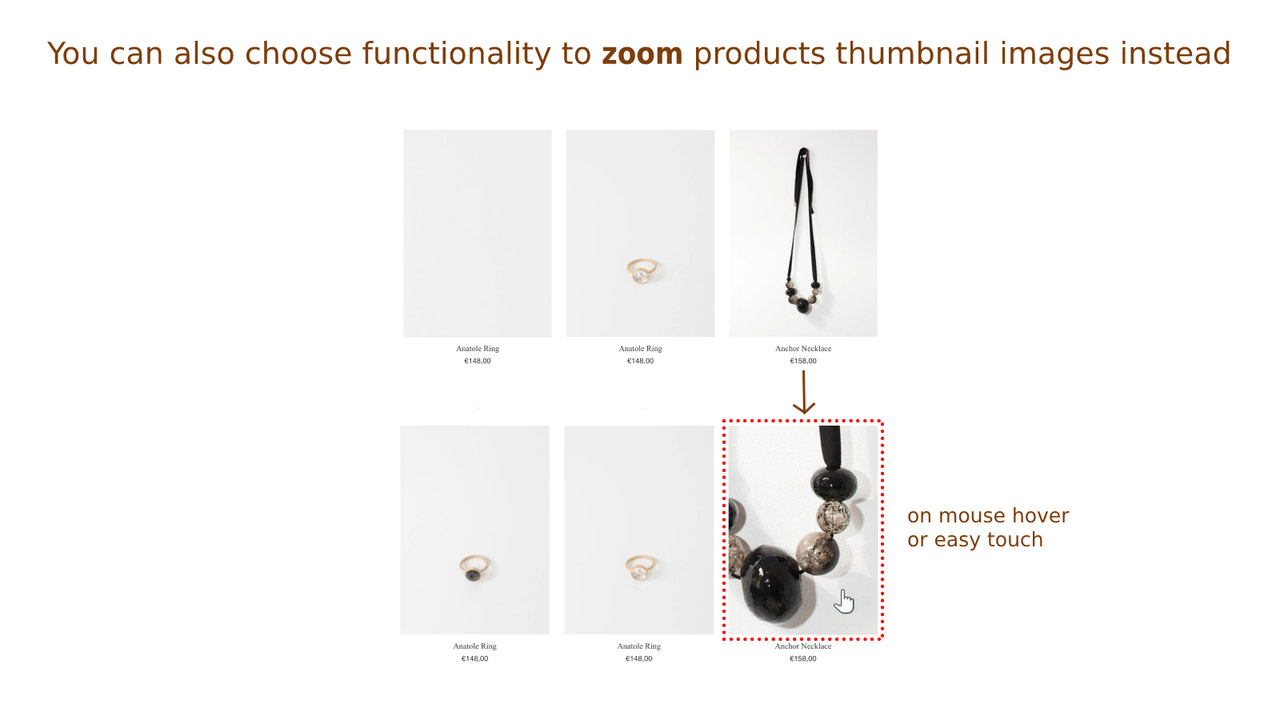
- You can even choose to zoom in on product images in collections when hovering or touching
- Prevent image stretching (distortion) between the first and second images
- Remove shadows from product thumbnail images in collections
Merchant-Friendly
- Fashion & Apparel Merchants
- Home Goods Merchants
- Electronics Merchants
- Beauty & Skincare Merchants
Basic Information
- Developer:Singleton software
- Address:Javornícka 12, Banská Bystrica, 97411, SK
- Price: Free / Free plan
- Rating:4.6 / 5
- Comment Count:18 comment
- Release Date:2018-10-26
- Supported languages:English
- Compatible products:Shopify
Application Screenshot

Price Plan
基础计划
- Includes all features
User Location & Comments
User Location
Comments
Shopify API Used
- GET /admin/api/products/{product_id}/images.json
- PUT /admin/api/products/{product_id}.json
- GET /admin/api/collections/{collection_id}/products.json
Permission:read_products,write_products,read_collections
- GET /admin/api/shop.json
- PUT /admin/api/shop.json
- GET /admin/api/themes/{theme_id}/assets.json
Permission:read_shop,write_shop,read_themes
- GET /admin/api/collections/{collection_id}/products.json
- PUT /admin/api/themes/{theme_id}/assets.json
- GET /admin/api/products/{product_id}/images.json
Permission:read_collections,read_themes,read_products
- GET /admin/api/products/{product_id}/images.json
- PUT /admin/api/themes/{theme_id}/assets.json
- GET /admin/api/collections/{collection_id}/products.json
Permission:read_products,read_themes,read_collections
- GET /admin/api/themes/{theme_id}/assets.json
- PUT /admin/api/themes/{theme_id}/assets.json
- GET /admin/api/collections/{collection_id}/products.json
Permission:read_themes,write_themes,read_collections