App Introduction
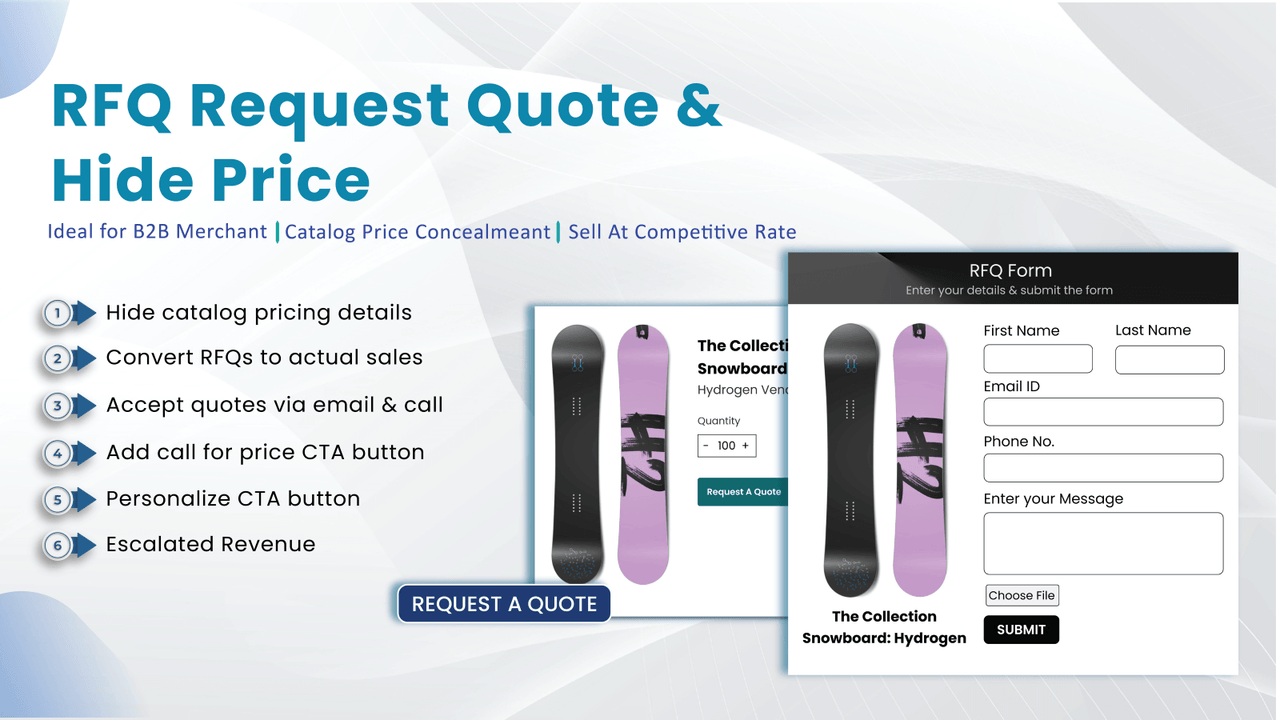
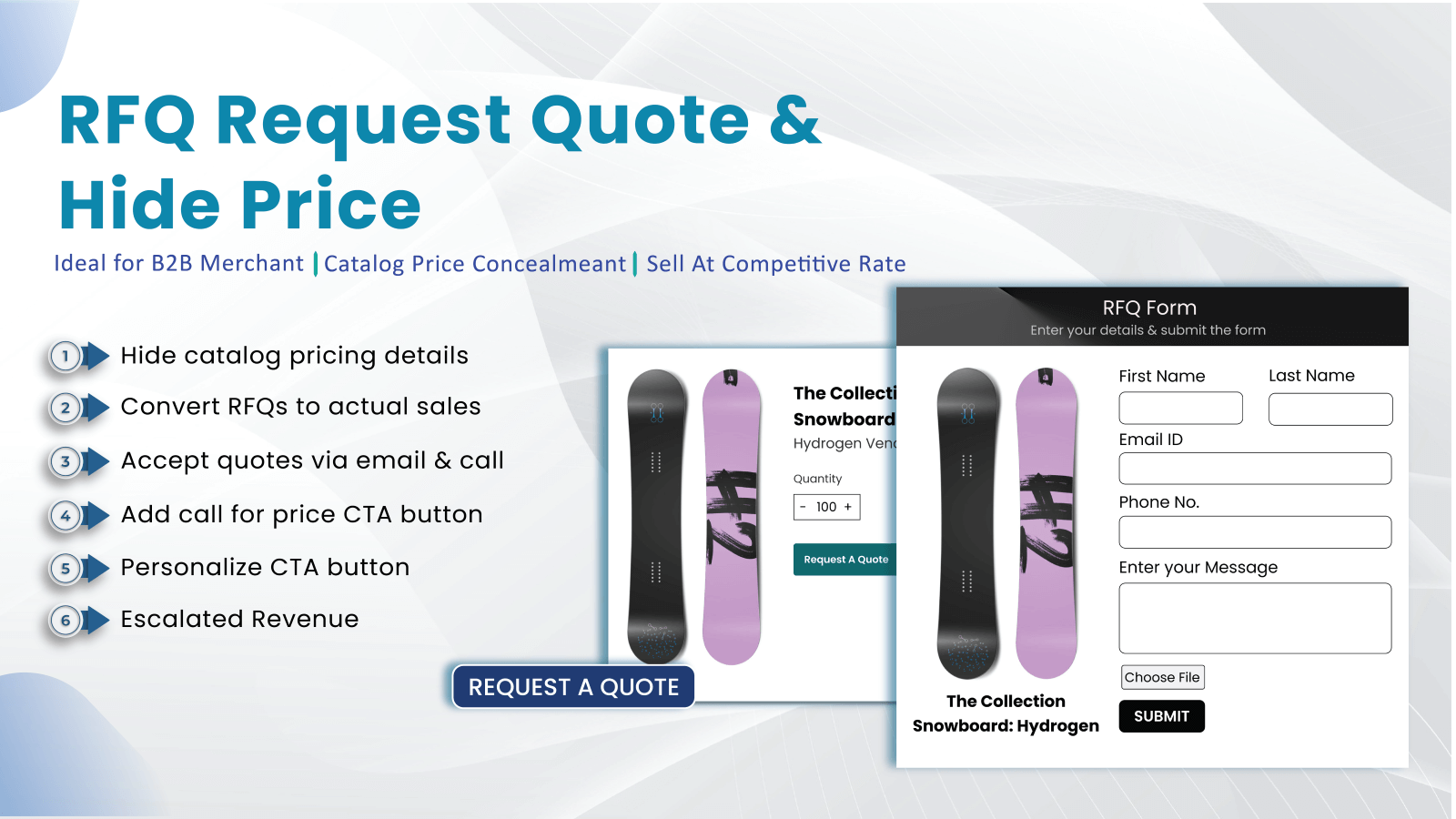
Secure more B2B business and larger orders with competitive custom quotes and bulk pricing. Our RFQ app puts you in full control of B2B pricing: hide product prices and encourage direct quote requests via email or phone. Customize the buying experience with a tailored RFQ button that appears based on specific customer tags. Design a custom RFQ form to efficiently collect all essential order details. Plus, easily manage inbound requests, personalize approval/rejection email templates, and seamlessly convert accepted quotes into actual orders to optimize your B2B sales.
Core Functionality
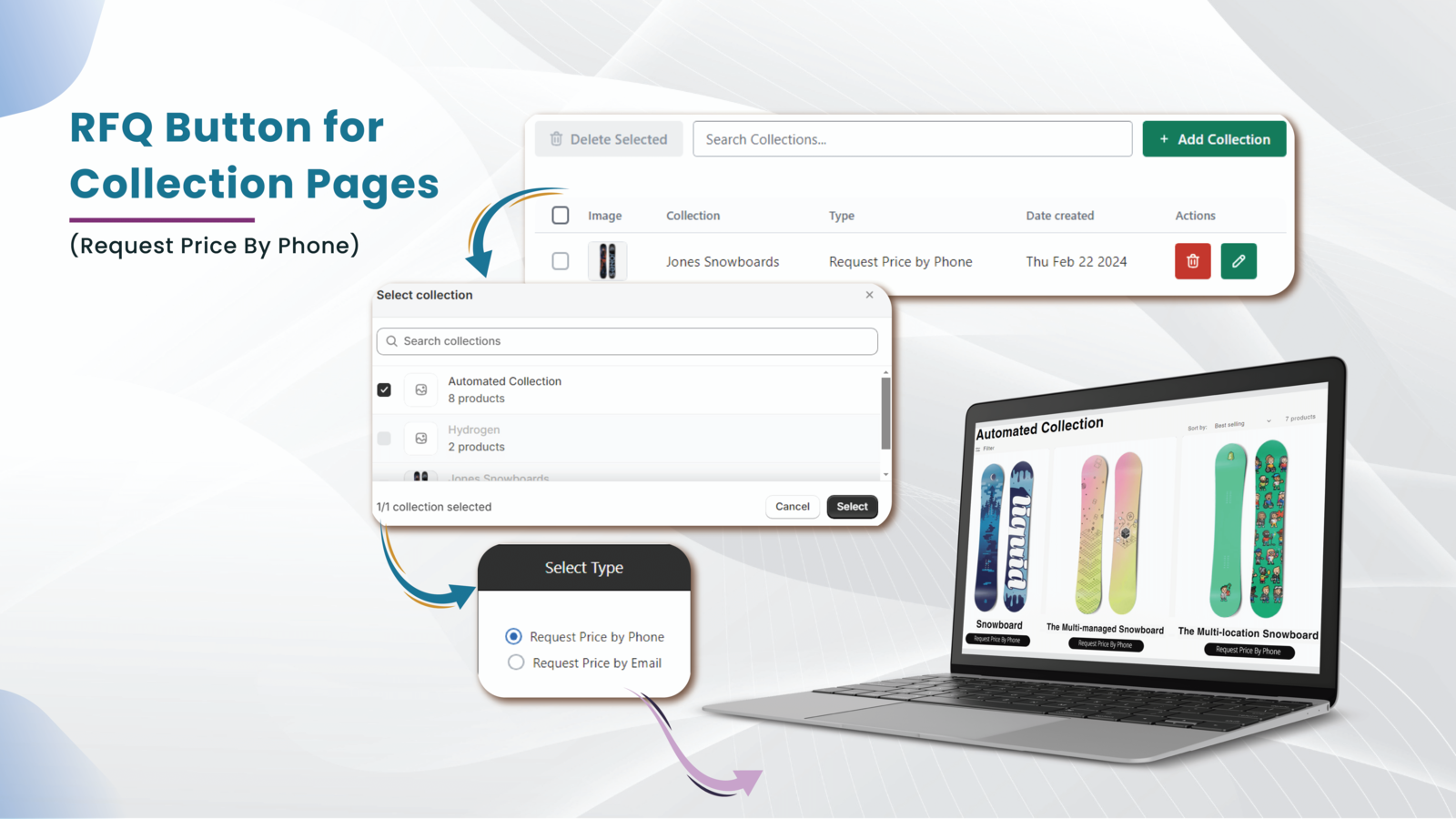
- Custom Quote Request Form: Let B2B customers easily submit quote requests.
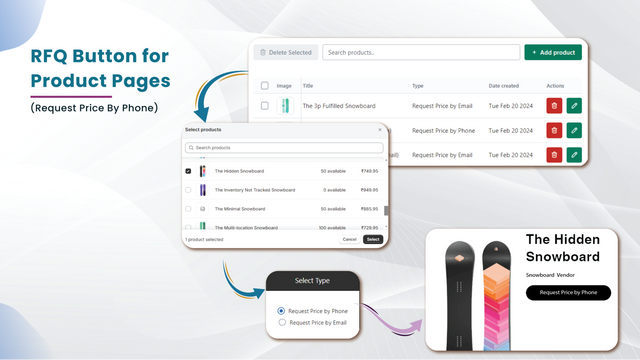
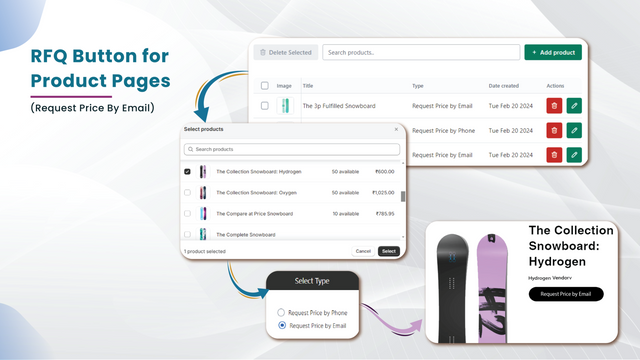
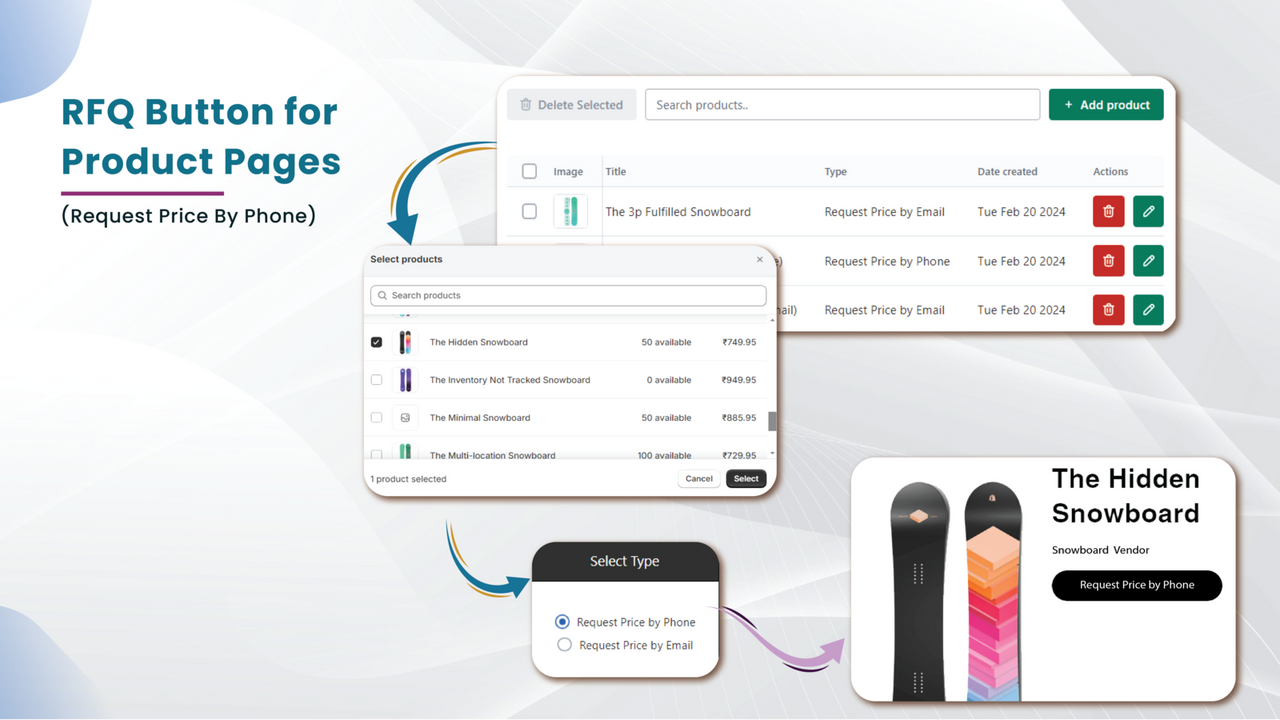
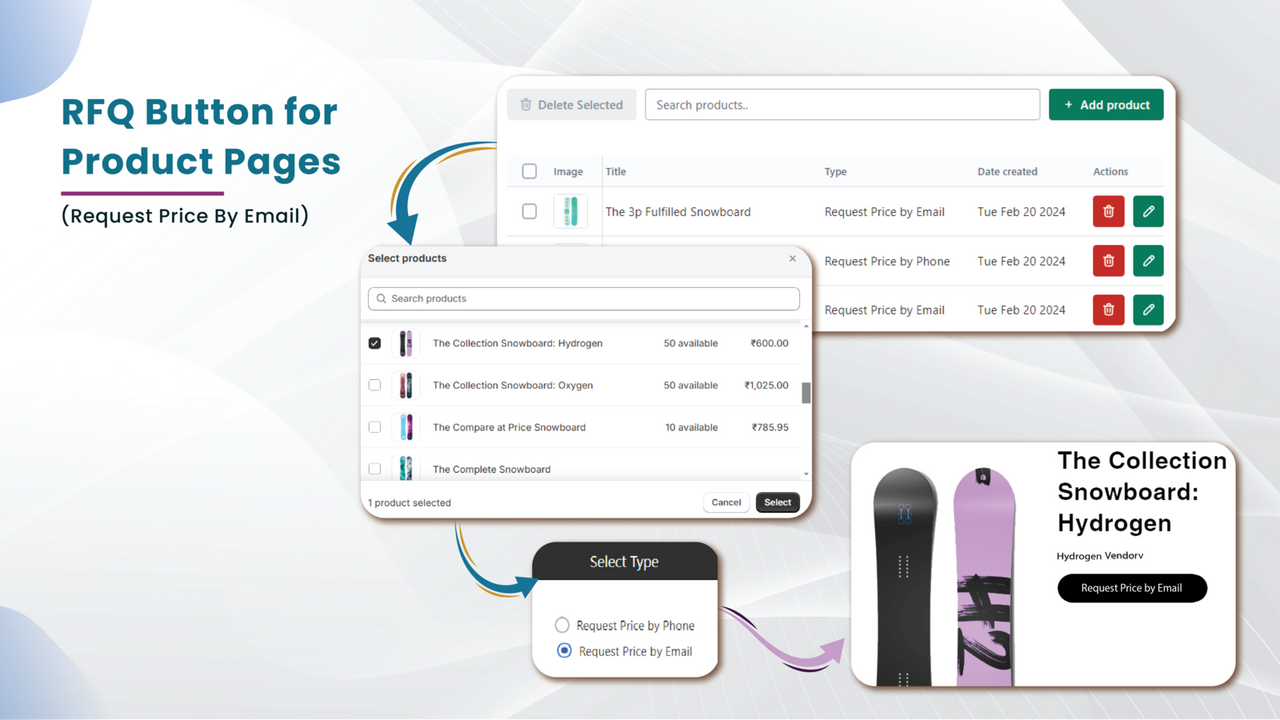
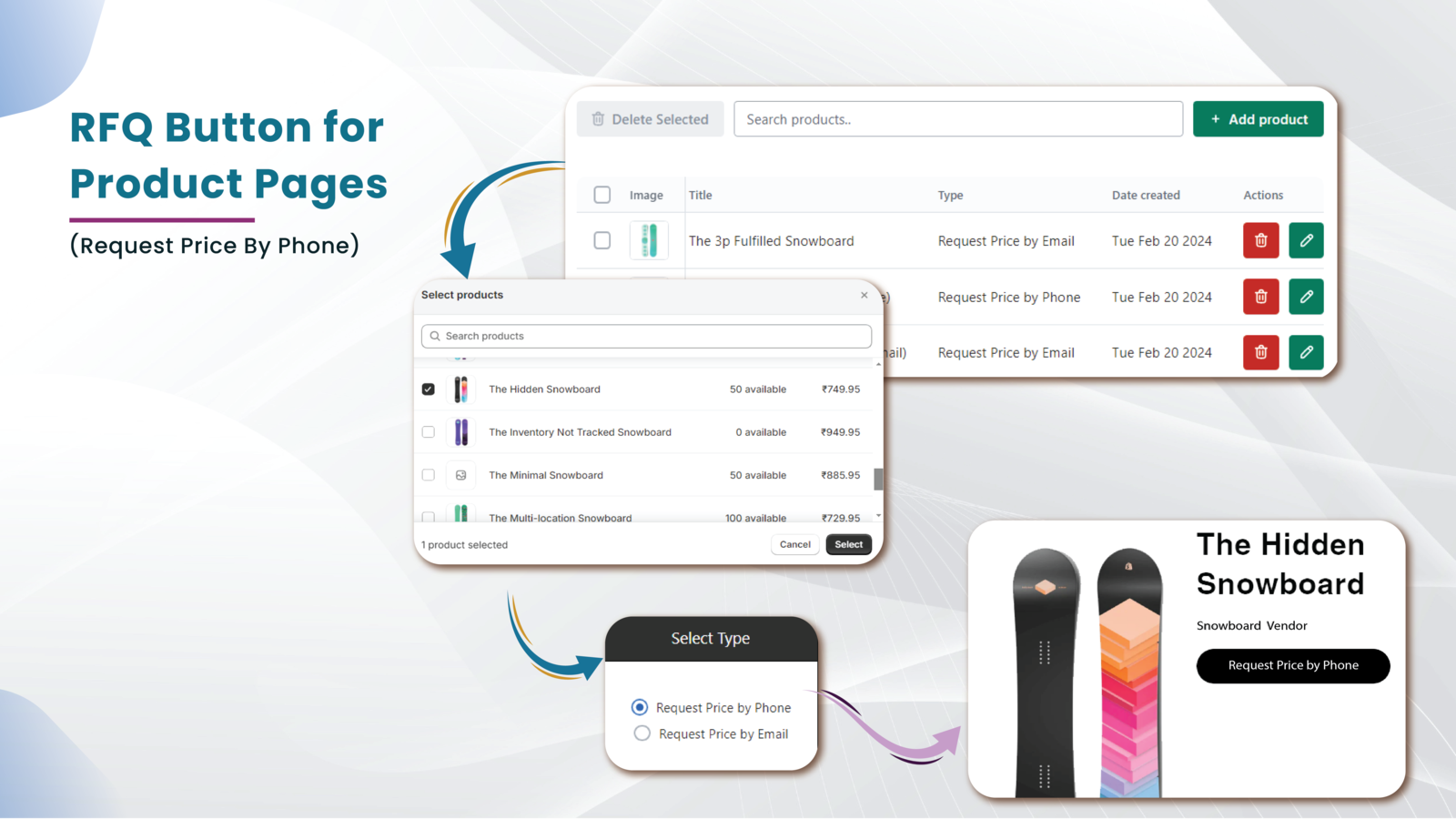
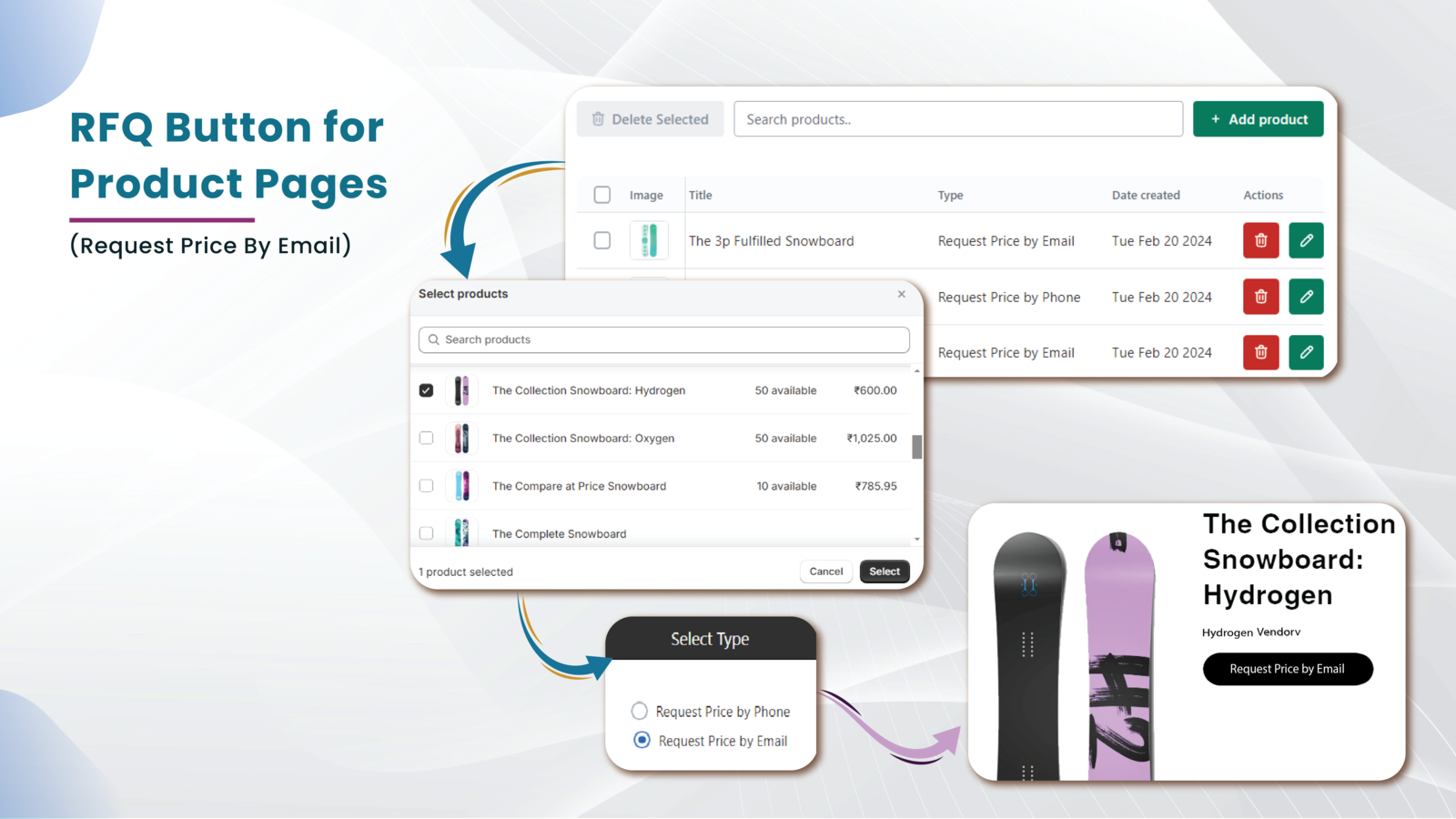
- Conditional RFQ Button: Based on specific product criteria.
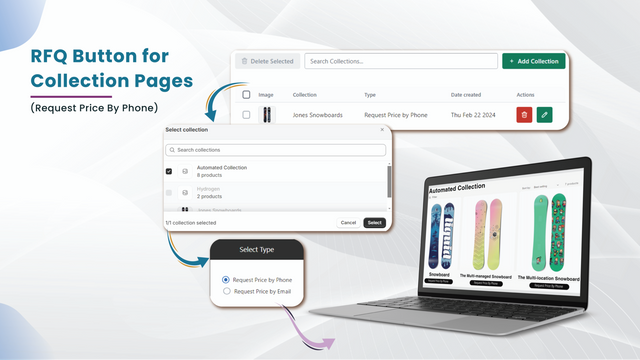
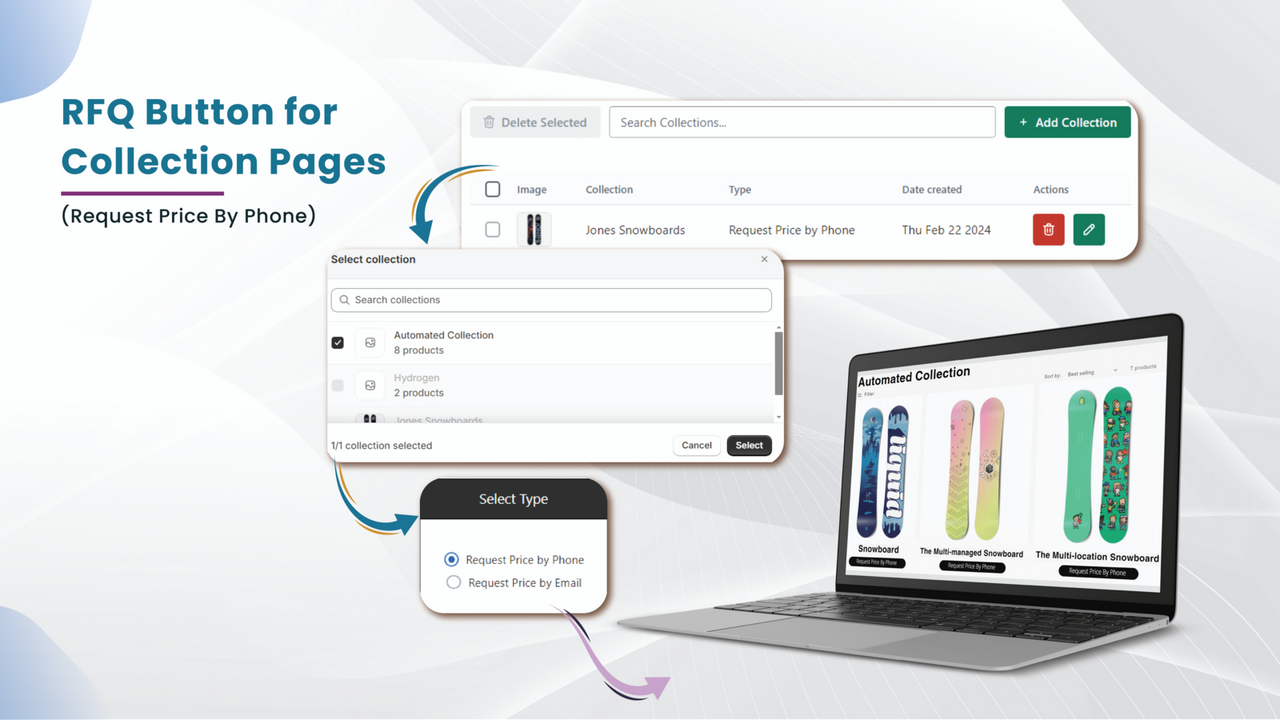
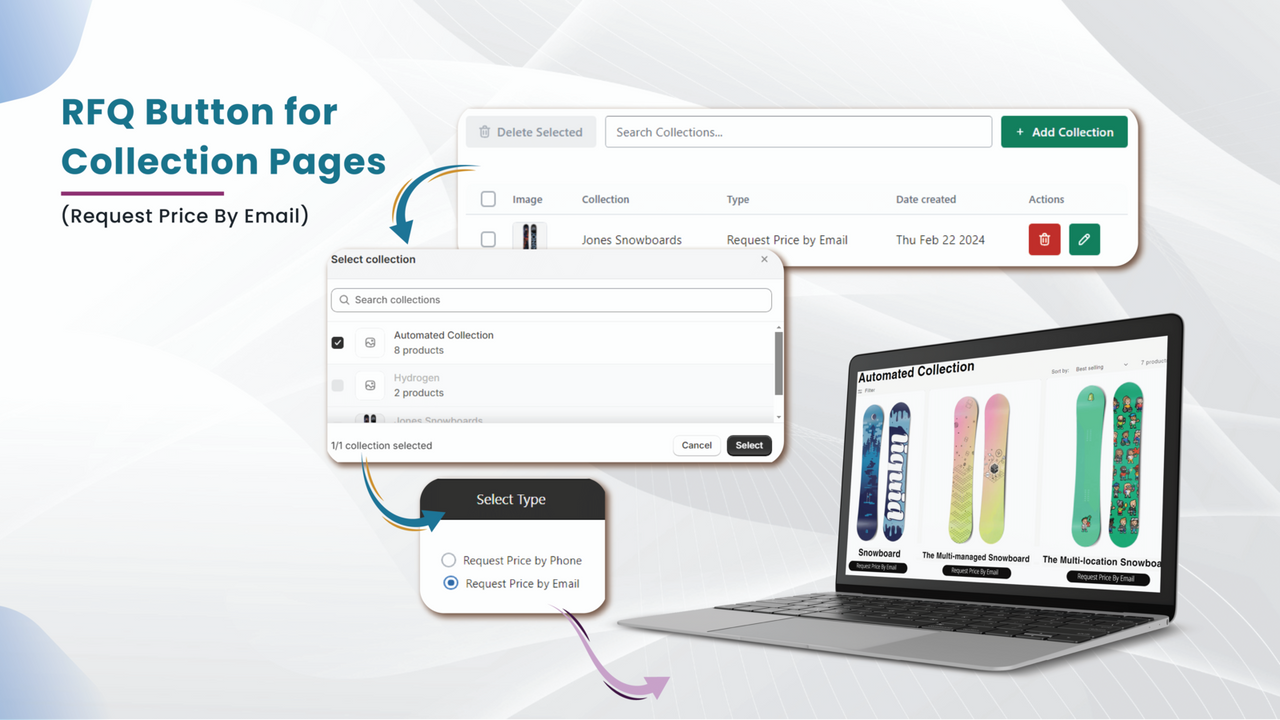
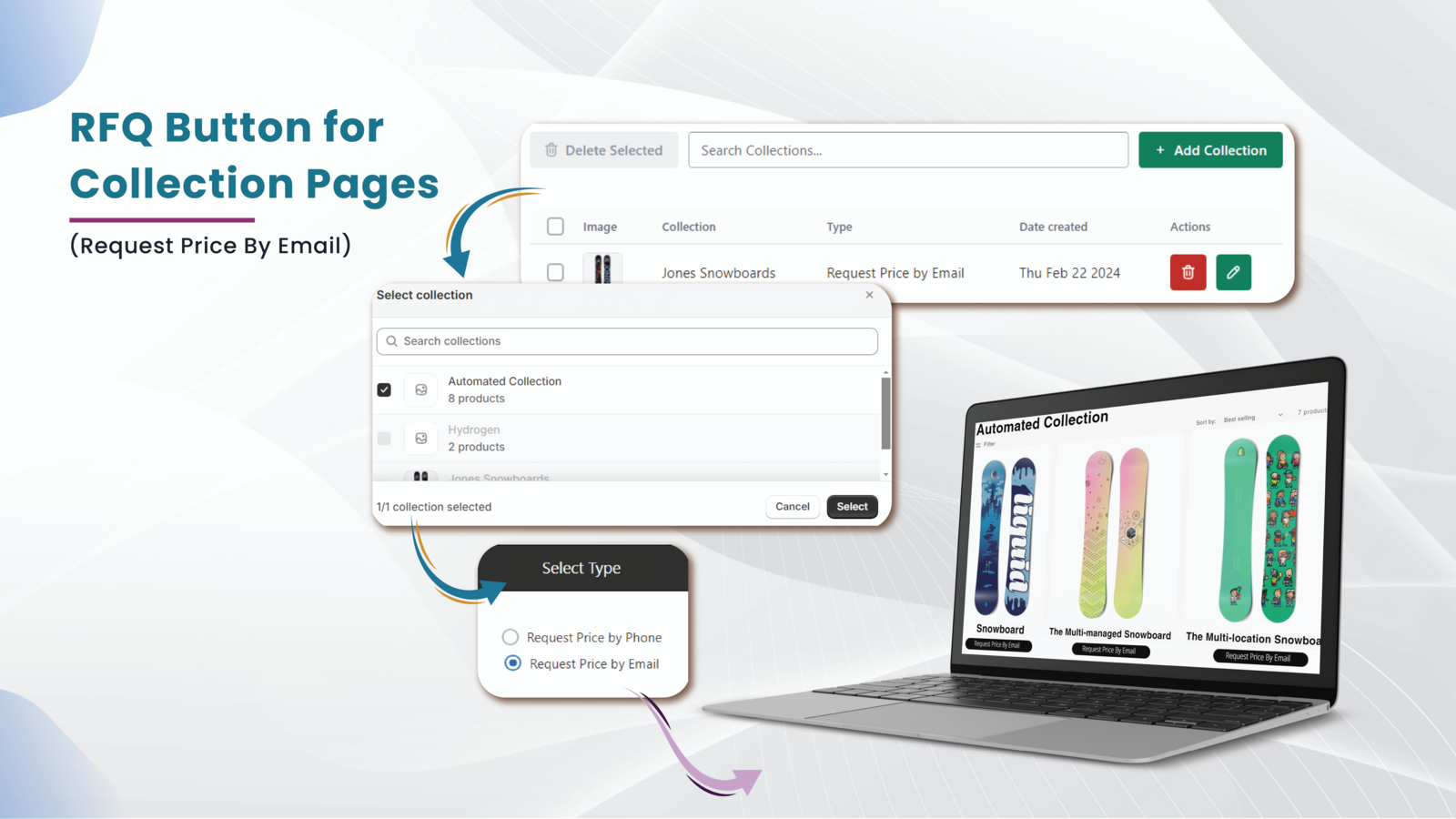
- Flexible Inquiry Submission: Receive quote inquiries via email or phone.
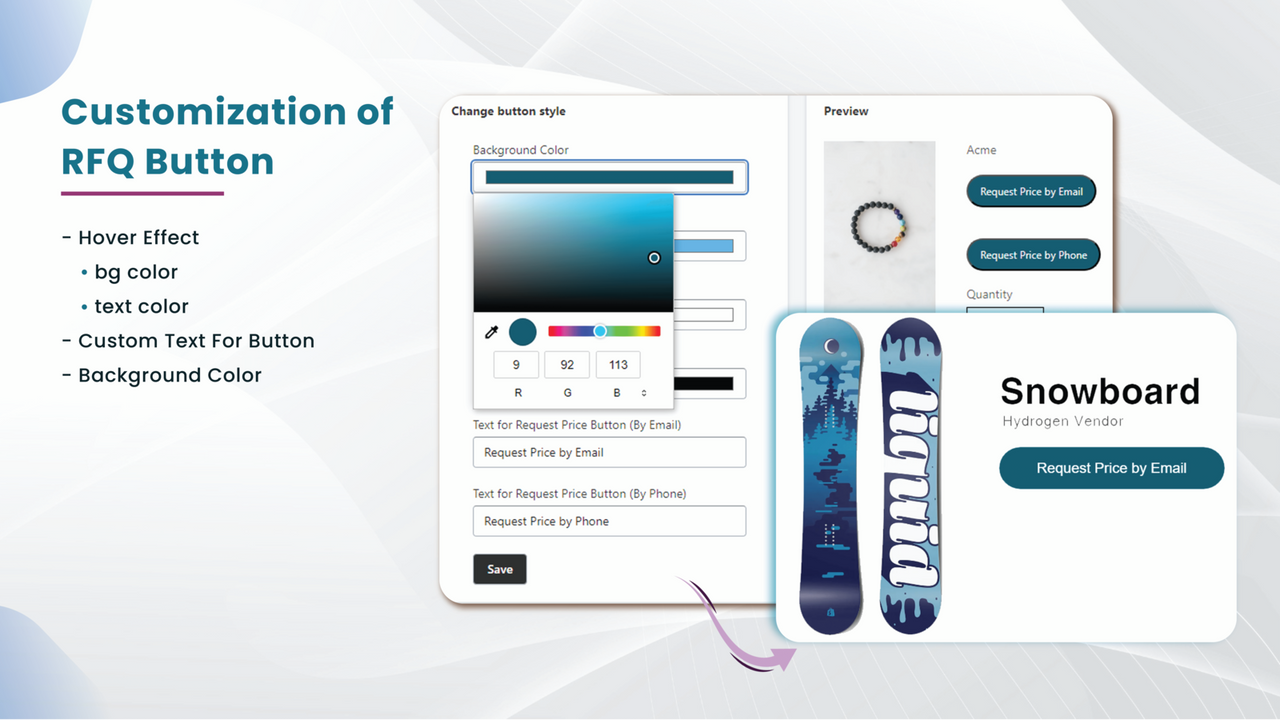
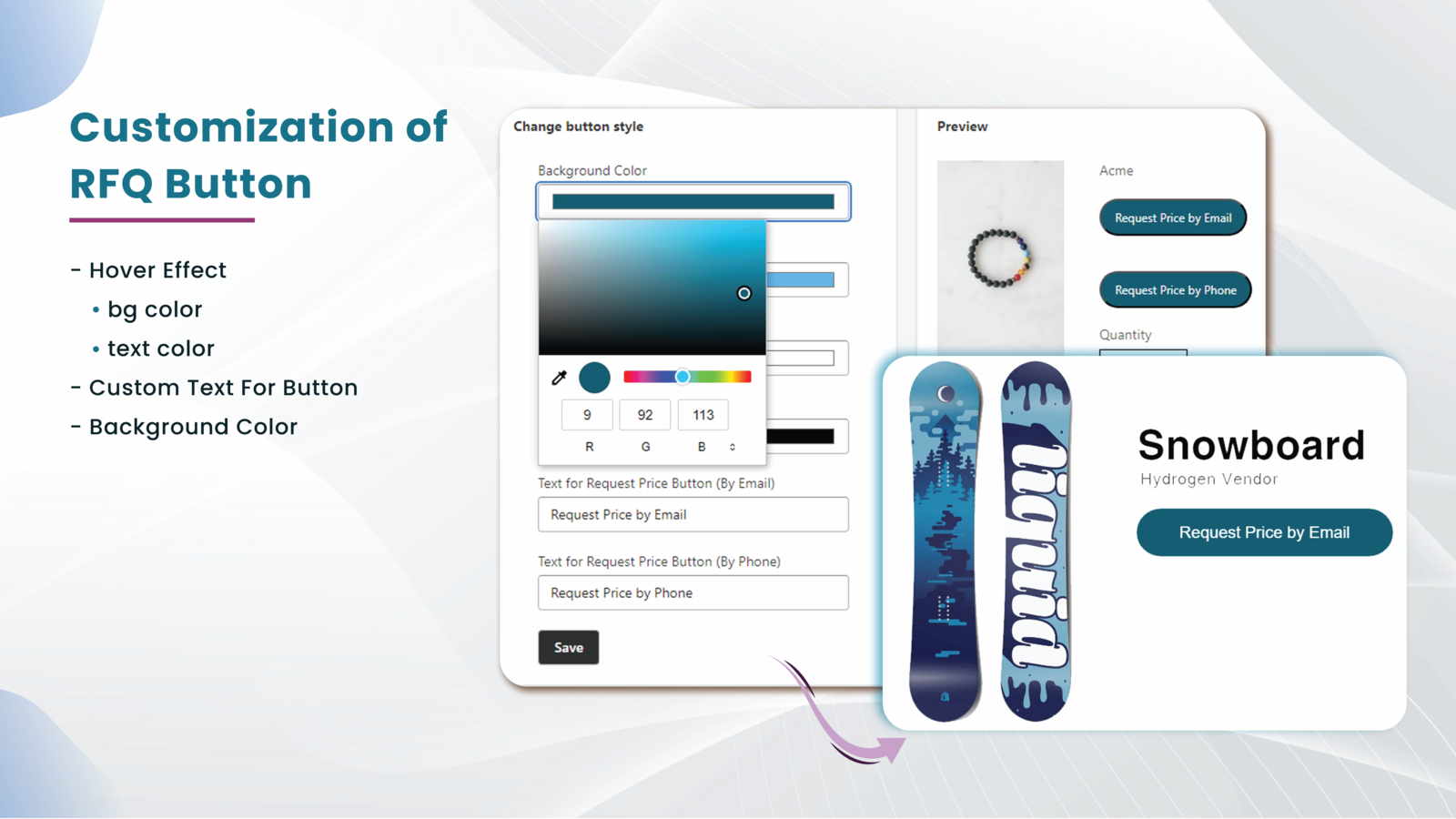
- Match your quote button’s appearance to your store theme.
- Segmented Quote Requests: Enable specific customer groups to request quotes.
Merchant-Friendly
- B2B Independent Station Merchants
- Multi-category Wholesale E-commerce
- Custom Product Merchants
- Enterprise Procurement Platforms
Basic Information
- Developer:MageComp
- Address:604, Victoria Corporate,, Opp. Gulista Ground,, Bhavnagar, GJ, 364002, IN
- Price: Free / Free plan
- Rating:4.1 / 5
- Comment Count:12 comment
- Release Date:2023-12-19
- Supported languages:English
- Compatible products:Shopify
Application Screenshot




Price Plan
BASIC MONTHLY
- Hide B2B Product Prices
- Accept Quotes via Email or Phone
- Display RFQ on Customer Tags and Collections
- Manage All Inbound Quote Requests
- Convert Accepted Quotes to Orders
- Customize Buttons to Match Your Theme
- Customize Quote Email Templates
- Design Custom RFQ Forms
BASIC YEARLY
- Hide B2B Product Prices
- Accept Quotes via Email or Phone
- Display RFQ on Customer Tags and Collections
- Manage All Inbound Quote Requests
- Convert Accepted Quotes to Orders
- Customize Buttons to Match Your Theme
- Customize Quote Email Templates
- Design Custom RFQ Forms
User Location & Comments
User Location
Comments
Shopify API Used
- POST /admin/api/quote_requests.json
- GET /admin/api/quote_requests.json
- PUT /admin/api/quote_requests/{id}.json
Permission:write_quote_requests,read_quote_requests,manage_customers
- POST /admin/api/quote_buttons.json
- PUT /admin/api/quote_buttons/{id}.json
- GET /admin/api/quote_buttons.json
Permission:write_quote_buttons,read_quote_buttons,manage_products
- POST /admin/api/quote_settings/contact_methods.json
- PUT /admin/api/quote_settings/contact_methods/{id}.json
- GET /admin/api/quote_settings/contact_methods.json
Permission:write_quote_settings,read_quote_settings,manage_store_settings
- POST /admin/api/quote_buttons/themes.json
- PUT /admin/api/quote_buttons/themes/{theme_id}.json
- GET /admin/api/quote_buttons/themes.json
Permission:write_themes,read_themes,manage_quote_buttons
- POST /admin/api/quote_groups.json
- PUT /admin/api/quote_groups/{id}.json
- GET /admin/api/quote_groups.json
Permission:write_customer_groups,read_customer_groups,manage_quote_requests