
App Introduction
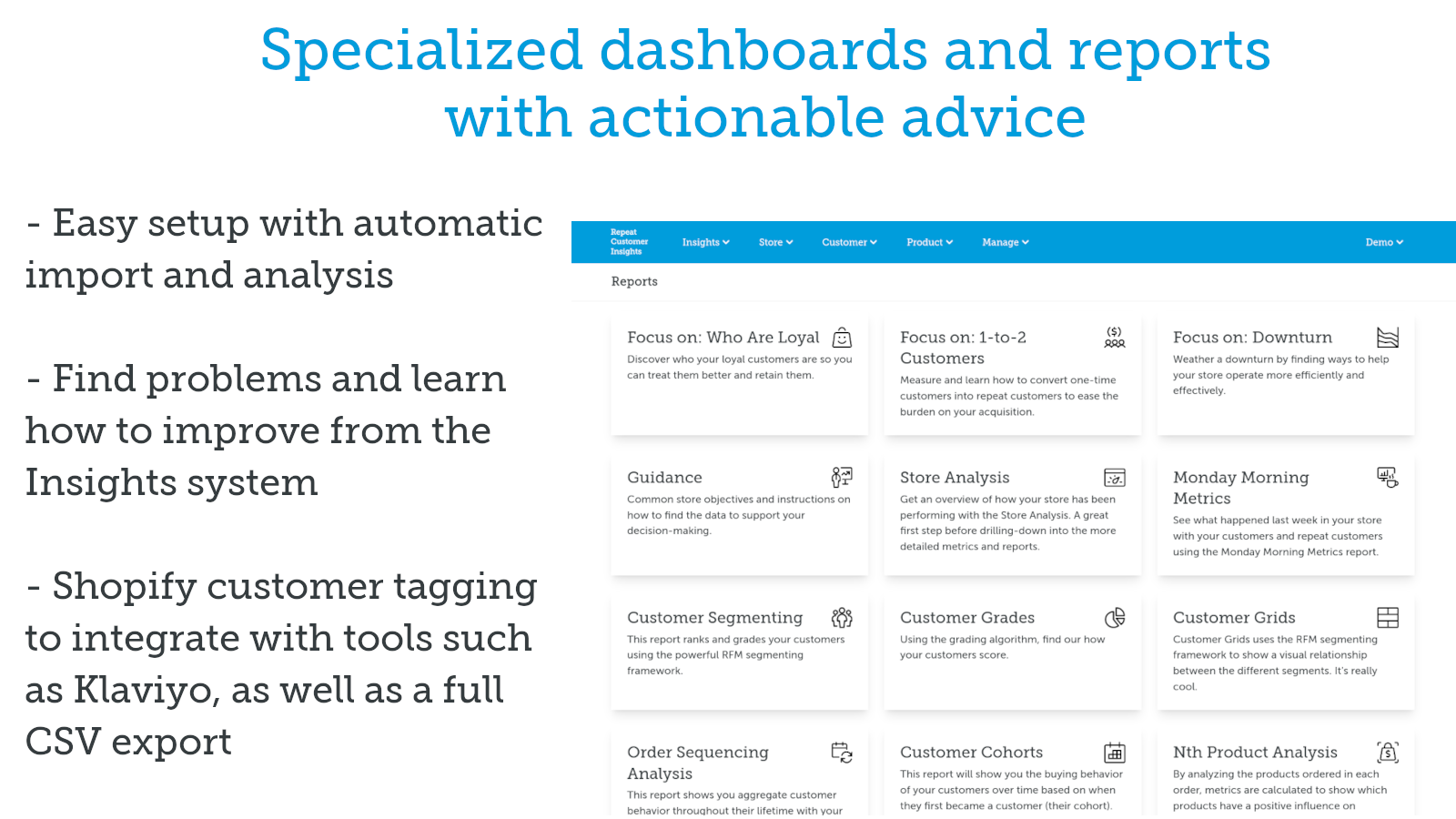
Customer Analytics for CPG Stores to Boost Retention: Leverage RFM, Cohorts, & Customer Segmentation Tailored for stores selling CPG and other consumer goods: Analyze your customers’ behavior, calculate dozens of metrics, and get actionable recommendations to identify and retain loyal buyers. Automatically build customer segments to ensure your marketing reaches the right audience at the right time. Push segments back to Shopify via tags or Klaviyo for integrated customer base visibility. Schedule email reports for your entire team so everyone stays updated on your store’s growth opportunities.
Core Functionality
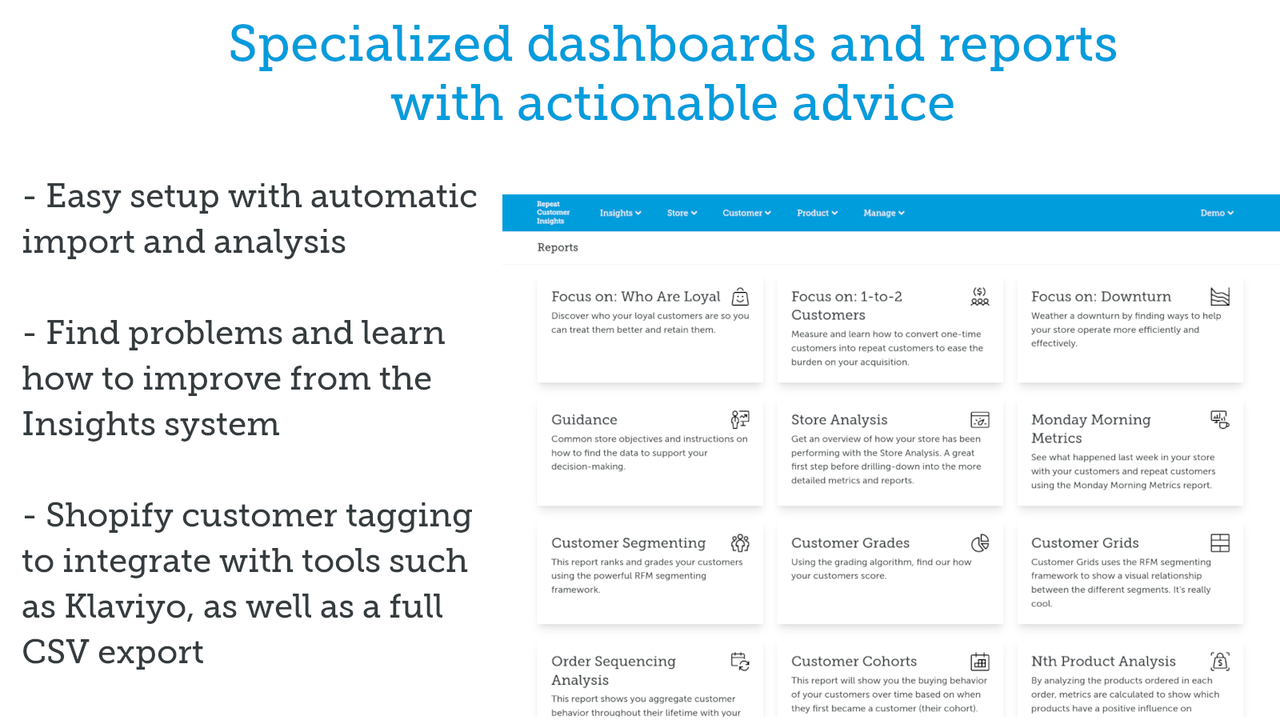
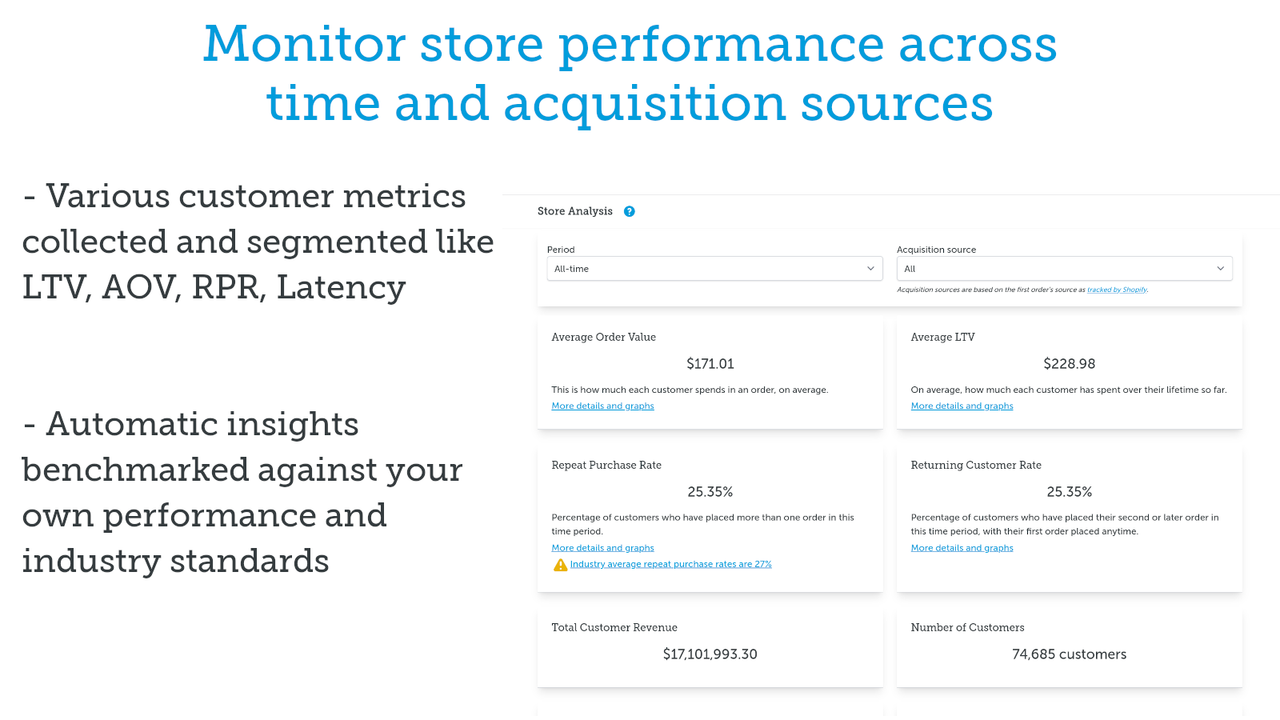
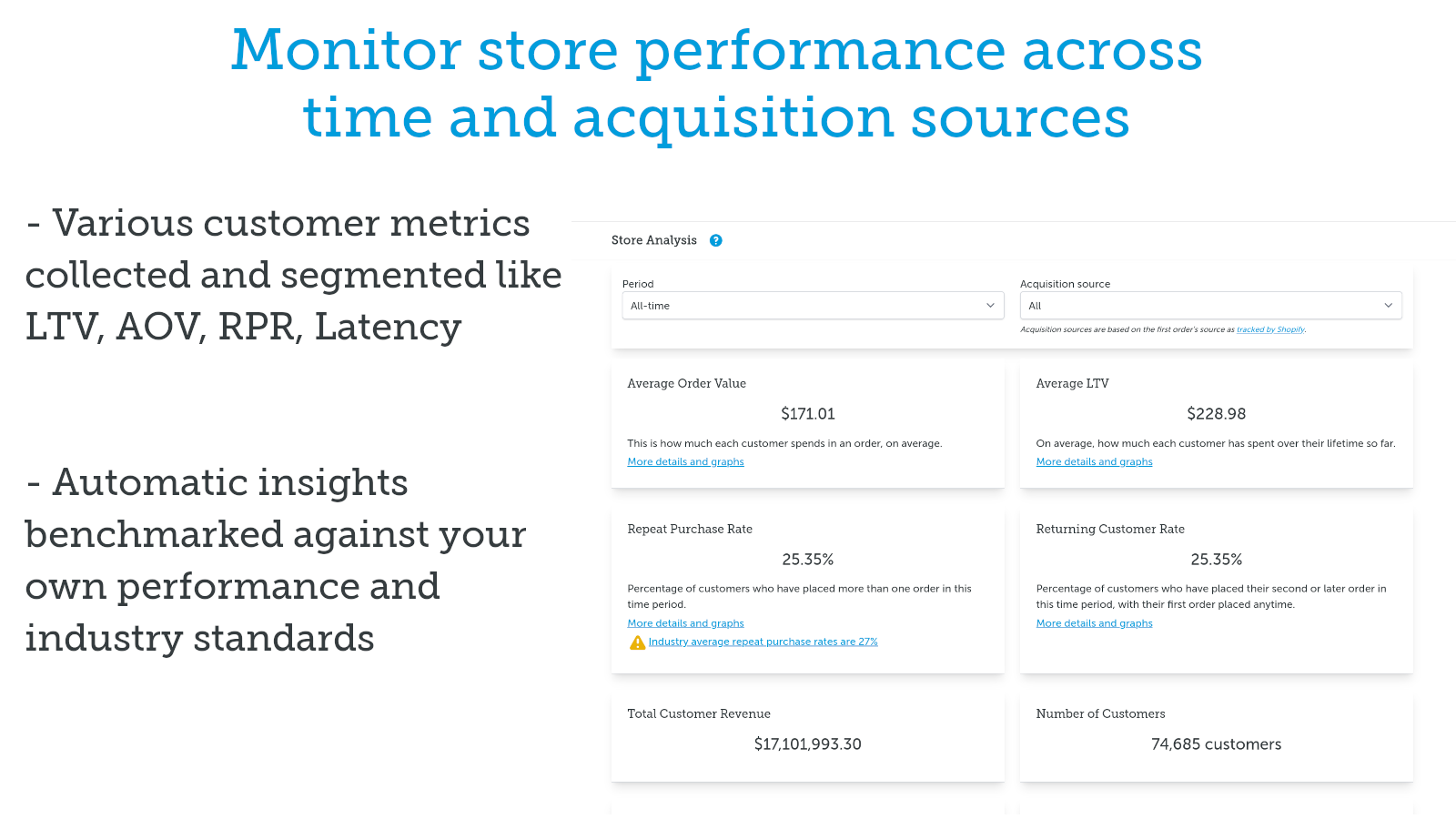
- Tailored recommendations based on your metrics and performance, highlighting your opportunities
- Loyal customer dashboard for repeat purchase insights and trend tracking
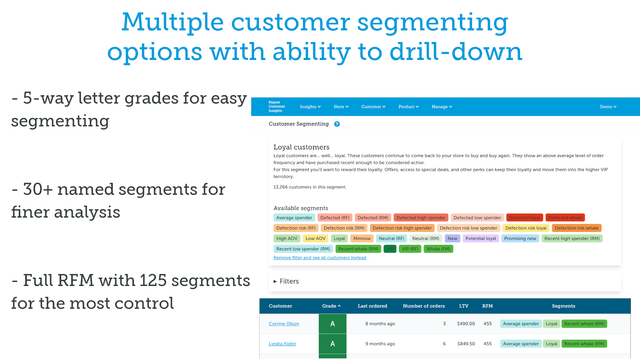
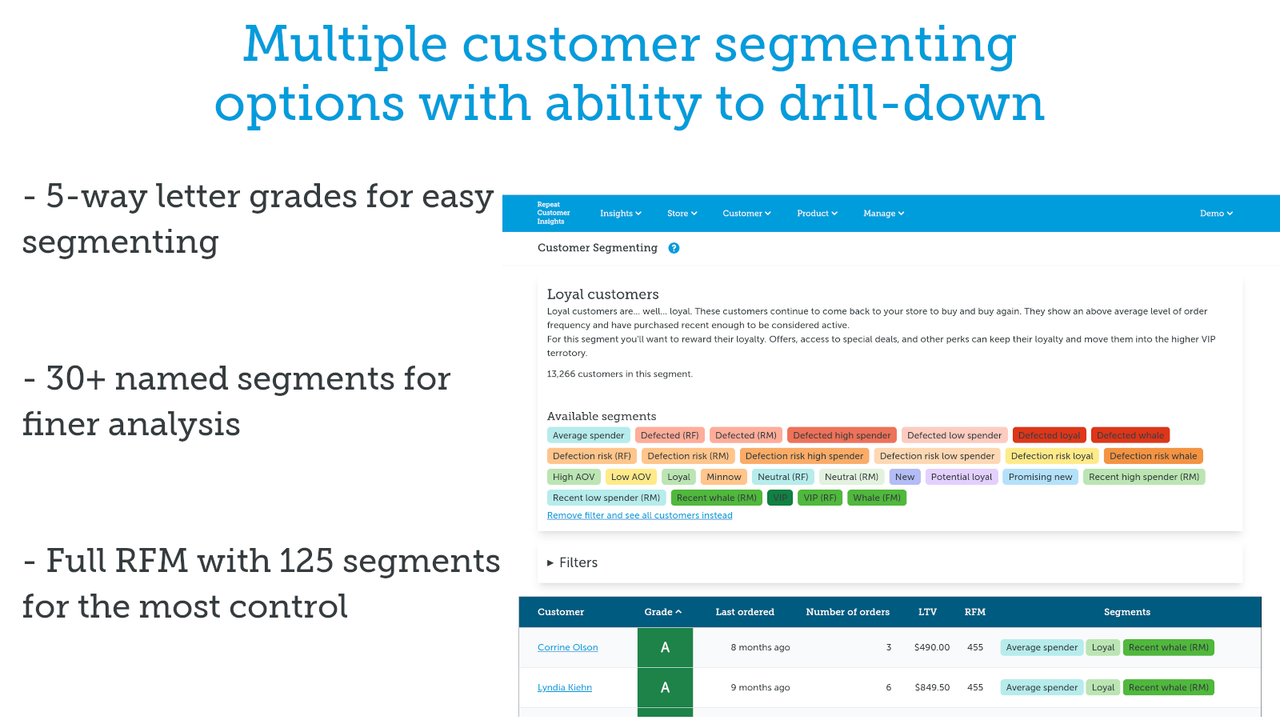
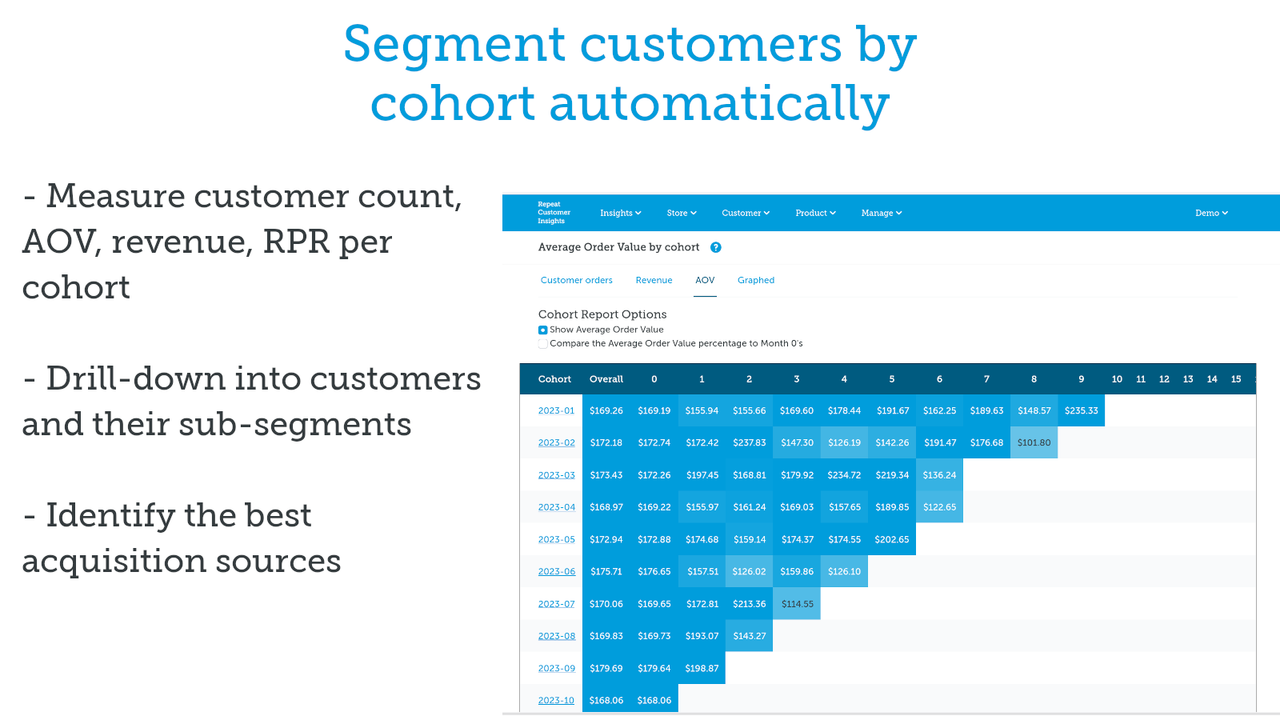
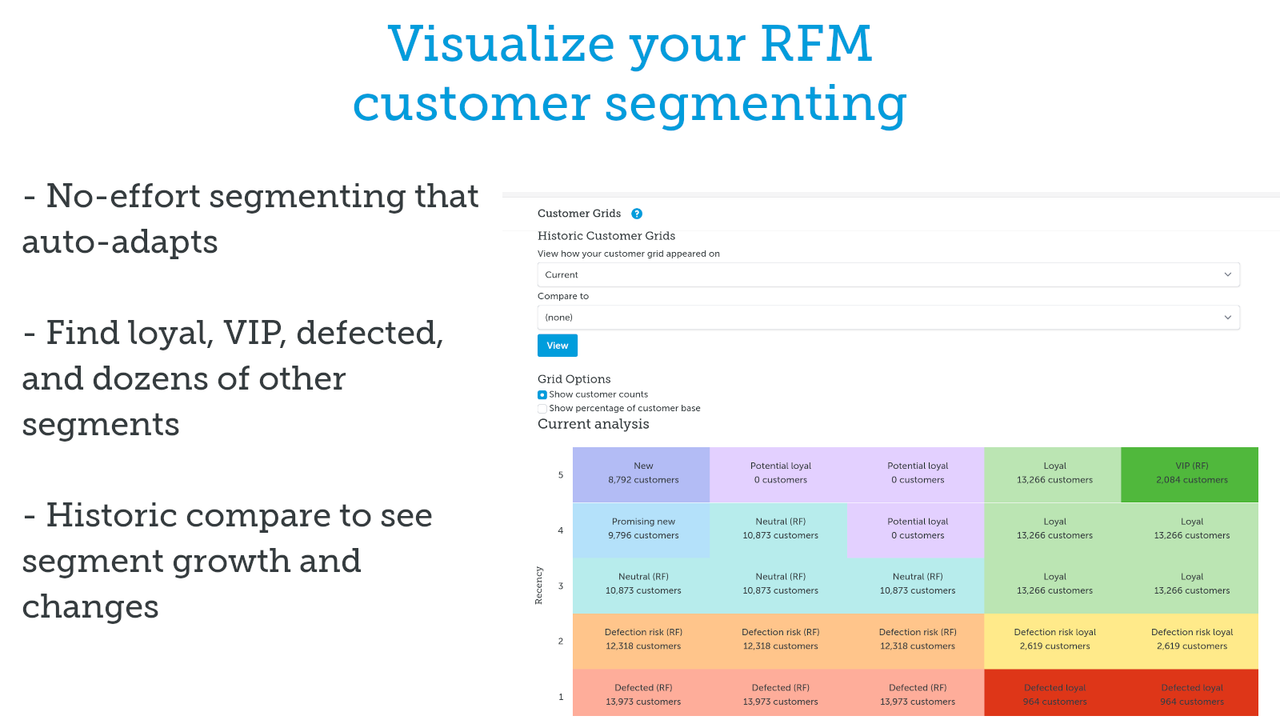
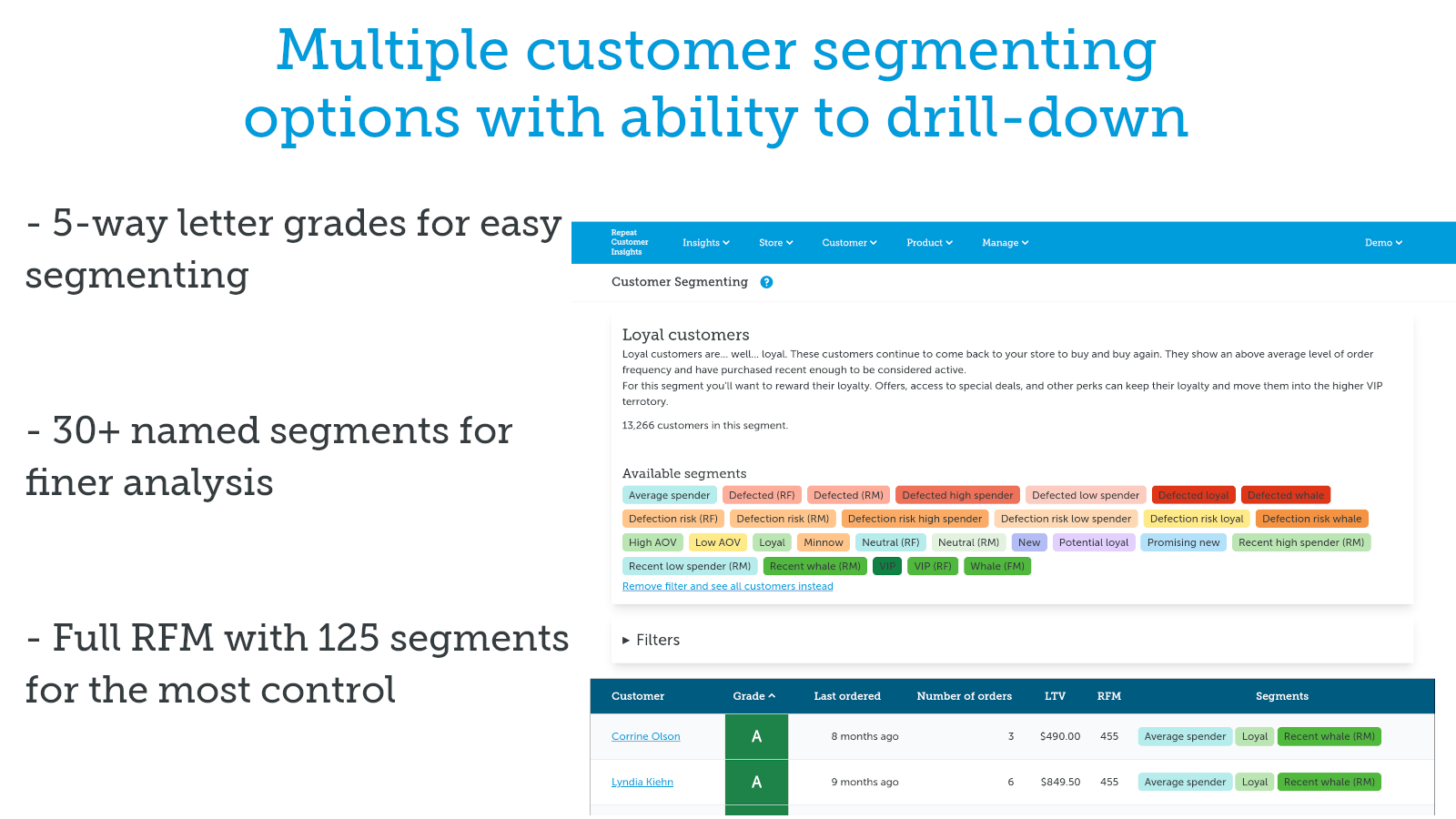
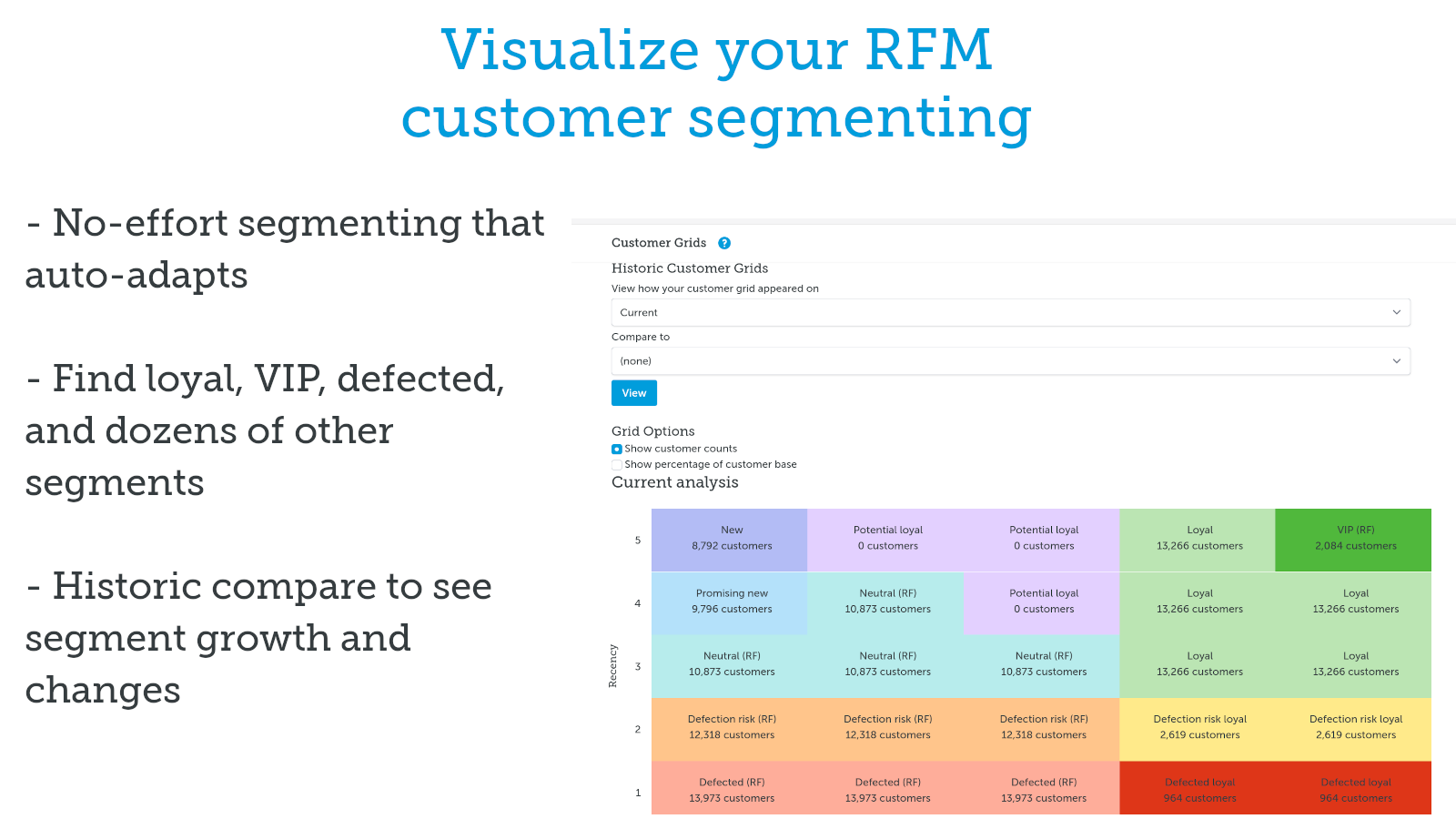
- Customer segmentation using RFM, scoring, groups, and visual customer grids
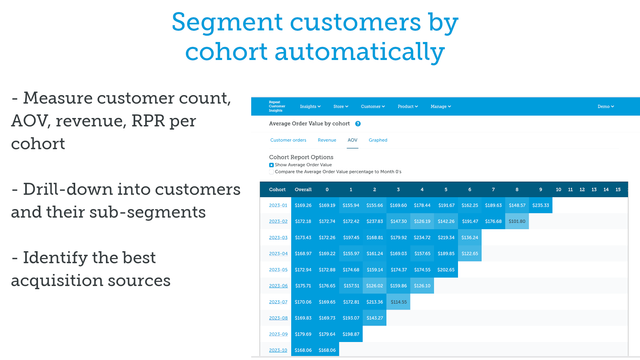
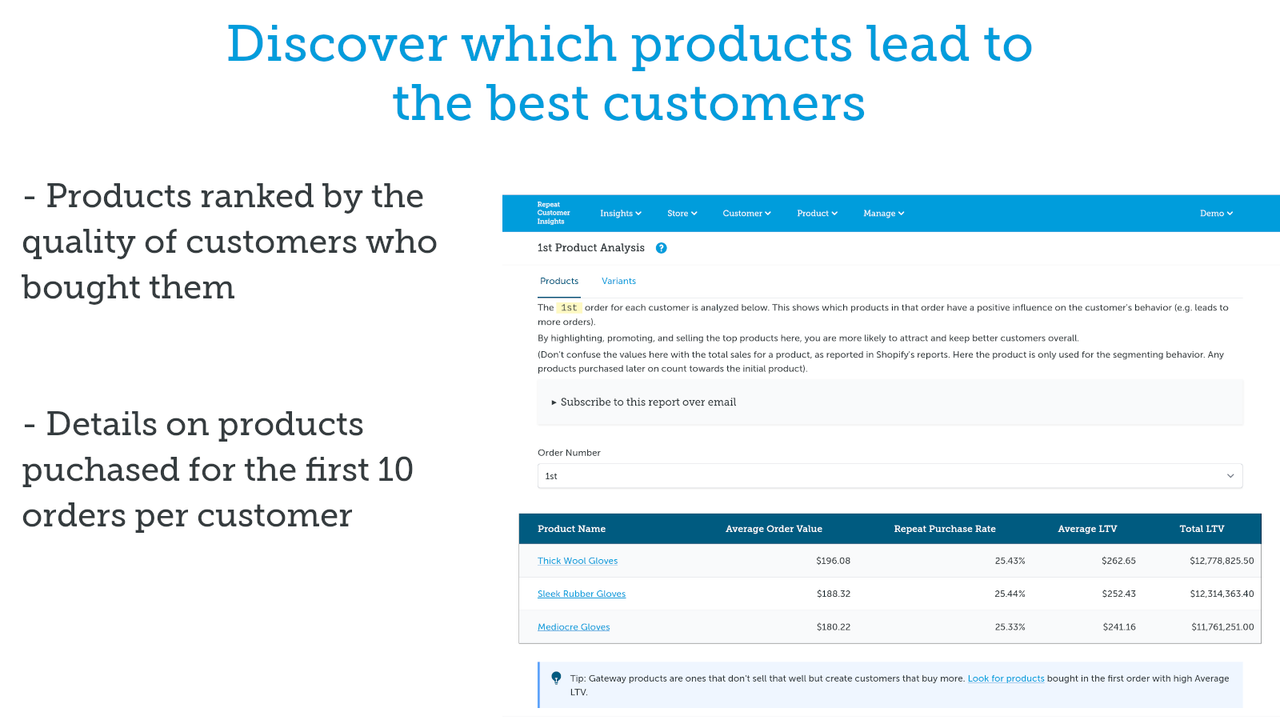
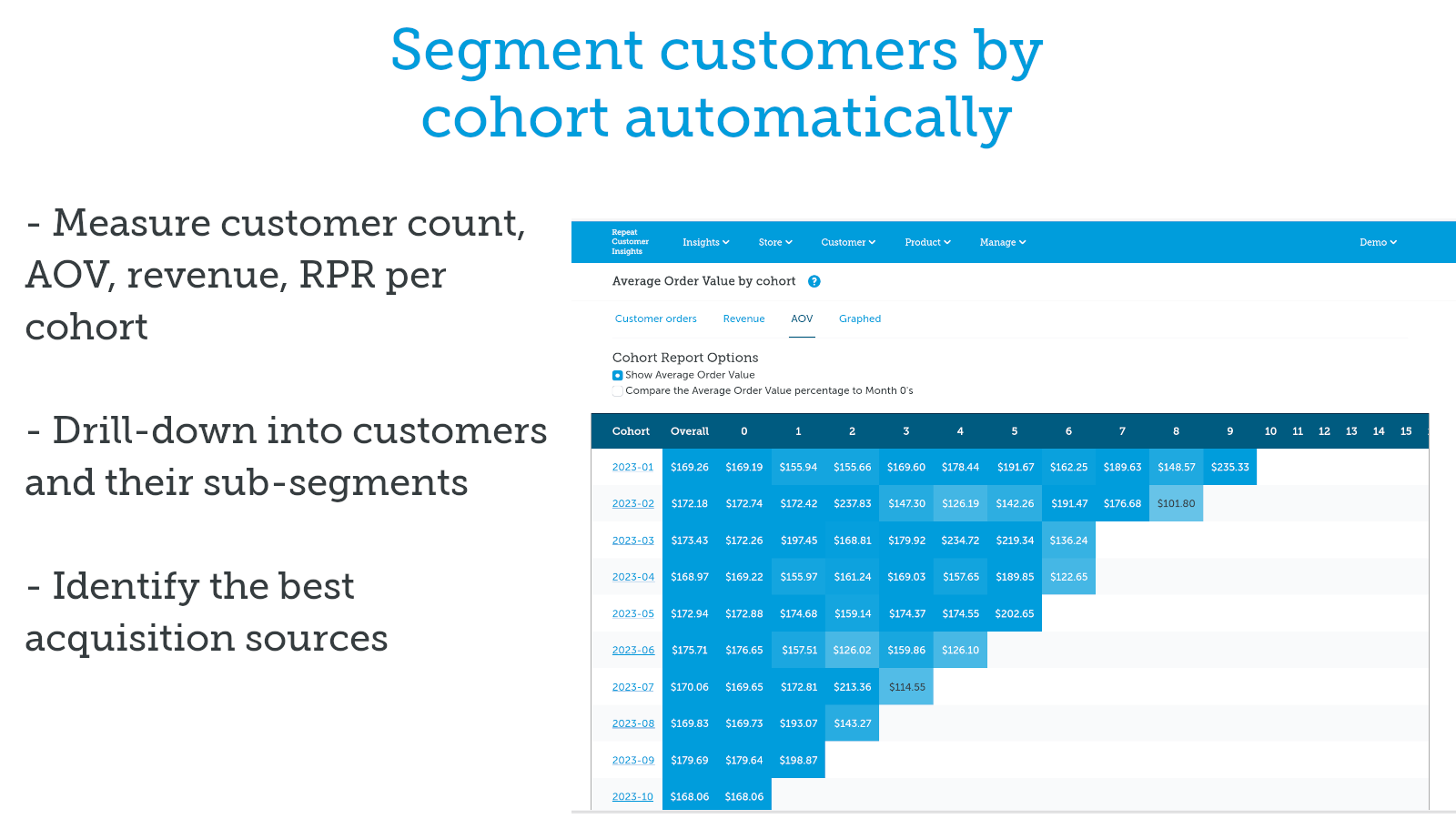
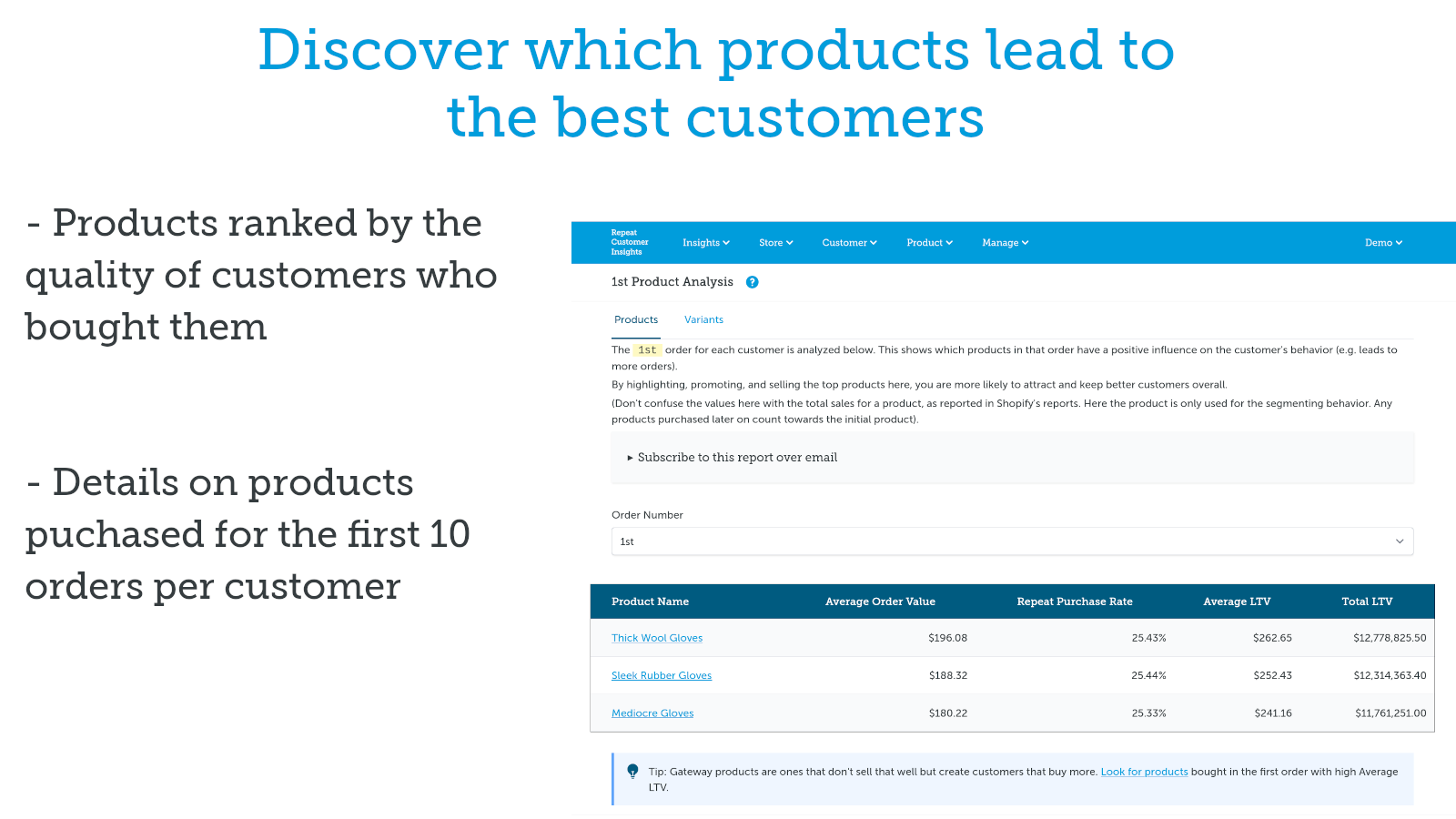
- Understand how products impact customer lifetime behavior, AOV, LTV, and RPR
- Sync segments to Shopify tags for integration with your rest of marketing stack
Merchant-Friendly
- Small & Medium E-commerce Sellers
- Membership Retail Merchants
- Data-driven Marketing Merchants
- High-value Product Merchants
Basic Information
- Developer:Little Stream Software
- Address:1887 Whitney Mesa Dr, #6225, Henderson, NV, 89014, US
- Price: Free / Free plan
- Rating:5 / 5
- Comment Count:14 comment
- Release Date:2016-5-30
- Supported languages:English
- Compatible products:Shopify
Application Screenshot

Price Plan
Entrepreneur
- Store Analysis with Dozens of Metrics
- Key Dashboard
- Automated Customer Segmentation
- RFM Analysis and Segmentation
- Order Sorting (2-Year)
- Customer Groups (12-Month)
- Product Analysis
- Segmentation by 2 Sales Channels
Growth
- Add:
- Tag Customers
- Order Sorting (All, 5 Years)
- Customer Groups (Full History)
- Variant Analysis
- Product Reorder Analysis
- Variant Reorder Analysis
- Segment by 11 Popular Sales Channels
Peak
- Add:
- Store Analytics (All Historical Drilldowns)
- Order Sorting Analysis (All Historical)
- Premium Support
- API Access
- Segmentation by 50 Popular Sales Channels
User Location & Comments
User Location
Comments
Shopify API Used
- POST /admin/api/reports/custom_advice.json
- GET /admin/api/reports/custom_advice.json
- PUT /admin/api/reports/custom_advice/{id}.json
Permission:read_reports,write_reports,manage_metrics
- GET /admin/api/customers/loyalty_dashboard.json
- POST /admin/api/customers/loyalty_metrics.json
- PUT /admin/api/customers/loyalty_alerts.json
Permission:read_customers,read_orders,manage_reports
- POST /admin/api/customers/segments/rfm.json
- GET /admin/api/customers/segments/rfm.json
- PUT /admin/api/customers/segments/rfm/{id}.json
Permission:read_customers,write_customers,manage_segments
- GET /admin/api/products/behavior_impact.json
- POST /admin/api/products/ltv_analysis.json
- PUT /admin/api/products/aov_comparison.json
Permission:read_products,read_orders,read_reports
- POST /admin/api/customers/segments/sync_tags.json
- GET /admin/api/customers/segments/sync_status.json
- PUT /admin/api/customers/segments/sync_config.json
Permission:write_customers,manage_segments,manage_tags



