
B2B Registration Forms Builder
App Introduction
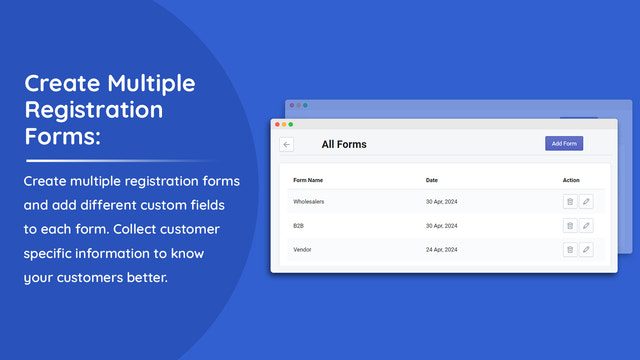
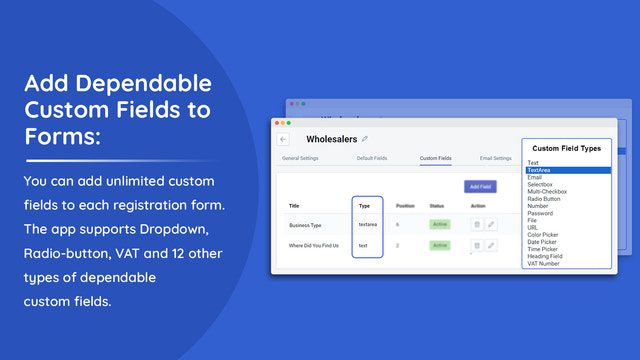
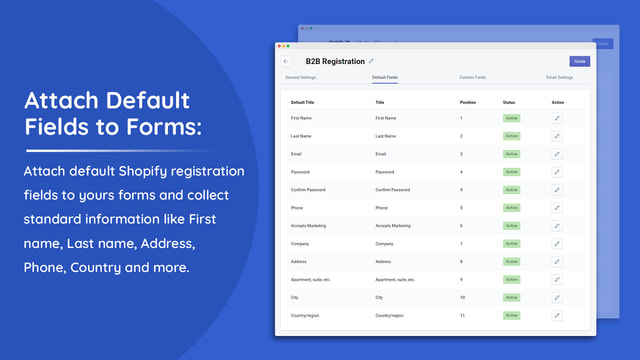
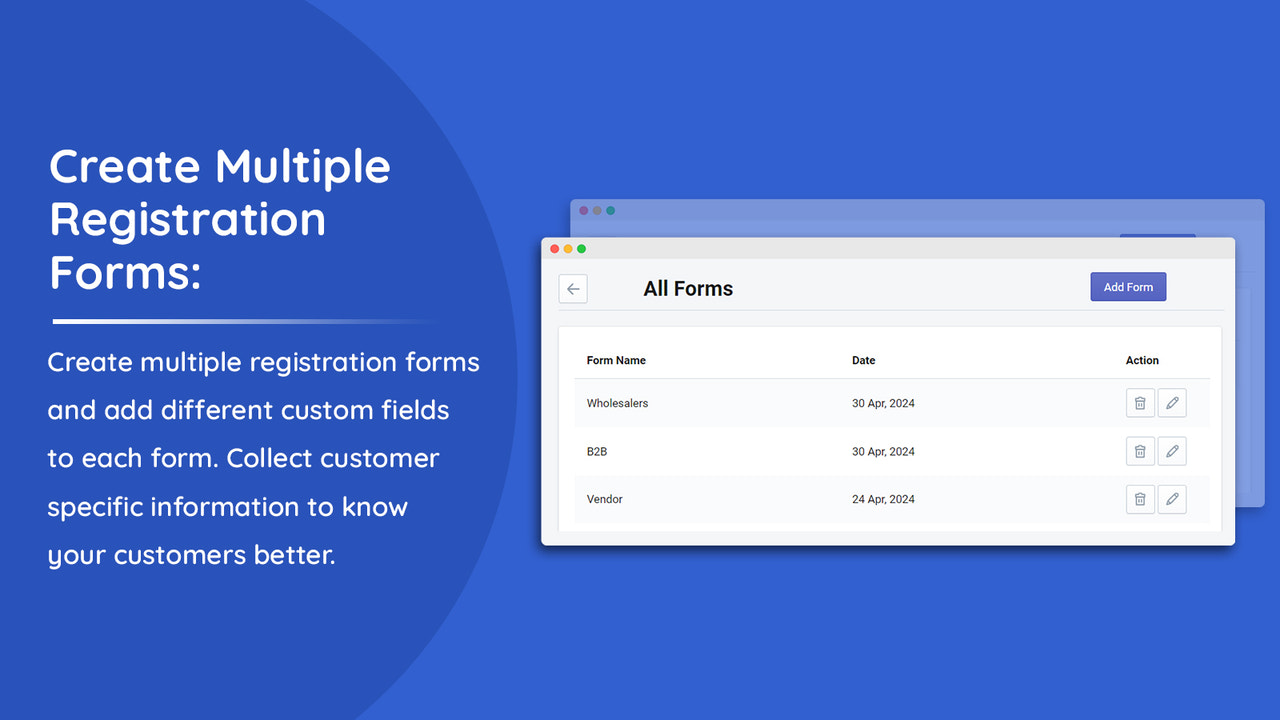
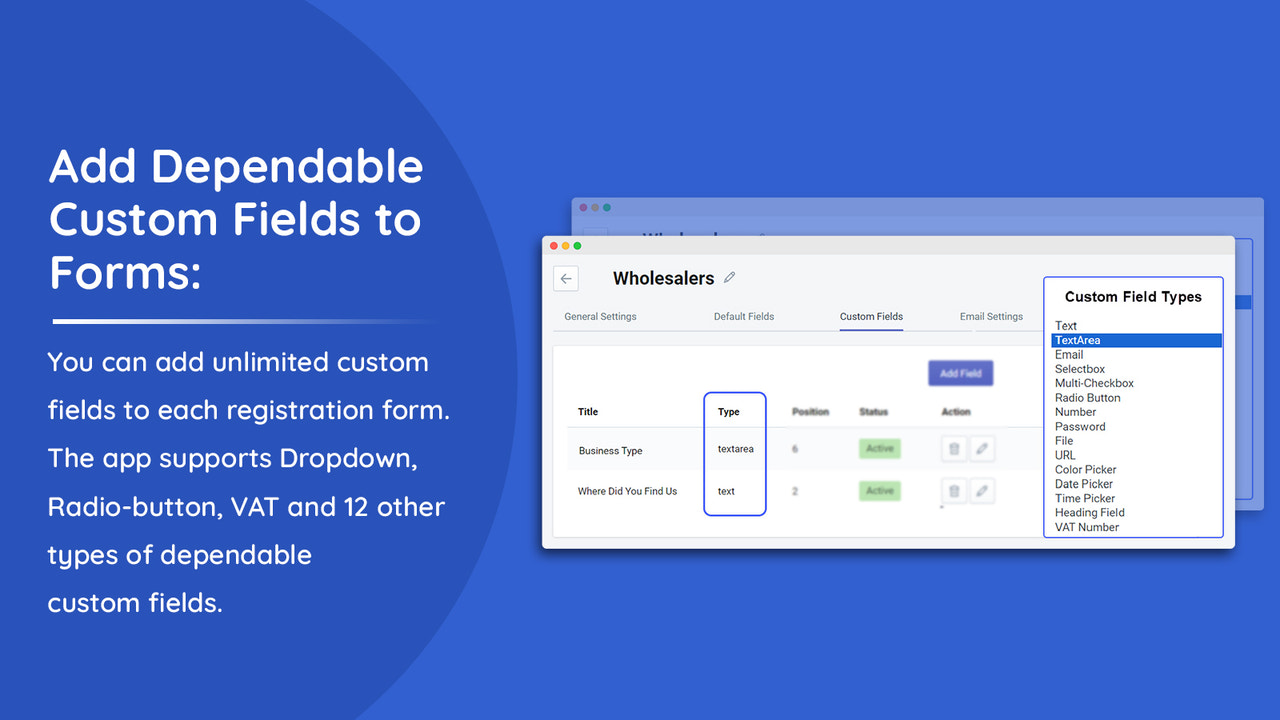
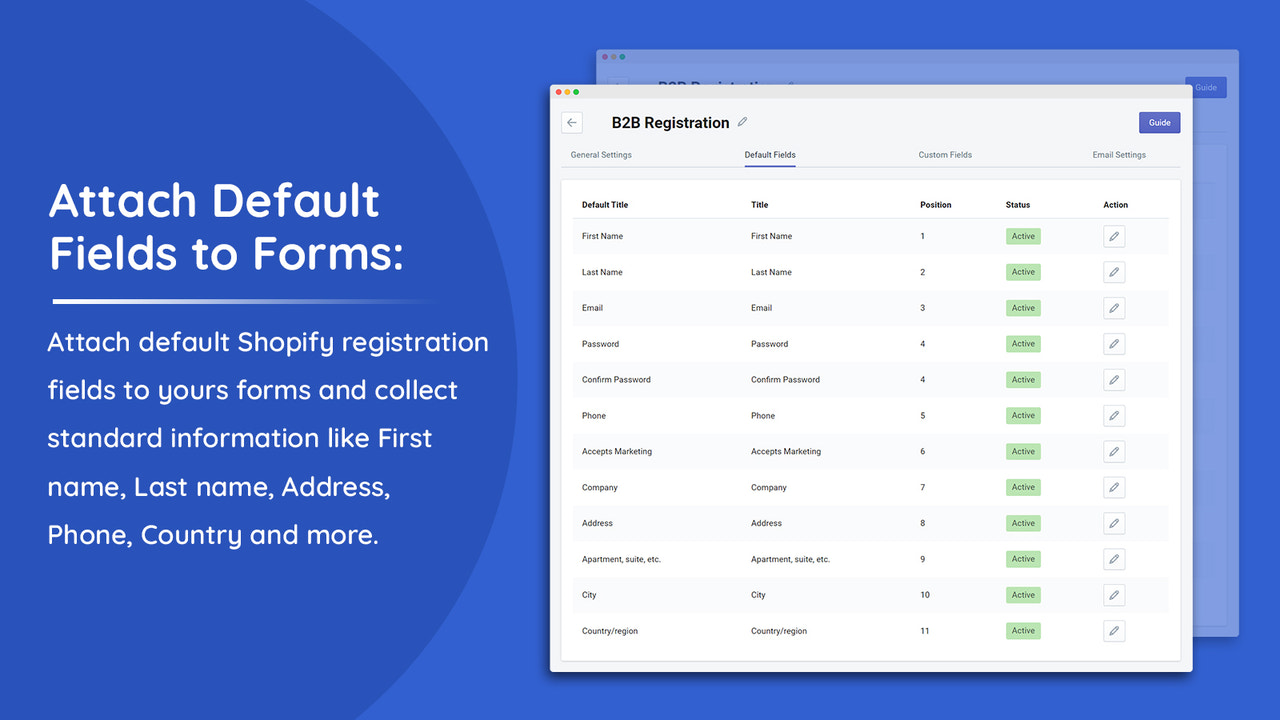
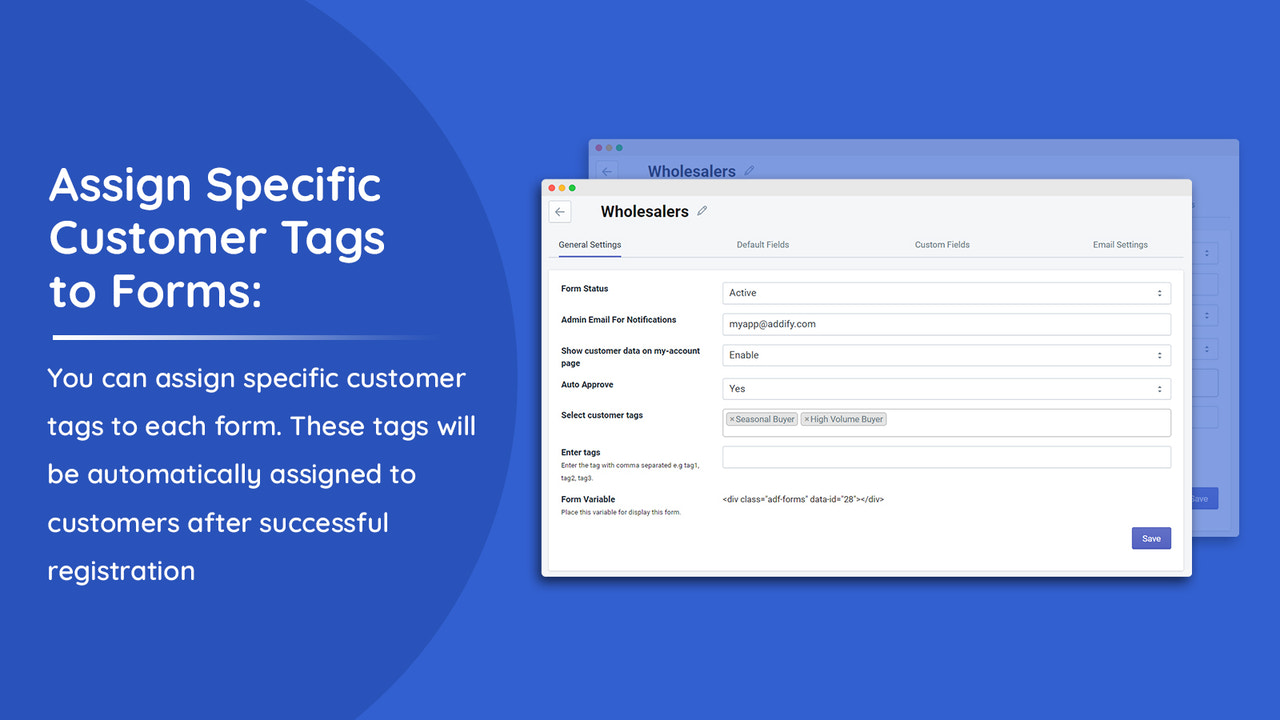
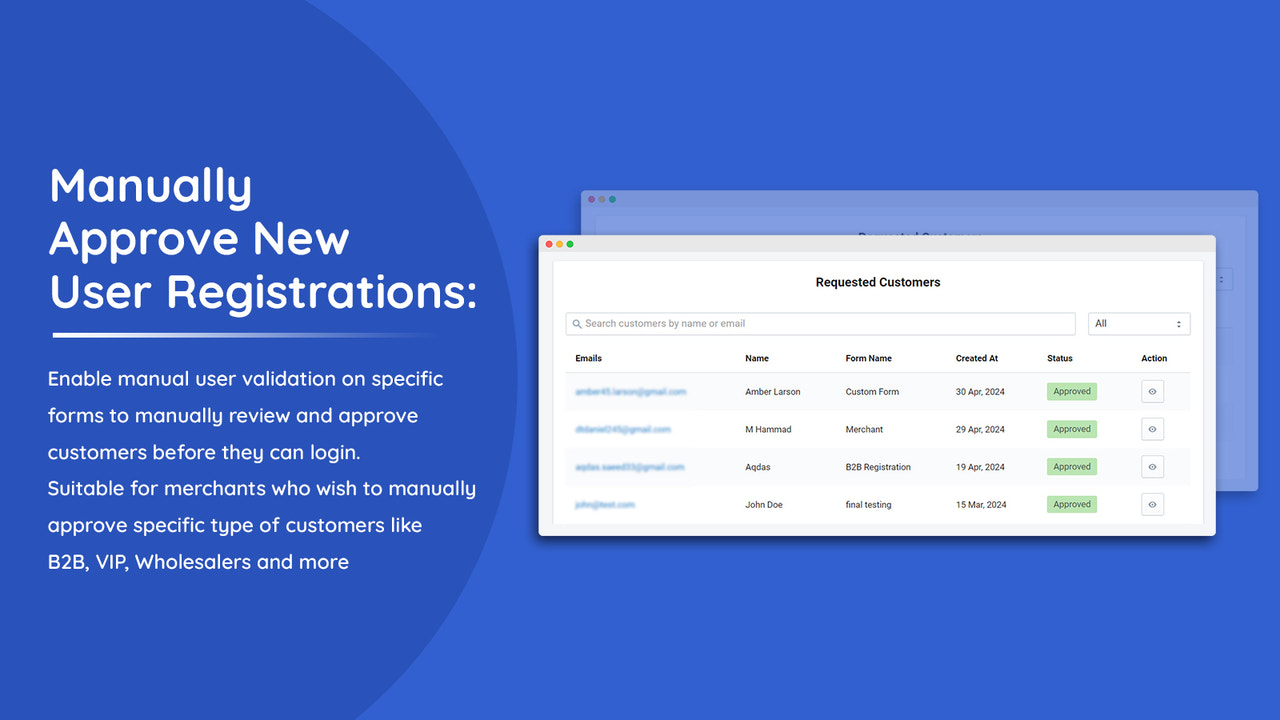
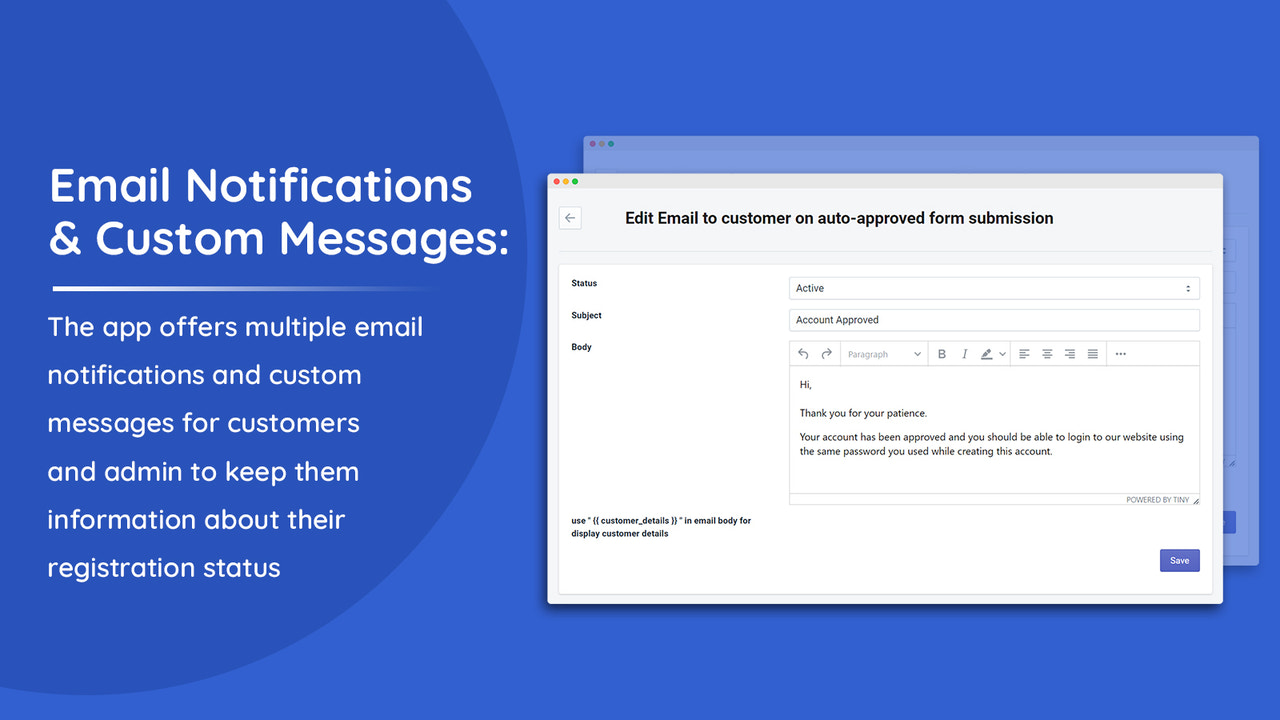
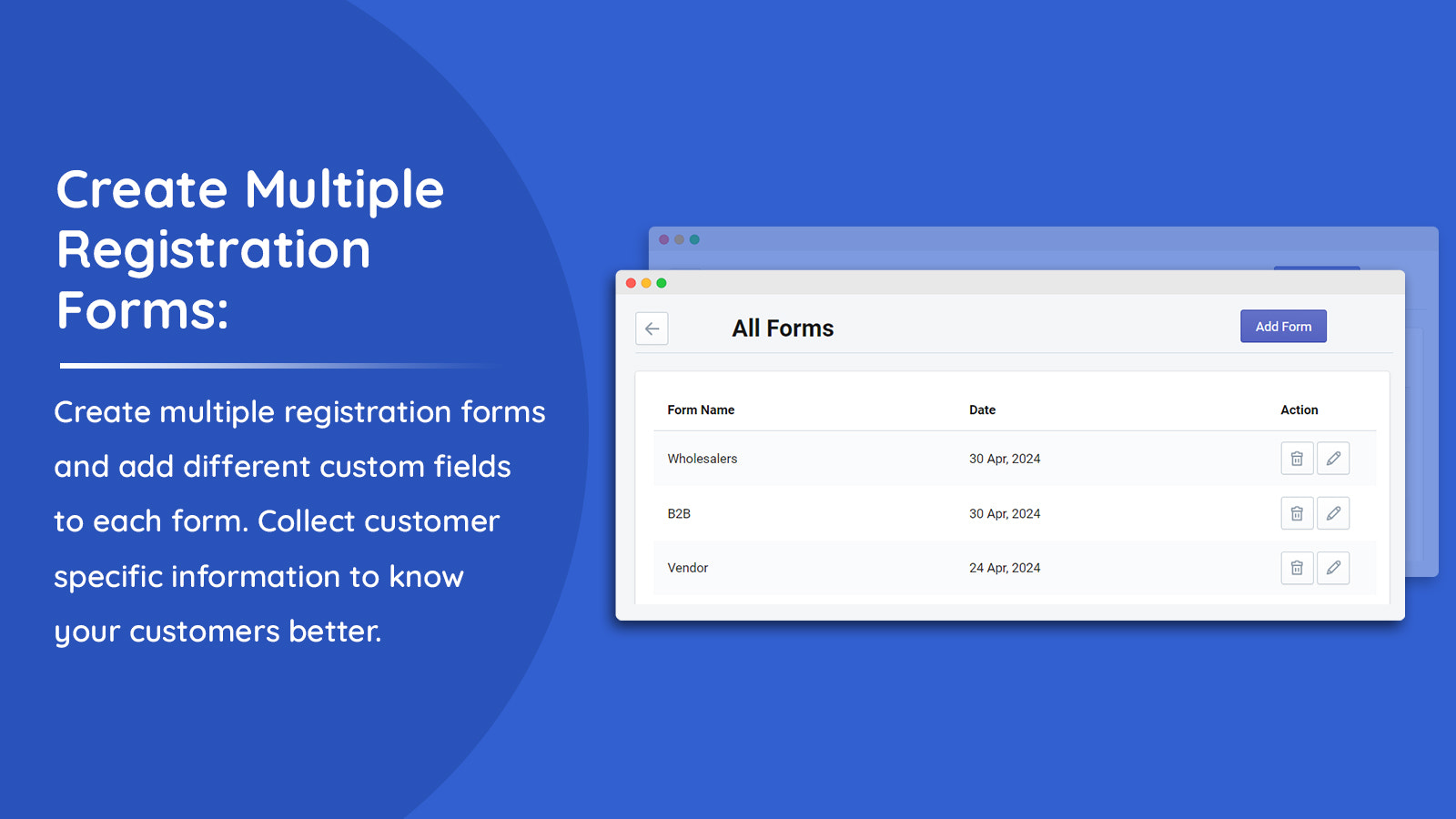
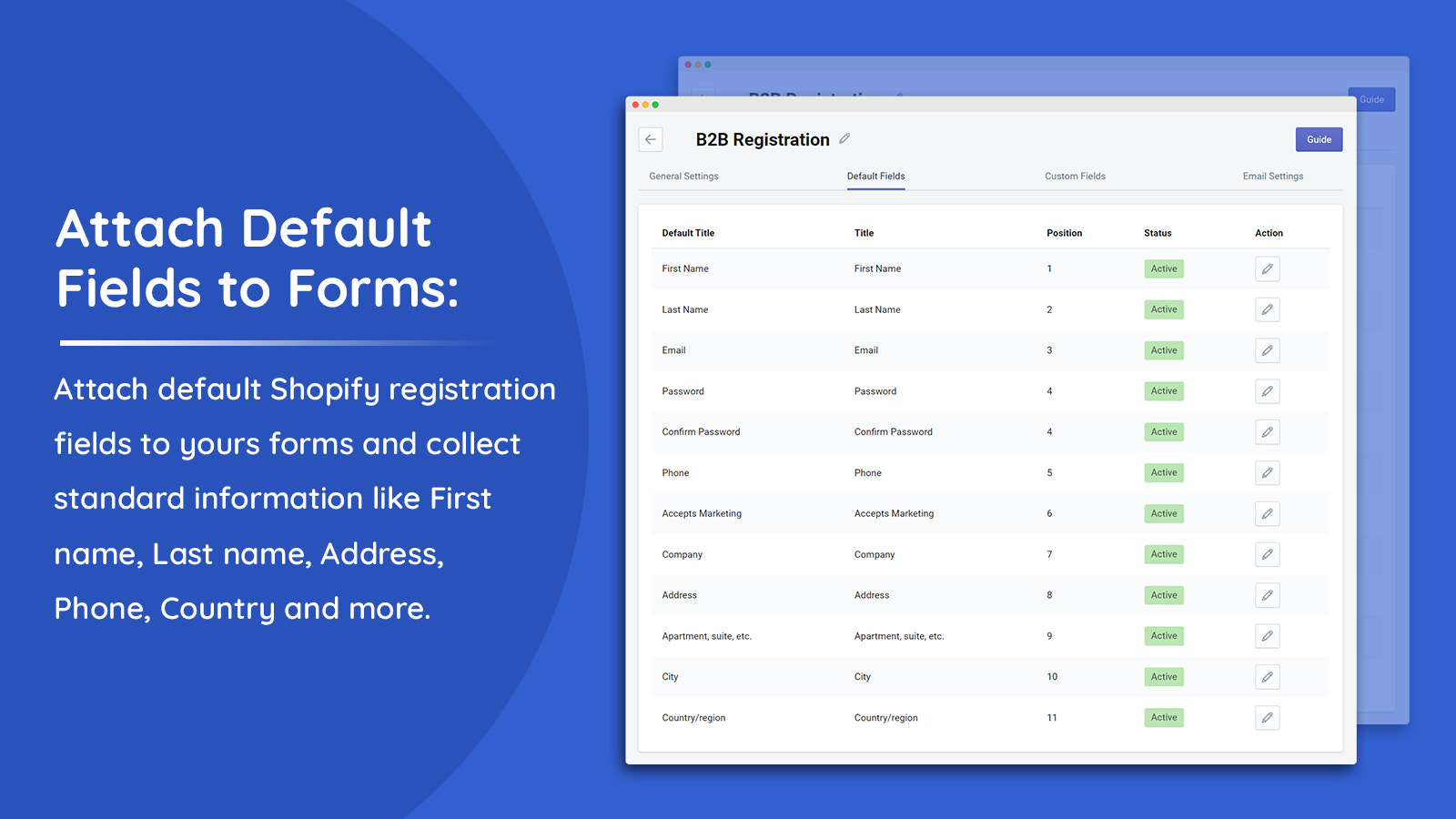
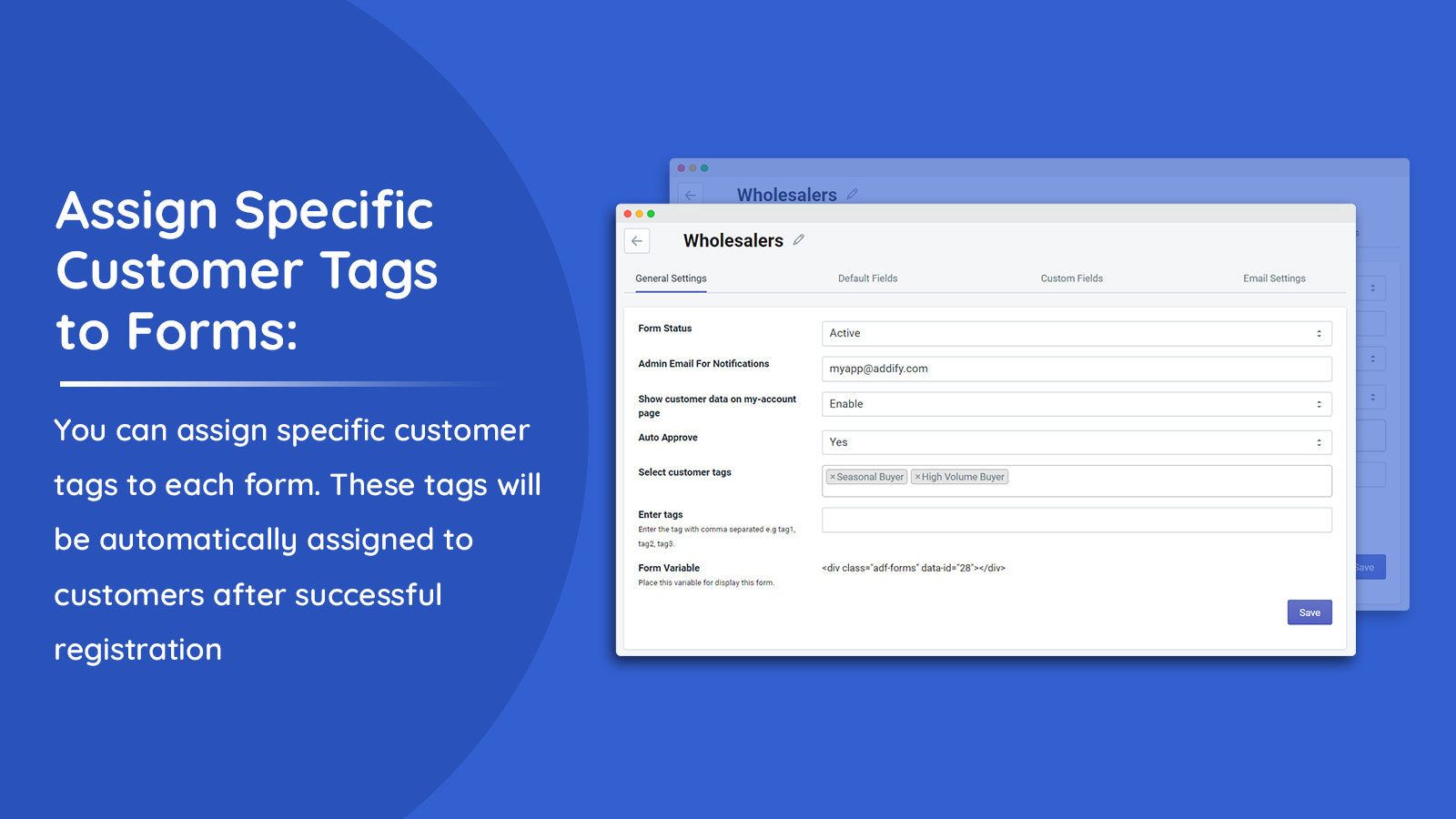
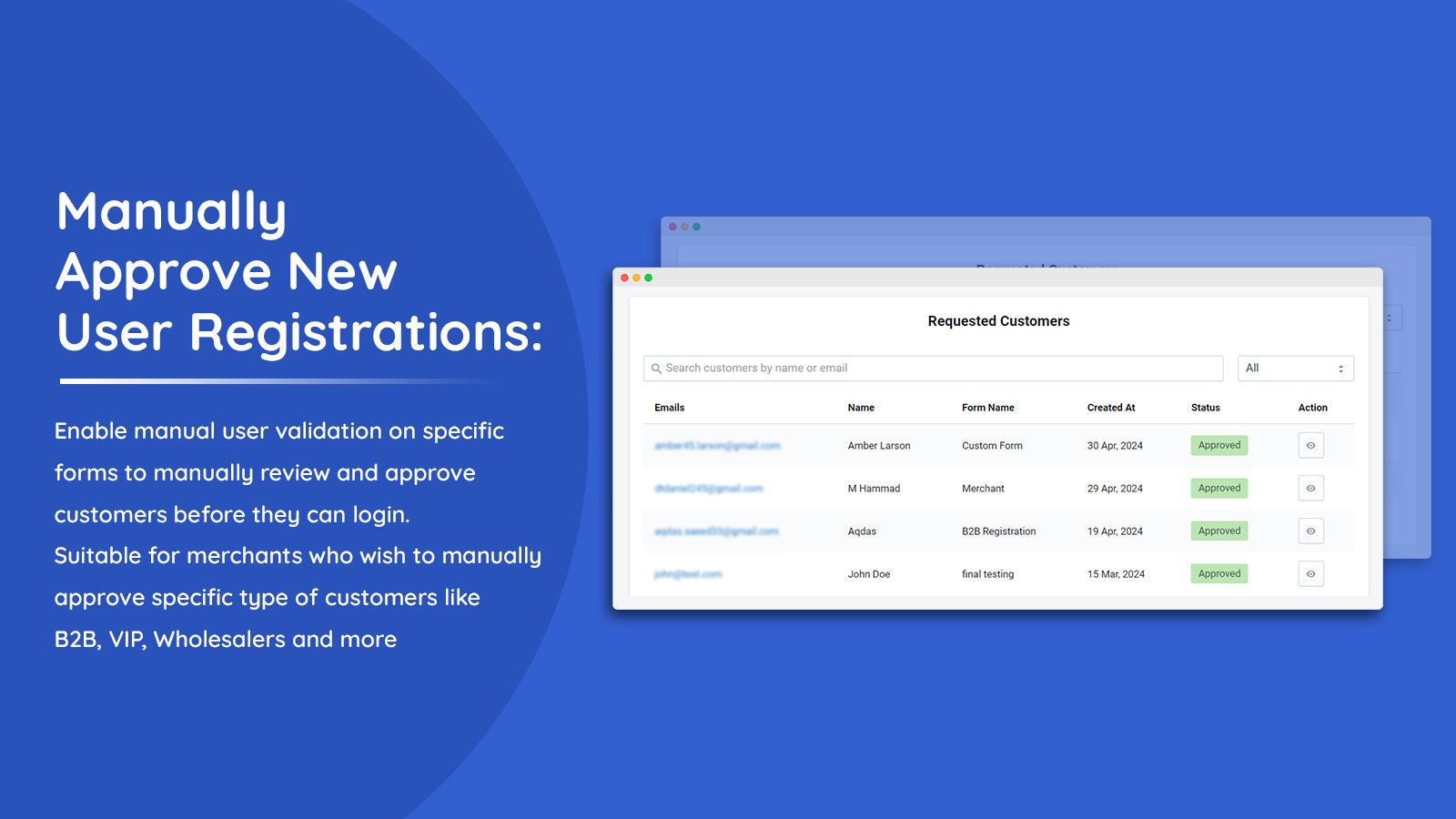
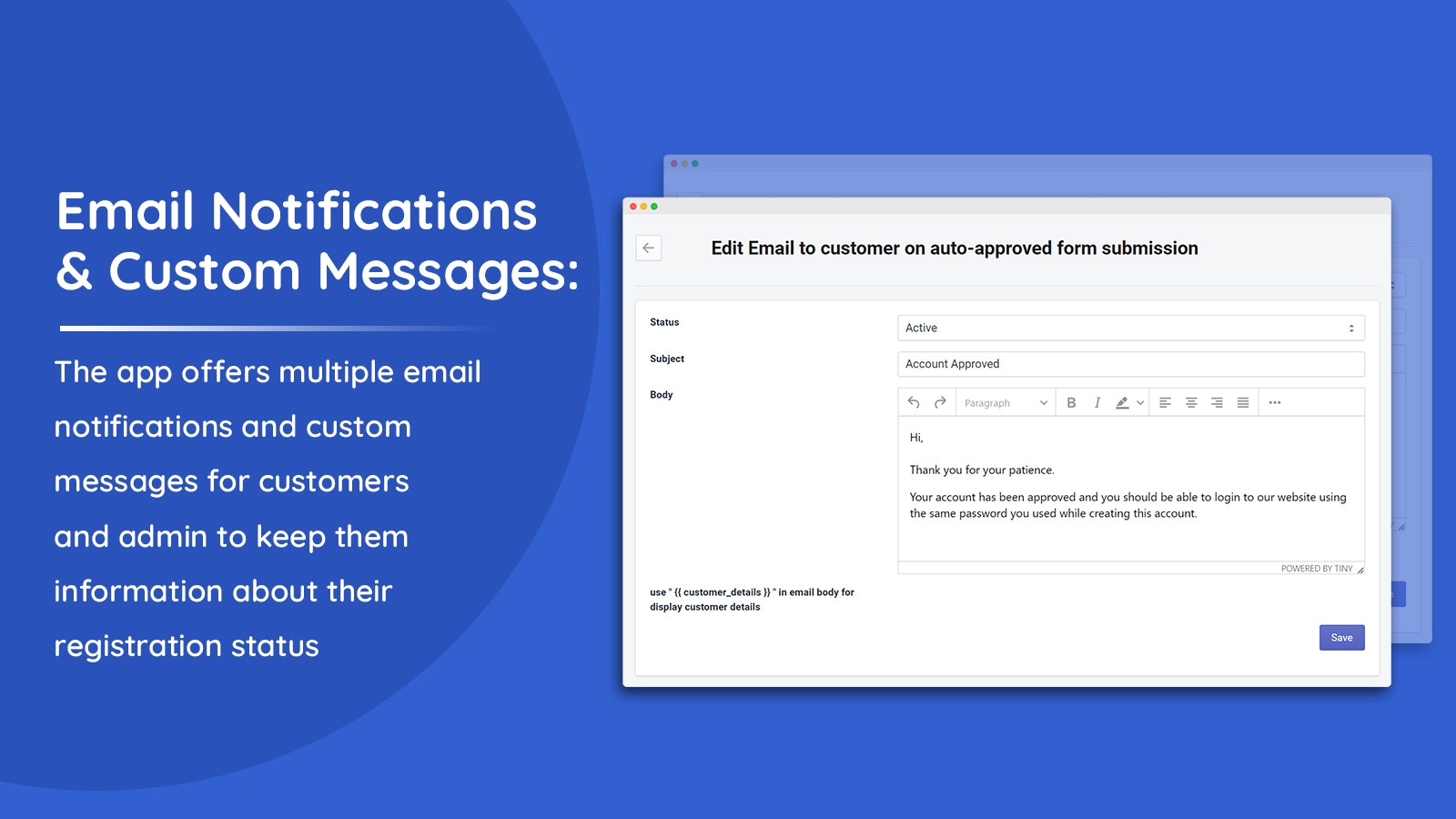
Create multiple registration forms for various users. Add custom fields and manually approve requests. The Registration Forms Builder app empowers you to create multiple registration forms for different customer types: B2B, wholesale, and more. Add default and custom fields to personalize each form and collect the required information. The app supports checkboxes, radio buttons, and 13 other field types. Automatically assign user tags during registration, and enable user verification on selected forms for manual approval or rejection. Keep your customers informed about the verification process via email or custom messages.
Core Functionality
- Create multiple customer registration forms to sign up different types of customers
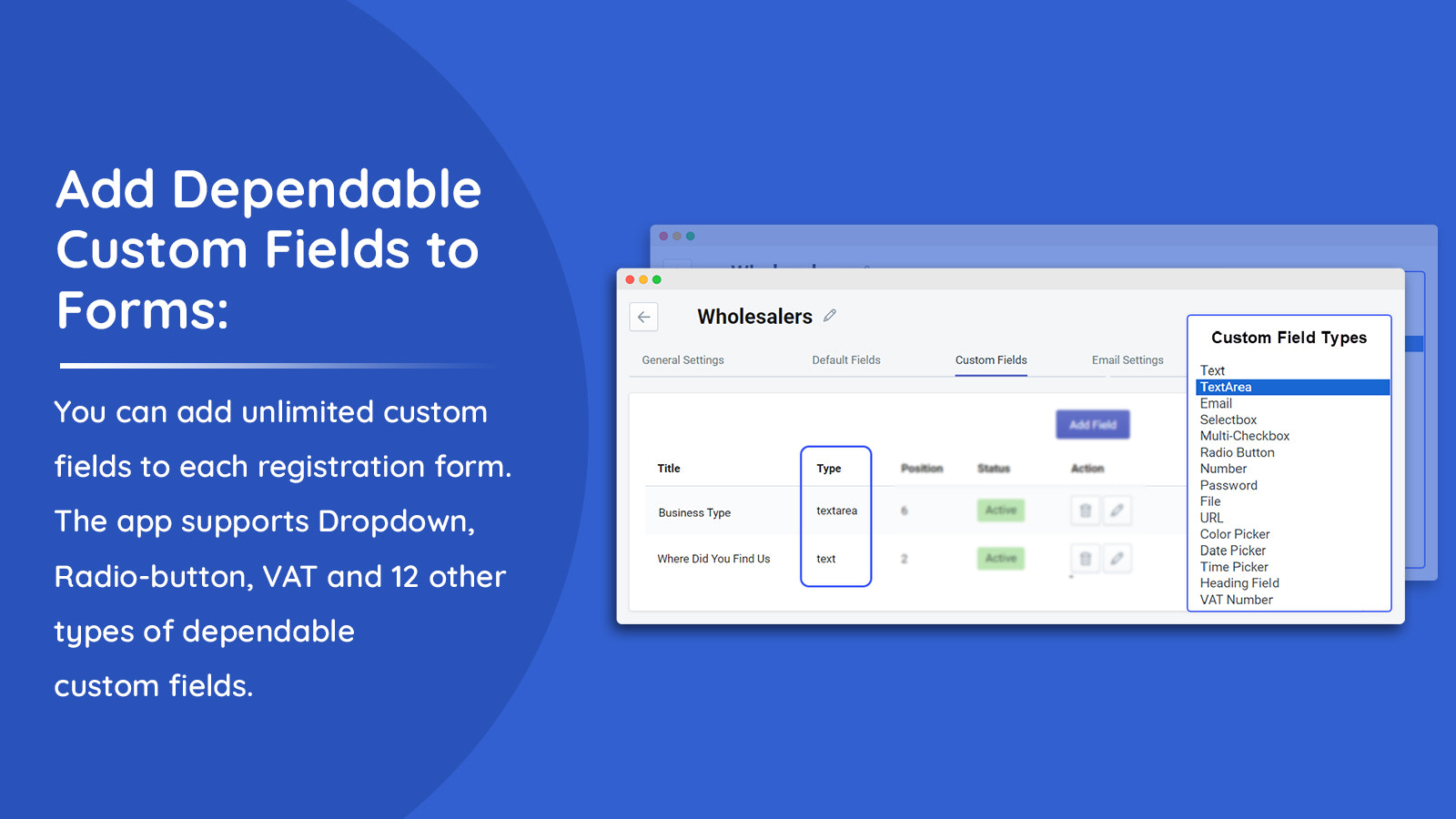
- Add default and custom fields to collect information during customer account registration
- Registration forms support 15 custom field types.
- Add dependent custom fields to keep forms clean and show fields only when needed
- Approve new customers and send emails to users and admins regarding user verification
Merchant-Friendly
- Membership E-commerce
- Independent Station Merchants
- Multi-category E-commerce
- Cross-border E-commerce
Basic Information
- Developer:Addify
- Address:Premises # 001 - 35527, DSO-IFZA, IFZA Properties, Dubai Silicon Oasis, Dubai, DU, 341041, AE
- Price: Free / Free plan
- Rating:5 / 5
- Comment Count:2 comment
- Release Date:2024-5-17
- Supported languages:English
- Compatible products:Shopify
Application Screenshot
Price Plan
BASIC
- Suitable for Basic Shopify Plan.
STANDARD
- Available for Standard Shopify plans.
ADVANCED
- Suitable for Advanced Shopify plans.
PLUS
- Applicable to Shopify Plus plans.
User Location & Comments
User Location
Comments
Shopify API Used
- POST /admin/api/customer_registration_forms.json
- PUT /admin/api/customer_registration_forms/{id}.json
- GET /admin/api/customer_registration_forms.json
Permission:write_customers,read_customers,manage_accounts
- POST /admin/api/customer_registration_fields.json
- PUT /admin/api/customer_registration_fields/{id}.json
- GET /admin/api/customer_registration_fields.json
Permission:write_customers,read_customers,manage_accounts
- POST /admin/api/customer_registration_fields.json
- PUT /admin/api/customer_registration_fields/{id}.json
- GET /admin/api/customer_registration_fields.json
Permission:write_customers,read_customers,manage_accounts
- POST /admin/api/customer_registration_fields/dependencies.json
- PUT /admin/api/customer_registration_fields/dependencies/{id}.json
- GET /admin/api/customer_registration_fields/dependencies.json
Permission:write_customers,read_customers,manage_accounts
- POST /admin/api/customers/{id}/approve.json
- GET /admin/api/customers.json?status=unapproved
- POST /admin/api/emails.json
Permission:write_customers,read_customers,manage_accounts,send_notifications