
App Introduction
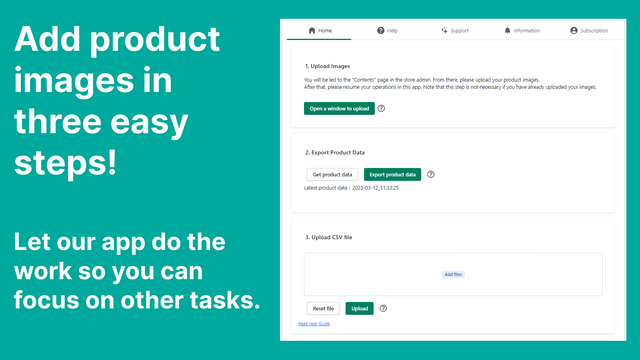
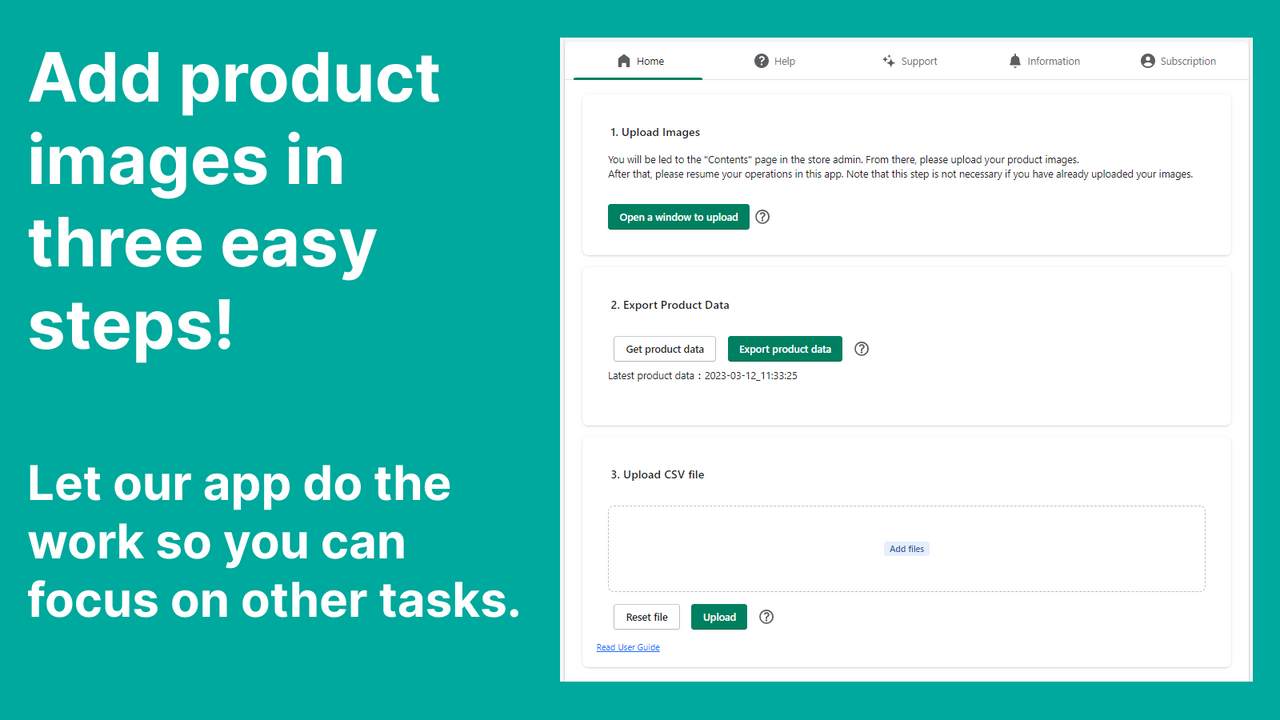
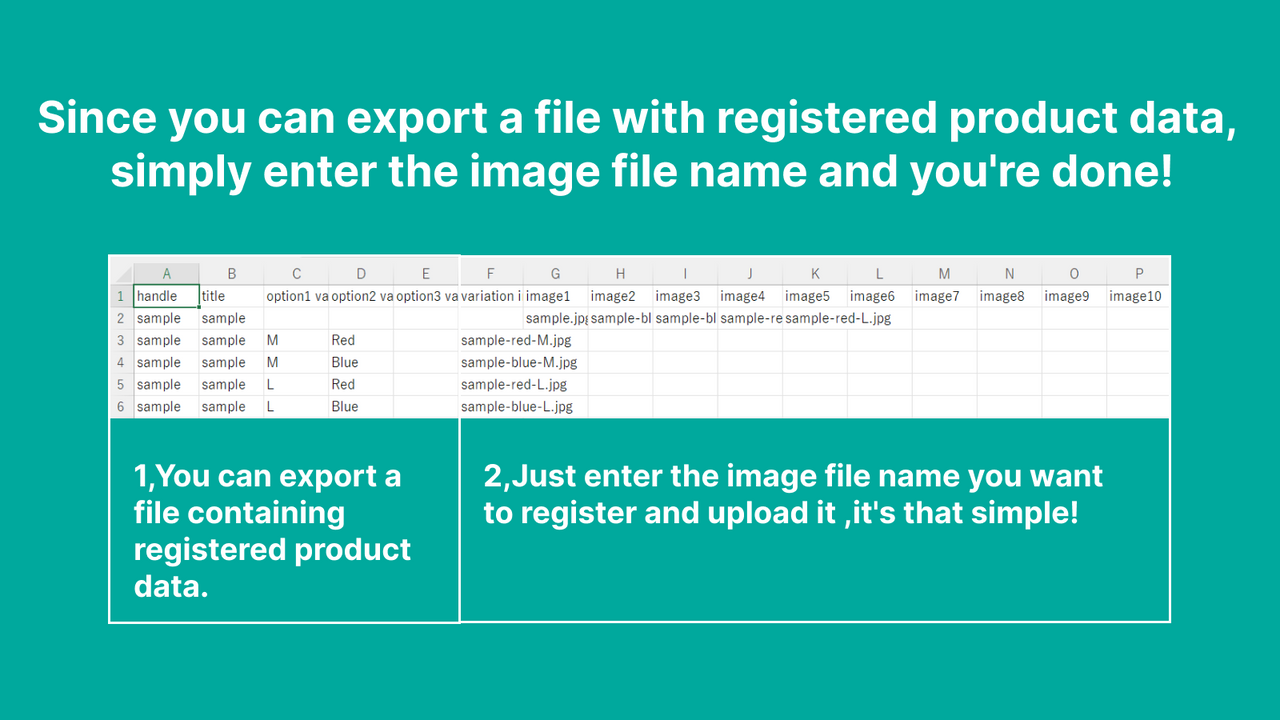
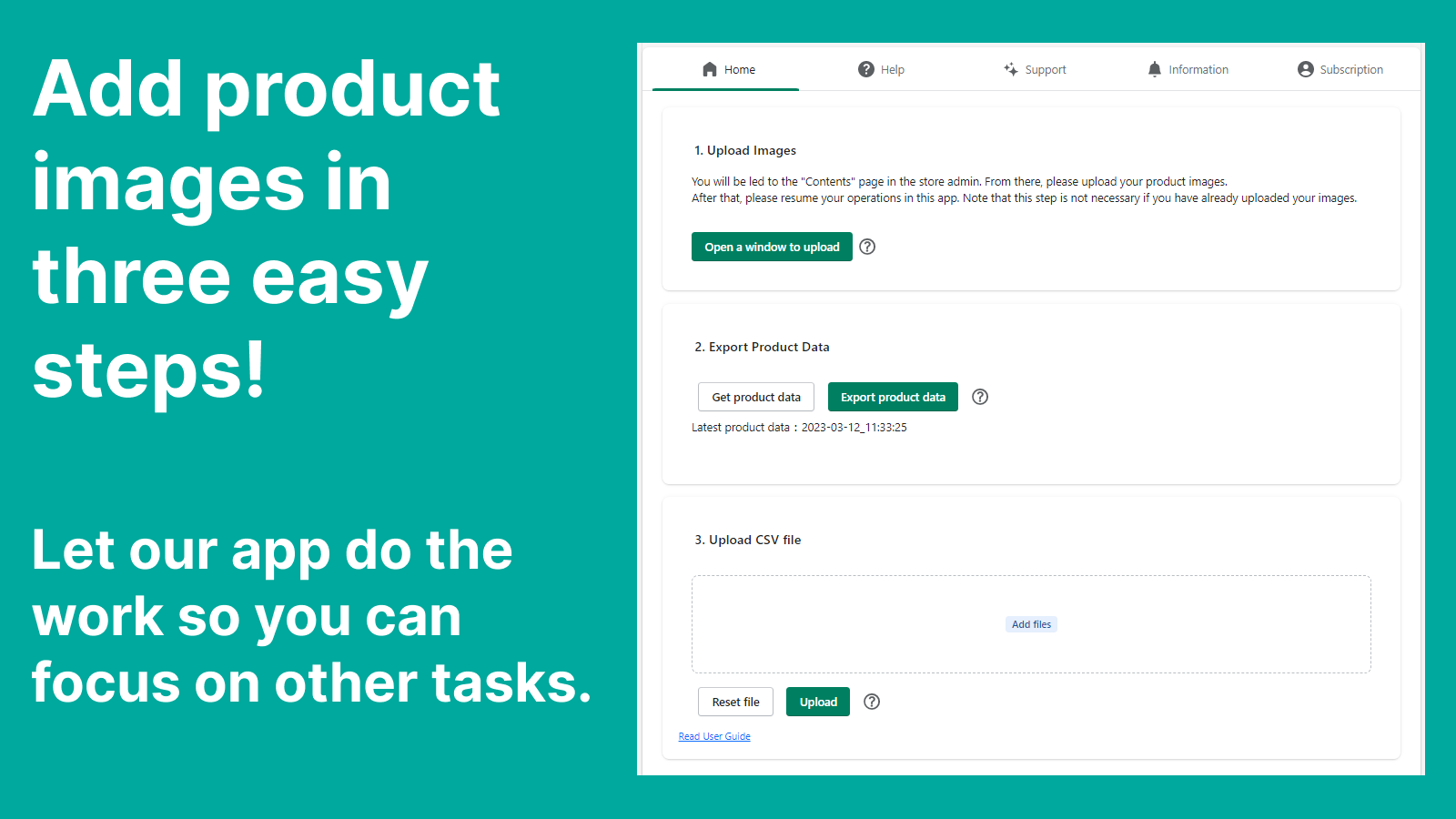
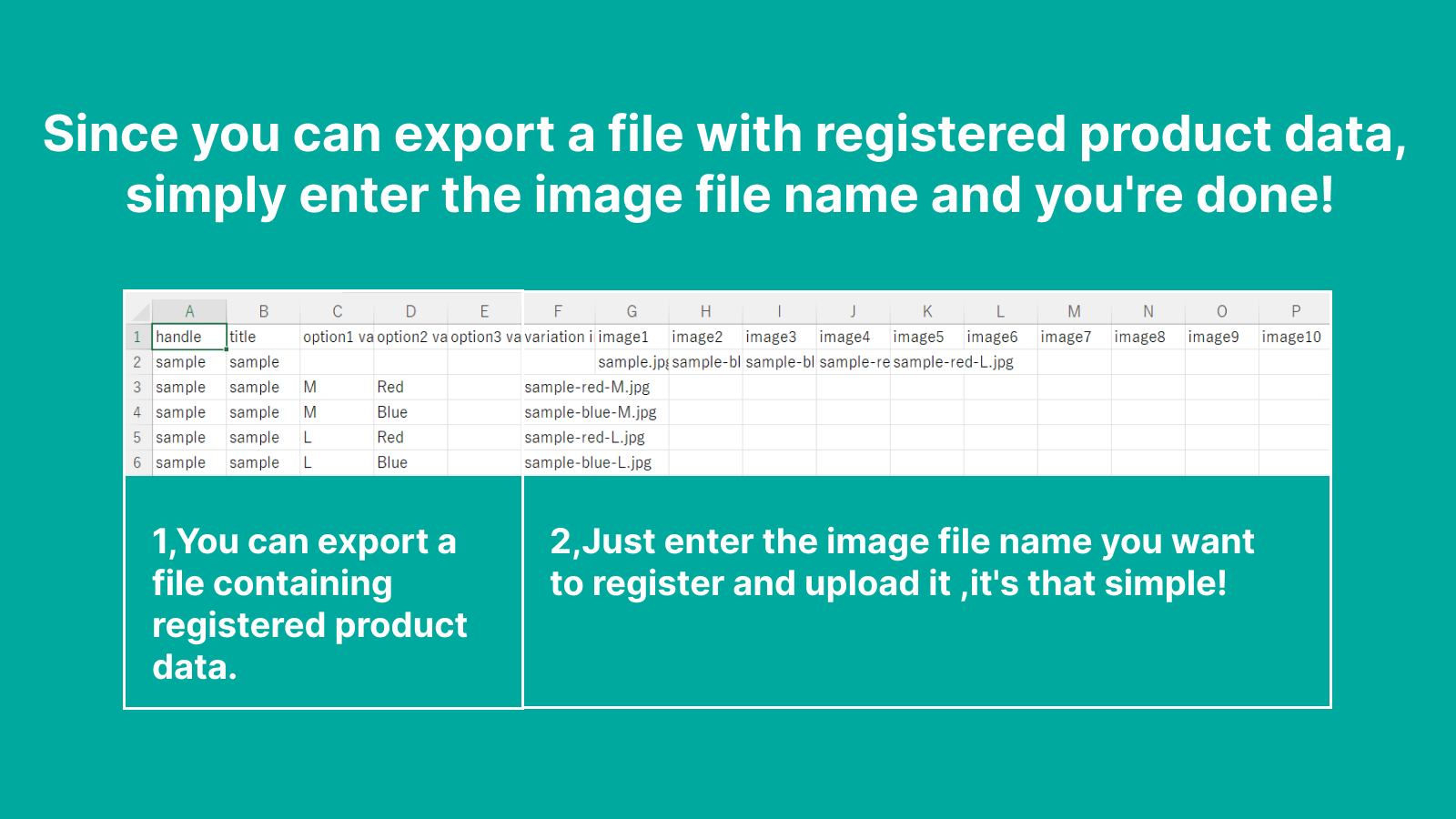
Bulk upload and add product images all at once. Save time and streamline your image uploading process. No need to open product pages one by one or create complex product CSV files anymore! With PicSync, you can add all your product images in one go. Quickly complete product setup and focus on your high-priority tasks.
Core Functionality
- Handle Match: Bulk add images for products with matching file names and handles
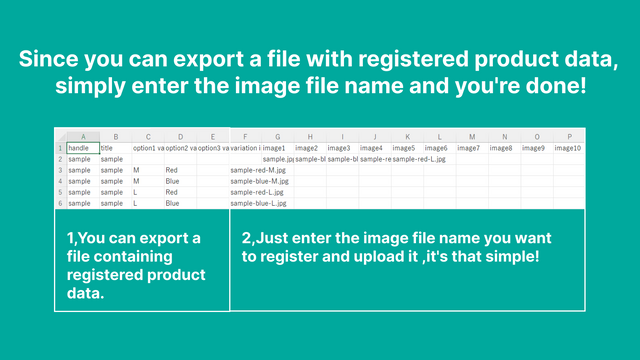
- CSV Upload: Bulk add images for listed products with variant image support
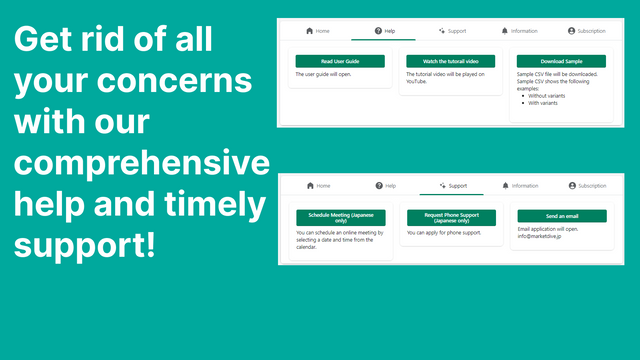
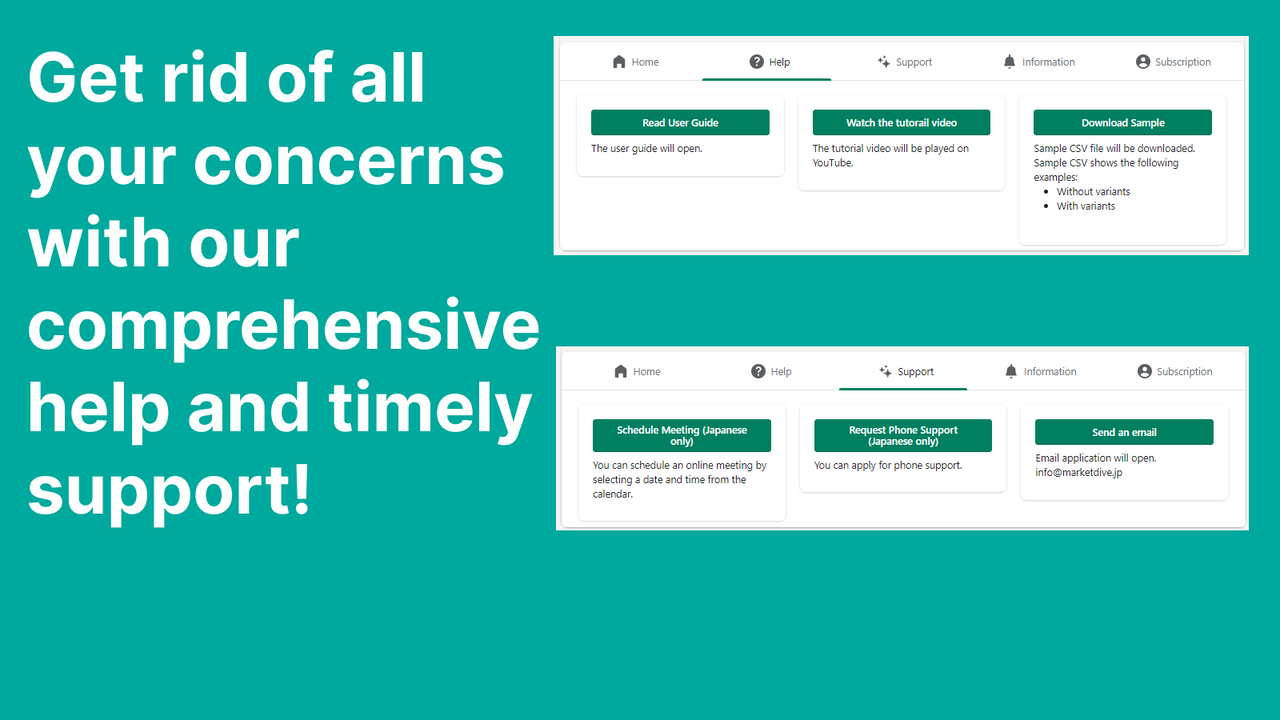
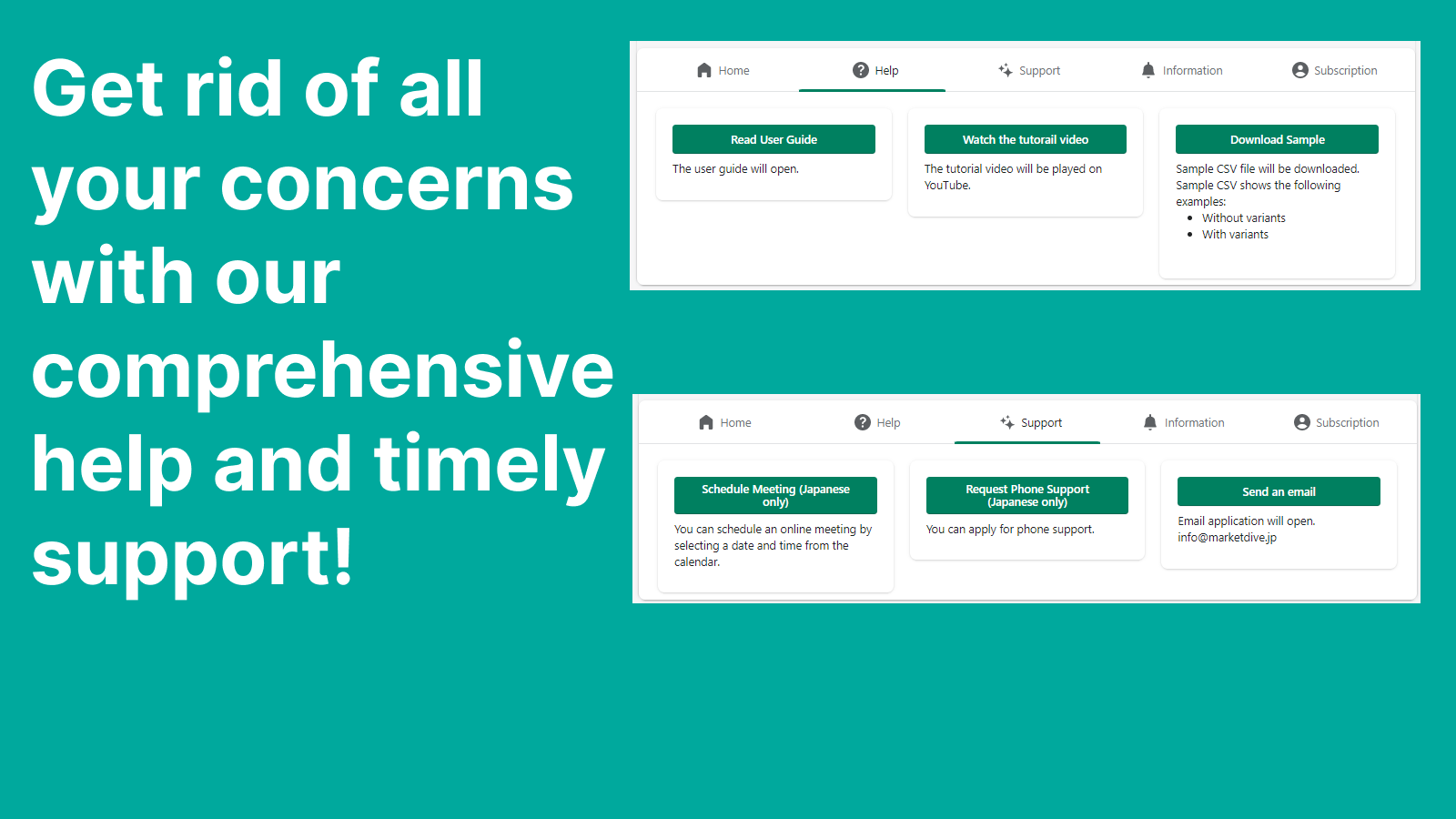
- Comprehensive Manuals: Access detailed operating manuals for in-depth guidance
- Support: Email us anytime for help with operations, file naming, and CSV file creation
- User-Friendly: Enjoy intuitive operation
Merchant-Friendly
- Independent Station Merchants
- Multi-category E-commerce
- Small & Medium Merchants
- Cross-border E-commerce
Basic Information
- Developer:Marketdive
- Address:墨田区, JP-13, JP
- Price: Free / Free plan
- Rating:5 / 5
- Comment Count:7 comment
- Release Date:2022-9-5
- Supported languages:Japanese、English
- Compatible products:Shopify
Application Screenshot
Price Plan
Free forever
免费
- Handle Match: 10 products only
- CSV Upload: 10 rows per file
- Addressing inquiries
- * The features are explained in the bullet points above.
Standard
$20
- Handle Match: Unlimited
- CSV Upload: 10 rows per file
- Addressing inquiries
- Support for setting image file names
Pro
$35
- Handle Match: Unlimited
- CSV Upload: Unlimited
- Addressing inquiries
- Support for setting image file names
- Support for creating CSV files
User Location & Comments
User Location
Comments
Shopify API Used
- POST /admin/api/products/bulk_images.json
- GET /admin/api/products/{product_id}/images.json
- PUT /admin/api/products/{product_id}/images/{image_id}.json
Permission:write_products,read_products,manage_images
- POST /admin/api/products/bulk_images/csv.json
- GET /admin/api/products/bulk_images/csv/status.json
- PUT /admin/api/products/{product_id}/variants/{variant_id}/images.json
Permission:write_products,read_products,manage_files
- GET /admin/api/guides/manuals.json
- GET /admin/api/guides/manuals/{id}.json
- PUT /admin/api/guides/manuals/access_log.json
Permission:read_guides,manage_store,read_shop
- POST /admin/api/support/tickets.json
- GET /admin/api/support/tickets/{id}.json
- PUT /admin/api/support/tickets/{id}/messages.json
Permission:write_support_tickets,read_support_tickets,manage_shop