
C: Product Variants in Table
App Introduction
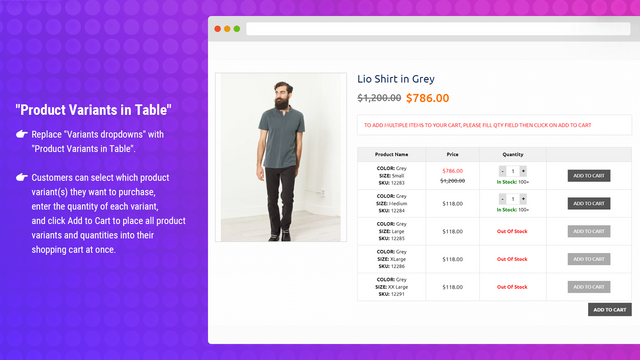
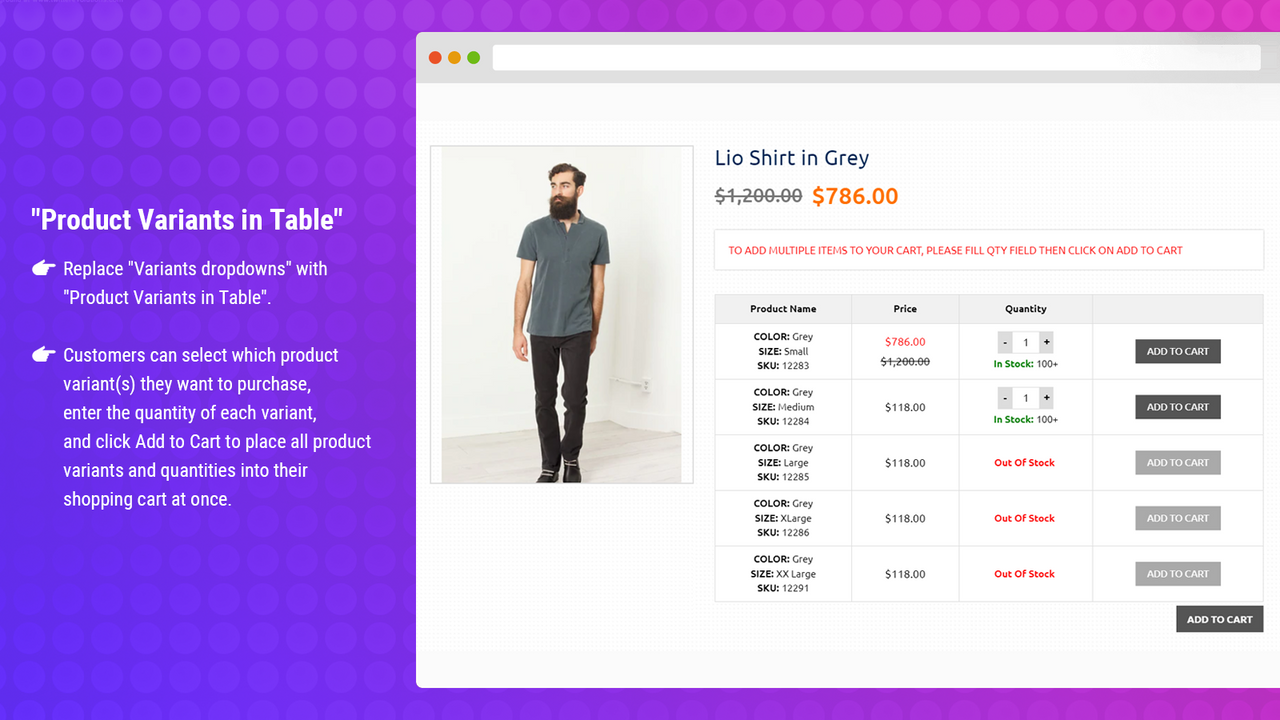
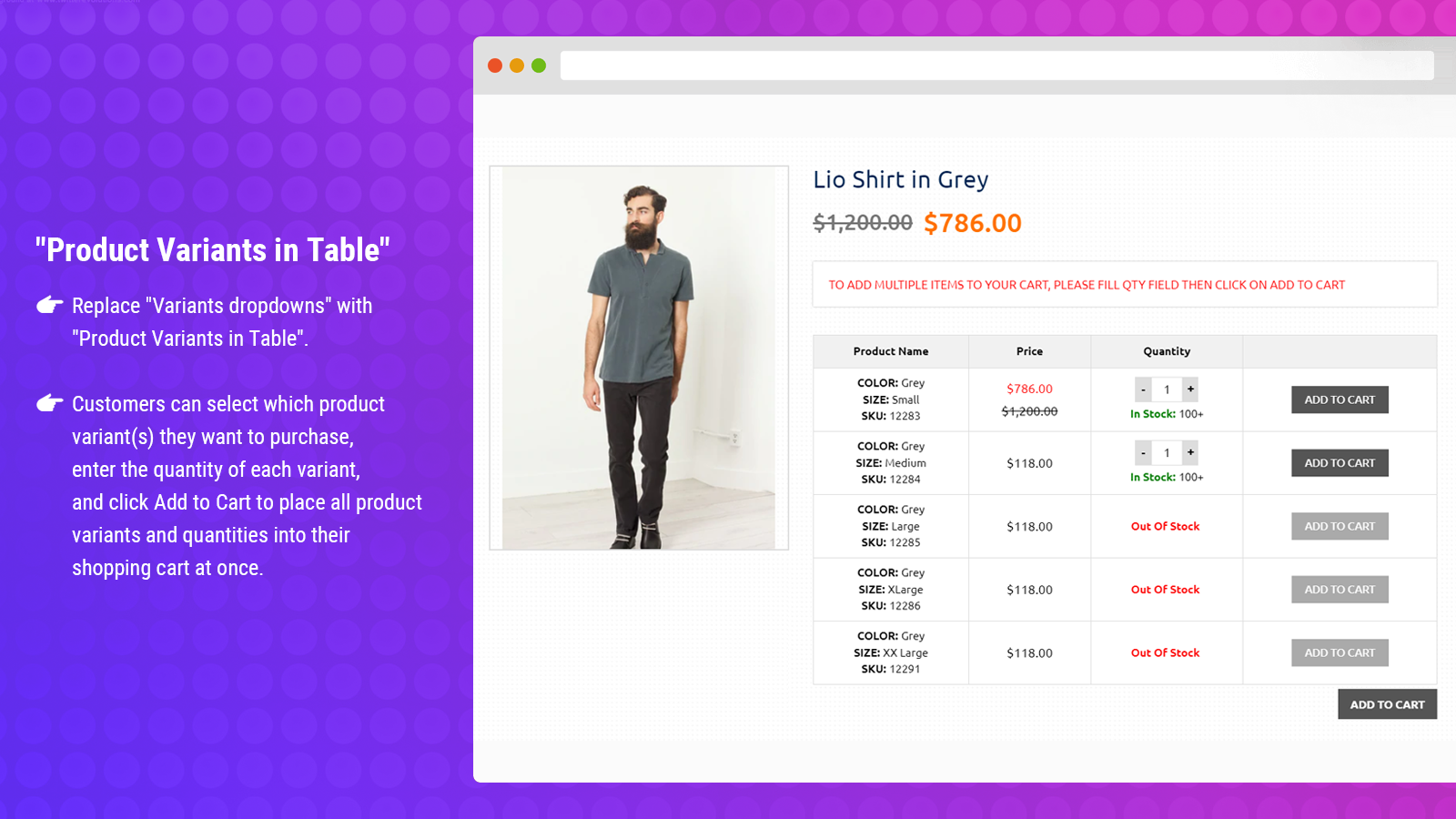
Product variants will be displayed in a table format on the product page, complete with quantity boxes and Add to Cart buttons. C: Product Variants in Table lets you list product attribute options in a table format on the product detail page, with quantity boxes and quick Add to Cart buttons. Quick Add to Cart creates a positive online shopping experience for customers. Shoppers can select the product variants they want to purchase, enter the quantity for each variant, and click Add to Cart to add all selected product variants and quantities to the cart in one go.
Core Functionality
- Present an eye-catching variant list in table format.
- Enable quick add-to-cart functionality for all variants.
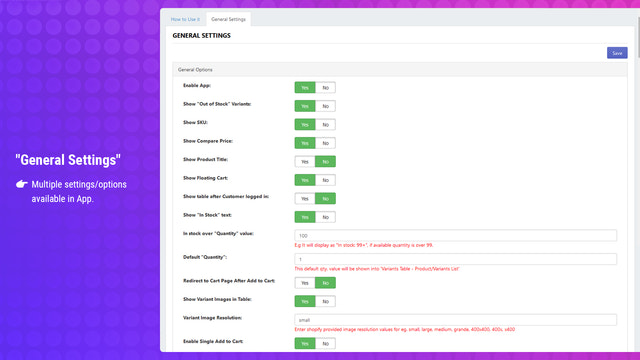
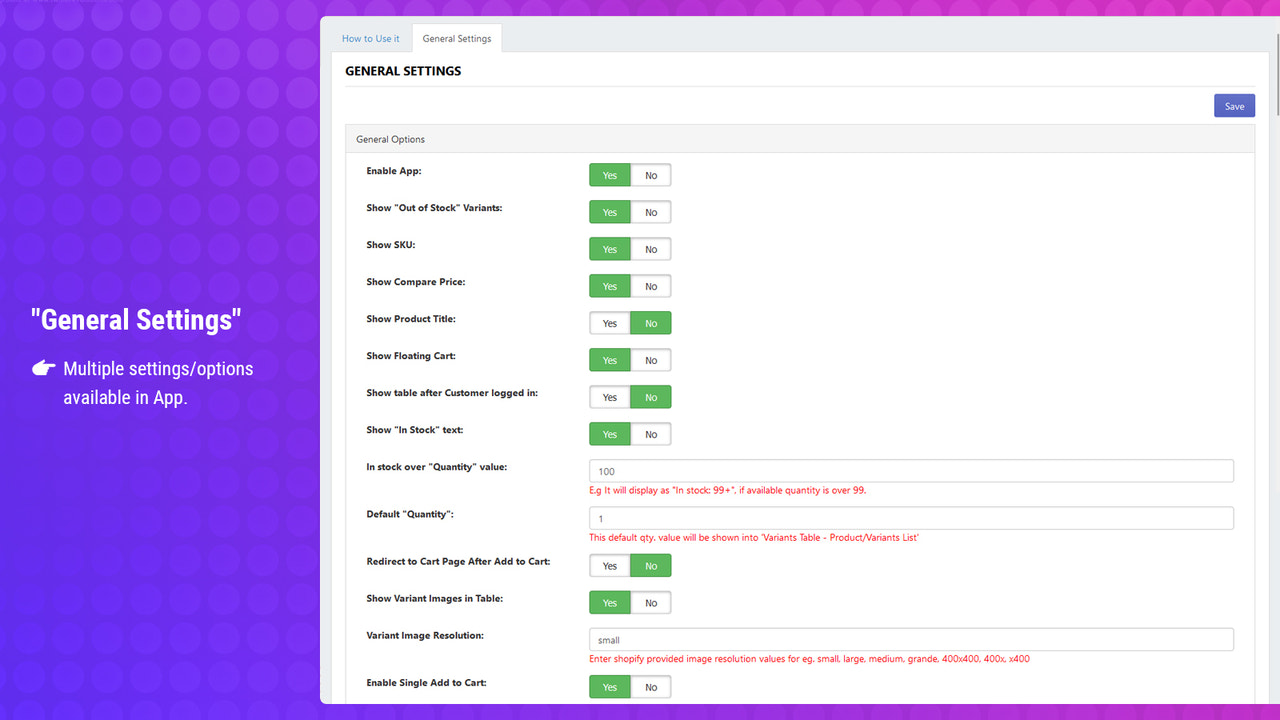
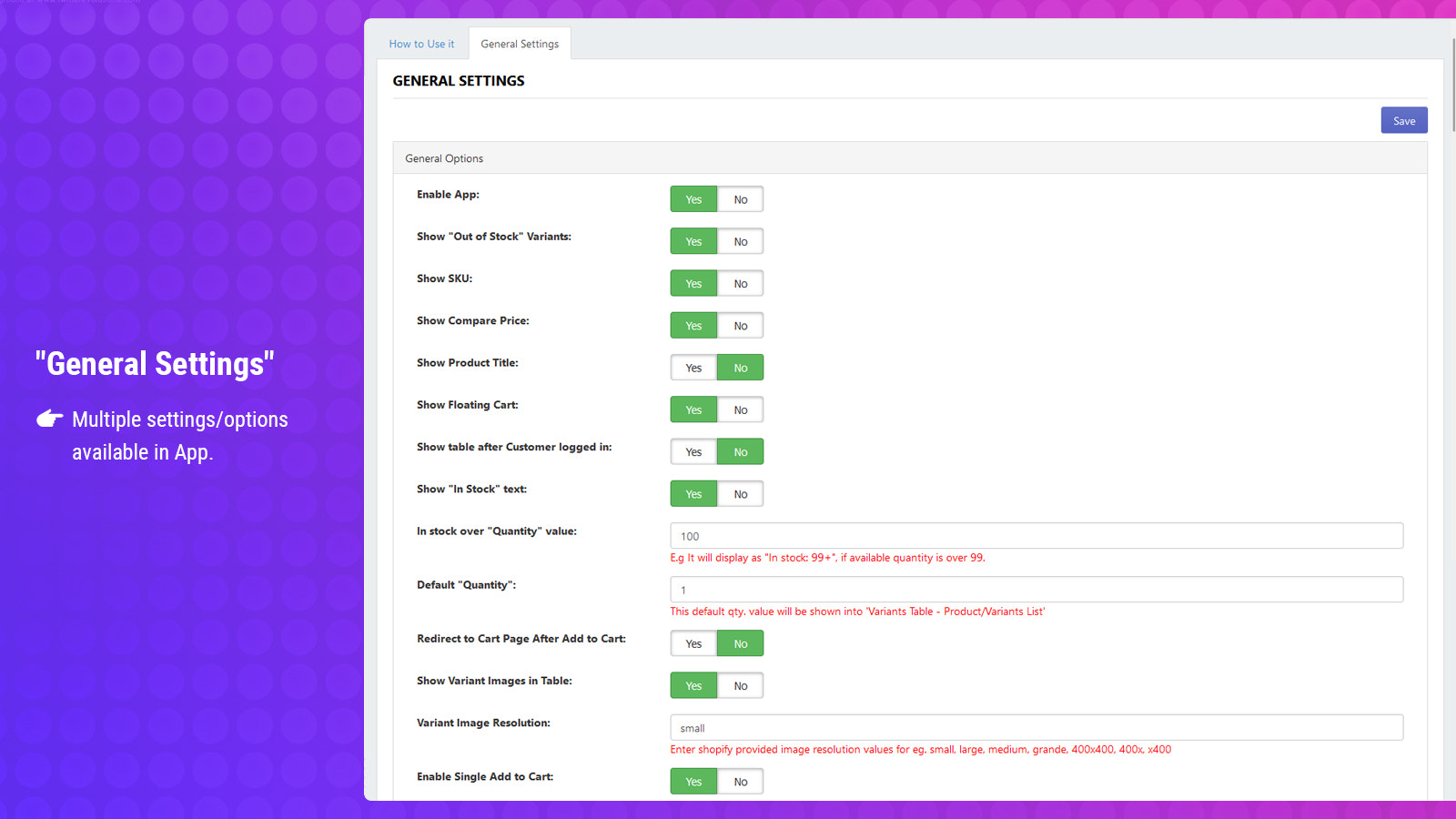
- Easy to use with multiple settings options in the app management.
- Support multi-language and multi-currency via Shopify Markets.
Merchant-Friendly
- Independent Station Merchants
- Multi-category E-commerce
- Cross-border E-commerce Merchants
- Clothing Retail Merchants
Basic Information
- Developer:Capacity Web Solutions Pvt Ltd
- Address:TF / 302, “B” Wing, Shivalik Yash, 132 ft. Ring Road, Near Shastrinagar BRTS, Naranpura, Ahmedabad, GJ, 380013, IN
- Price: Free / Free plan
- Rating:5 / 5
- Comment Count:17 comment
- Release Date:2019-3-12
- Supported languages:English
- Compatible products:Shopify
Application Screenshot



Price Plan
Standard
- Easily list product variants
- Quickly add to cart
- Manage designs
- Offer multiple setting options
- Support multiple languages and currencies
Shopify Plus
- Easily list product variants
- Quickly add to cart
- Manage designs
- Offer multiple setting options
- Support multi-language and multi-currency
User Location & Comments
User Location
Comments
Shopify API Used
- GET /admin/api/products.json
- GET /admin/api/products/{product_id}/variants.json
- GET /admin/api/shop.json
Permission:read_products,read_shop,read_locales
- POST /admin/api/cart/add.json
- GET /admin/api/products/{product_id}/variants.json
- GET /admin/api/cart.json
Permission:write_cart,read_products,read_cart
- GET /admin/api/apps/{app_id}/settings.json
- PUT /admin/api/apps/{app_id}/settings.json
- GET /admin/api/shop.json
Permission:read_apps,write_apps,read_shop
- GET /admin/api/markets.json
- GET /admin/api/markets/{market_id}/locales.json
- GET /admin/api/markets/{market_id}/currencies.json
Permission:read_markets,read_locales,read_currencies



