
App Introduction
Boost sales and build customer confidence with trust badges and feature icons. Build trust and increase sales through trust badges and feature icons. Customers often hesitate when they encounter lengthy descriptions or a lack of visual clarity on product pages. PX Icons helps you convert more visitors into buyers by highlighting key product features, store guarantees, and trust signals with visual badges—all fully customizable and easy to install. Trusted by growing brands looking to boost conversions through visual trust and feature icons. Install today to turn browsers into buyers.
Core Functionality
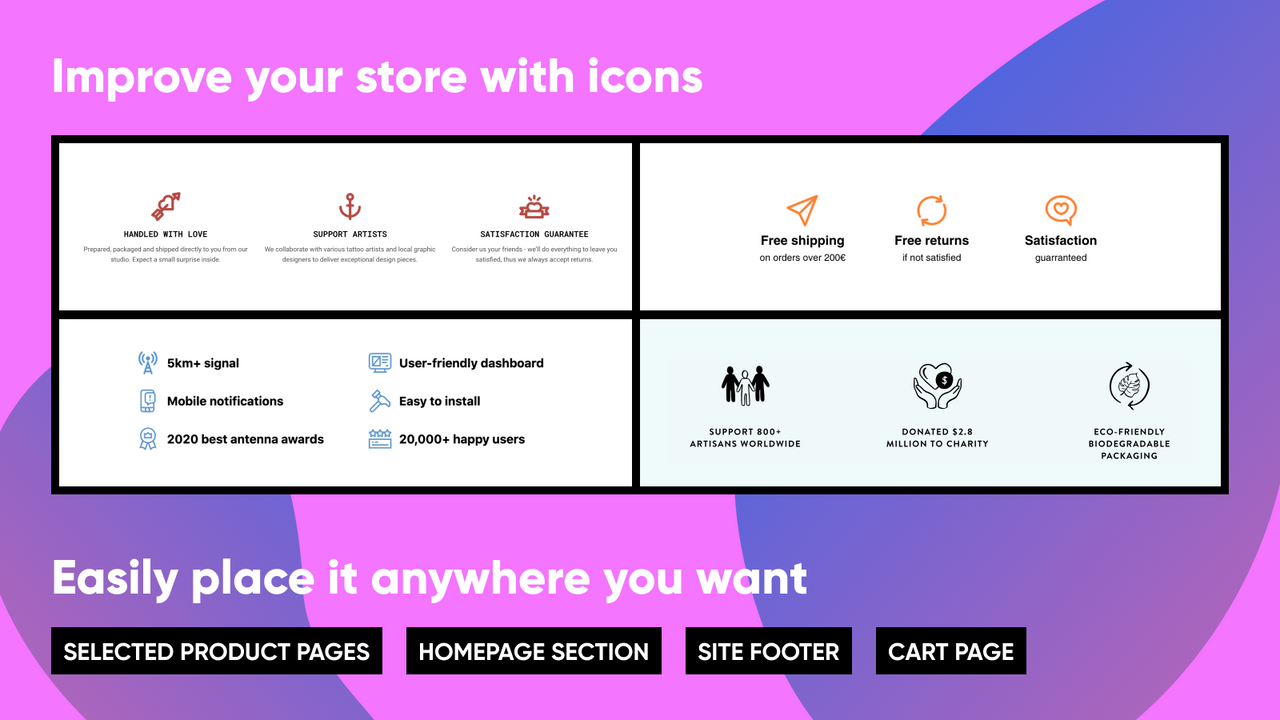
- Add trust badges and feature icons to product pages, cart pages, and more
- Choose from over 1,000 icons or upload your own custom designs
- Customize layout, size, color, and spacing to match your brand
- Boost conversion rates by making key information visual, clear, and easy to scan
- Lightweight, fast-loading, and no-code setup required
Merchant-Friendly
- Independent Station Merchants
- Cross-Border E-commerce Sellers
- High-Conversion Merchants
- Brand E-commerce
- Newly Settled Merchants
Basic Information
- Developer:PreviewX
- Address:366 Main Street, Suite 946, Conyngham, PA, 18219, US
- Price: Free / Free plan
- Rating:4.7 / 5
- Comment Count:114 comment
- Release Date:2021-1-11
- Supported languages:English
- Compatible products:Shopify
Application Screenshot


Price Plan
Icons
- An icon block
- Up to 3 icons per block
- A layout
- Choose from over 1,000 icons
- Customize style
- Up to 5,000 icon page views per month
Icons Plus
- Unlimited Icon Blocks and Icons
- Multiple Layouts
- Upload Your Own Icons
- Show/Hide Icons by Product Tag
- Up to 5,000 Icon Page Views per Month
Icons Pro
- Unlimited Icon Blocks and Icons
- Multiple Layouts
- Upload Your Own Icons
- Show/Hide Icons by Product Tags
- Up to 25,00 Icon Pageviews per Month
Icons Unlimited
- Unlimited Icon Blocks and Icons
- Multiple Layouts
- Upload Your Own Icons
- Show/Hide Icons by Product Tag
- Unlimited Monthly Icon Page Views
User Location & Comments
User Location
Comments
Shopify API Used
- POST /admin/api/trust_badges.json
- PUT /admin/api/trust_badges/{id}.json
- GET /admin/api/trust_badges.json
Permission:write_themes,read_themes,manage_products
- GET /admin/api/icons.json
- POST /admin/api/trust_badges/icons.json
- PUT /admin/api/trust_badges/{id}/icons.json
Permission:read_icons,write_icons,manage_products
- POST /admin/api/trust_badges/custom.json
- PUT /admin/api/trust_badges/{id}/custom.json
- GET /admin/api/trust_badges/{id}/custom.json
Permission:write_media,read_media,manage_products
- PUT /admin/api/trust_badges/{id}/style.json
- GET /admin/api/trust_badges/{id}/style.json
- POST /admin/api/trust_badges/style.json
Permission:write_themes,read_themes,manage_products
- POST /admin/api/trust_badges/setup.json
- GET /admin/api/trust_badges/setup.json
- PUT /admin/api/trust_badges/setup.json
Permission:write_themes,read_themes,manage_products