
App Introduction
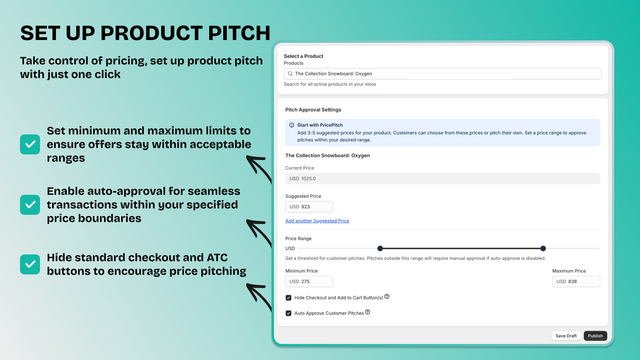
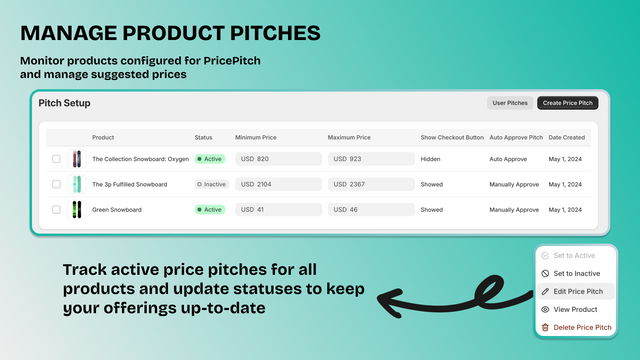
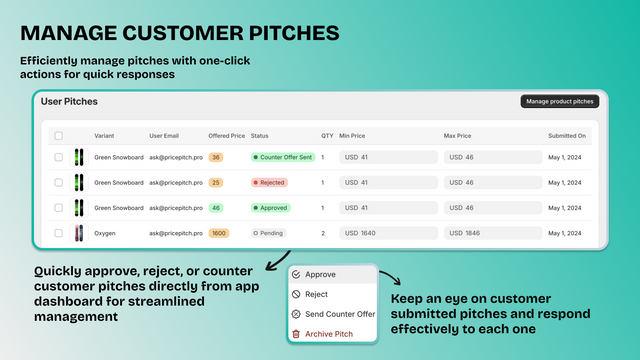
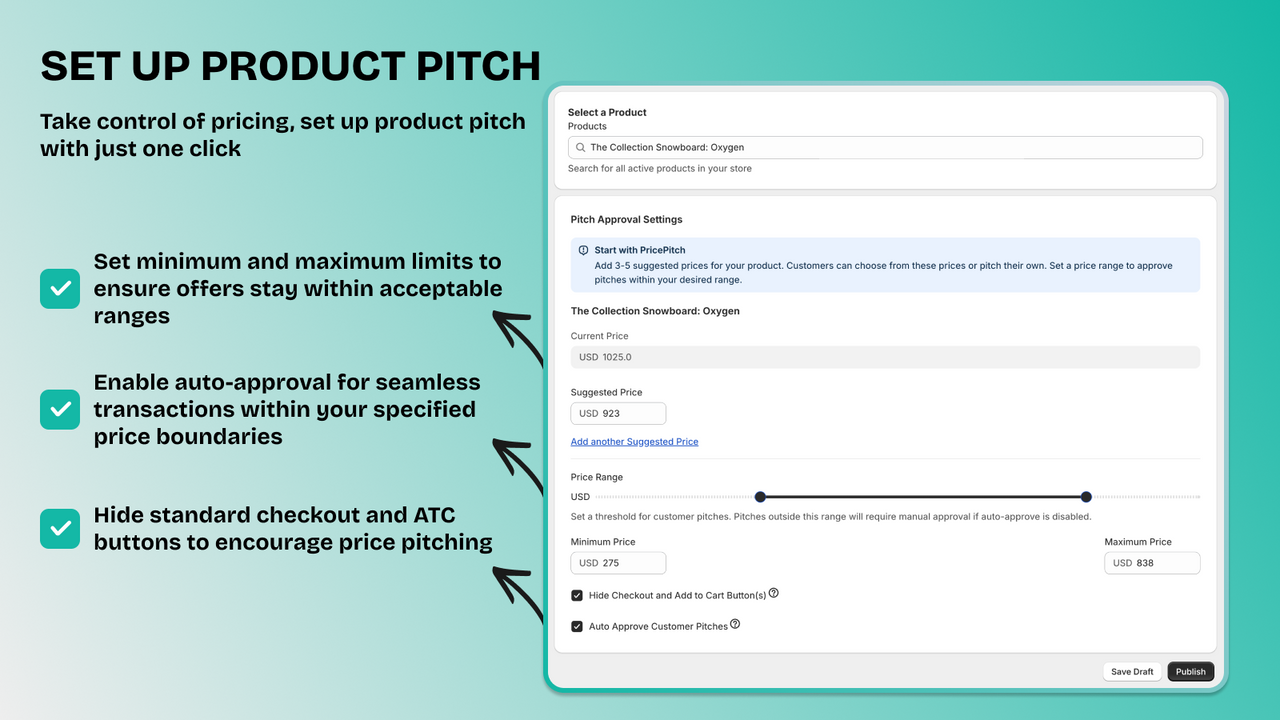
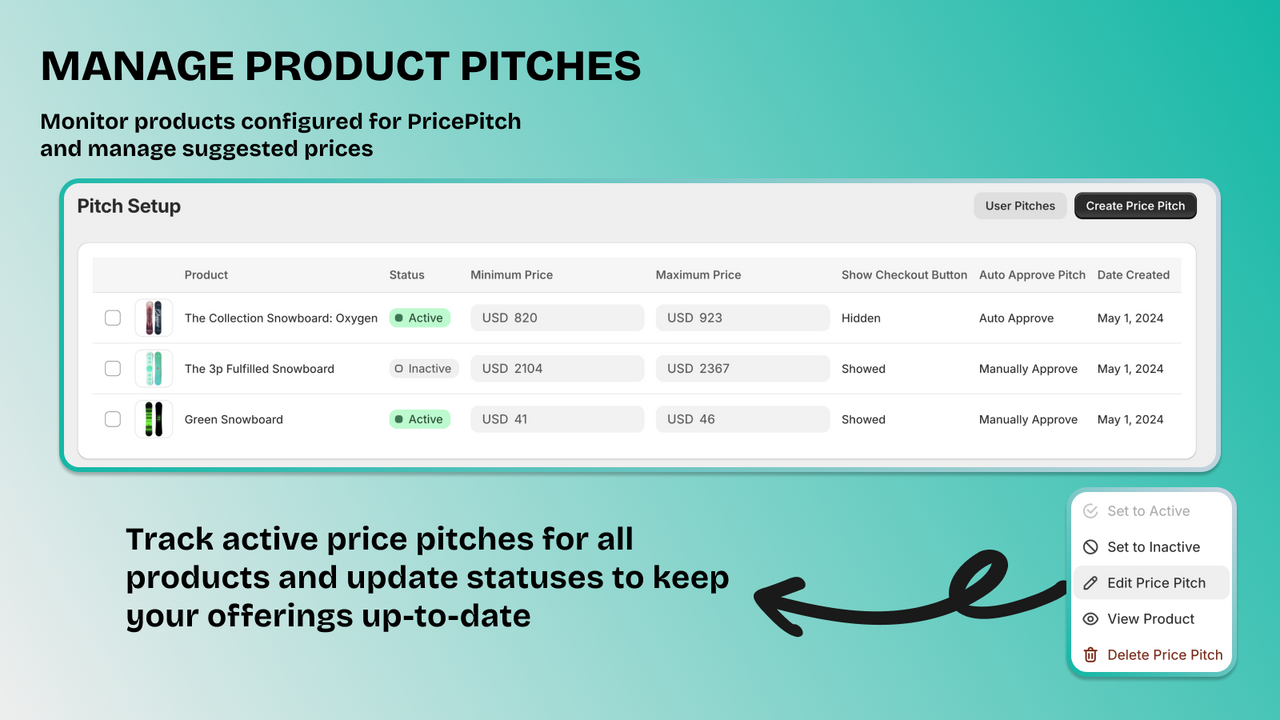
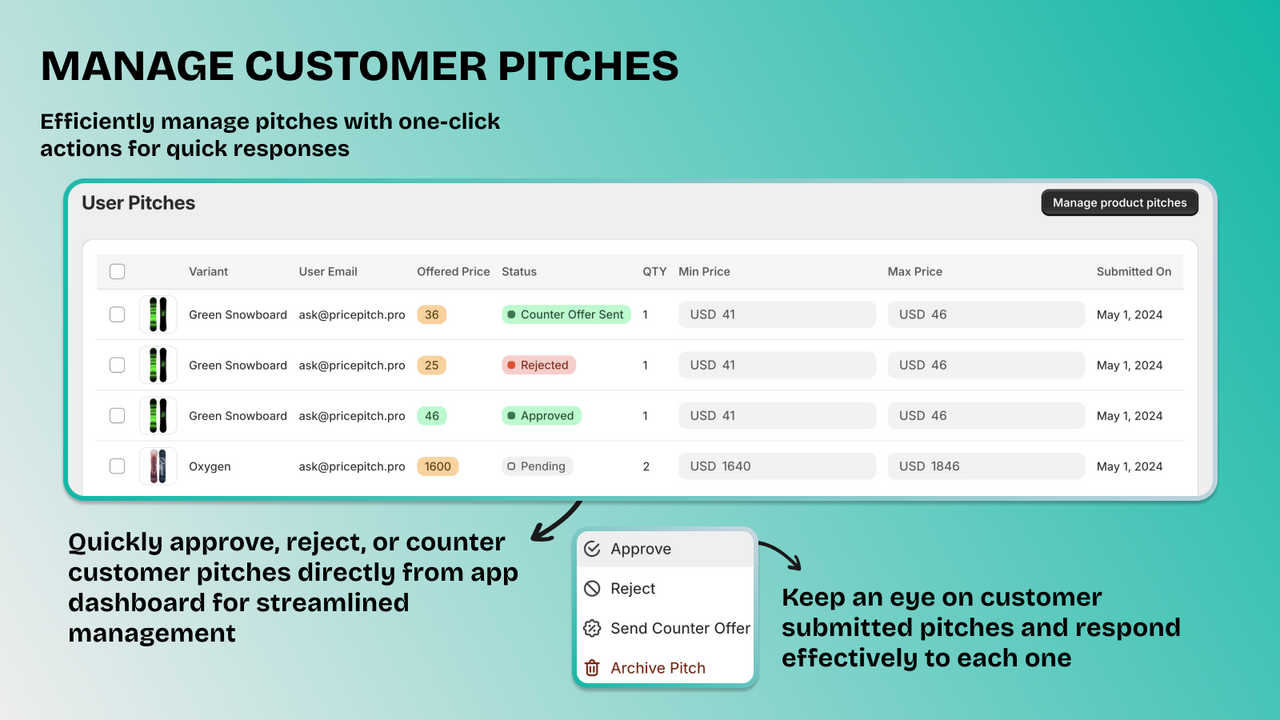
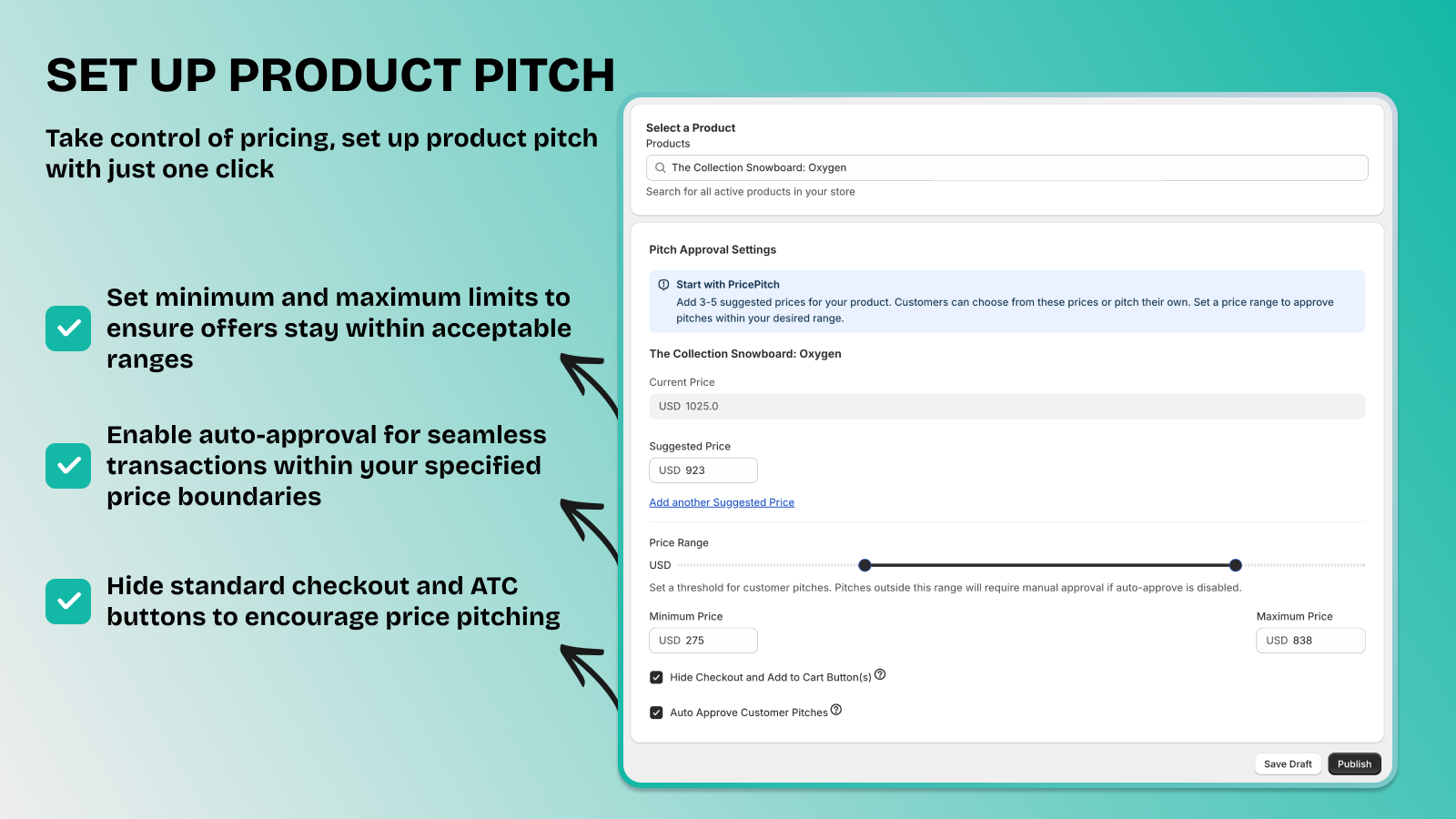
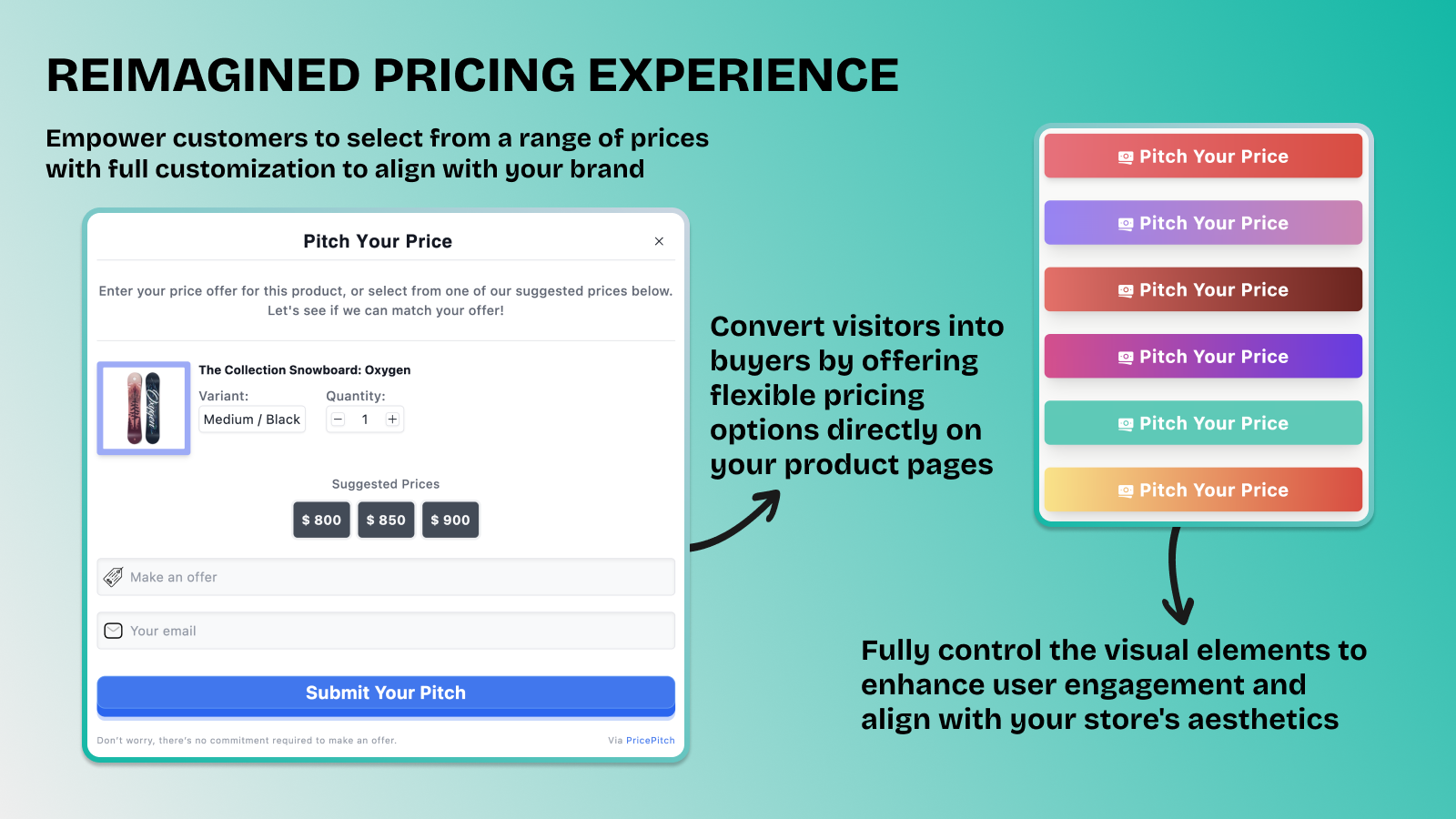
Empower Your Pricing: Let Customers Bid, You Decide. Offer dynamic pricing options to your customers with PricePitch! Let them submit bids, and you can choose to approve, decline, or counteroffer. Set automatic approval thresholds, send checkout links to customers automatically, drive sales through customer engagement, and collect emails. Our app doesn’t just solve pricing challenges—it makes customer interaction with your store seamless. Take control of your pricing with PricePitch!
Core Functionality
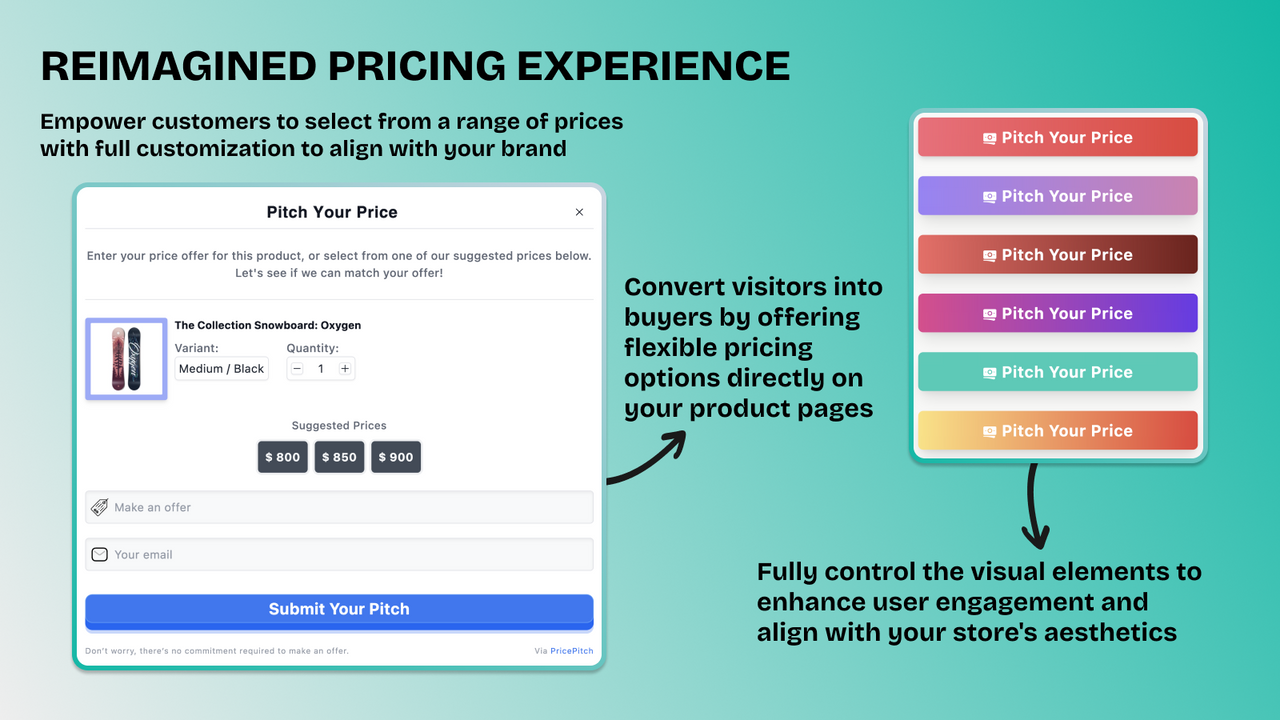
- Add a "Make Offer" button to let customers bid on products.
- Set predefined rules to automatically accept, decline, or counteroffer.
- Customize messages and styles of the offer interface to match your brand.
- Convert more visitors into buyers with negotiated pricing.
- Hide the standard checkout and add-to-cart buttons to encourage custom pricing.
Merchant-Friendly
- Independent Station Merchants
- Multi-category E-commerce
- Customization Merchants
- High-price Store
Basic Information
- Developer:TechOps
- Address:4 T-526, near Khyber Flats, Kohat, 26000, PK
- Price: Free / Free plan
- Rating:5 / 5
- Comment Count:2 comment
- Release Date:2024-5-17
- Supported languages:English
- Compatible products:Shopify
Application Screenshot






Price Plan
永久免费
- Up to 5 bids
- No fees or commissions
- Basic email notifications
- Email support
- Customer synchronization
- Automatic approval
- Hide checkout and add-to-cart buttons
基础版
- Up to 20 bids
- Onboarding Guide
- Advanced Email Customization
- Priority Email Support
- Customer Sync
- Auto-Approval
- Hide Checkout and Add to Cart Buttons
专业版
- Unlimited Bids
- Onboarding Guide
- Advanced Email Customization
- Priority Email Support
- Customer Sync
- Auto-Approval
- Hide Checkout and Add to Cart Buttons
User Location & Comments
User Location
Comments
Shopify API Used
- POST /admin/api/online_store/script_tags.json
- PUT /admin/api/online_store/script_tags/{id}.json
- GET /admin/api/online_store/script_tags.json
Permission:write_script_tags,read_script_tags,manage_themes
- POST /admin/api/offer_rules.json
- PUT /admin/api/offer_rules/{id}.json
- GET /admin/api/offer_rules.json
Permission:write_offer_rules,read_offer_rules,manage_products
- POST /admin/api/themes/assets.json
- PUT /admin/api/themes/assets/{key}.json
- GET /admin/api/themes/{theme_id}/assets.json
Permission:write_themes,read_themes,manage_themes
- POST /admin/api/orders.json
- PUT /admin/api/orders/{id}/metafields.json
- GET /admin/api/orders/{id}.json
Permission:write_orders,read_orders,manage_products
- POST /admin/api/themes/assets.json
- PUT /admin/api/themes/assets/{key}.json
- GET /admin/api/themes/{theme_id}/assets.json
Permission:write_themes,read_themes,manage_themes



