App Introduction
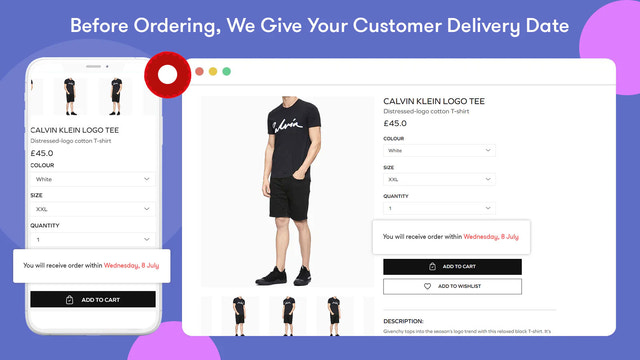
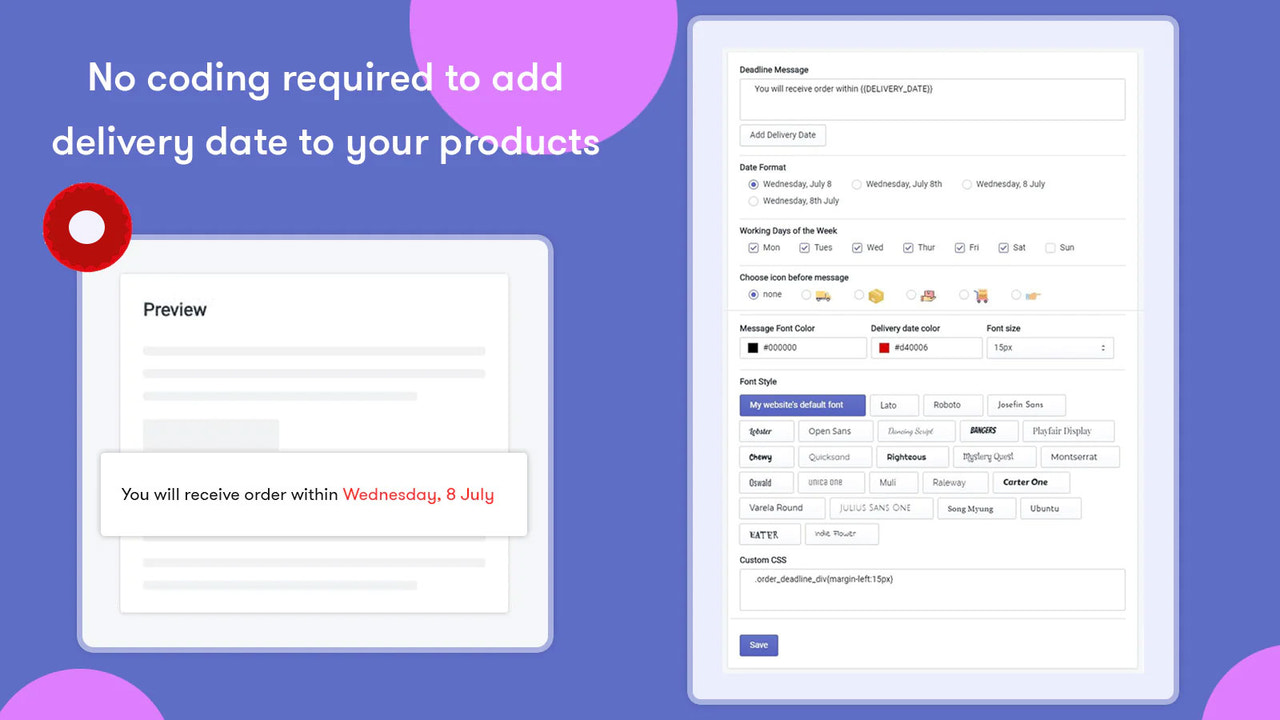
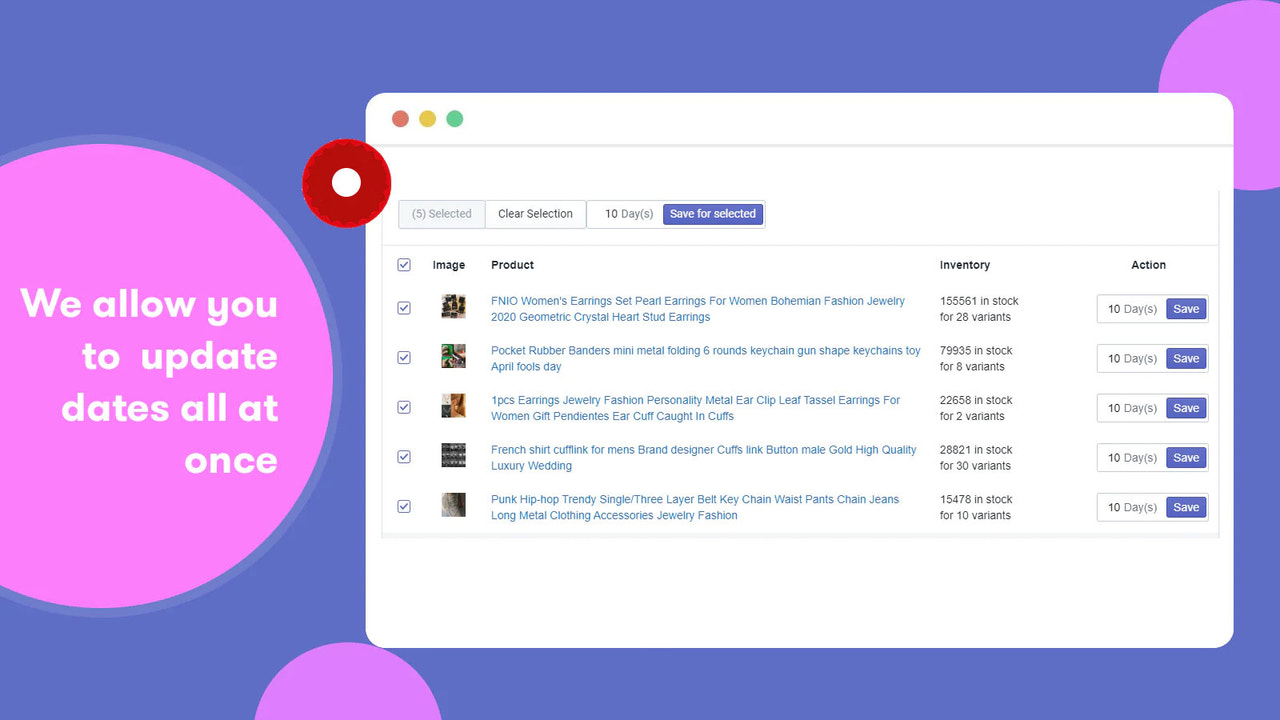
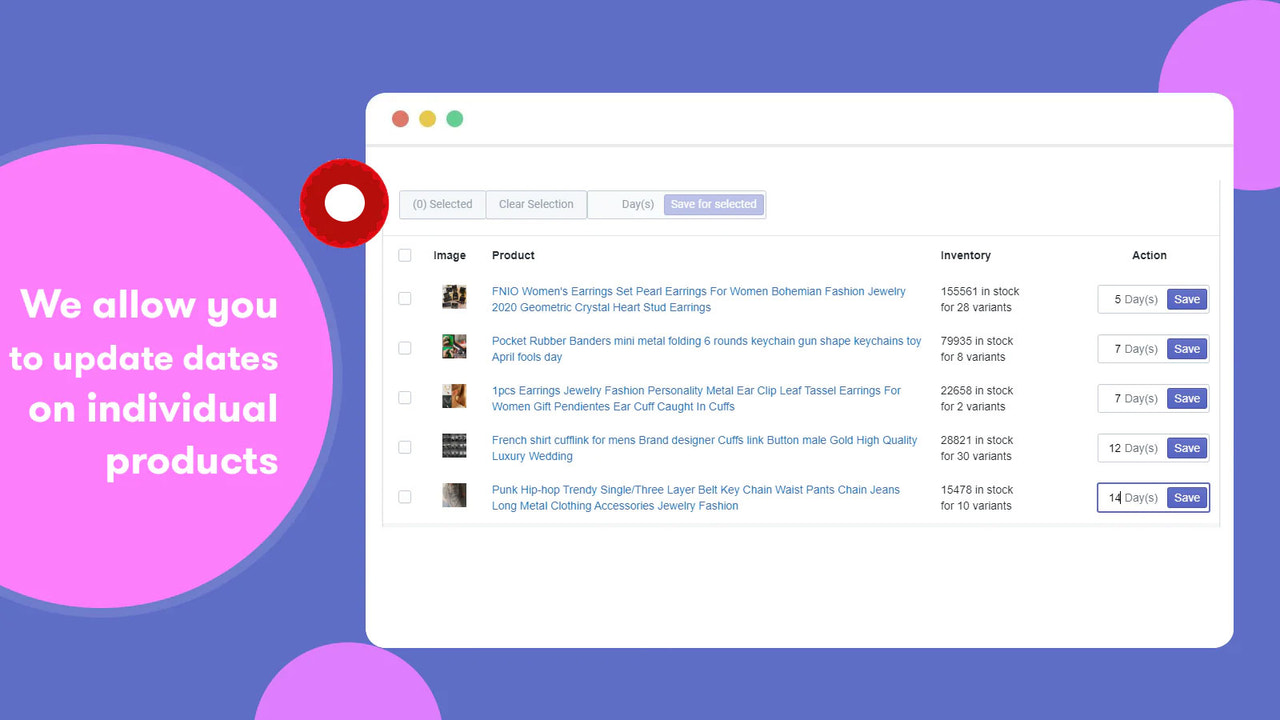
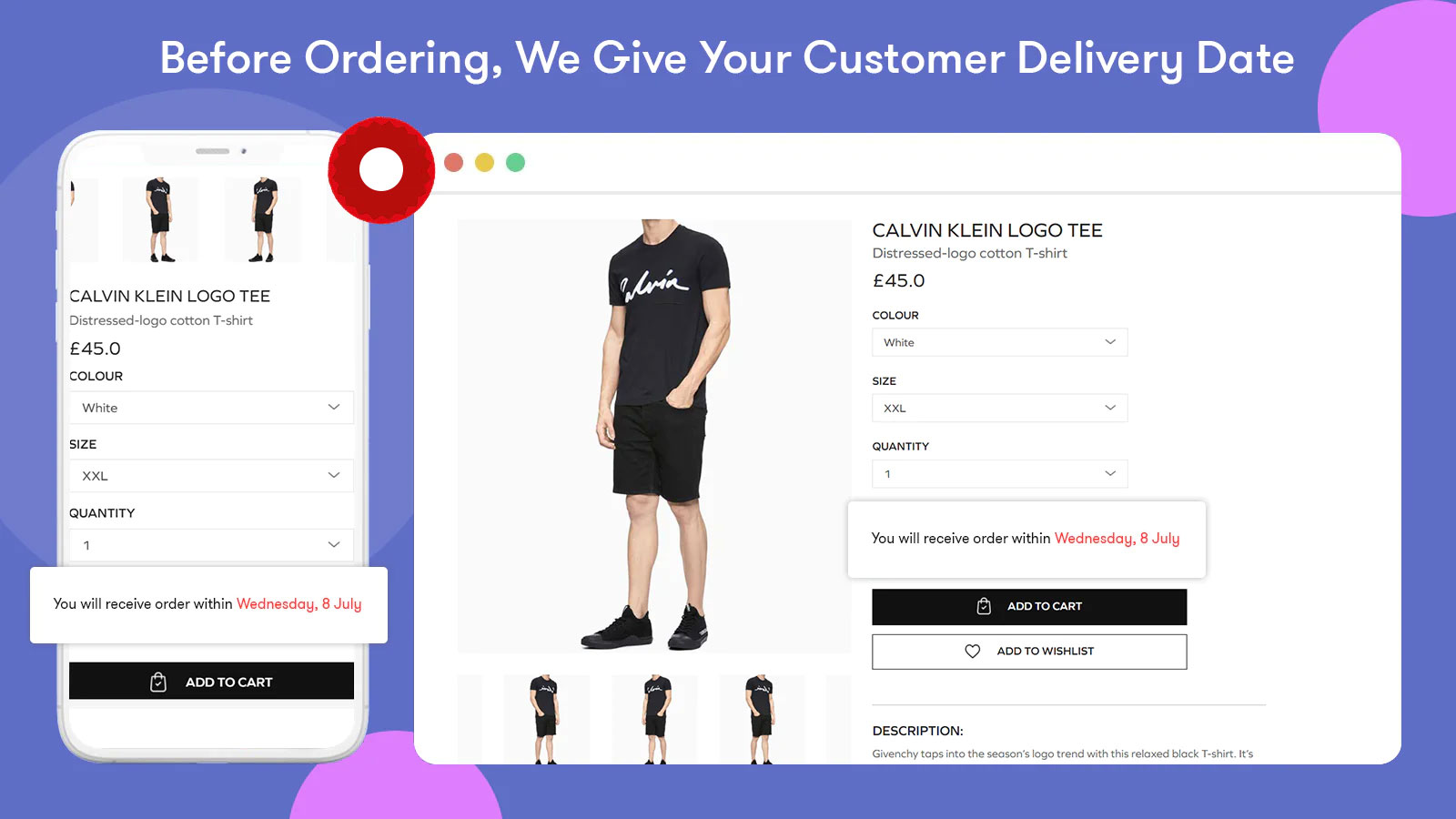
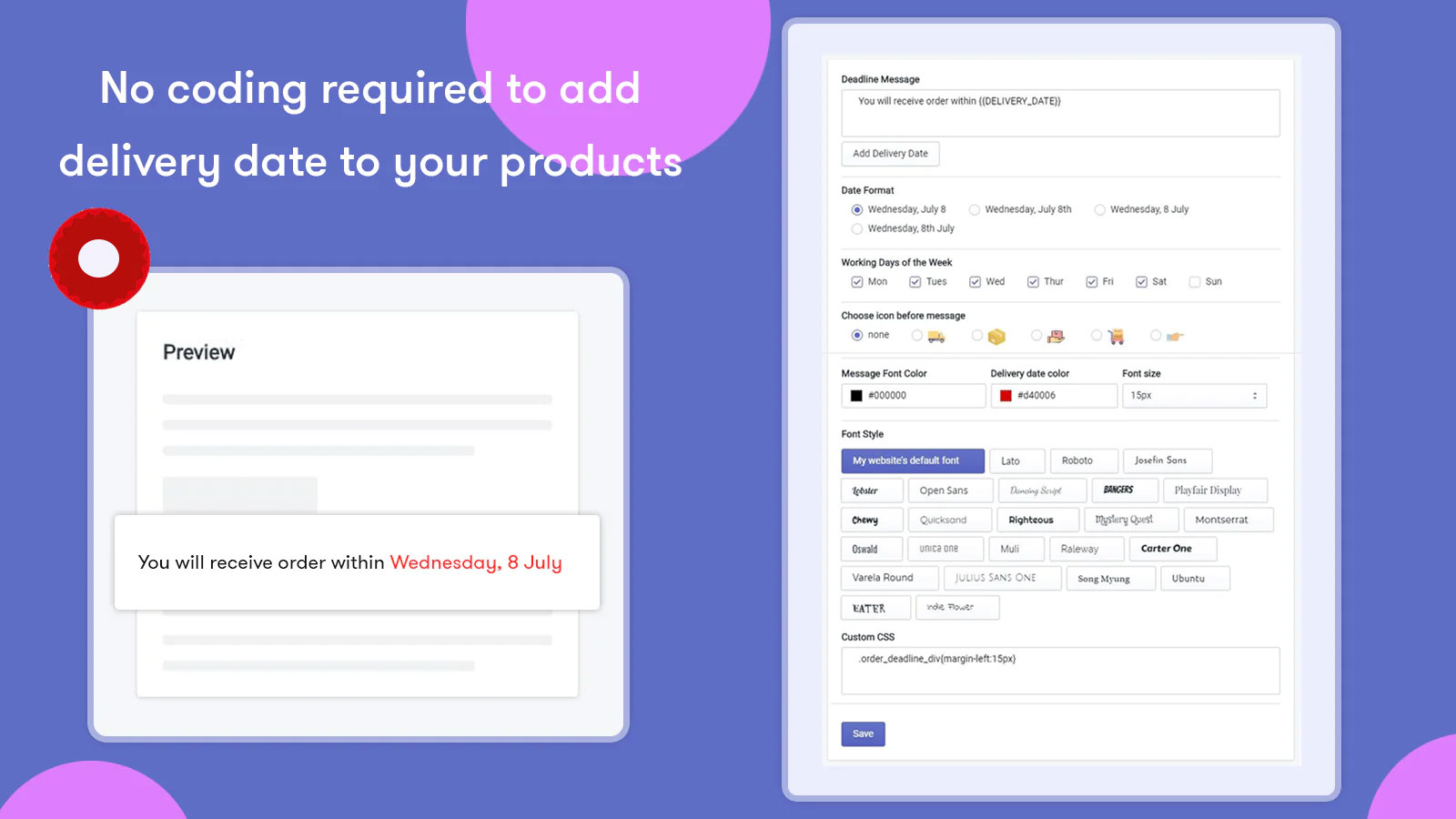
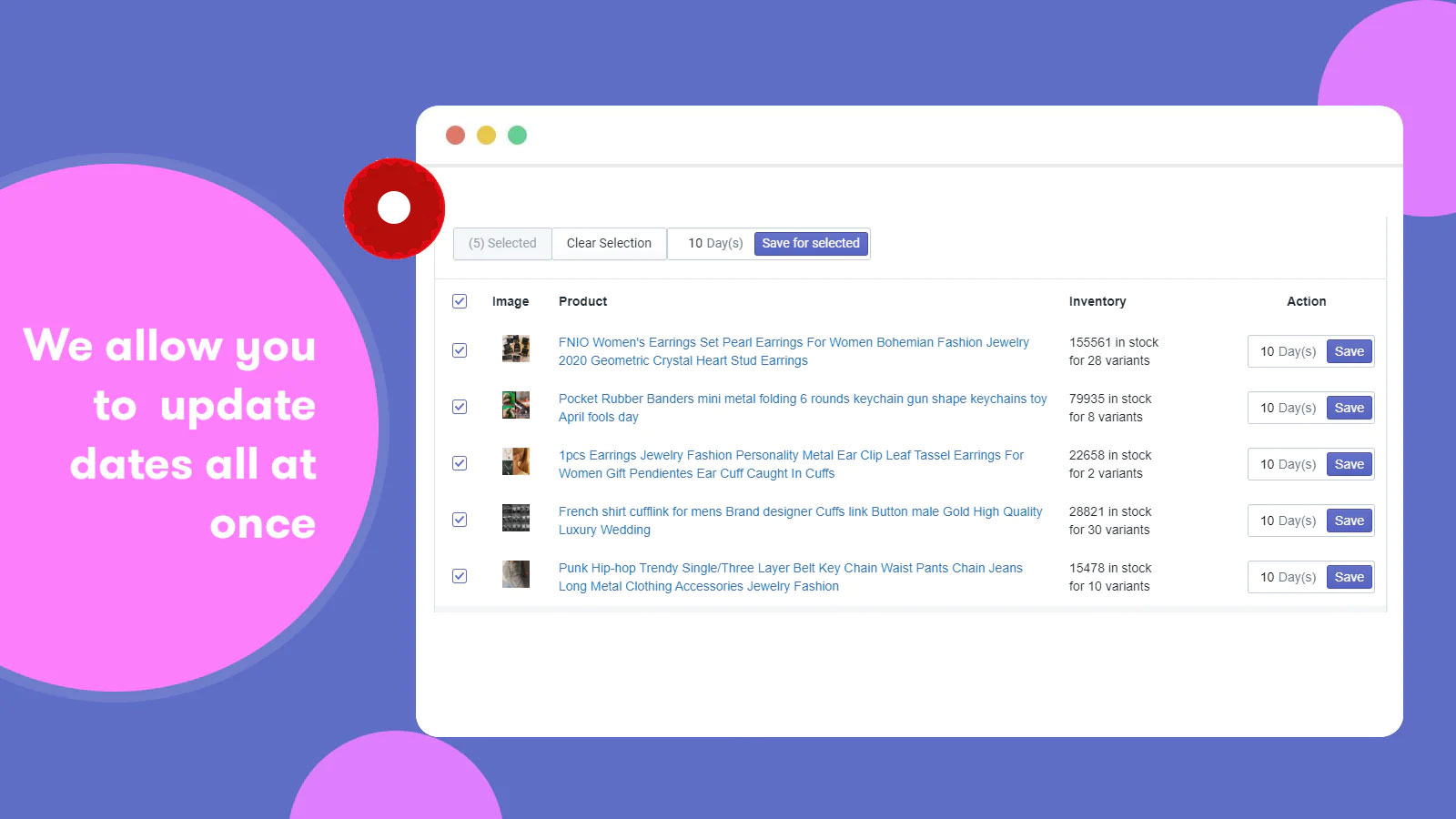
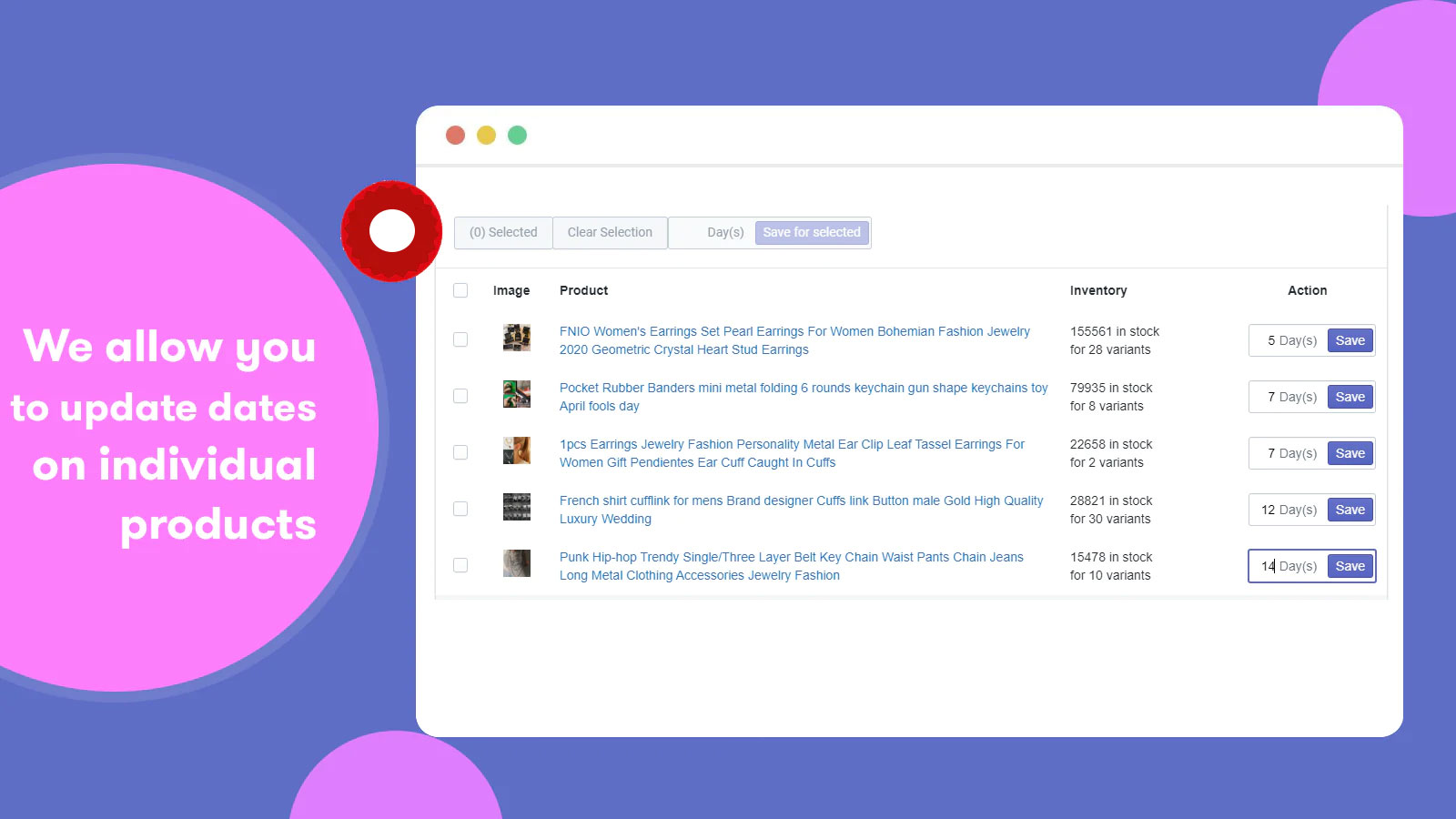
Allow customers to see accurate delivery date estimates before making a purchase. We make the ordering system transparent. Based on the current time, customers care deeply about when their orders will be successfully delivered to them. We provide merchants with information so you can tell customers when their products will be delivered if they place an order today. From the app’s admin panel, merchants can set delivery dates according to their own format, language, font, color, and size, and add icons. The app allows merchants to set different delivery dates independently for each product.
Core Functionality
- Display estimated delivery dates to enhance customer transparency
- Let customers view delivery dates before purchasing to reduce cart abandonment
- Works with all store themes and languages to match your brand identity
- Address customers’ top concern: when they’ll receive their orders
- Admins can set dates automatically without writing a single line of code
Merchant-Friendly
- Independent Station Merchants
- Cross-border E-commerce Merchants
- High-value Merchants
- Multilingual E-commerce
Basic Information
- Developer:Pleximus
- Address:202, A Wing, Mangeshshanta Appartment, Arogya Mandir, Ratnagiri, MH, 415612, IN
- Price: Free / Free plan
- Rating:4.8 / 5
- Comment Count:93 comment
- Release Date:2020-7-22
- Supported languages:English
- Compatible products:Shopify
Application Screenshot




Price Plan
All in One
- Set Global Shipping Estimation Rules
- Customize by Product, Collection, or Tag
- Define Holiday Dates to Skip Shipping
- Display Custom Out-of-Stock Messages
- Add Countdown Timers to Boost Urgency
- Enjoy Unlimited Customer Views
- Show Accurate Estimated Delivery Times
- Control Weekend Delivery Visibility
User Location & Comments
User Location
Comments
Shopify API Used
- POST /admin/api/fulfillment_events.json
- PUT /admin/api/fulfillment_events/{id}.json
- GET /admin/api/fulfillment_events.json
Permission:write_fulfillment_events,read_fulfillment_events,manage_orders
- GET /admin/api/shop.json
- GET /admin/api/products.json
- GET /admin/api/orders.json
Permission:read_shop,read_products,read_orders
- POST /admin/api/translations.json
- PUT /admin/api/translations/{id}.json
- GET /admin/api/translations.json
Permission:write_translations,read_translations,manage_shop