
App Introduction
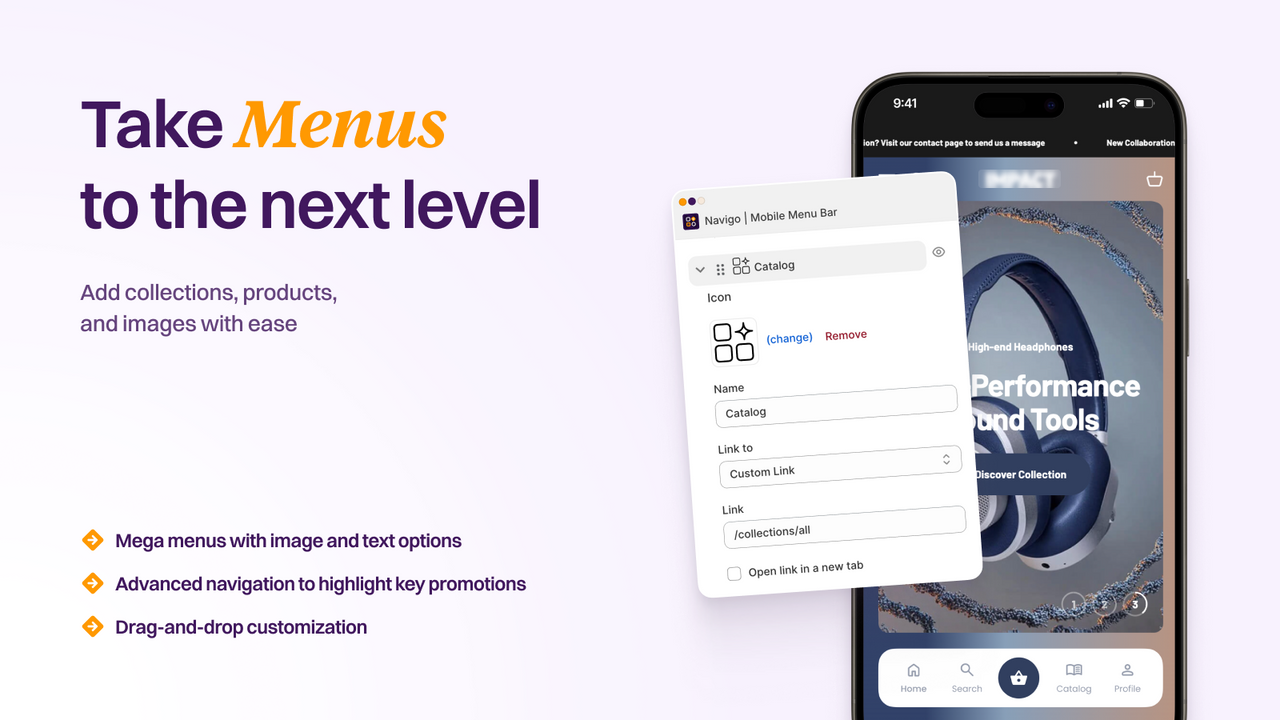
Elevate the mobile shopping experience with a bottom navigation bar tailored to your store’s layout for enhanced navigation. The mobile navigation bar helps visitors explore your store via a fixed bottom menu designed specifically for mobile users. You can fully customize icons, labels, and links to match your layout, color scheme, and brand style. Customers can quickly access collections, product pages, search, the cart, or their accounts—reducing friction and boosting conversion rates. Make key pages more accessible, highlight promotions, and enhance the mobile shopping journey with a seamless, brand-aligned, high-performance mobile experience.
Core Functionality
- Create unlimited menus and submenus with custom icons and brand colors
- Display cart counters, add badges, and highlight collections via image links
- Translate all menu labels with built-in multilingual support
- Usability, navigation speed, recall rate, user experience, readability
- Customize menu styles with CSS and track performance via built-in analytics
Merchant-Friendly
- Brand Independent Station Merchants
- Multi-category E-commerce Sellers
- Cross-border E-commerce Merchants
- Boutique E-commerce Stores
Basic Information
- Developer:Quizell
- Address:Ben Yehuda 250, Tel aviv, 6350109, IL
- Price: Free / Free plan
- Rating:4.7 / 5
- Comment Count:85 comment
- Release Date:2022-3-22
- Supported languages:English
- Compatible products:Shopify
Application Screenshot


Price Plan
免费永远
- Create and publish a menu
- Use up to 15 navigation icons
- Choose your own menu color
- View basic menu performance statistics
Lite
- Use Unlimited Navigation Icons
- Create Menus with Submenus
- Create Unlimited Menus and Submenus
- Show Cart Item Count Badge
- Access Built-in Analytics
- Remove Watermark/Brand Mark
Pro
- Includes all Lite features
- Build advanced and mega menus
- Add product collections with images
- Display custom badges
- Support multiple languages
- Customize with CSS
- Upload and use custom icons
User Location & Comments
User Location
Comments
Shopify API Used
- POST /admin/api/menu.json
- PUT /admin/api/menu/{menu_id}.json
- GET /admin/api/menu.json
Permission:write_themes,read_themes,manage_navigation
- GET /admin/api/cart.json
- PUT /admin/api/cart/{cart_id}.json
- GET /admin/api/collection.json
Permission:read_cart,read_collections,manage_navigation
- POST /admin/api/menu/language.json
- PUT /admin/api/menu/language/{lang}.json
- GET /admin/api/menu/language.json
Permission:manage_translations,read_themes,manage_navigation
- GET /admin/api/theme.json
- PUT /admin/api/theme/{theme_id}/asset.json
- GET /admin/api/reports/menu_performance.json
Permission:write_themes,read_themes,read_reports



