
App Introduction
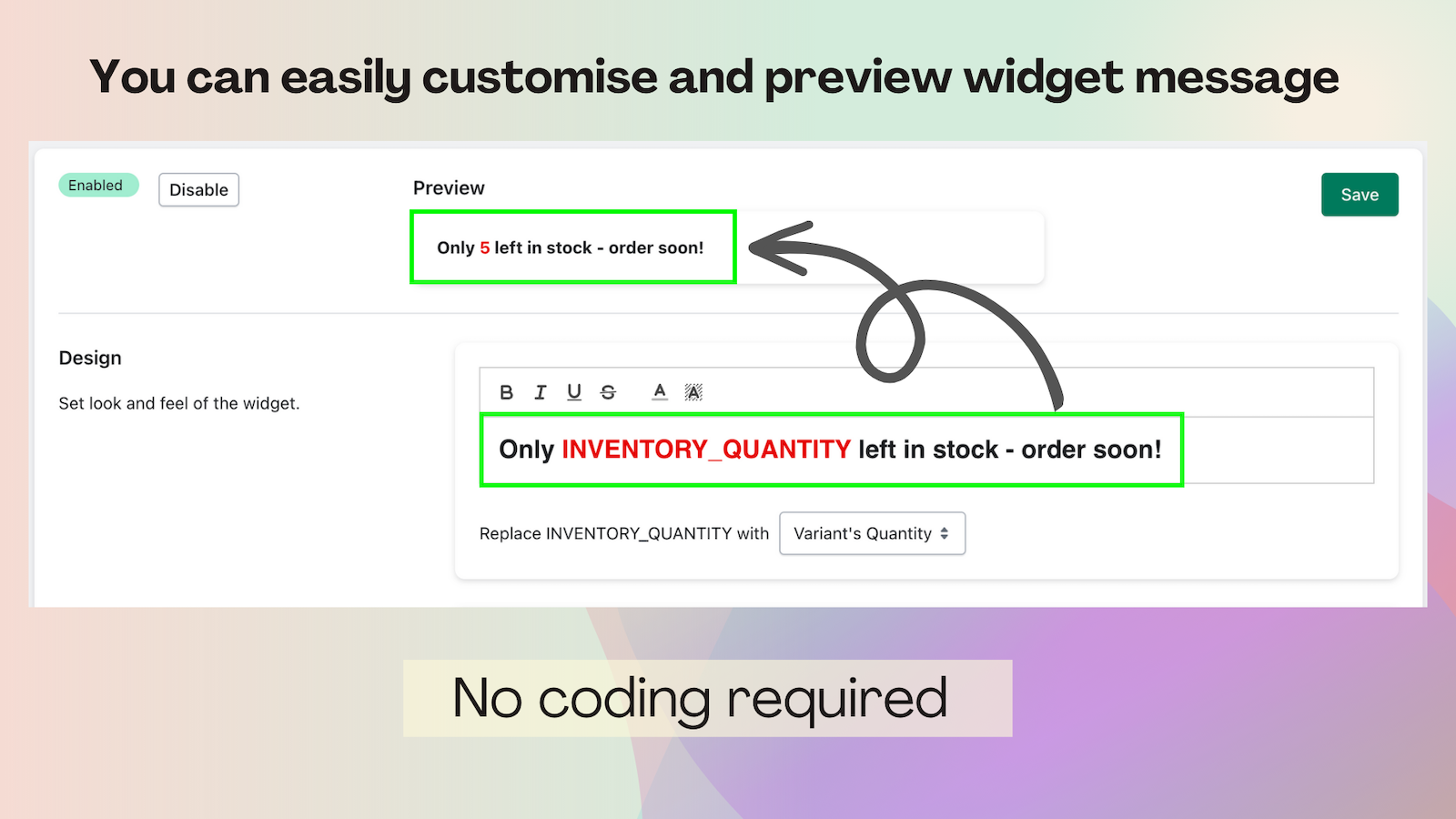
Display the **Stock Counter** widget on product pages to boost purchase urgency. By showcasing real-time inventory counts on your product pages, you can enhance your items’ visibility in your online store, create a sense of urgency, and encourage customers to seize the opportunity to buy immediately. With our **Stock Counter** app, you’ll elevate your sales potential to new heights while building credibility and trust with shoppers.
Core Functionality
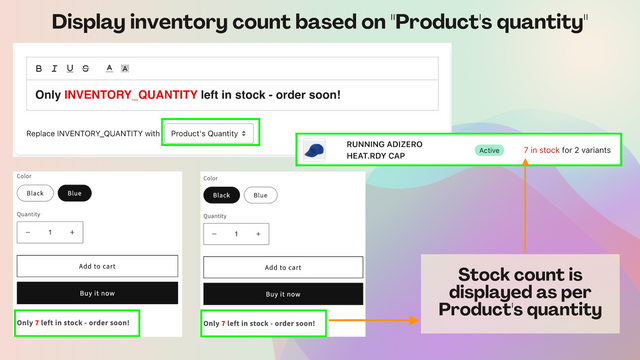
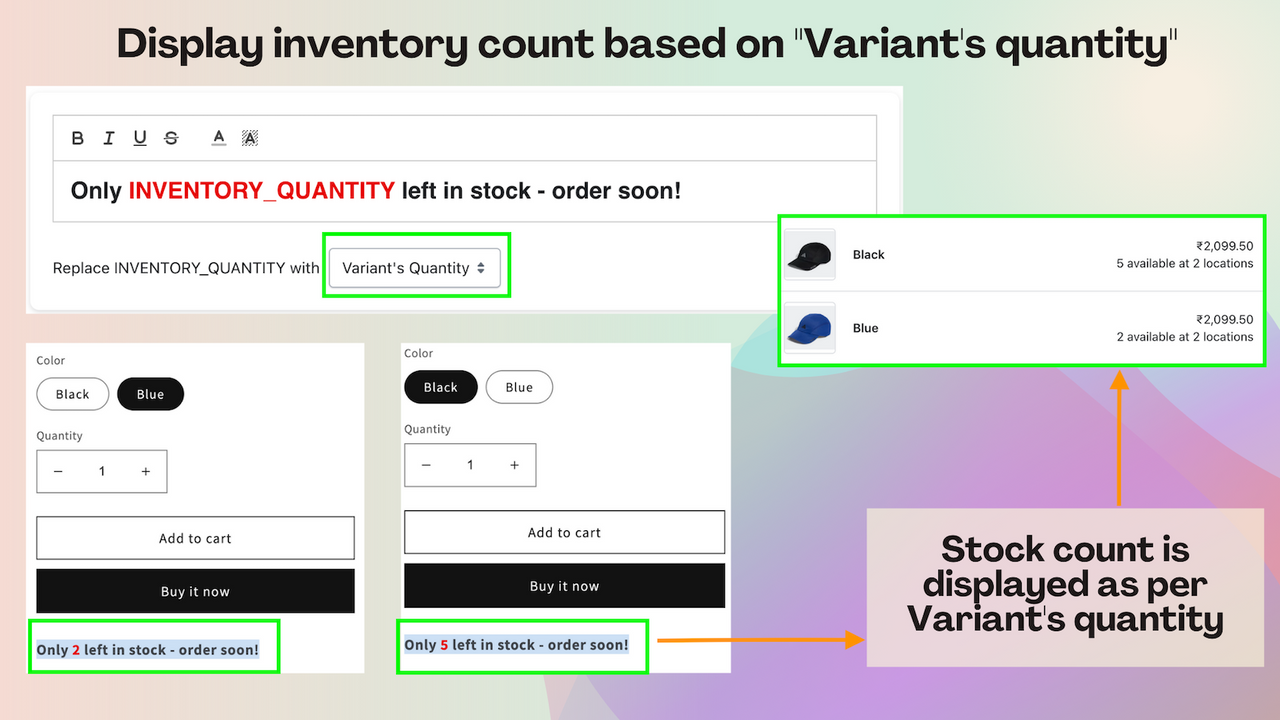
- Display an inventory counter based on the quantity of a product or its variants.
- Easily configure rules for showing the inventory counter widget.
- The inventory counter widget displays based on the minimum and maximum stock quantity ranges.
- Easily enable or disable the inventory counter at any time.
- Only available for Shopify 2.0 stores
Merchant-Friendly
- Small & Medium E-commerce Independent Sites
- Single-category Retail Merchants
- Multi-variant Product Merchants
- Inventory-sensitive Merchants
Basic Information
- Developer:Jedi Apps
- Address:F13 SL3 Sec 57, Gurgaon, HR, 122003, IN
- Price: Free / Free plan
- Rating:5 / 5
- Comment Count:67 comment
- Release Date:2023-7-13
- Supported languages:English
- Compatible products:Shopify
Application Screenshot








Price Plan
Free
免费
- Unlimited Widgets
- Unlimited Display
Premium
$2.99
- Unlimited Widgets
- Unlimited Display
- Advanced Widget Design
- Advanced Widget Display Rules (Filters)
User Location & Comments
User Location
Comments
Shopify API Used
- GET /admin/api/products.json
- GET /admin/api/products/{product_id}/variants.json
- PUT /admin/api/products/{product_id}.json
Permission:read_products,write_products,manage_inventory
- POST /admin/api/metafields.json
- PUT /admin/api/metafields/{metafield_id}.json
- GET /admin/api/metafields.json
Permission:write_products,read_products,manage_metafields
- GET /admin/api/products/{product_id}/variants.json
- PUT /admin/api/metafields/{metafield_id}.json
- GET /admin/api/metafields.json
Permission:read_products,write_products,manage_inventory
- PUT /admin/api/metafields/{metafield_id}.json
- GET /admin/api/metafields.json
- POST /admin/api/metafields.json
Permission:write_products,read_products,manage_metafields