
HiVar : Hide Sold Out Variants
by AppScoped · Category: Product Display - Other
Free Plan
Built for Shopify
App Introduction
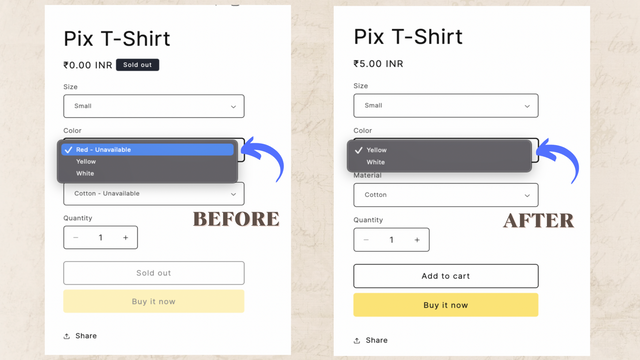
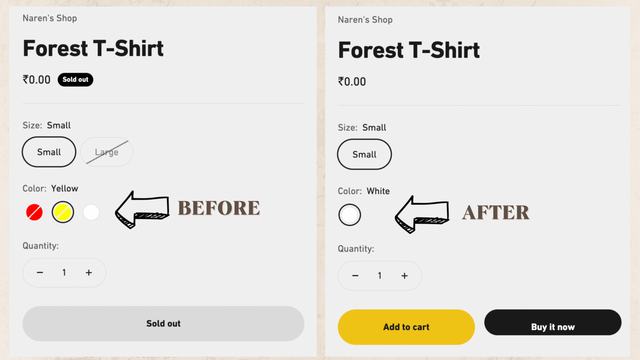
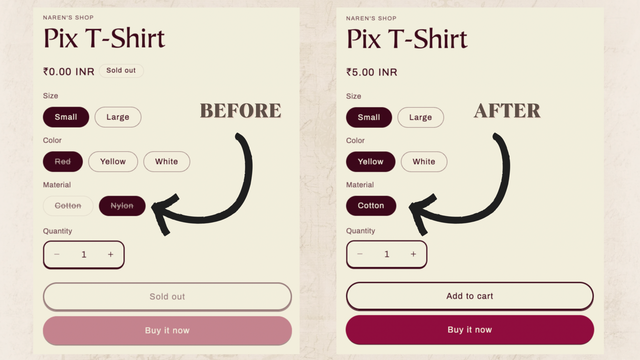
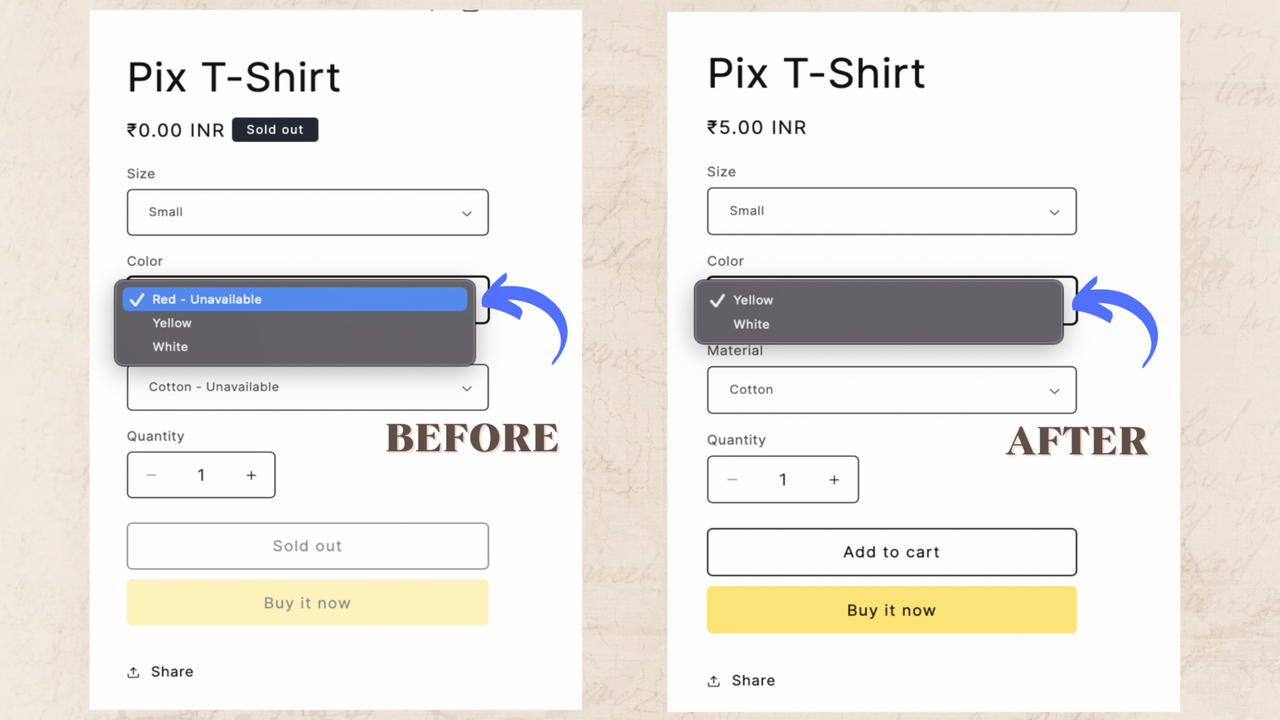
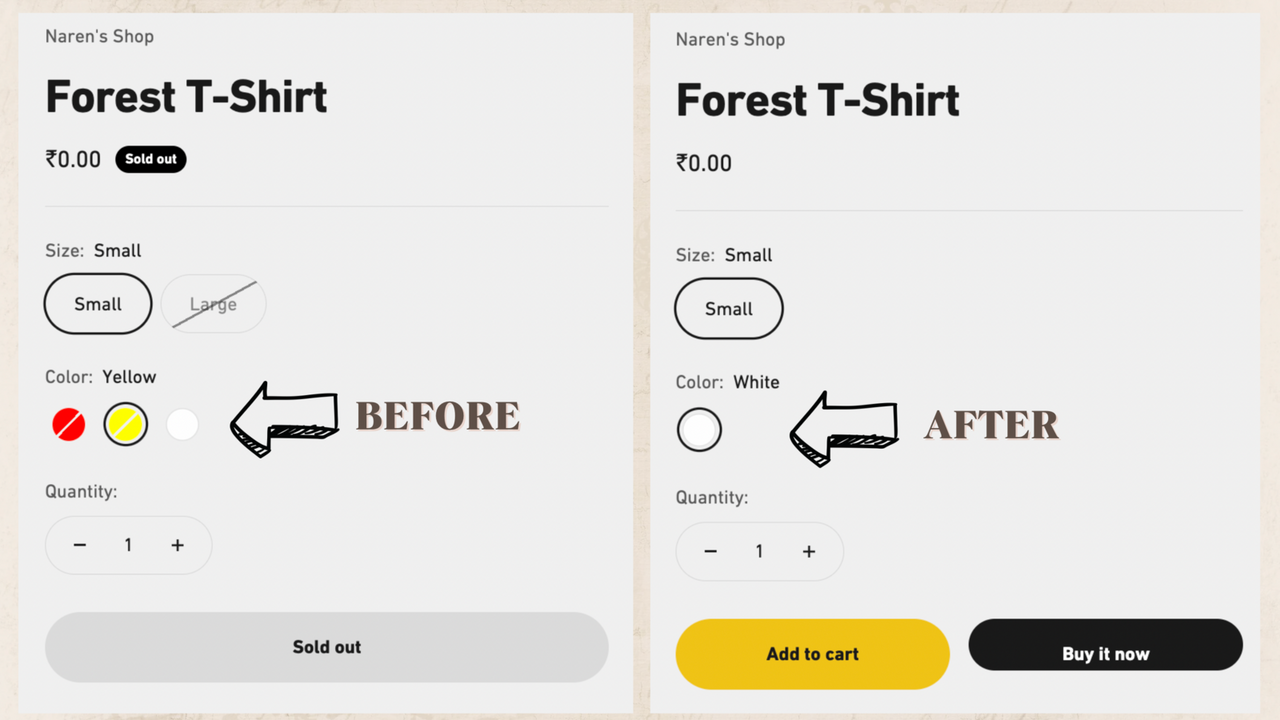
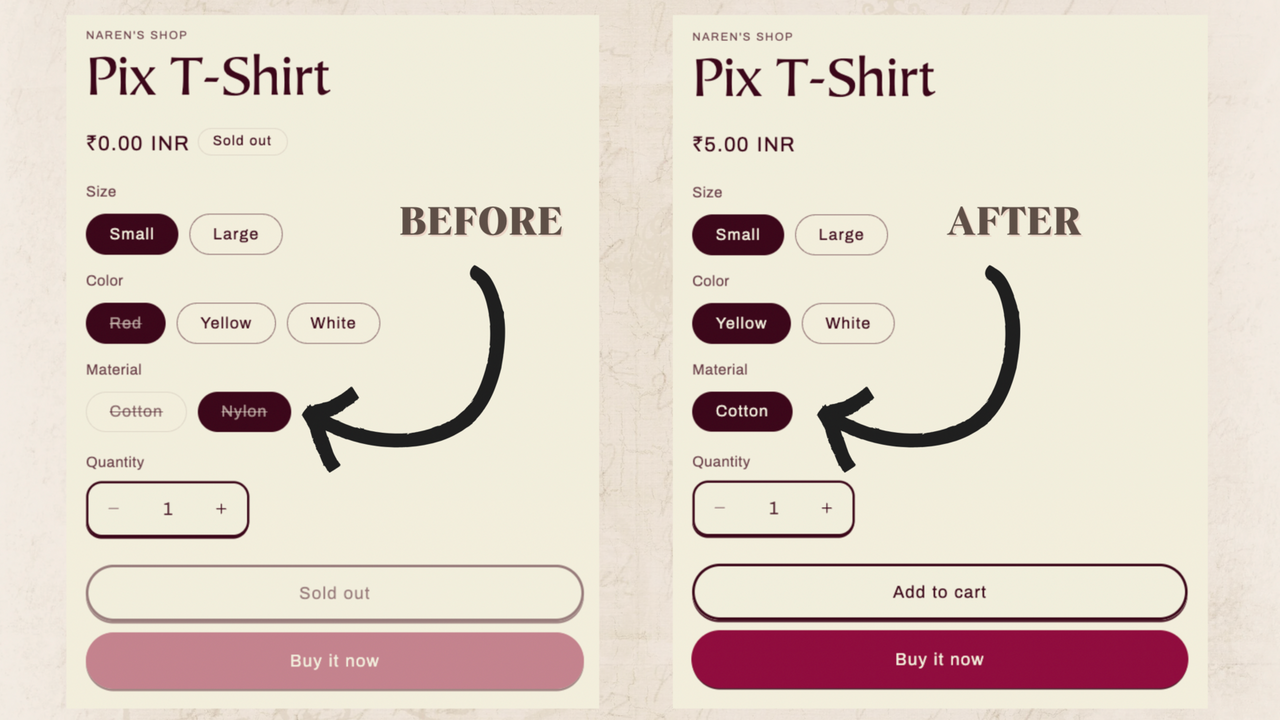
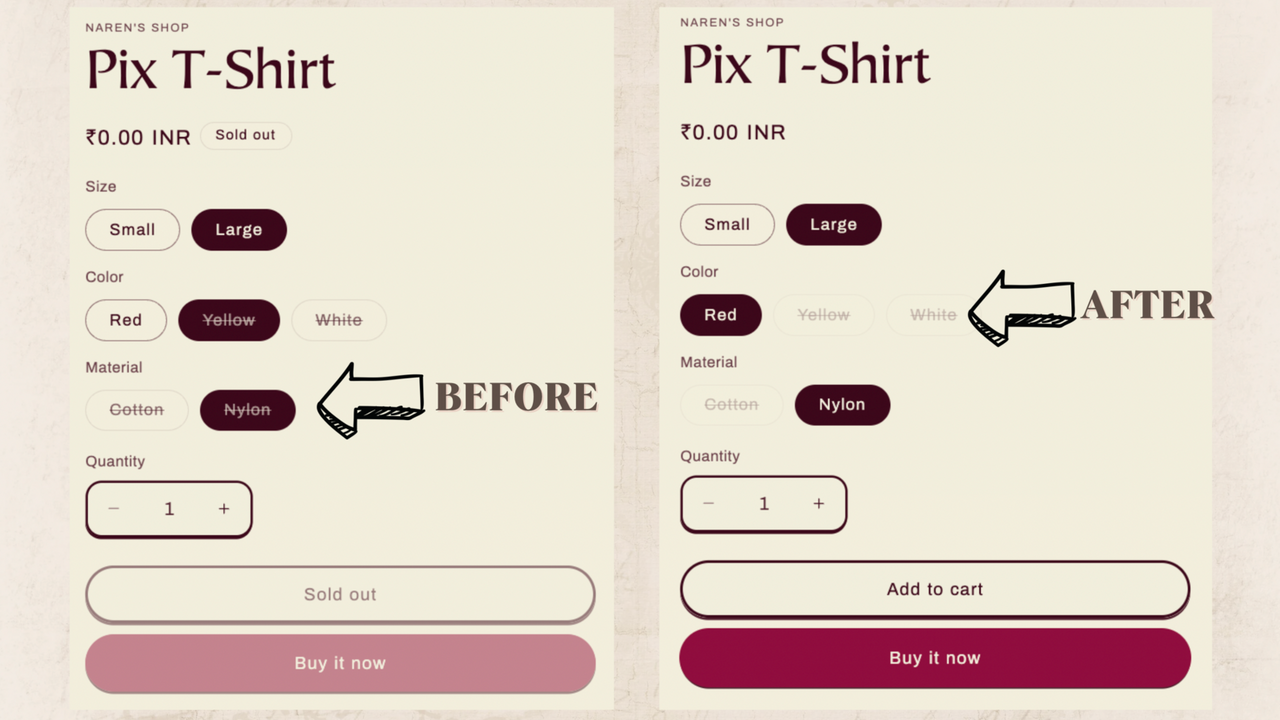
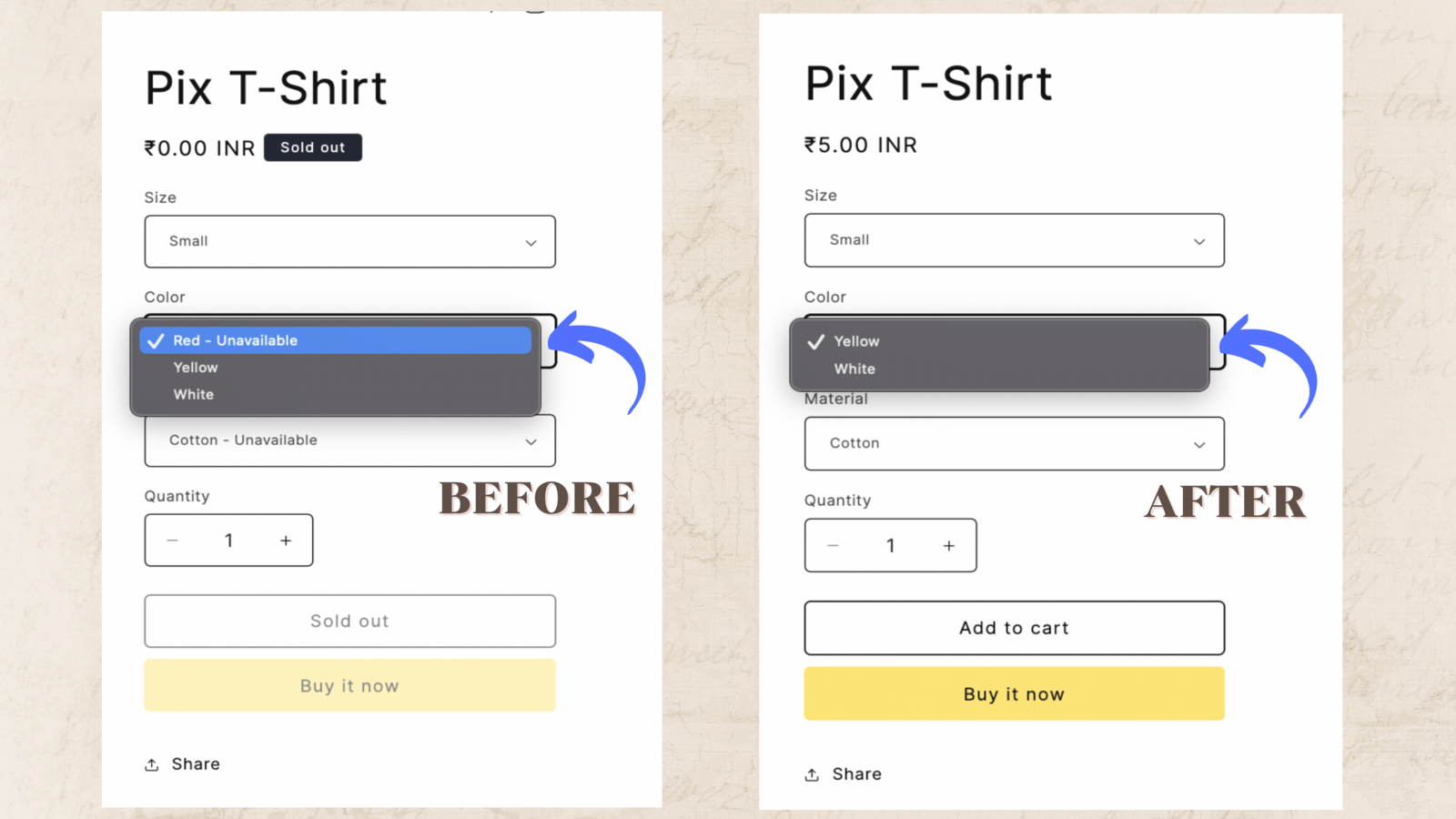
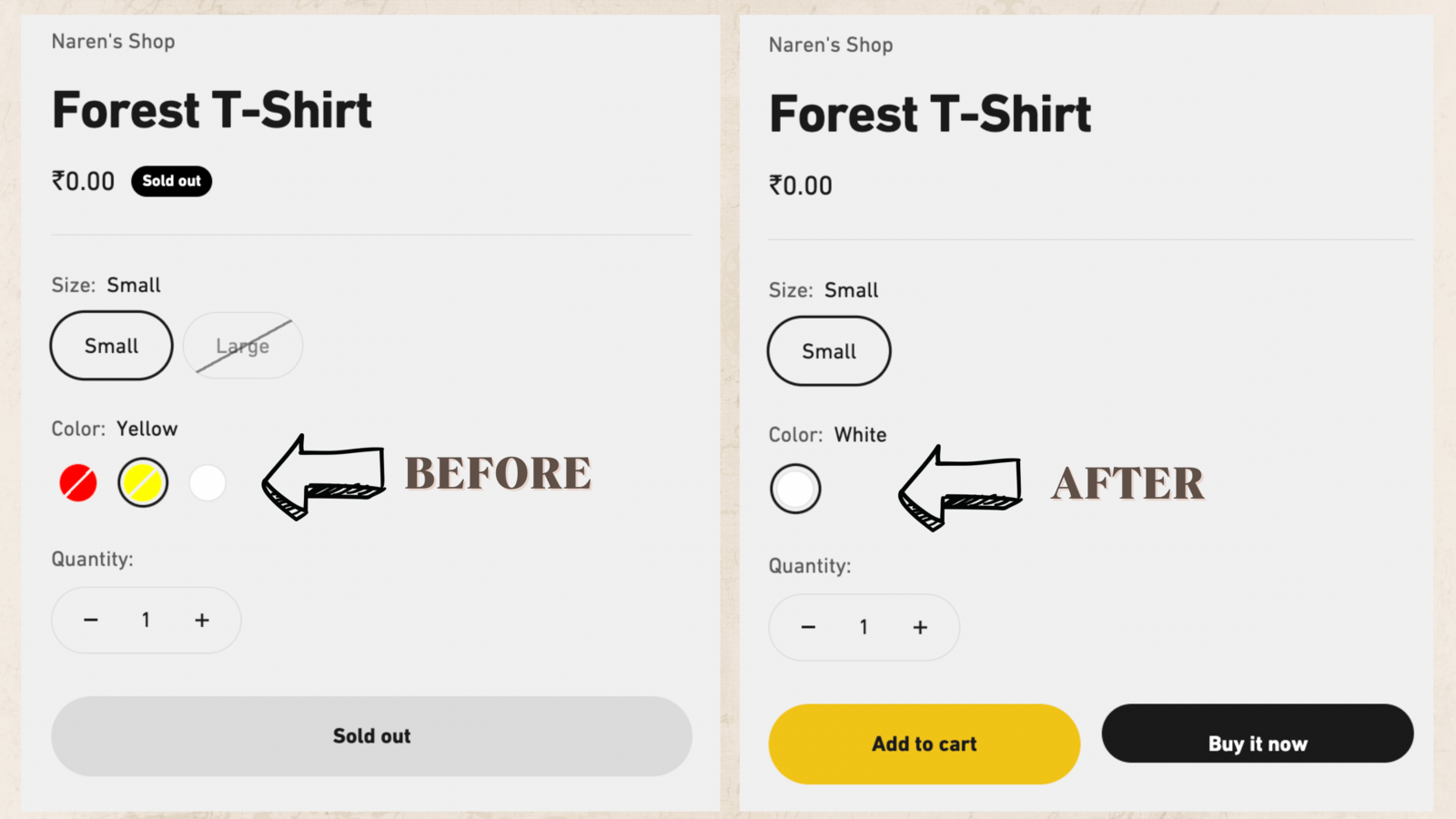
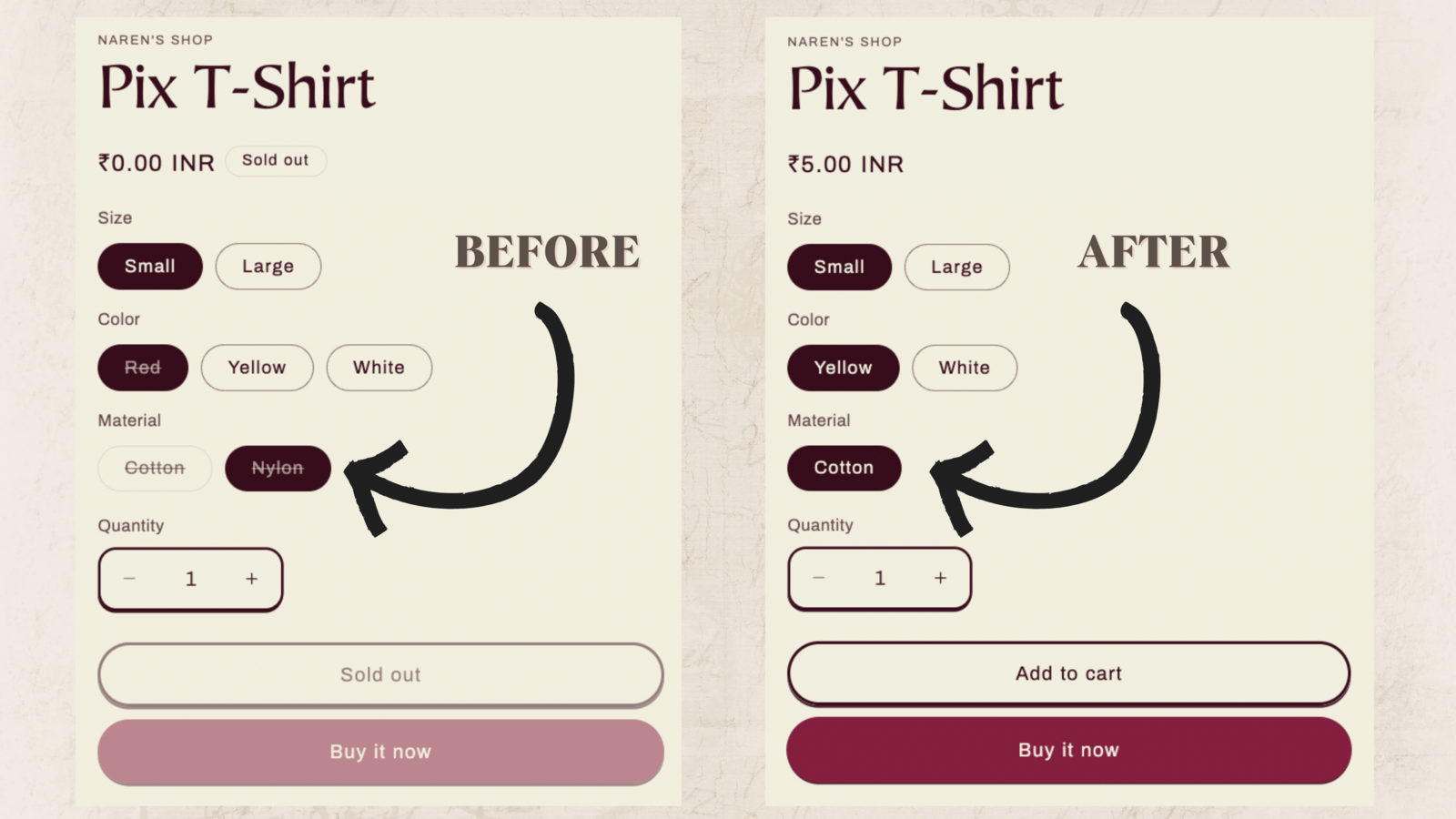
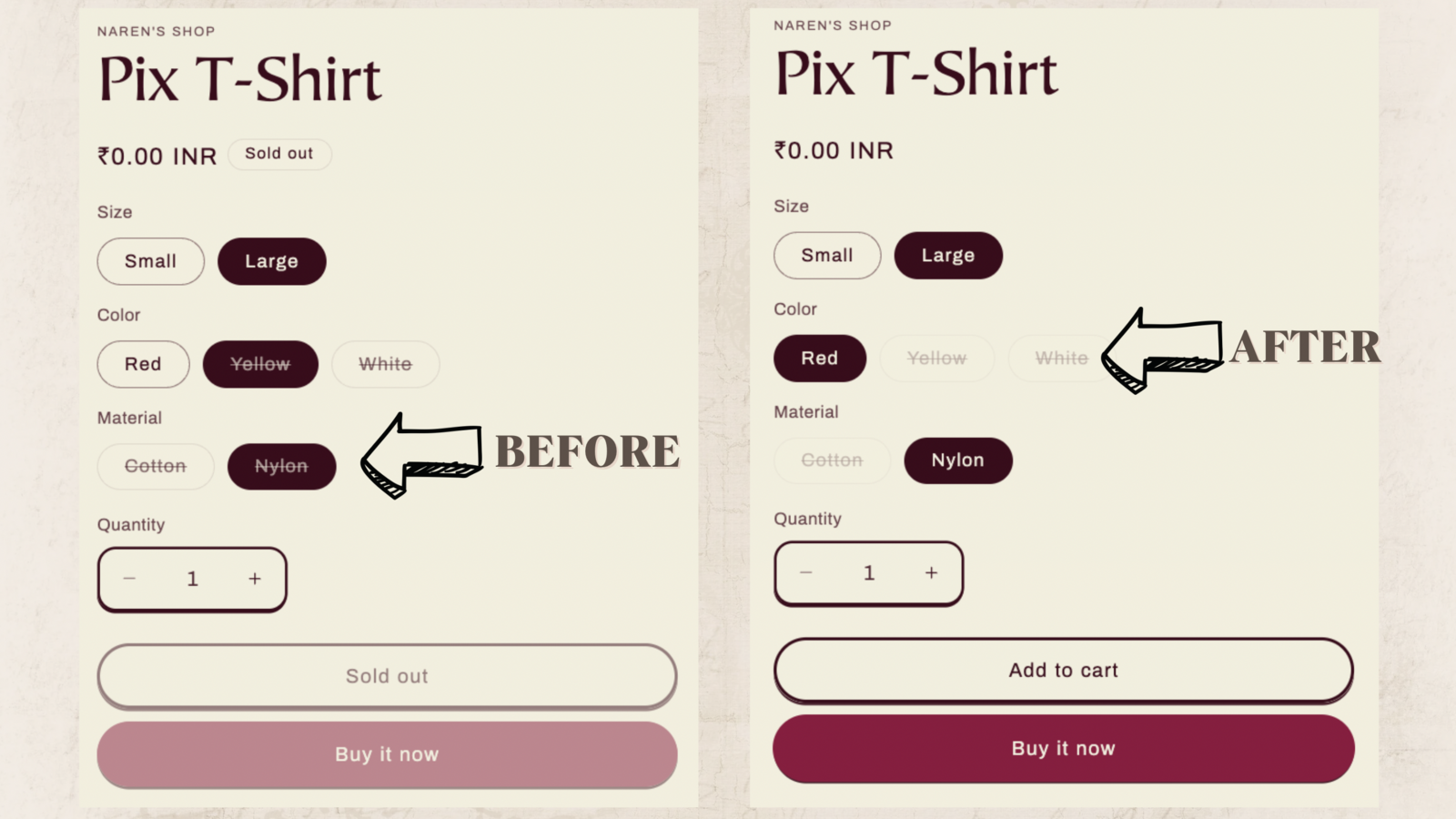
Hide/Disable Out-of-Stock or Unavailable Variants on Product Pages Imagine a potential customer shopping for t-shirts in your Shopify store. They click the Small-Red variant, only to find it’s sold out. So they try the Small-Purple variant—also out of stock. Now picture how frustrated your customer feels. Instead, use our app to hide or disable sold-out variants. Your customers can instantly see all variants available to add to cart. Voilà! A happier customer experience, faster checkouts, and more sales.
Core Functionality
- Hide/disable sold-out variants in real time.
- Publish/show restocked variants.
- Supports all free themes and many paid themes from Shopify.
Merchant-Friendly
- Independent Station Merchants
- Clothing E-commerce Merchants
- Multi-category Retail Merchants
- Boutique Merchants
Basic Information
- Developer:StoreBuilder
- Address:440 N BARRANCA AVE #3243, Covina, CA, 91723, US
- Price: Free / Free plan
- Rating:4.3 / 5
- Comment Count:4 comment
- Release Date:2024-3-21
- Supported languages:English
- Compatible products:Shopify
Application Screenshot
Price Plan
Free
免费
- Supports Shopify Free Themes
- Only for Single-Option Products
- Chat and Email Customer Support
Premium
$4.99
- Supports Shopify free and paid themes
- Supports products with up to 3 options
- Technical support for incompatible themes
Pro
$7.99
- All features in the Premium Plan
- + Select and hide specific variants
User Location & Comments
User Location
Comments
Shopify API Used
- POST /admin/api/products/{product_id}/variants/{variant_id}.json
- PUT /admin/api/products/{product_id}/variants/{variant_id}.json
- GET /admin/api/products/{product_id}/variants.json
Permission:write_products,read_products,manage_inventory
- PUT /admin/api/products/{product_id}/variants/{variant_id}.json
- GET /admin/api/products/{product_id}/variants.json
- POST /admin/api/inventory_levels.json
Permission:write_products,read_products,manage_inventory
- GET /admin/api/themes.json
- PUT /admin/api/themes/{theme_id}/settings.json
- POST /admin/api/themes/{theme_id}/assets.json
Permission:read_themes,write_themes,manage_online_store