
App Introduction
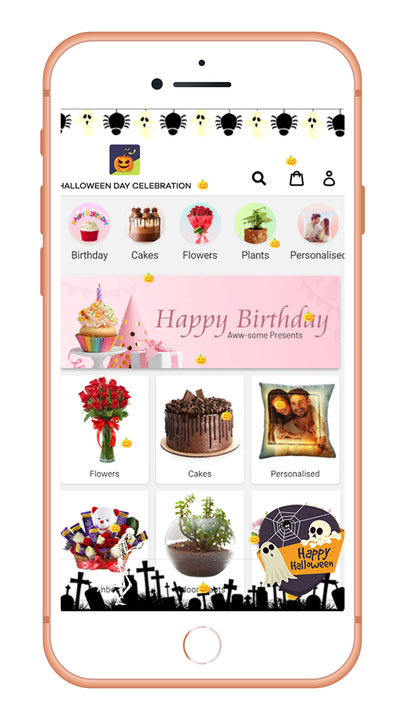
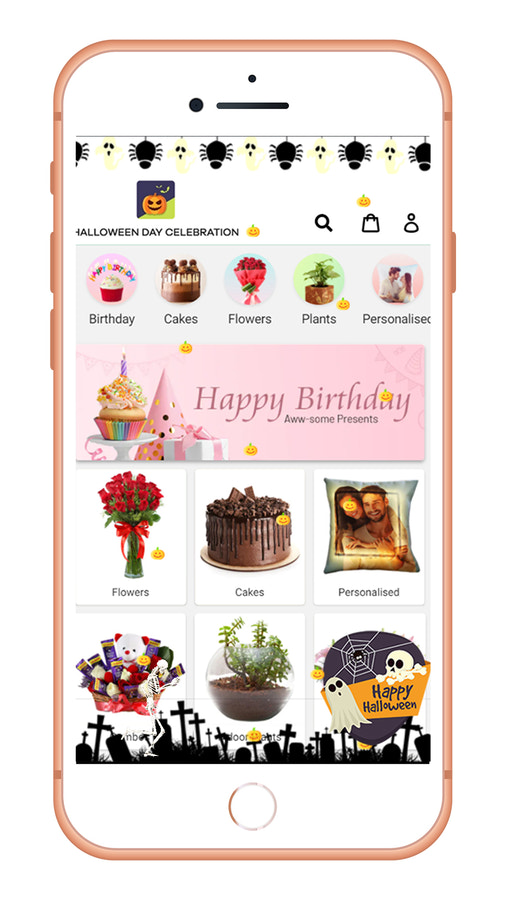
Make your store stand out this Halloween with special effects using our last-minute solution. The Halloween Day Celebration app lets you get your Shopify store ready for Halloween in just a few clicks! Decorations will fall from the screen on your homepage, and you can choose decorations from the dashboard settings. Offering Halloween-themed discounts and promotions will help boost conversion rates while keeping your customers happy. It’s also compatible with your theme and can be customized to work with any theme. Plus, there are different skeleton animations that make any theme look great for Halloween!
Core Functionality
- Display decorations on all public pages or only on the homepage and header/footer.
- Enable or disable the flying skull.
- Show custom Happy Halloween images in any corner of your store.
- Simple setup for lightweight objects to keep your store running smoothly.
- Select the features you want from the app settings to match your store.
Merchant-Friendly
- Holiday Marketing Merchants
- Themed Style Stores
- Performance Optimization Merchants
- Halloween Promotion Merchants
- Personalized Setting Merchants
Basic Information
- Developer:Zestard Technologies
- Address:3681 Peacock Ct, Apt 1, Santa Clara, CA, 95051, US
- Price: Free / Free plan
- Rating:4.1 / 5
- Comment Count:12 comment
- Release Date:2018-10-1
- Supported languages:English
- Compatible products:Shopify
Application Screenshot






Price Plan
Free
User Location & Comments
User Location
Comments
Shopify API Used
- POST /admin/api/shop/decorations.json
- PUT /admin/api/shop/decorations/{id}.json
- GET /admin/api/shop/decorations.json
Permission:write_shop,read_shop,manage_theme
- POST /admin/api/shop/flying_skull.json
- PUT /admin/api/shop/flying_skull/{id}/toggle.json
- GET /admin/api/shop/flying_skull.json
Permission:write_shop,read_shop,manage_apps
- POST /admin/api/shop/halloween_images.json
- PUT /admin/api/shop/halloween_images/{id}/position.json
- GET /admin/api/shop/halloween_images.json
Permission:write_shop,read_shop,manage_media
- POST /admin/api/shop/lightweight_objects.json
- PUT /admin/api/shop/lightweight_objects/{id}/config.json
- GET /admin/api/shop/lightweight_objects.json
Permission:write_shop,read_shop,manage_performance
- POST /admin/api/app/function_selections.json
- PUT /admin/api/app/function_selections/{id}/enable.json
- GET /admin/api/app/function_selections.json
Permission:write_app,read_app,manage_apps