
Outlink External Links Button
App Introduction
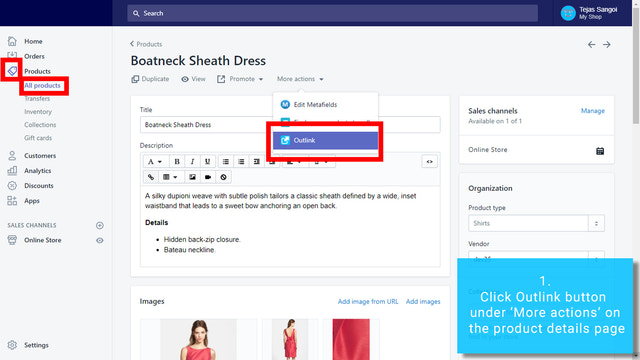
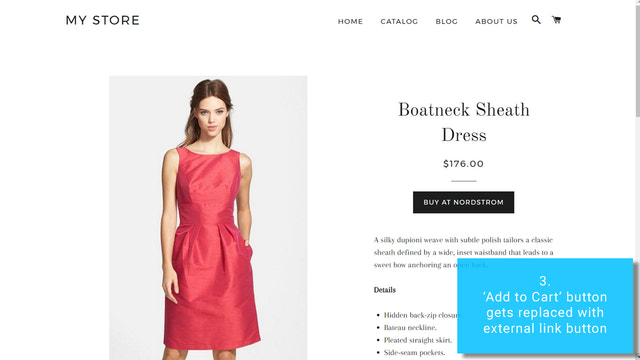
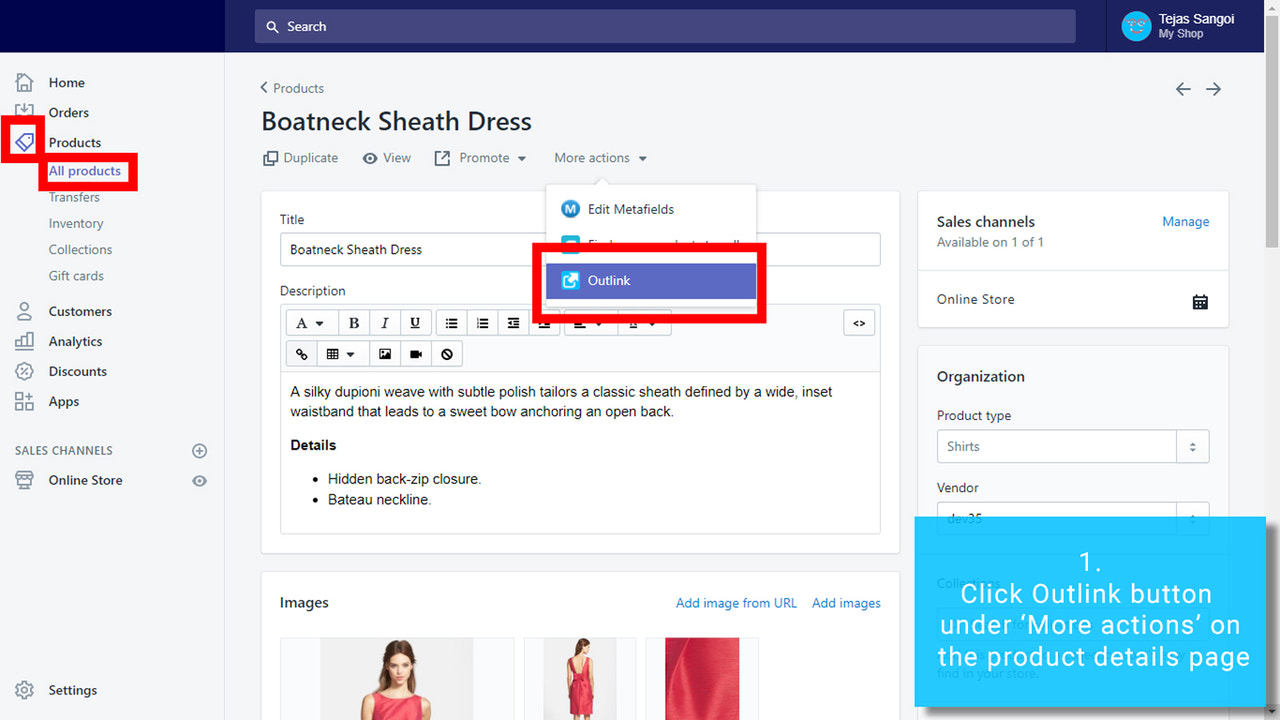
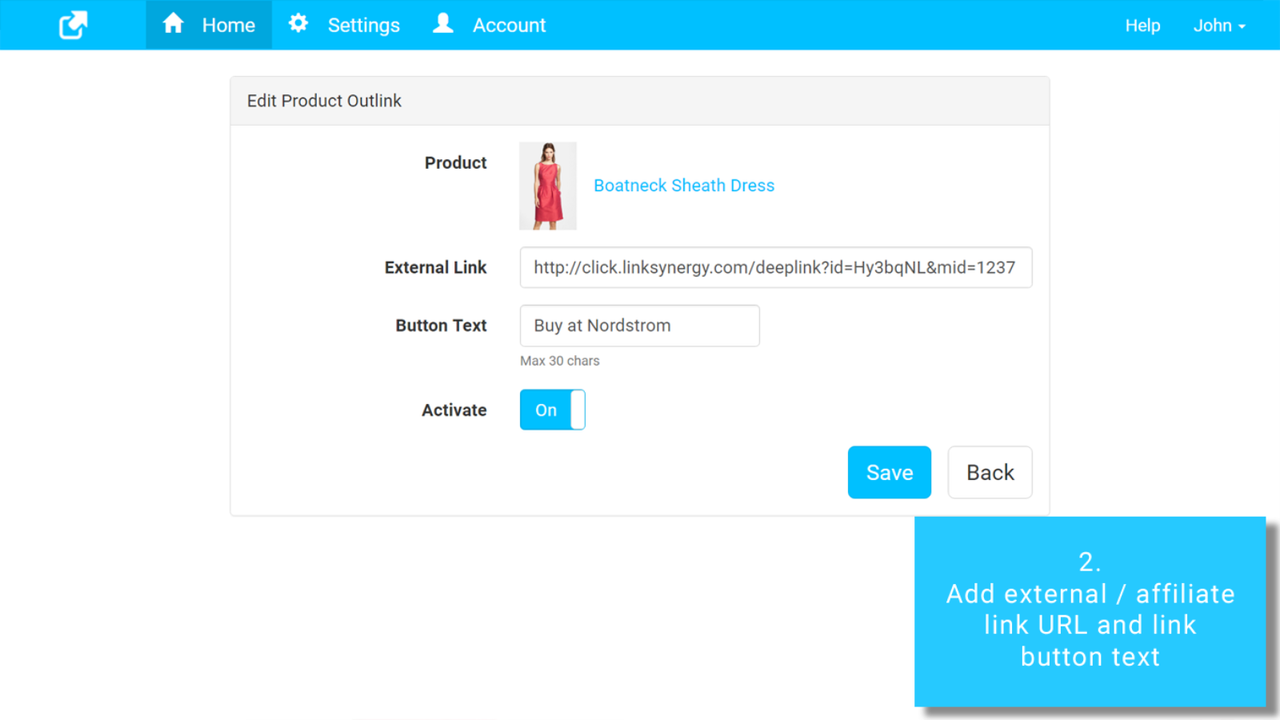
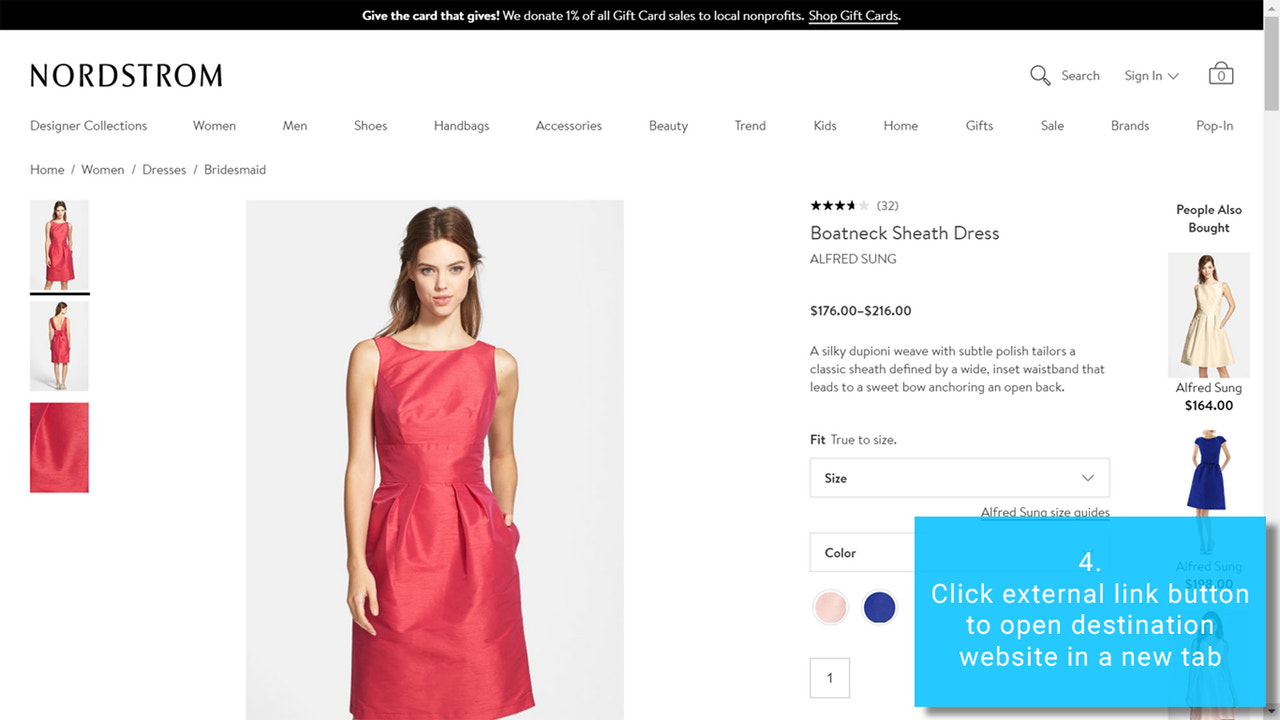
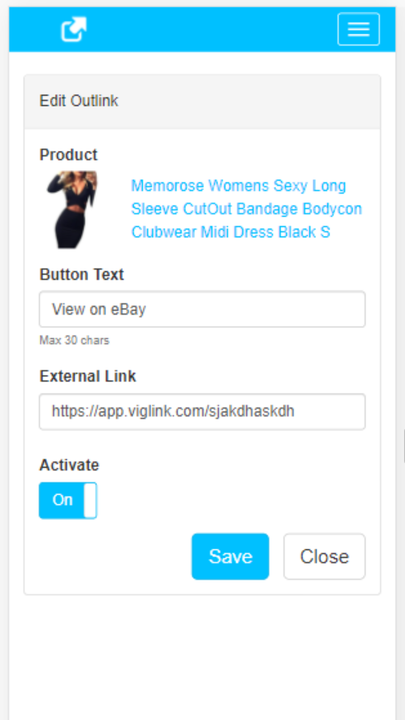
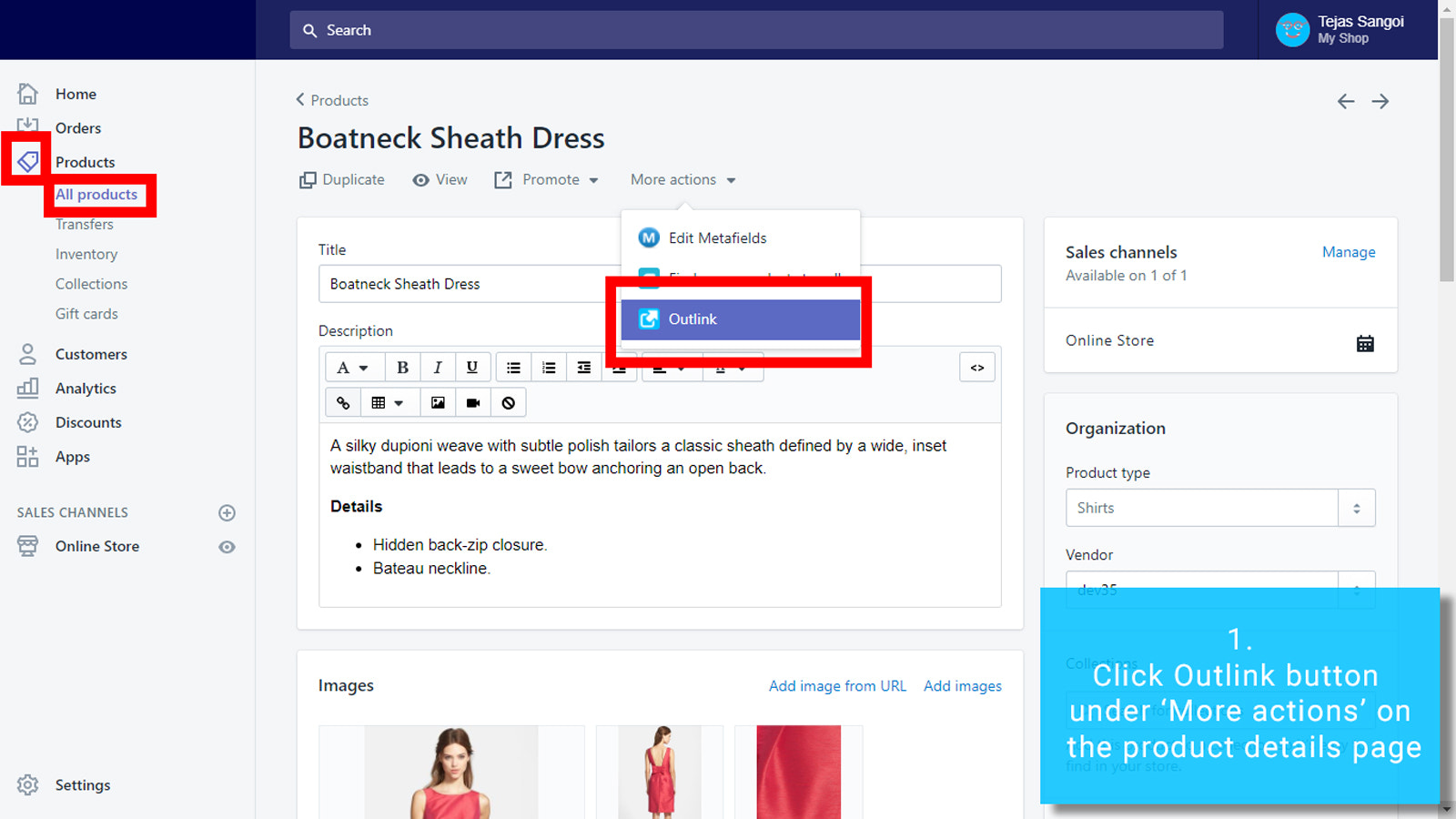
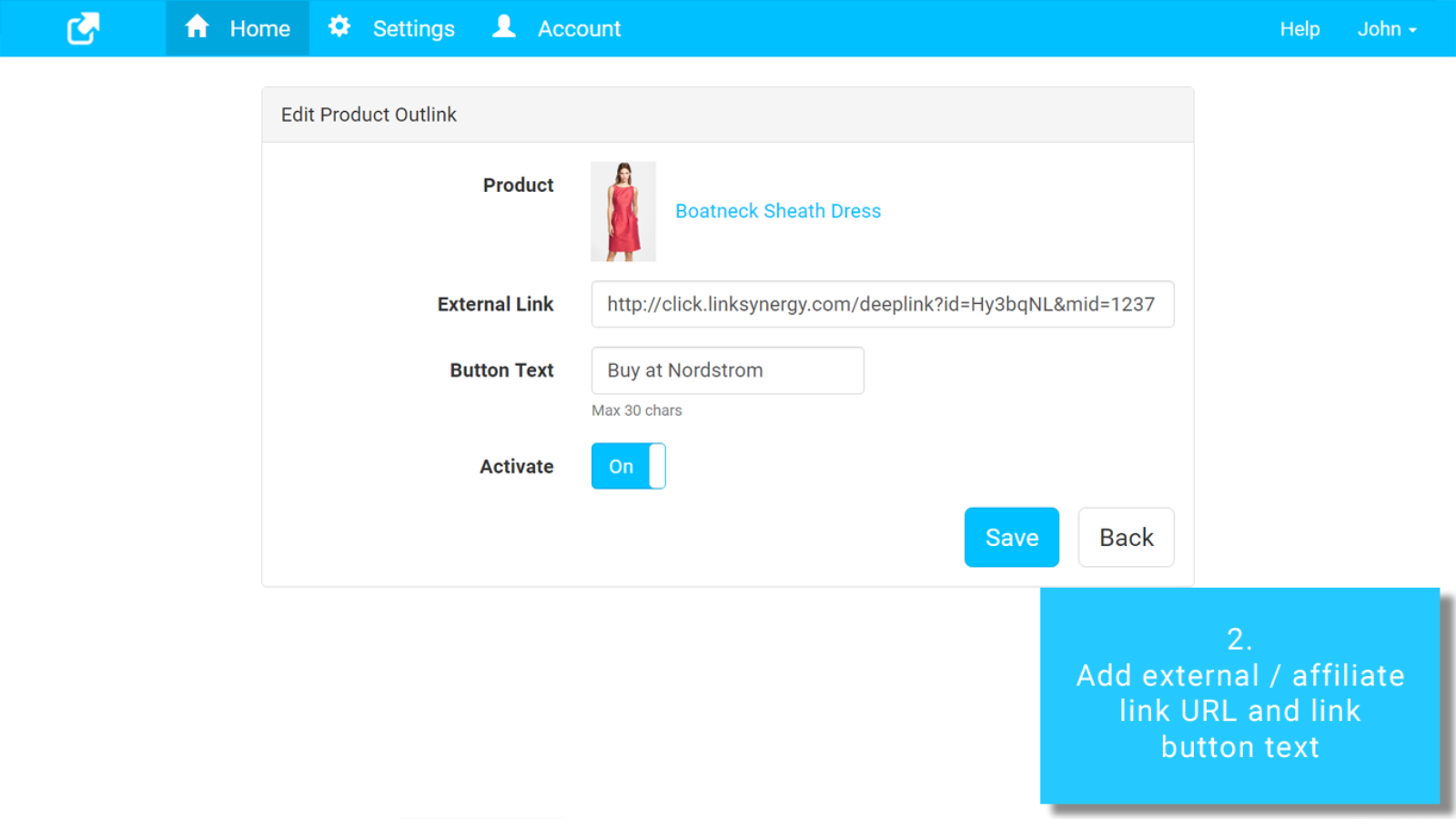
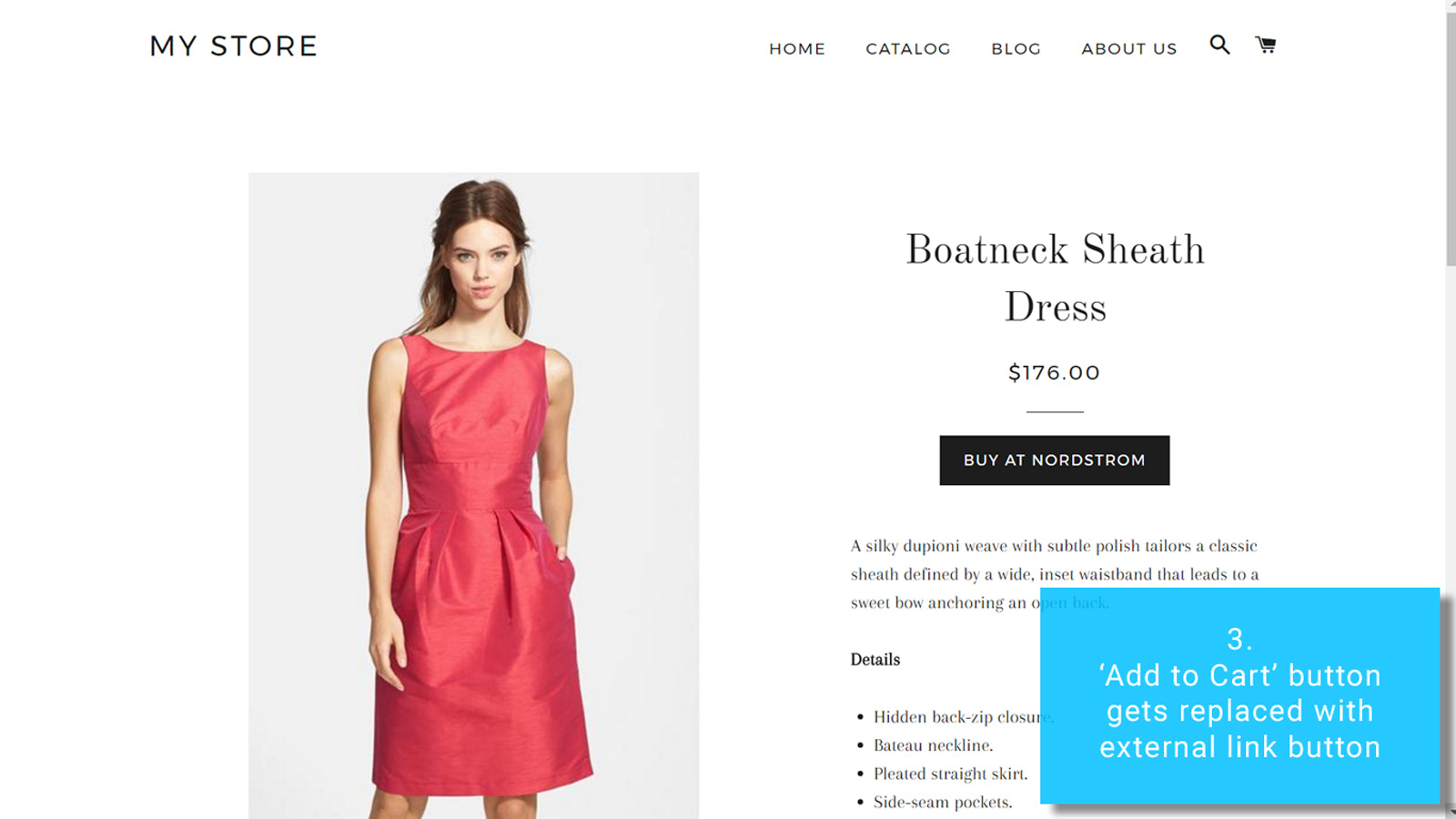
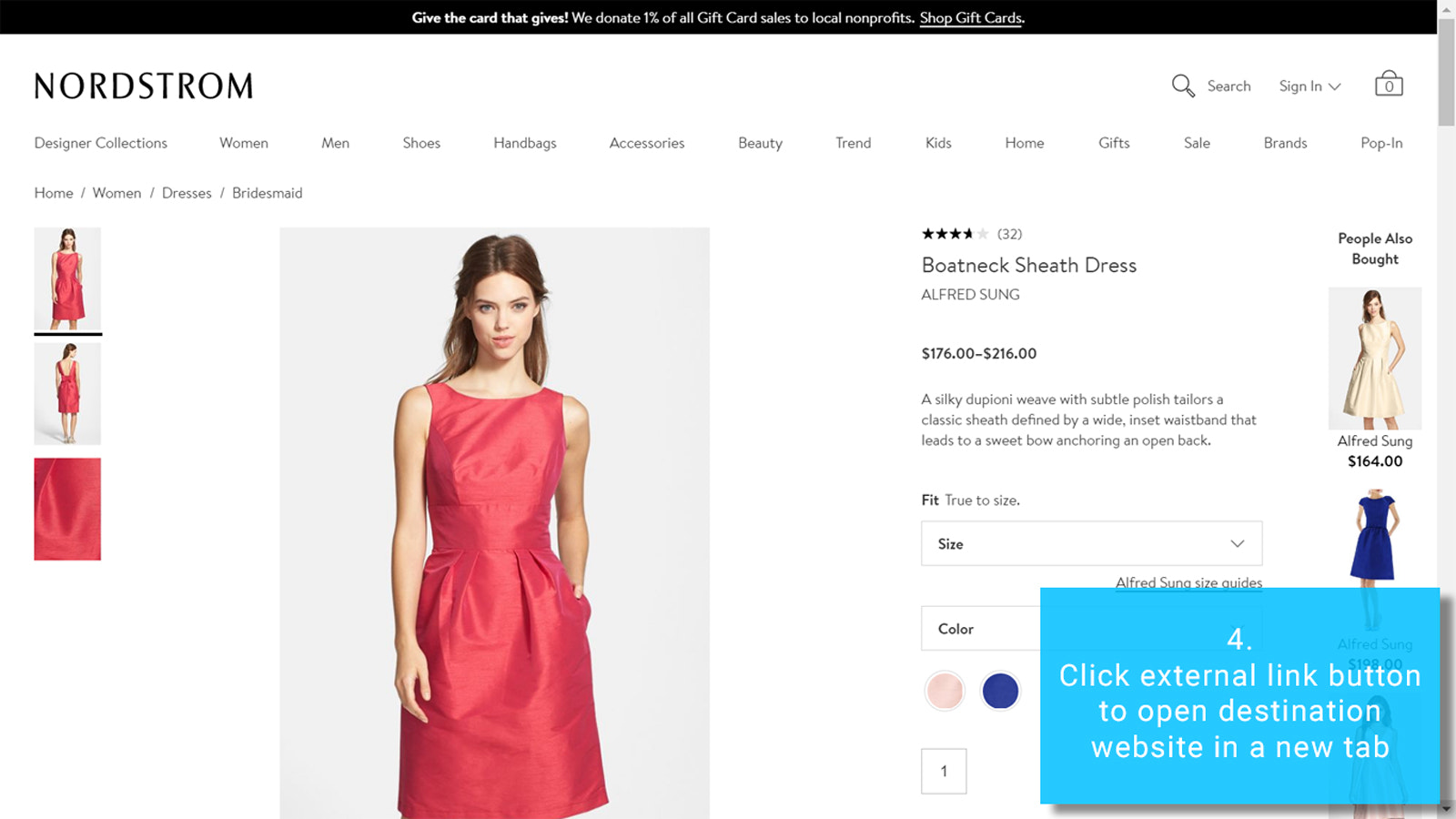
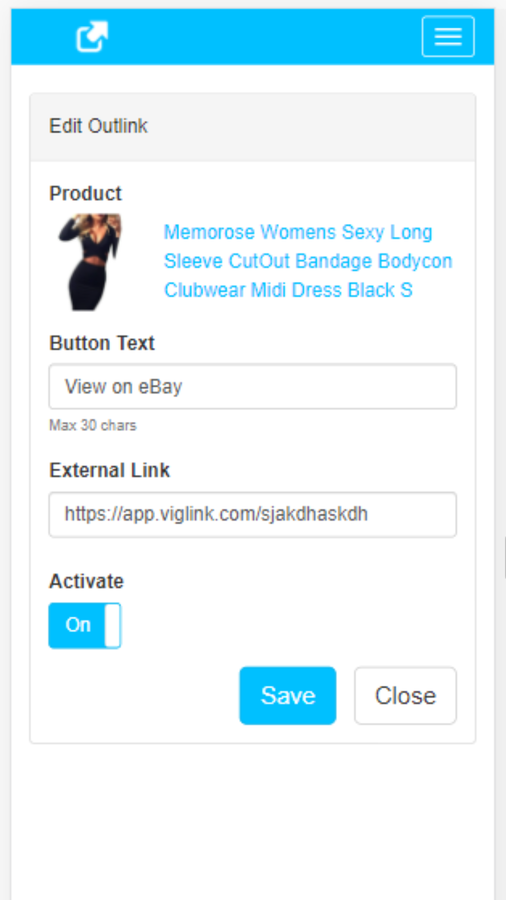
Add external button links, affiliate links, referral links, and even internal links to your store. Replace the "Add to Cart" button of any product with an Outlink button to redirect users to your desired external/affiliate page. Add custom text (e.g., "View on Amazon" or "Buy on eBay") and display it on any page. Link to affiliate products and earn affiliate commissions. You can also sell digital products—apps, music, files, data, software, services, coupons, and more. Add links to any affiliate network: Clickbank, Rakuten, CJ, ShareASale, Avangate, Avantlink, Kickbooster, LinkShare, SkinLinks, etc.
Core Functionality
- Add external links with one click. Edit button text. Customize styles.
- Replace the 'Add to Cart' button with Outlinks, keep both buttons, or use either button.
- Bulk edit links. Display Outlinks on products, collections, search, cart, and homepage.
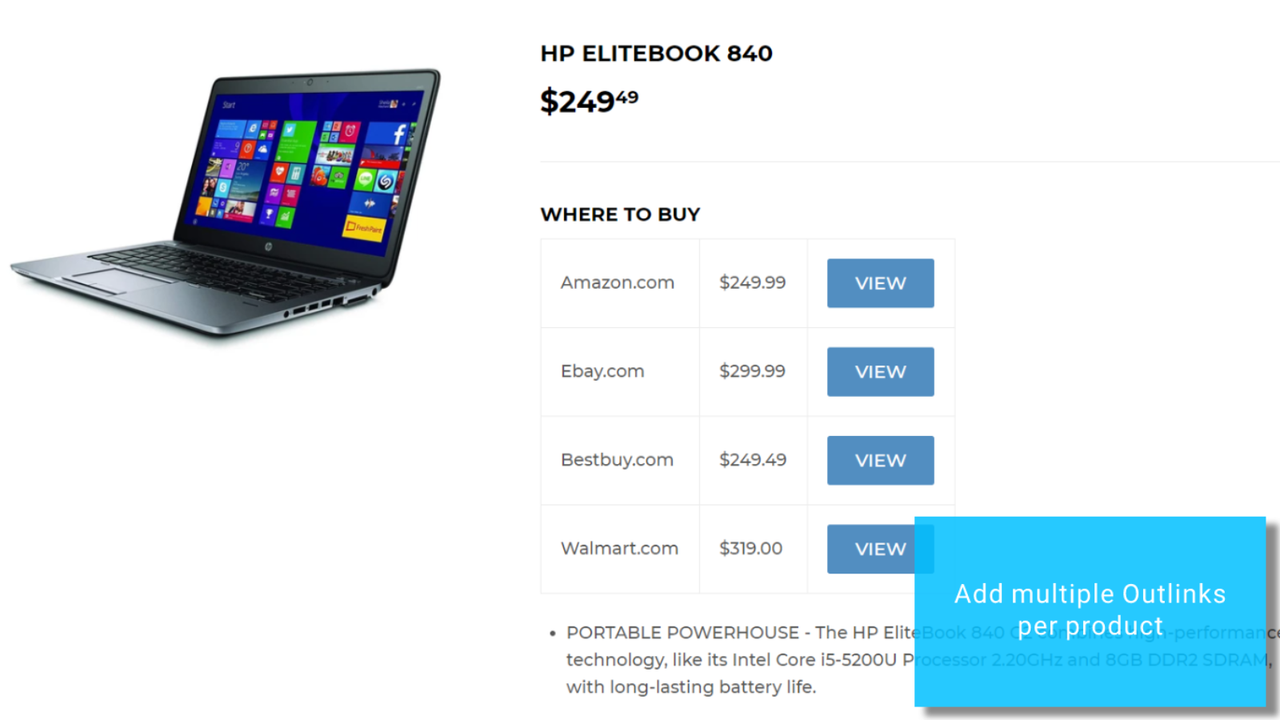
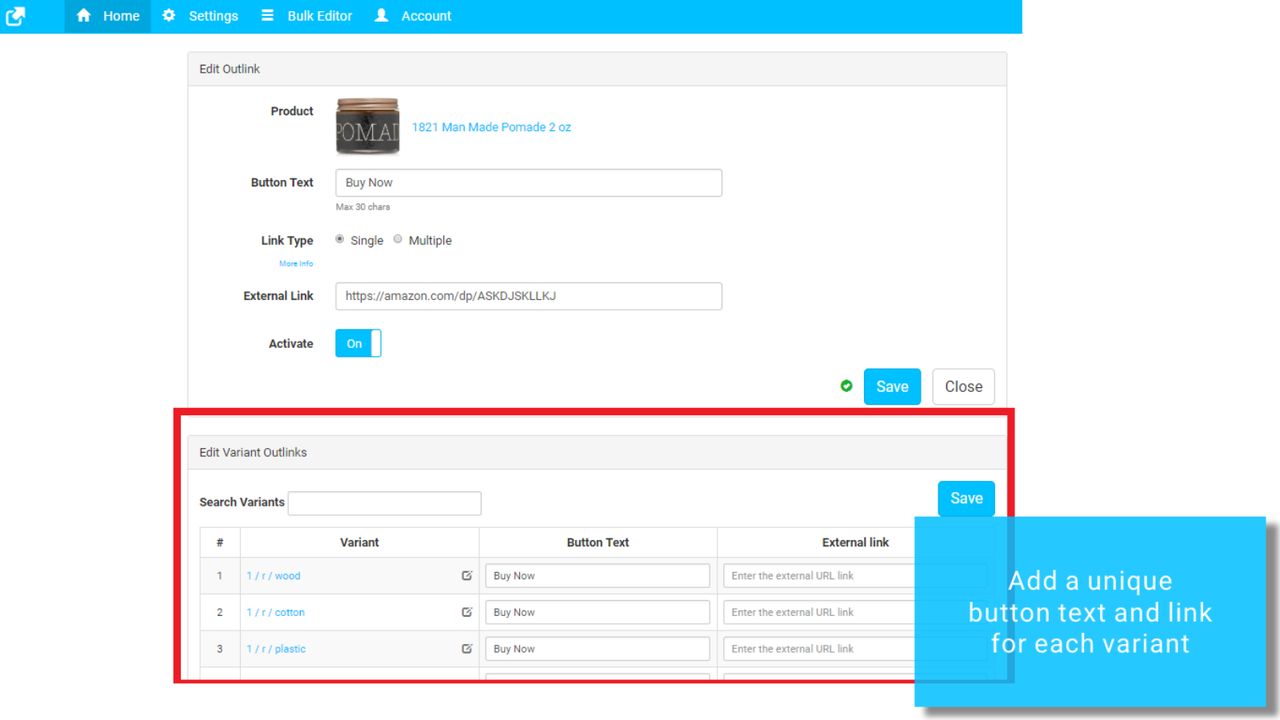
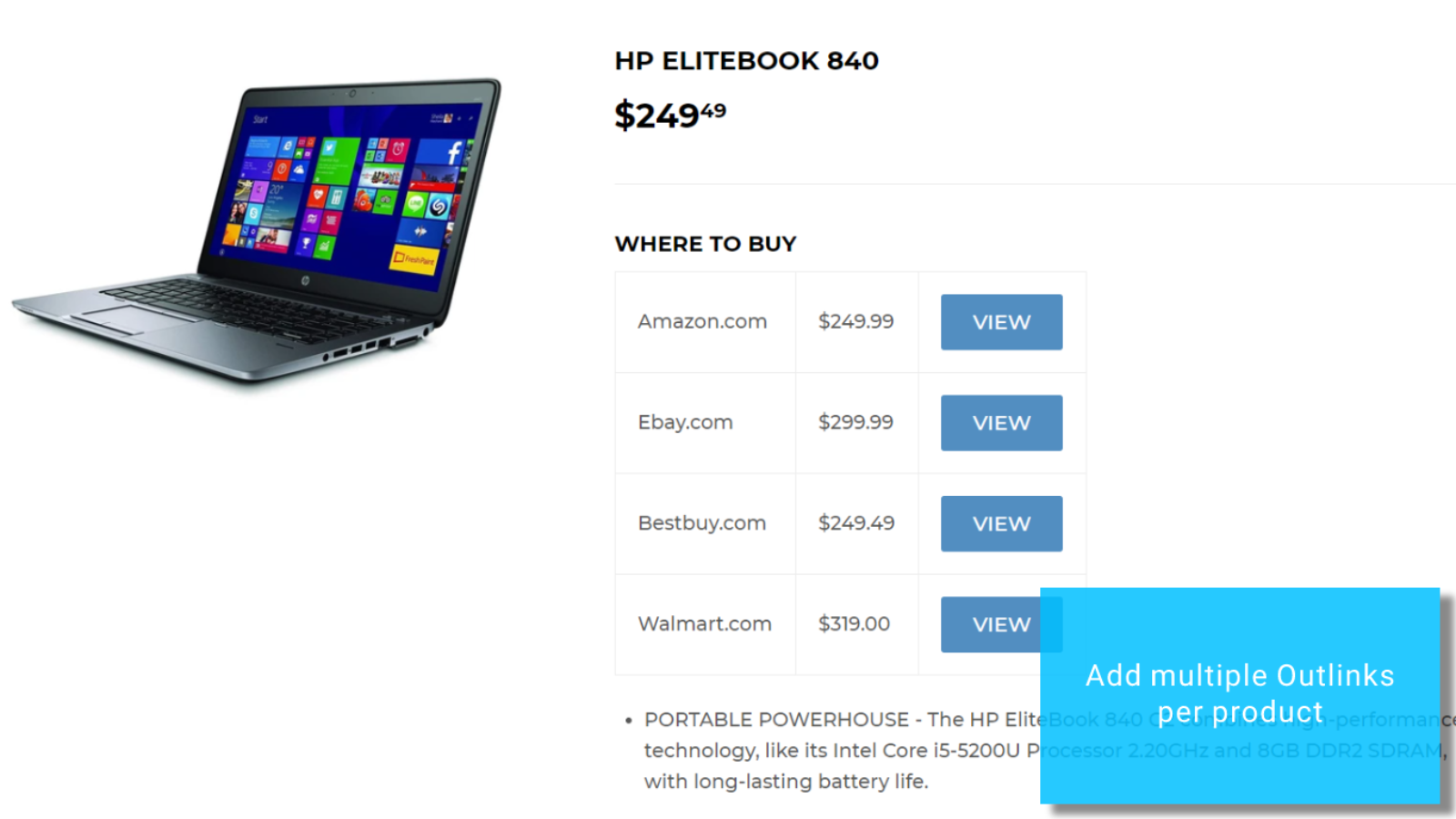
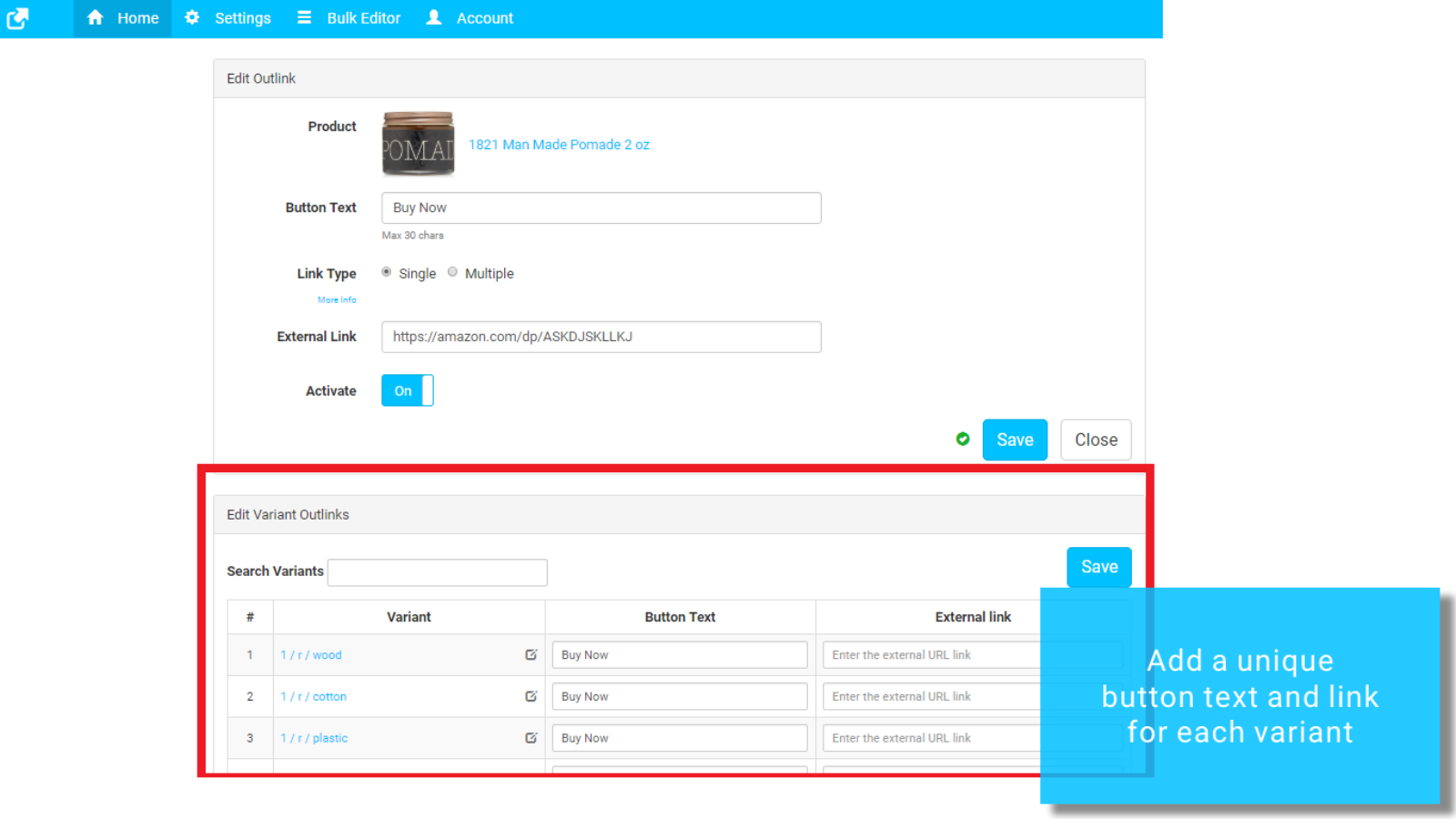
- Multiple external links per product. Variant-level external links.
- Integrate with Google Analytics / In-app analytics to track performance.
Merchant-Friendly
- Independent Station Merchants
- Cross-border E-commerce
- Multi-category Stores
- Single-category Brand Stores
- Foreign Trade E-commerce
Basic Information
- Developer:Thalia
- Address:380 Happy Home, Shankar Matham Rd, Mumbai, MH, 400019, IN
- Price: Free / Free plan
- Rating:4.8 / 5
- Comment Count:138 comment
- Release Date:2017-6-1
- Supported languages:English
- Compatible products:Shopify
Application Screenshot


Price Plan
免费计划
- For Shopify stores during the trial period
- Unlimited links.
基础计划
- Unlimited Links
- Unlimited Products
- Bulk Editor
- Links on Collection Pages
- Click Tracking
- Free Support for Button Customization
- CSV Import
专业计划
- Basic Plan +
- Variant-Level Links
- Multiple Links per Product
- Comparison Table Links
- Sticky Button
- Chrome Extension Product Importer
黄金计划
- Professional Plan +
- Link Masking
- In-App Analytics
User Location & Comments
User Location
Comments
Shopify API Used
- POST /admin/api/products/{product_id}/outlinks.json
- PUT /admin/api/products/{product_id}/outlinks/{id}.json
- GET /admin/api/products/{product_id}/outlinks.json
Permission:write_products,read_products,manage_outlinks
- PUT /admin/api/outlinks/{id}/text.json
- GET /admin/api/outlinks/{id}/text.json
- POST /admin/api/outlinks/batch/text.json
Permission:write_outlinks,read_outlinks,manage_products
- PUT /admin/api/outlinks/{id}/style.json
- GET /admin/api/outlinks/{id}/style.json
- POST /admin/api/outlinks/batch/style.json
Permission:write_outlinks,read_outlinks,manage_themes
- PUT /admin/api/products/{product_id}/button_config.json
- GET /admin/api/products/{product_id}/button_config.json
- POST /admin/api/themes/{theme_id}/button_map.json
Permission:write_products,read_products,manage_themes
- POST /admin/api/outlinks/batch.json
- PUT /admin/api/outlinks/batch.json
- DELETE /admin/api/outlinks/batch.json
Permission:write_outlinks,read_outlinks,manage_products
- PUT /admin/api/outlinks/{id}/location.json
- GET /admin/api/outlinks/location.json
- POST /admin/api/themes/{theme_id}/link_positions.json
Permission:write_outlinks,read_outlinks,manage_themes
- POST /admin/api/products/{product_id}/outlinks/batch.json
- GET /admin/api/products/{product_id}/outlinks.json
- PUT /admin/api/products/{product_id}/outlinks/{id}/variant.json
Permission:write_products,read_products,manage_outlinks
- POST /admin/api/outlinks/analytics.json
- PUT /admin/api/outlinks/analytics.json
- GET /admin/api/outlinks/analytics/reports.json
Permission:write_outlinks,read_outlinks,manage_analytics