
App Introduction
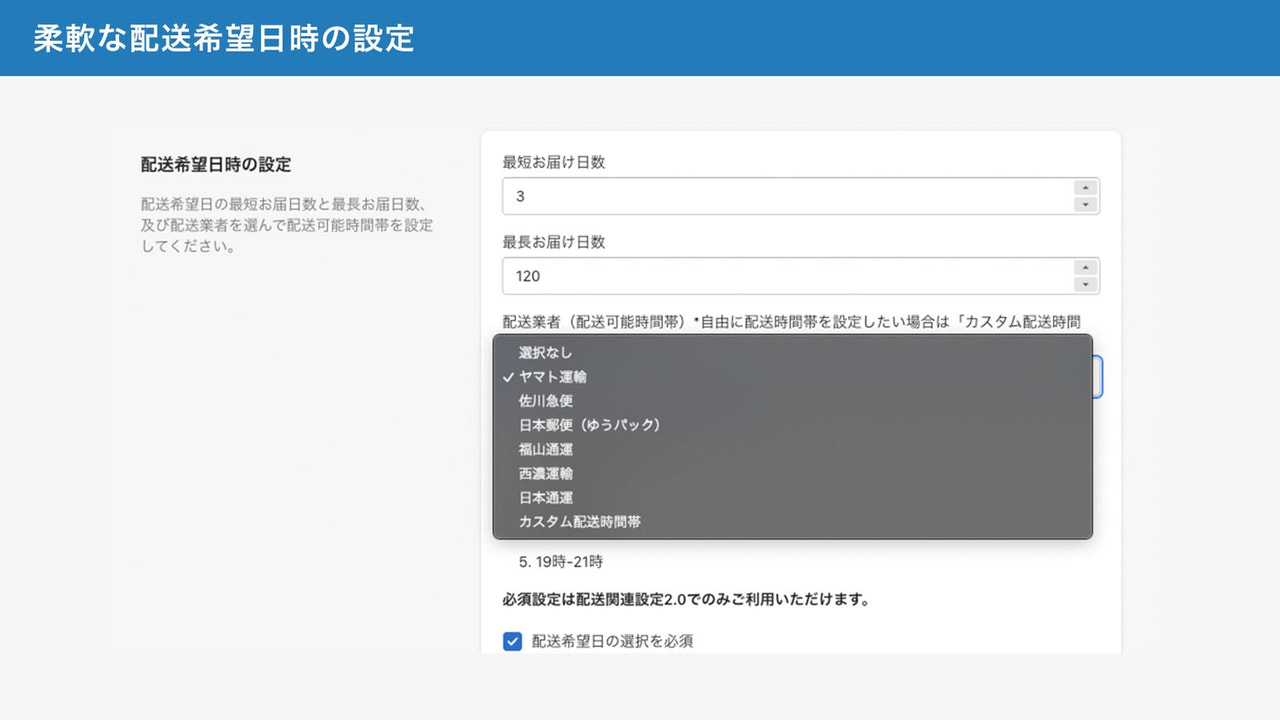
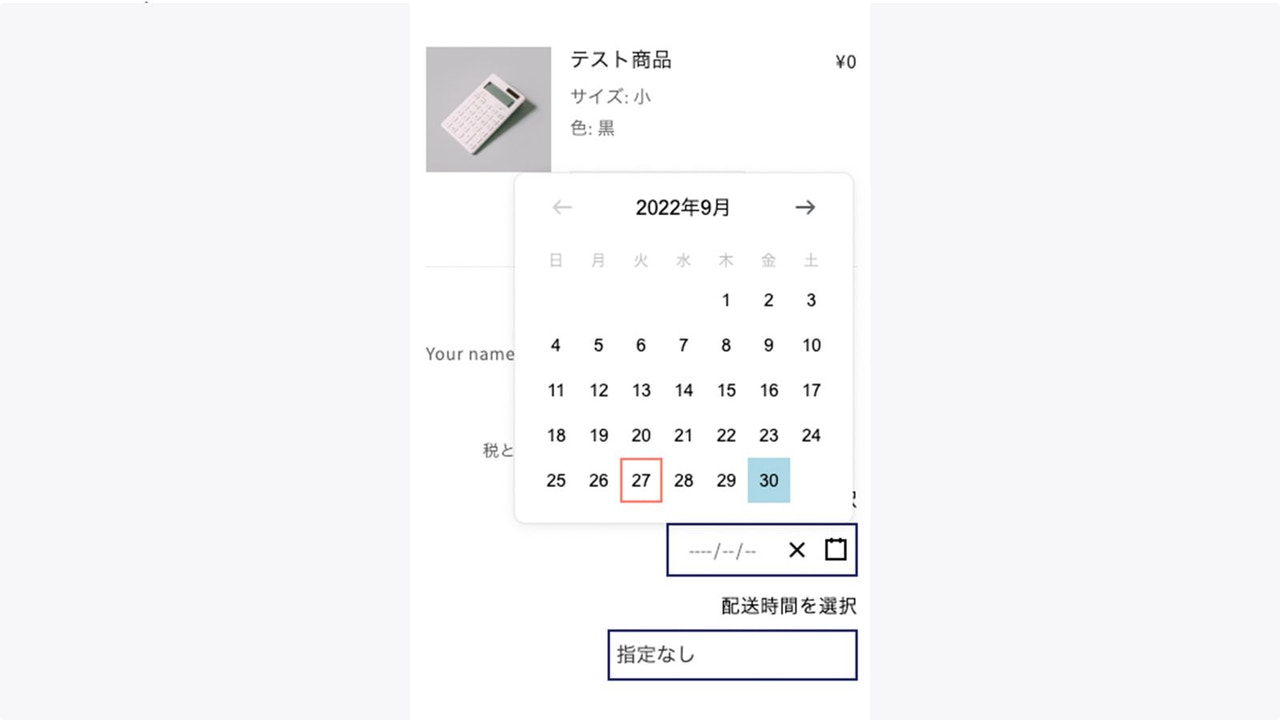
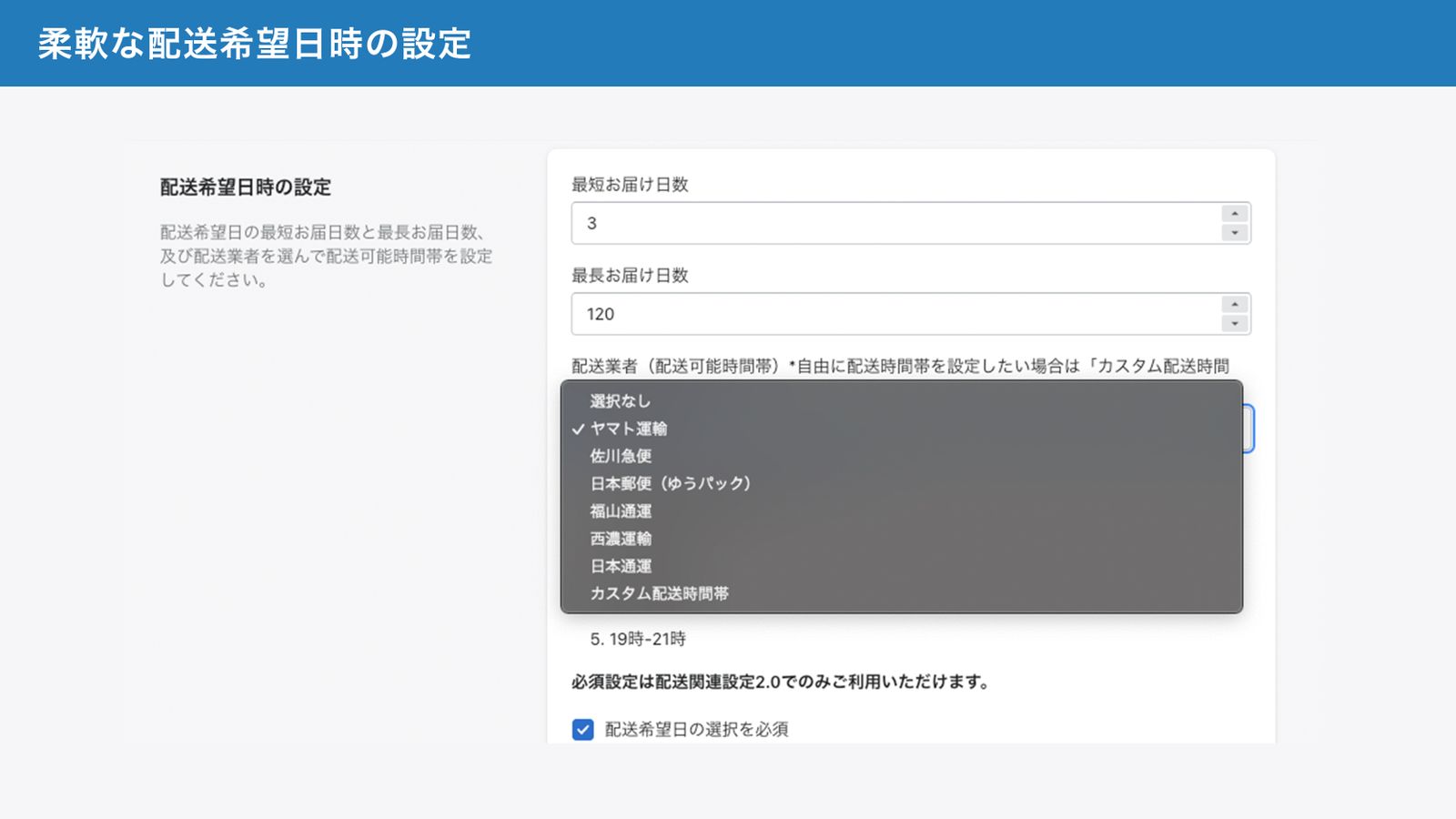
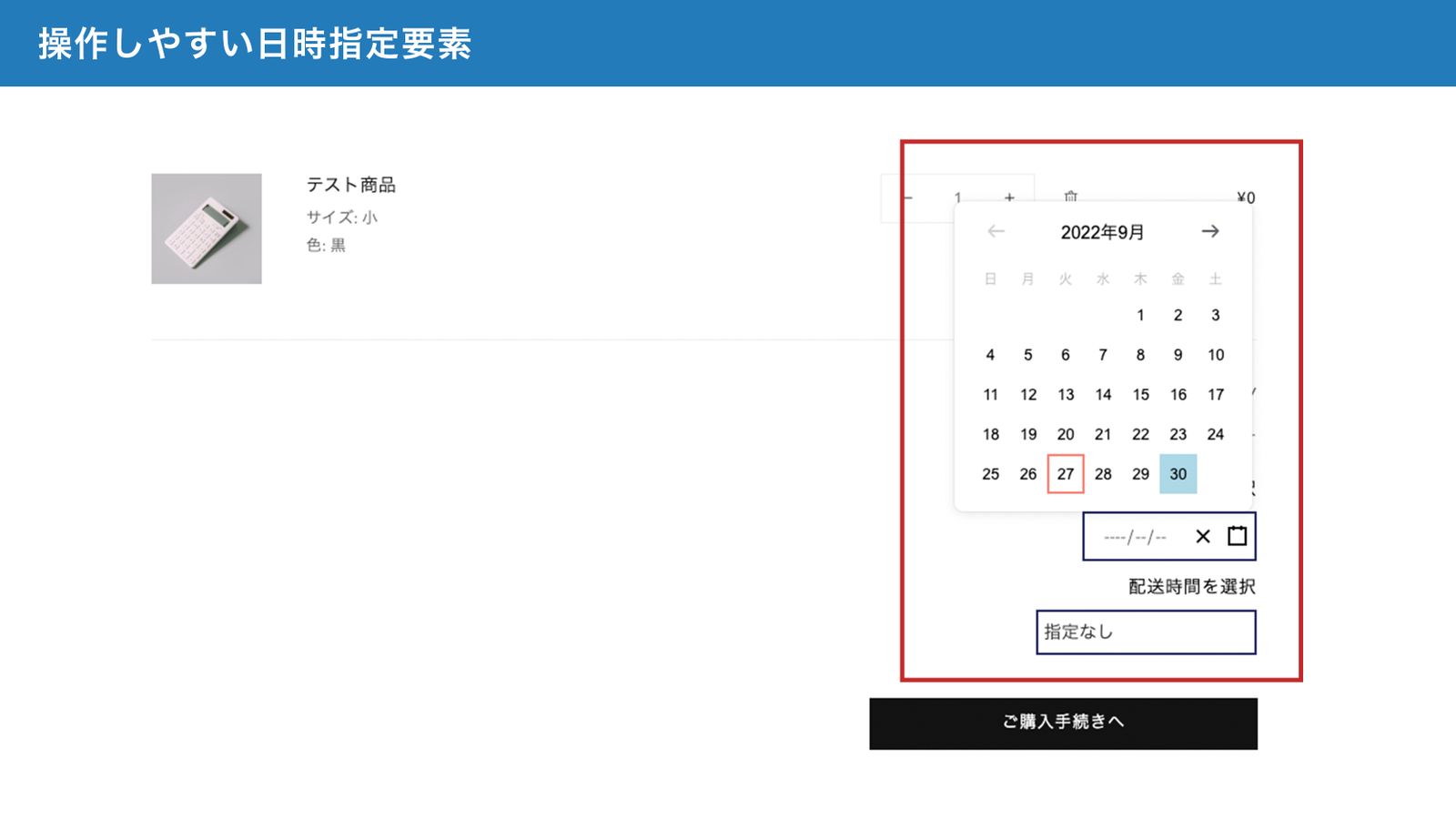
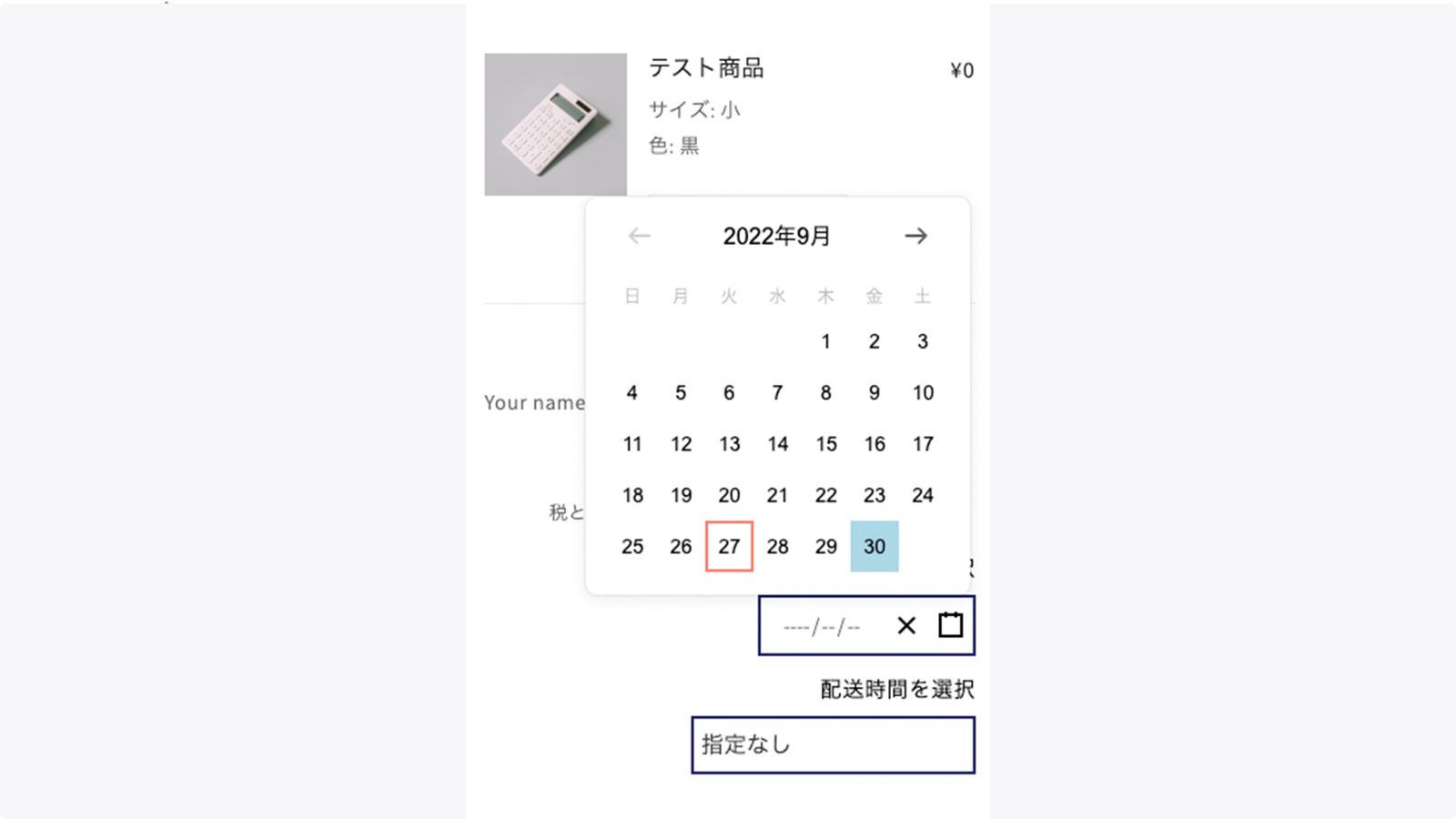
Easily add a delivery date and time selection feature. You can also make detailed customizations, such as setting up items that don’t allow delivery scheduling or making delivery scheduling mandatory. Integration with other apps is possible using order metafields. Made in Japan with onboarding support available. A delivery date and time scheduling app. It lets customers select their preferred delivery date and time on the cart page. You can import the selected delivery date and time into order data or include it in order confirmation emails. You can set the earliest delivery date and deliverable period. Additionally, you can add settings like making delivery scheduling mandatory, marking items as requiring delivery scheduling, designating items that don’t allow delivery scheduling, setting order cutoff times, store holidays, and non-selectable dates. You can also customize the design to your preference using CSS.
Core Functionality
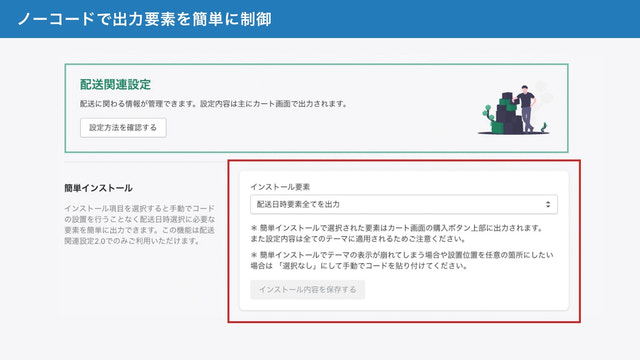
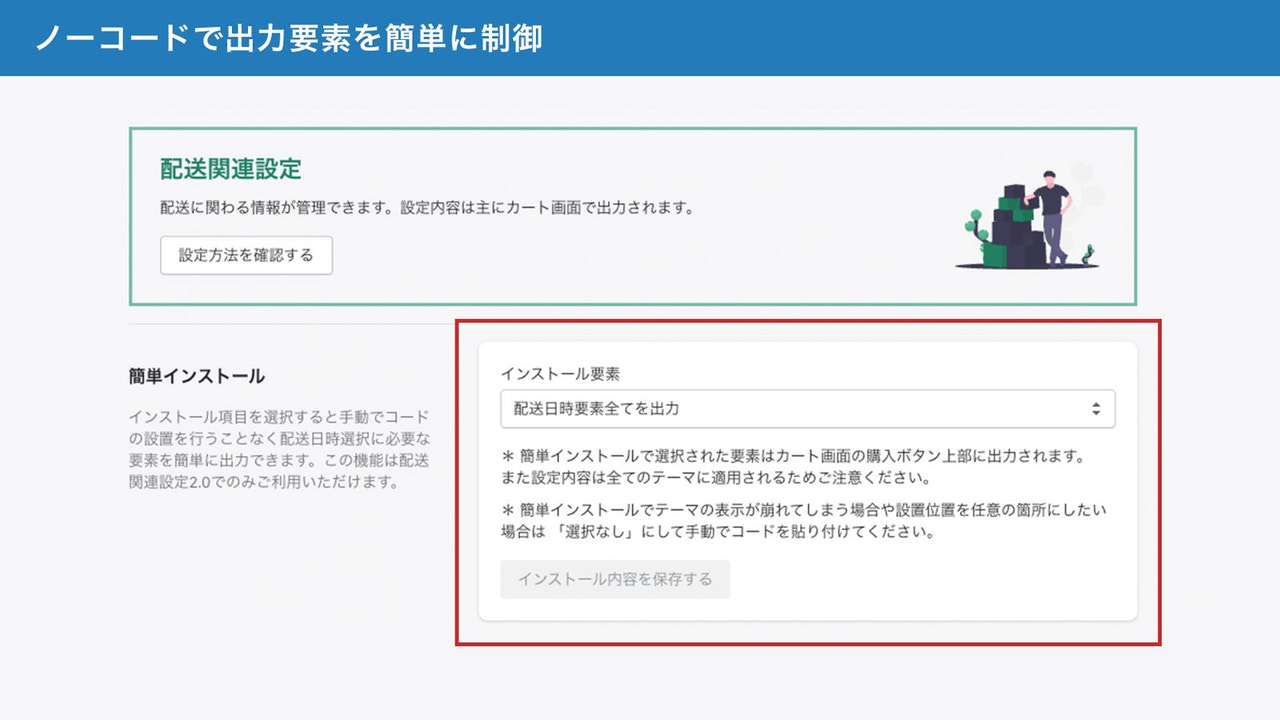
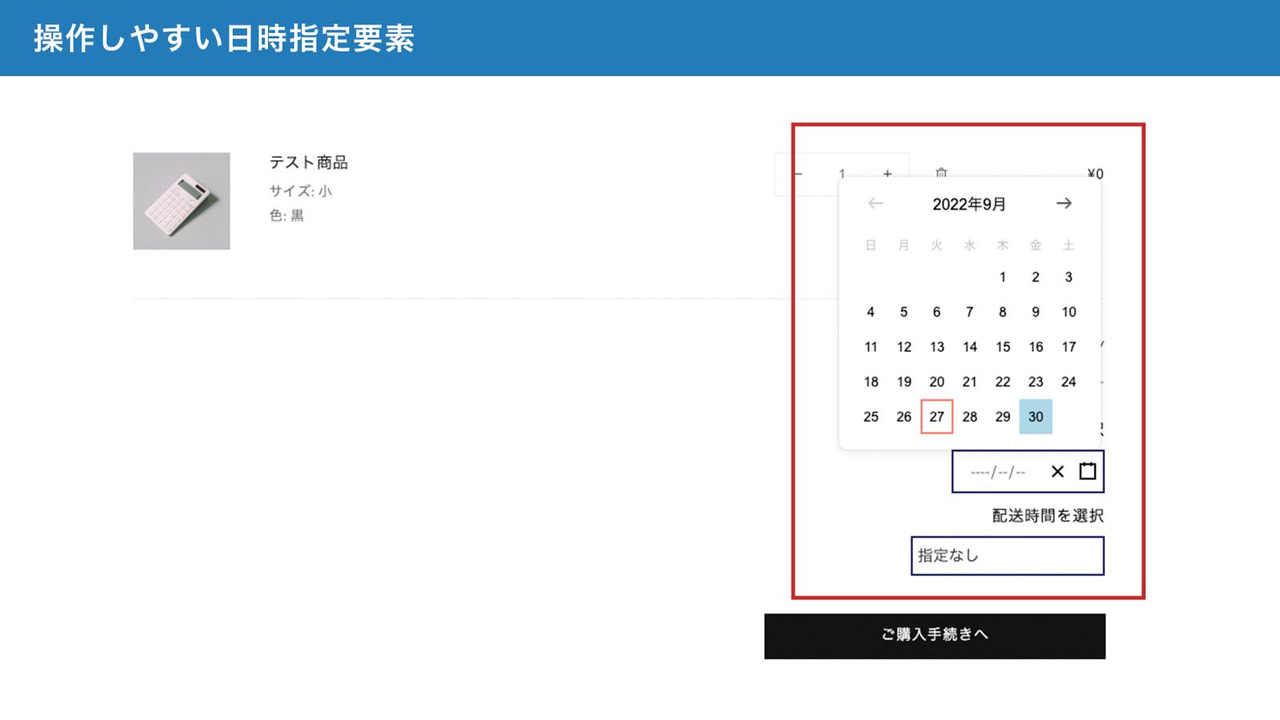
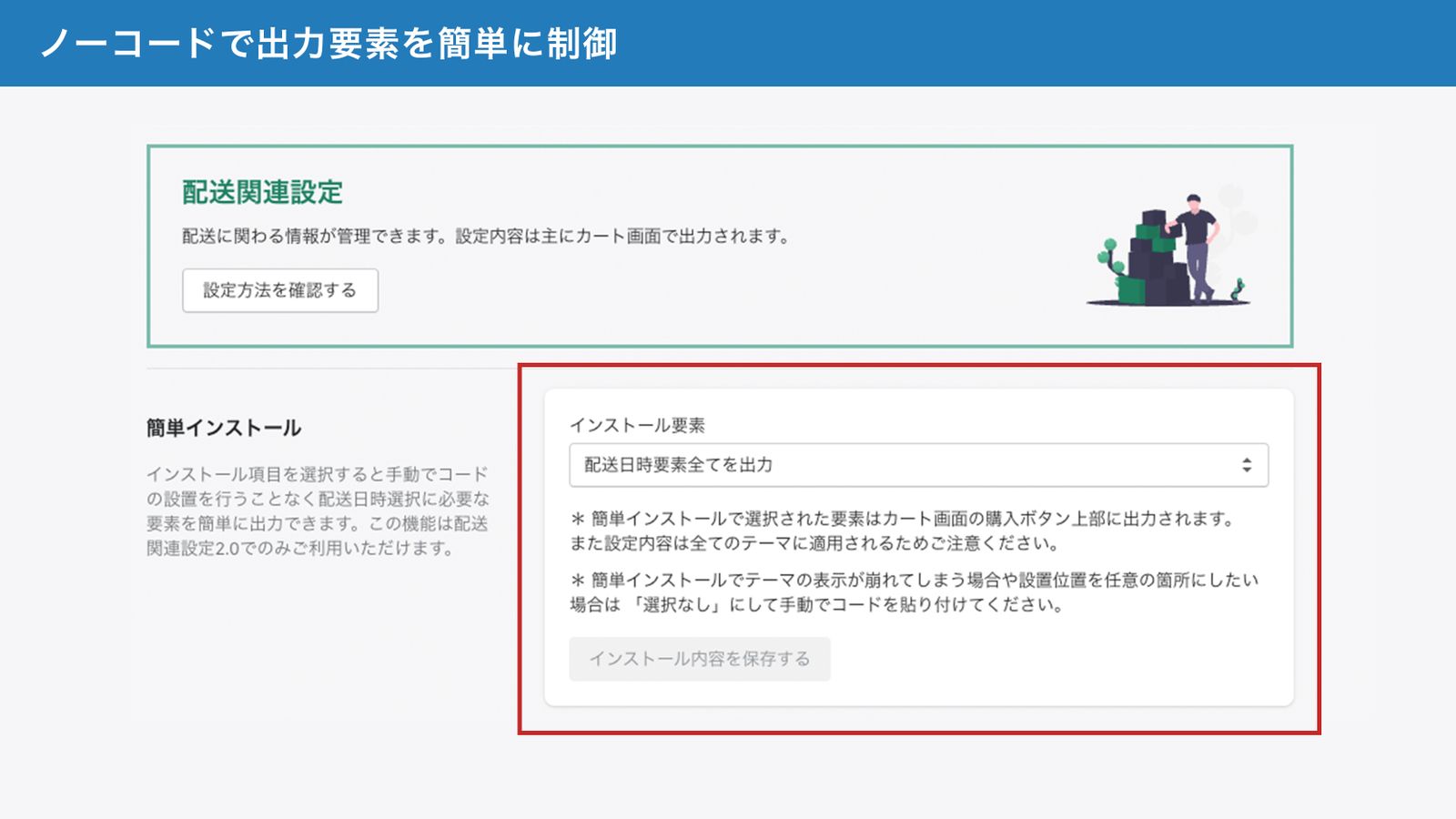
- Easy installation. No manual code setup required—you can display either delivery dates, delivery times, or both.
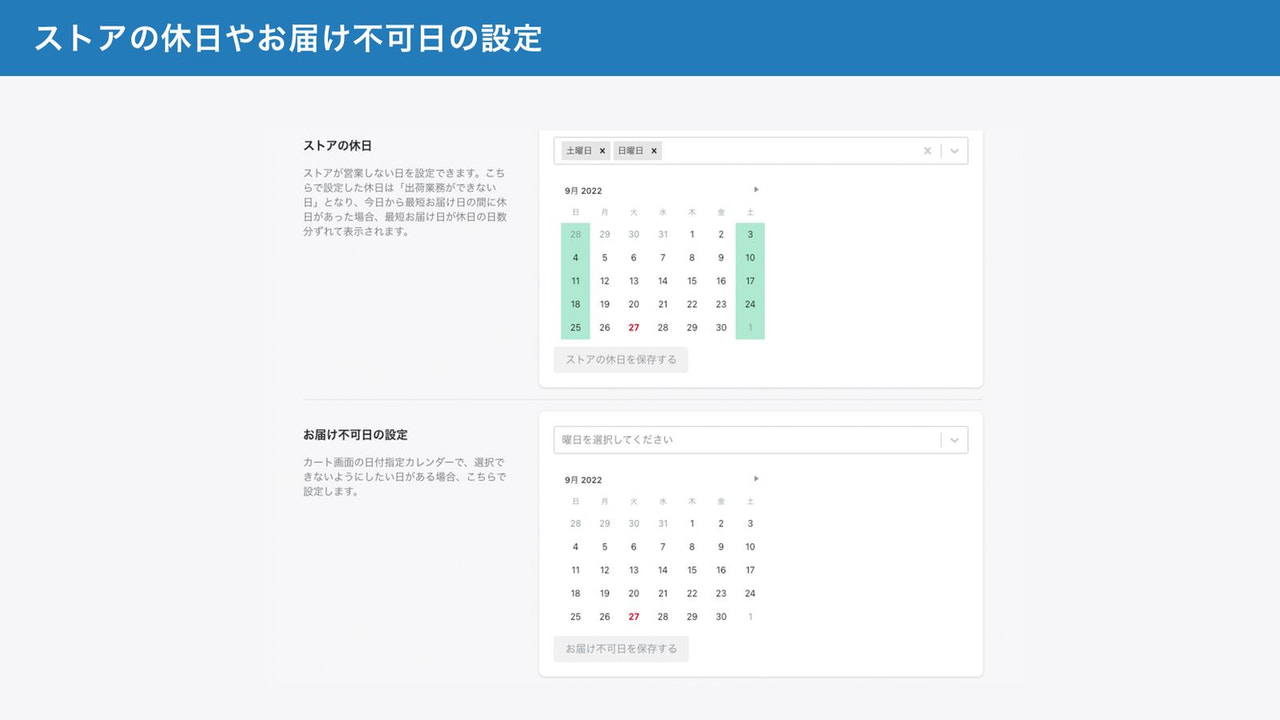
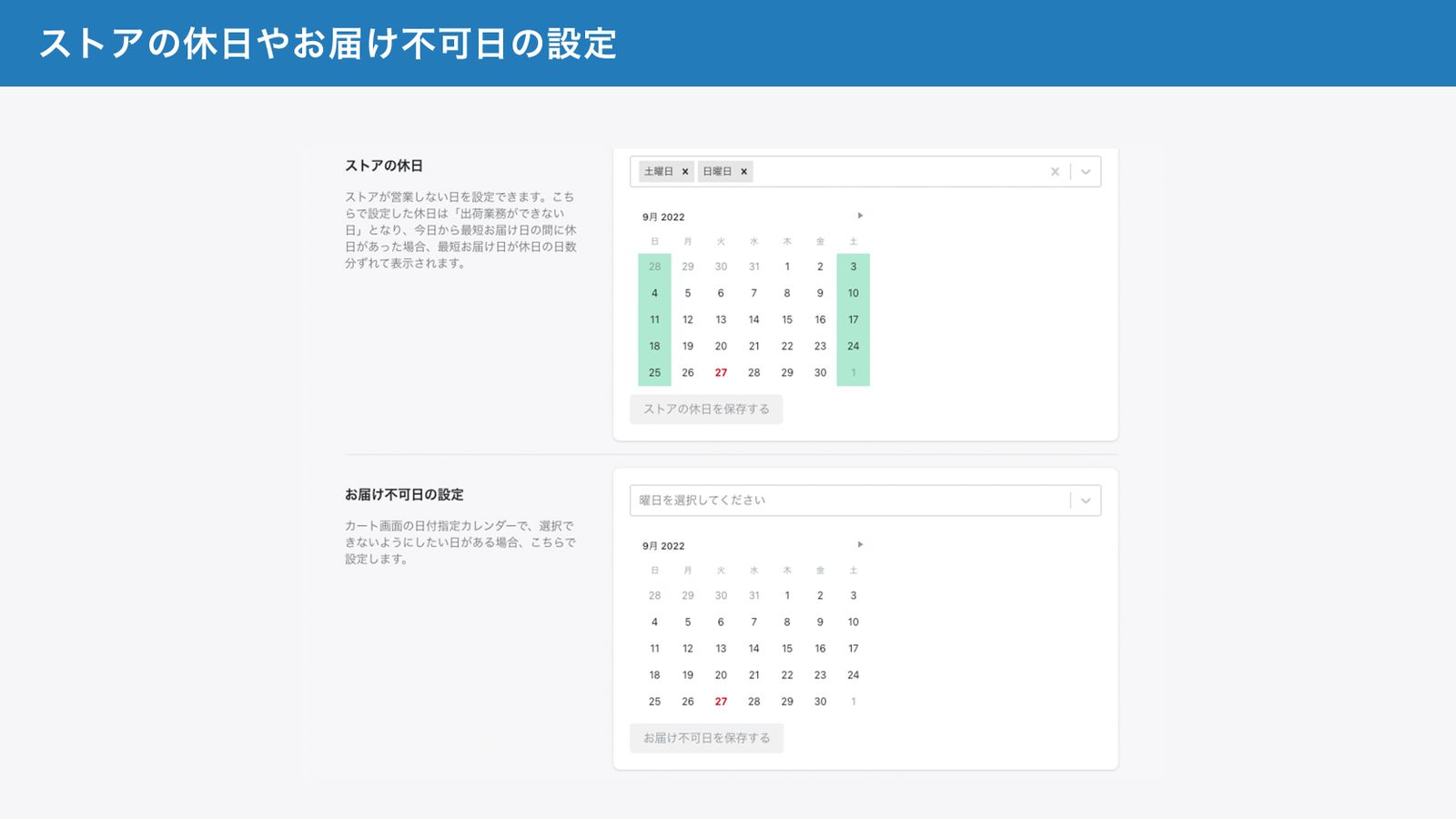
- Set store holidays, non-deliverable dates, and order cutoff times. Customers can then select delivery dates that account for these factors.
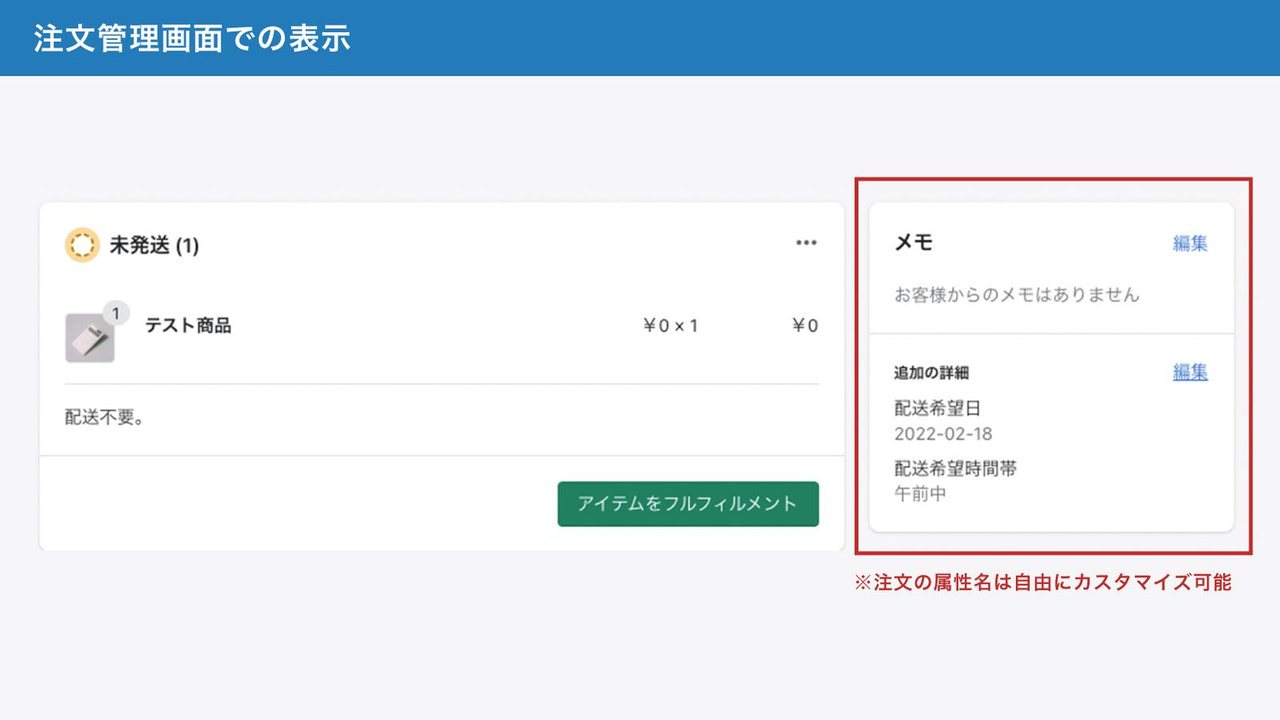
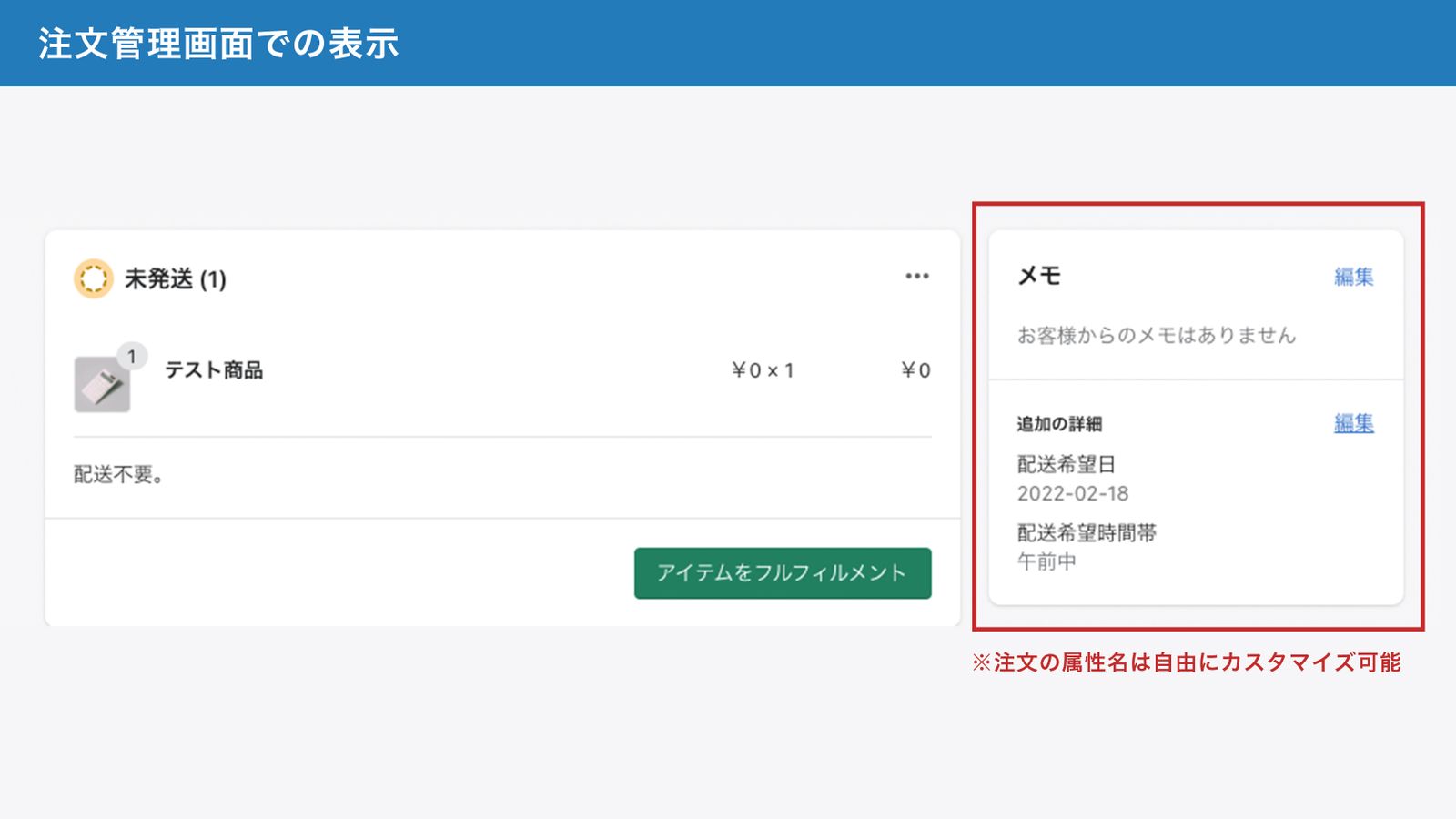
- Output the specified delivery date and time on the order completion page and in the order confirmation email.
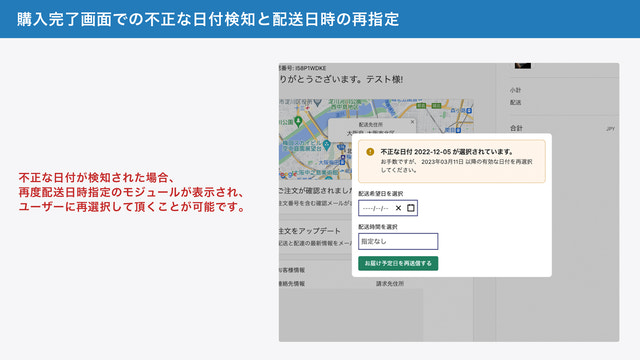
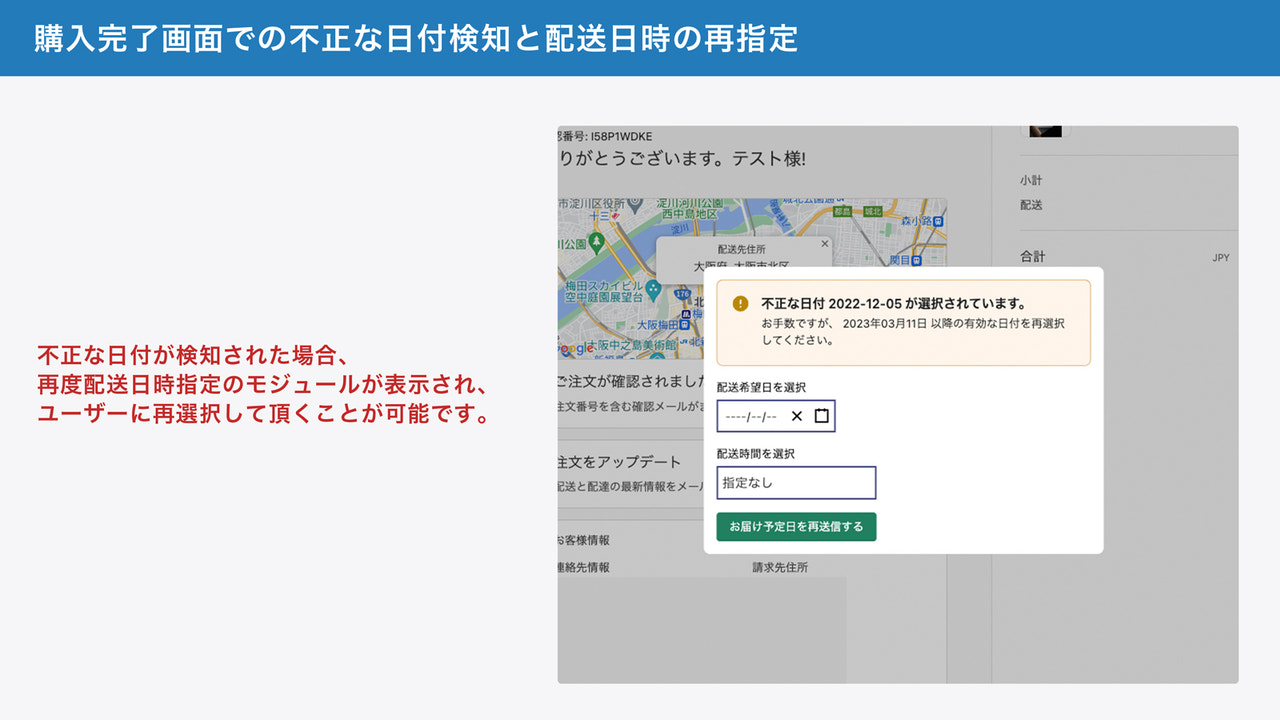
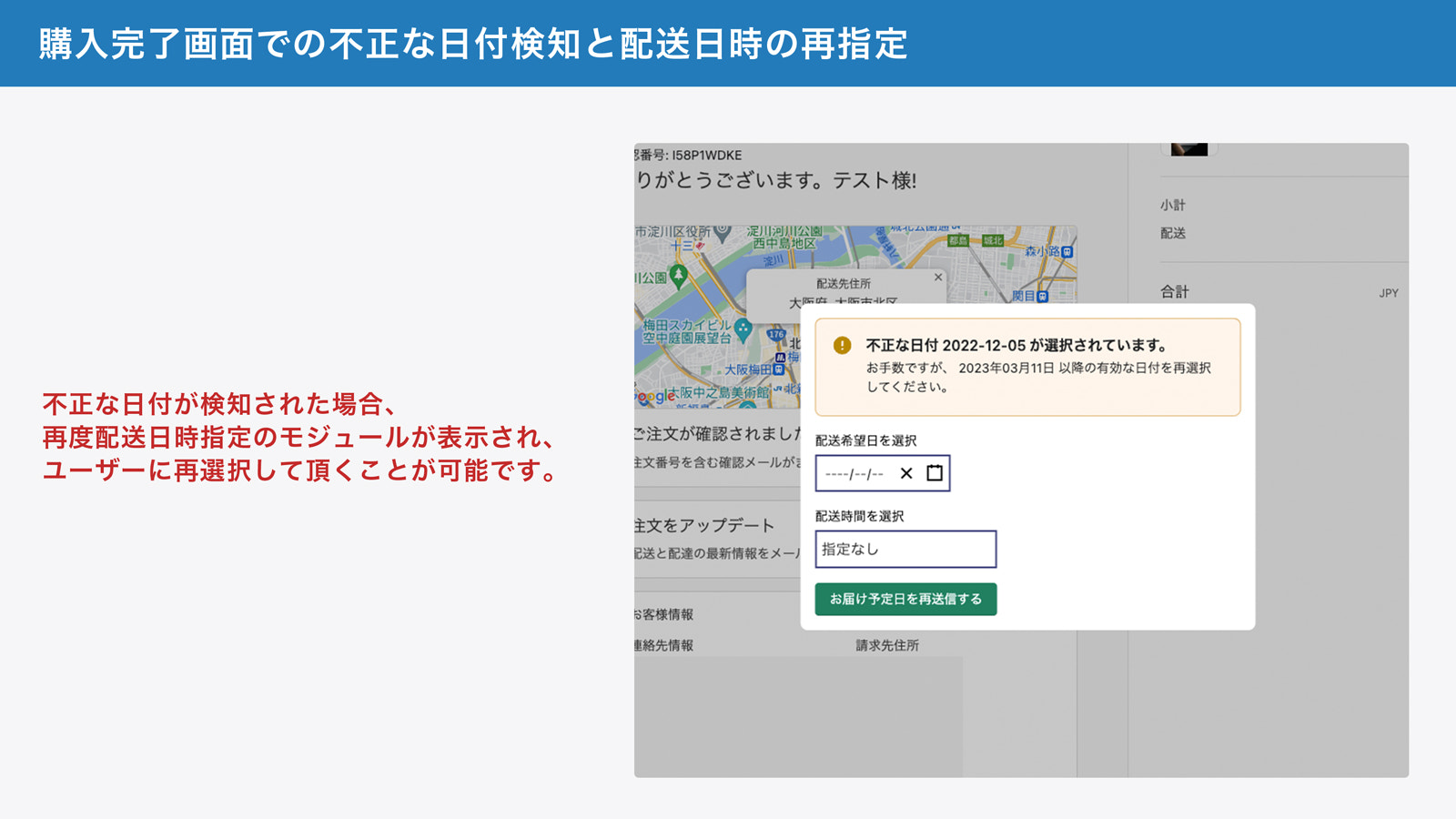
- If an invalid date is detected, the delivery date/time selection module will reappear, allowing the user to reselect.
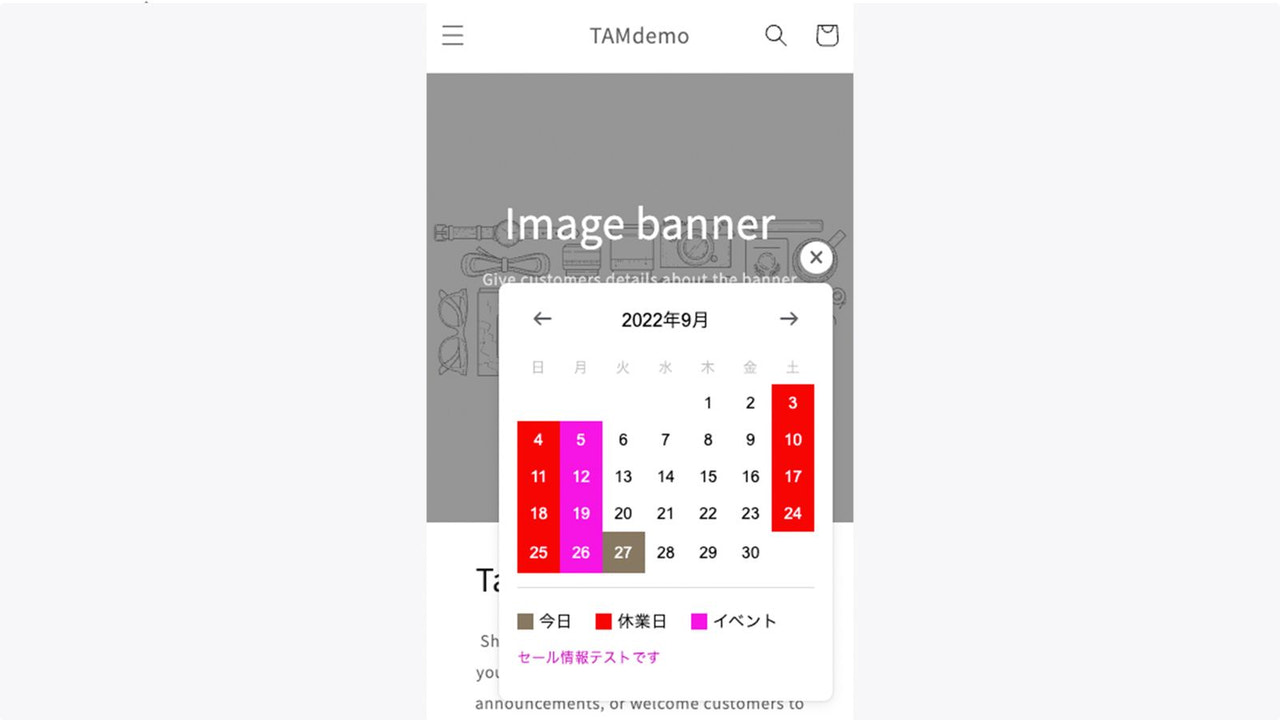
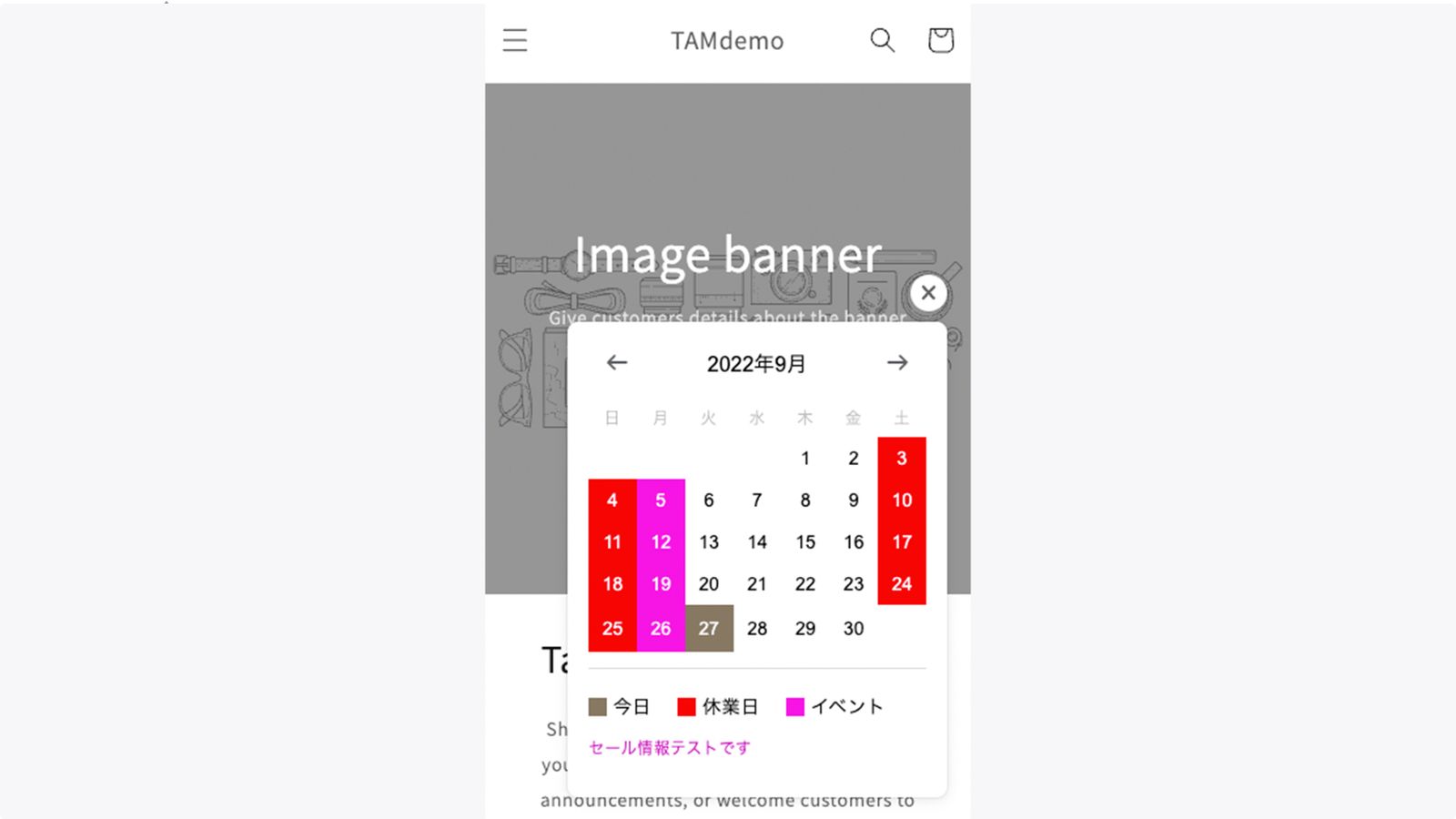
- Enable the store calendar feature to easily display your store’s event information and holiday schedules. You can also place the store calendar anywhere on your site.
Merchant-Friendly
- Japanese Local E-commerce
- Food Delivery Merchants
- Appointment-based Retailers
- Holiday Promotion Merchants
Basic Information
- Developer:TAM EC
- Address:北区末広町, 3-7, 大坂市, JP-27, 530-0053, JP
- Price: Free / Free plan
- Rating:5 / 5
- Comment Count:11 comment
- Release Date:2020-10-6
- Supported languages:Japanese
- Compatible products:Shopify
Application Screenshot

Price Plan
固定料金
- Display and configuration of selectable dates in the date/time specification UI
- Mandatory setting for desired delivery date
- Configure the import format for order data
- Set items that cannot specify delivery date/time
- Set items that require delivery date specification
- Manage delivery date/time specification via order metafields
- Store calendar function: Display business days and event information
User Location & Comments
User Location
Comments
Shopify API Used
- POST /admin/api/shipping_settings.json
- PUT /admin/api/shipping_settings.json
- GET /admin/api/shipping_settings.json
Permission:write_shipping_settings,read_shipping_settings,manage_shipping
- POST /admin/api/date_rules.json
- PUT /admin/api/date_rules/{id}.json
- GET /admin/api/date_rules.json
Permission:write_date_rules,read_date_rules,manage_orders
- POST /admin/api/order_notifications.json
- PUT /admin/api/order_notifications/{id}.json
- GET /admin/api/order_notifications.json
Permission:write_order_notifications,read_order_notifications,manage_orders
- POST /admin/api/shipping_date_validations.json
- PUT /admin/api/shipping_date_validations/{id}.json
- GET /admin/api/shipping_date_validations.json
Permission:write_shipping_date_validations,read_shipping_date_validations,manage_checkout
- POST /admin/api/store_calendar.json
- PUT /admin/api/store_calendar/{id}.json
- GET /admin/api/store_calendar.json
Permission:write_store_calendar,read_store_calendar,manage_pages