
App Introduction
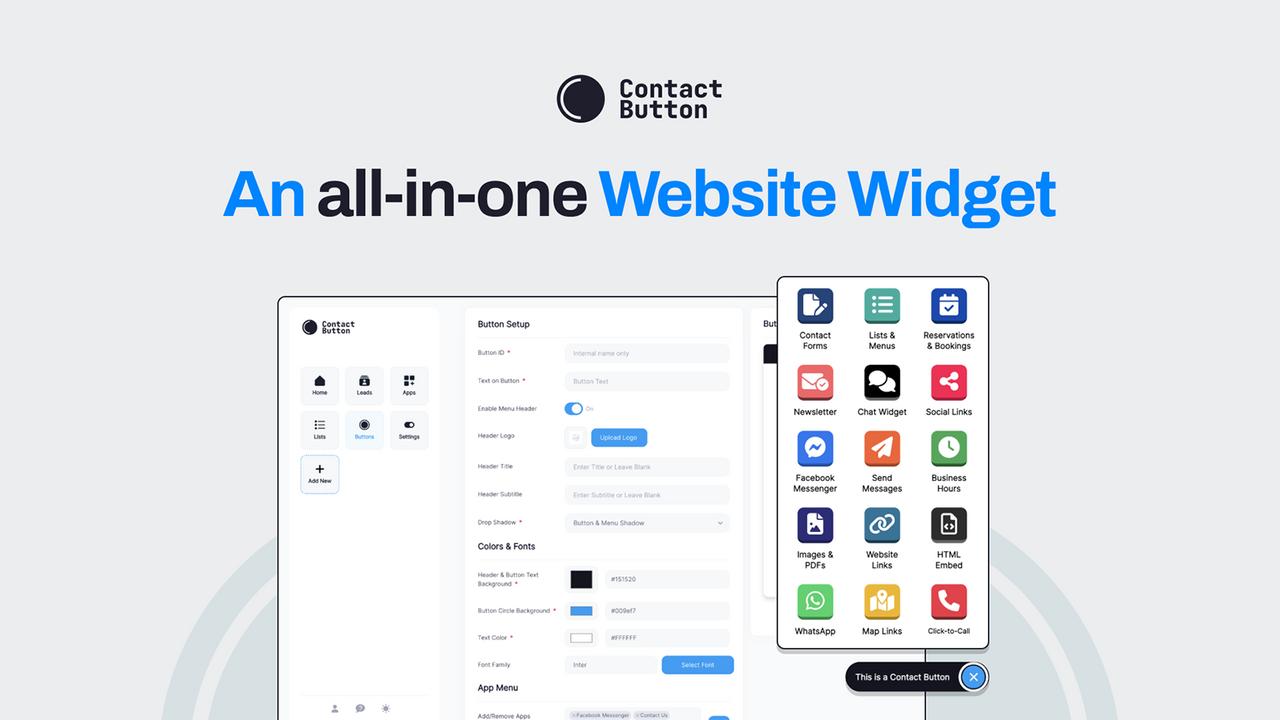
Contact Button is an all-in-one website widget that boosts user engagement and captures new leads. It helps you generate more leads by giving website visitors one-click access to 15 highly customizable apps. All these widget apps are accessible via a small button located in the corner of your website. They’re designed to help people easily find the information they’re looking for, or connect with you through any channel you choose to enable. Some of our most popular widget apps include: Contact Form, One-Click Dial, WhatsApp Chat, Business Hours, and Chat Widget.
Core Functionality
- Custom Contact Form: Embed a contact form directly in your button menu
- Email Subscription: Capture visitors’ emails and add them to your mailing list
- Online Booking: Embed booking interfaces from popular calendar software
- Messaging Apps: Easily connect to WhatsApp, Messenger, SMS, or live chat
- Business Info: Display business hours, provide directions, and add a one-tap call button
Merchant-Friendly
- Service-based E-commerce Merchants
- Local Physical Merchants
- Independent Station Merchants
- Retail E-commerce Merchants
Basic Information
- Developer:Contact Button
- Address:Sacramento, CA, US
- Price: Free / Free plan
- Rating:0 / 5
- Comment Count:0 comment
- Release Date:2024-8-15
- Supported languages:English
- Compatible products:Shopify
Application Screenshot


Price Plan
Basic Plan
- 10 Leads per Month
- 100 Button Clicks
- 10,00 Popup Impressions
Pro Plan
- 100 monthly leads
- 1,00 button clicks
- 100,000 pop-up impressions
- Use custom Google fonts
- Hide widget app by time
- Hide contact button branding
Max Plan
- Unlimited Monthly Leads
- Unlimited Button Clicks
- Unlimited Popup Displays
- Use Custom Google Fonts
- Hide Widget App Based on Time
- Hide Contact Button Branding
User Location & Comments
User Location
Comments
Shopify API Used
- POST /admin/api/forms.json
- PUT /admin/api/forms/{form_id}.json
- GET /admin/api/forms.json
Permission:write_forms,read_forms,manage_themes
- POST /admin/api/customers/email_subscriptions.json
- PUT /admin/api/customers/email_subscriptions/{id}.json
- GET /admin/api/customers/email_subscriptions.json
Permission:write_customers,read_customers,manage_mail_lists
- POST /admin/api/bookings.json
- PUT /admin/api/bookings/{booking_id}.json
- GET /admin/api/bookings.json
Permission:write_bookings,read_bookings,manage_calendars
- POST /admin/api/messaging_channels.json
- PUT /admin/api/messaging_channels/{channel_id}.json
- GET /admin/api/messaging_channels.json
Permission:write_messaging,read_messaging,manage_channels
- POST /admin/api/store_info.json
- PUT /admin/api/store_info/{info_id}.json
- GET /admin/api/store_info.json
Permission:write_store_info,read_store_info,manage_themes



