
App Introduction
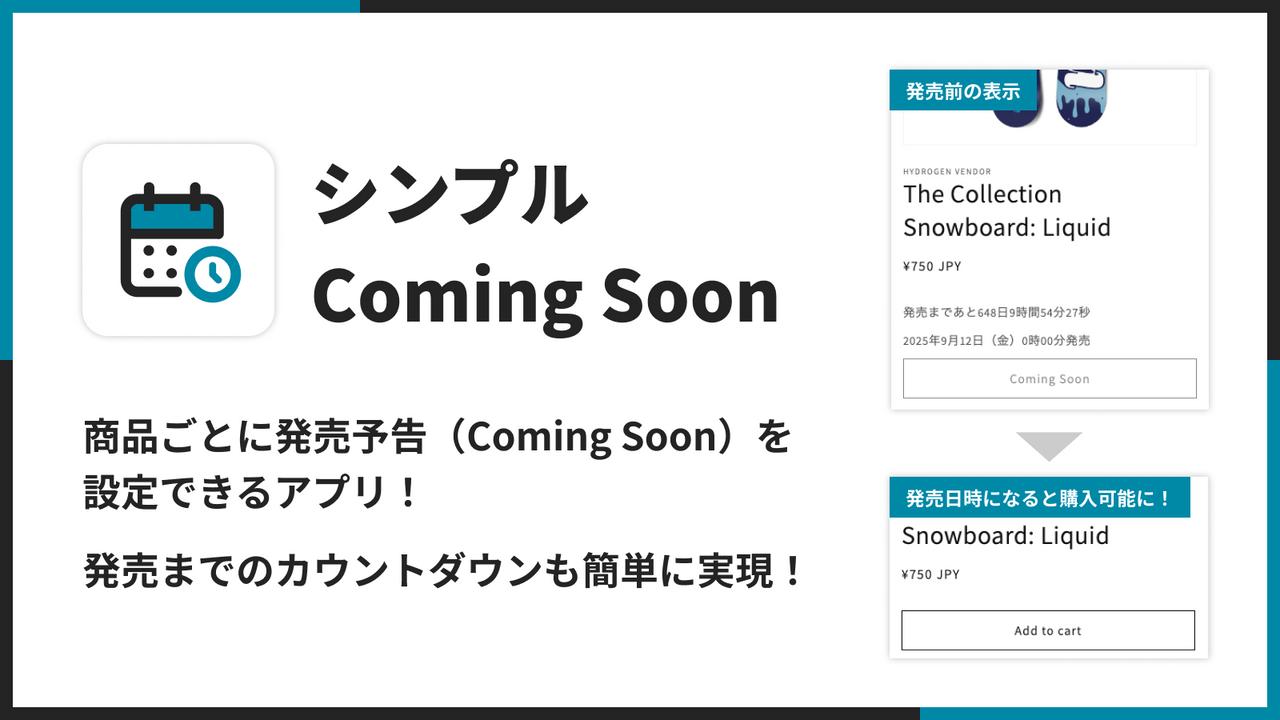
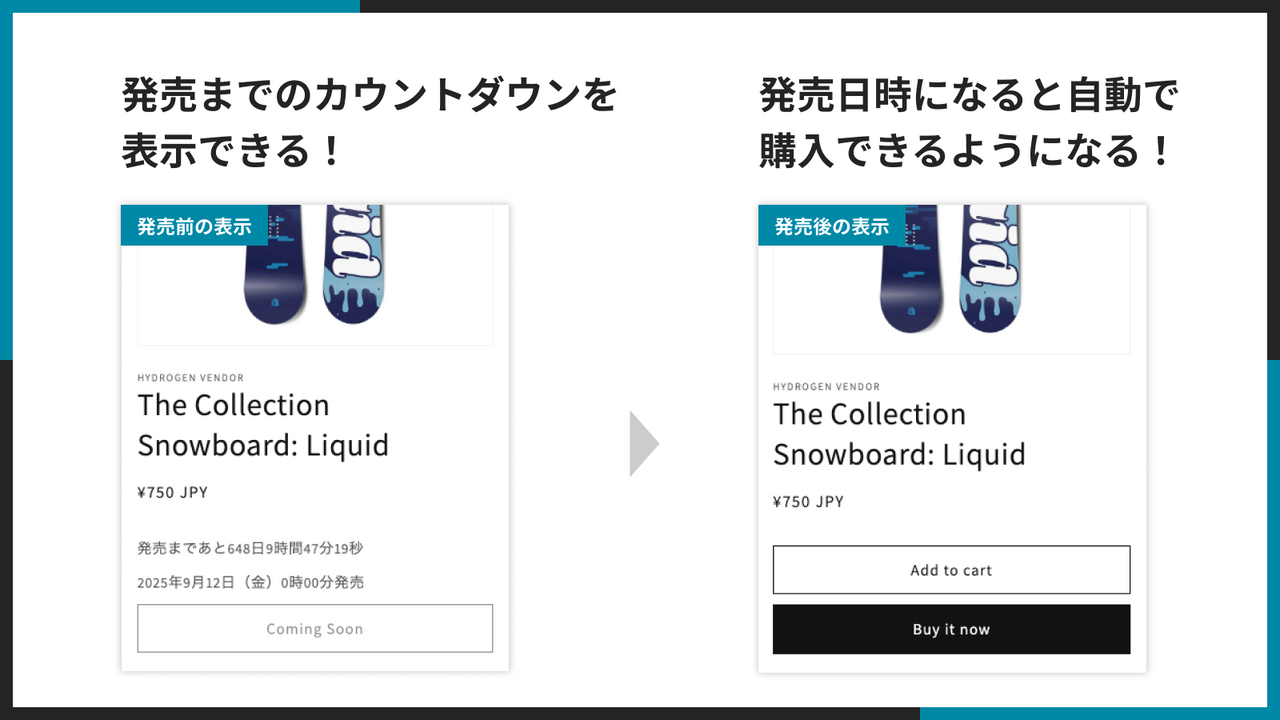
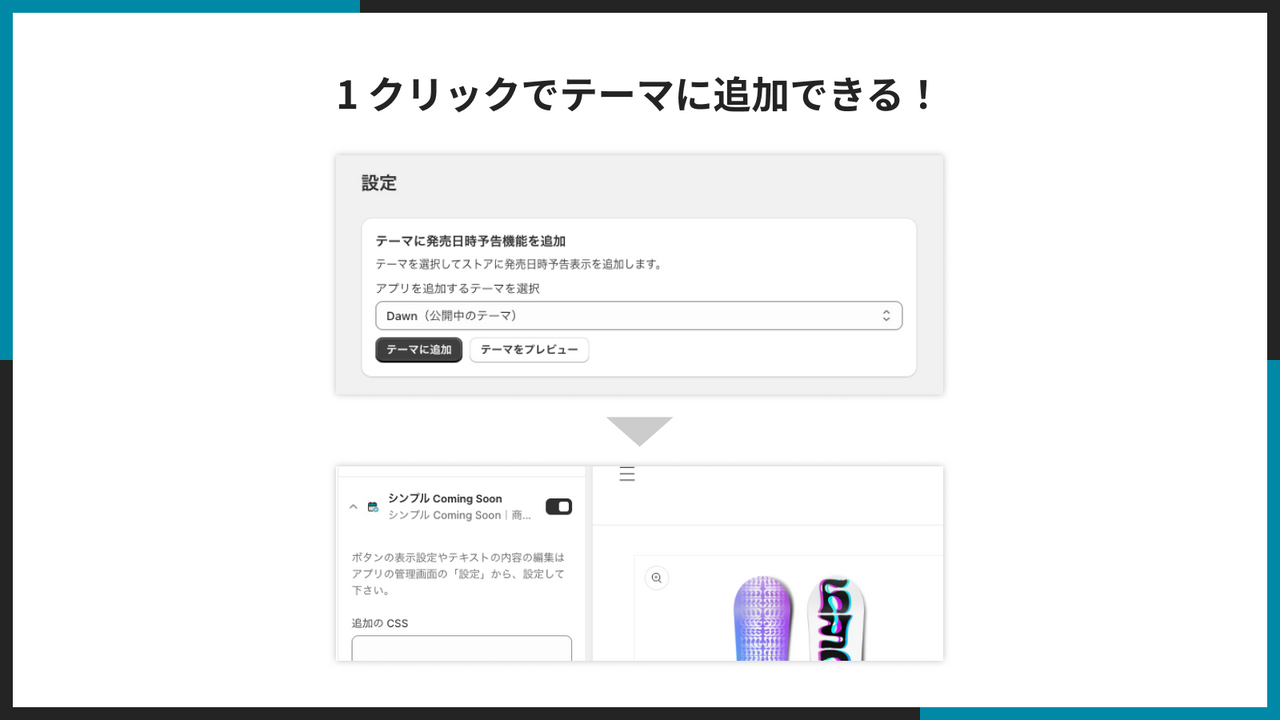
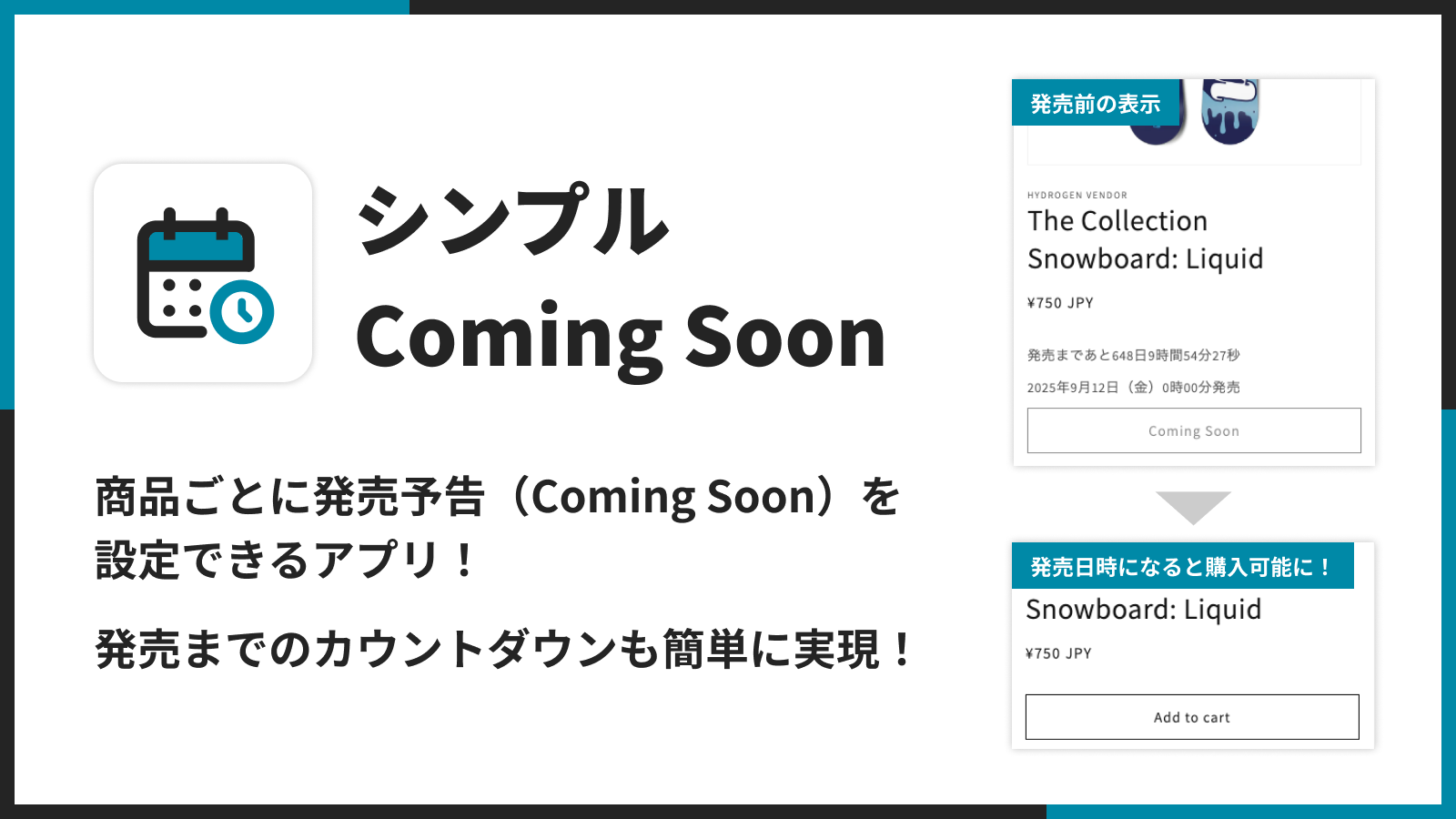
A simple Japanese-made Coming Soon app. You can set up pre-launch announcements for each product. **Simple Coming Soon | Product Page Pre-Launch App** is a tool that lets you configure *Coming Soon* status for your products. This allows you to display items in your store *without* making them available for purchase. It also includes a countdown timer to build excitement and anticipation for your launches. As Japan’s first Coming Soon app to adopt the **Cart and Checkout Validation API**, Simple Coming Soon solves a key challenge: preventing purchases of products outside their sales window—something many existing apps struggle with. You can now add a *Coming Soon* feature to your Shopify store that’s tailored to Japan’s business customs—clean, straightforward, and effective. Since it’s a Japanese-made Shopify app, we also offer full Japanese-language onboarding and support.
Core Functionality
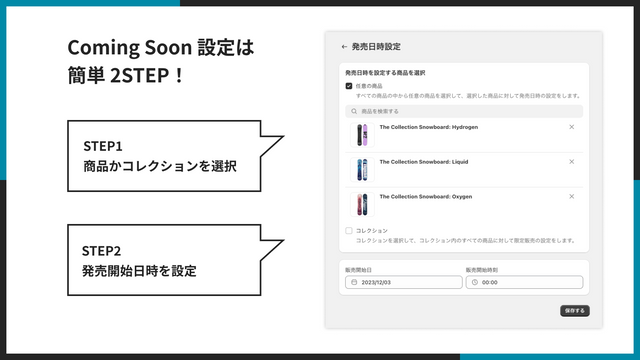
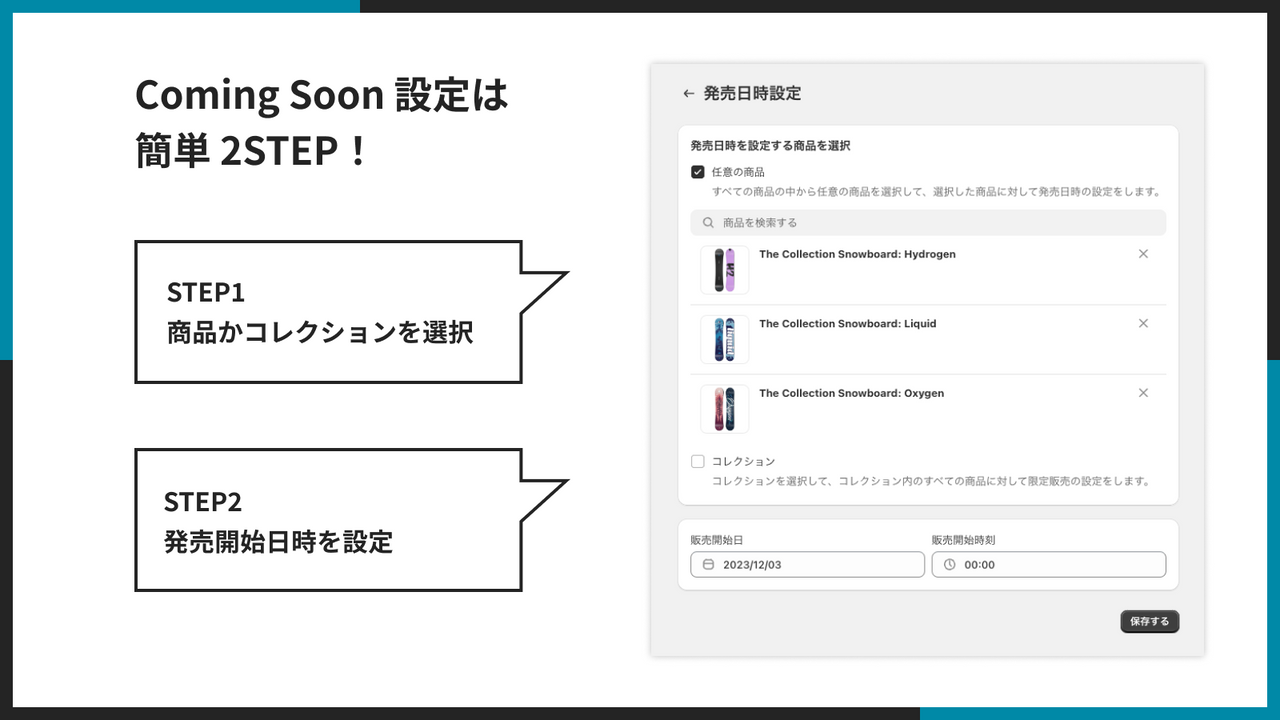
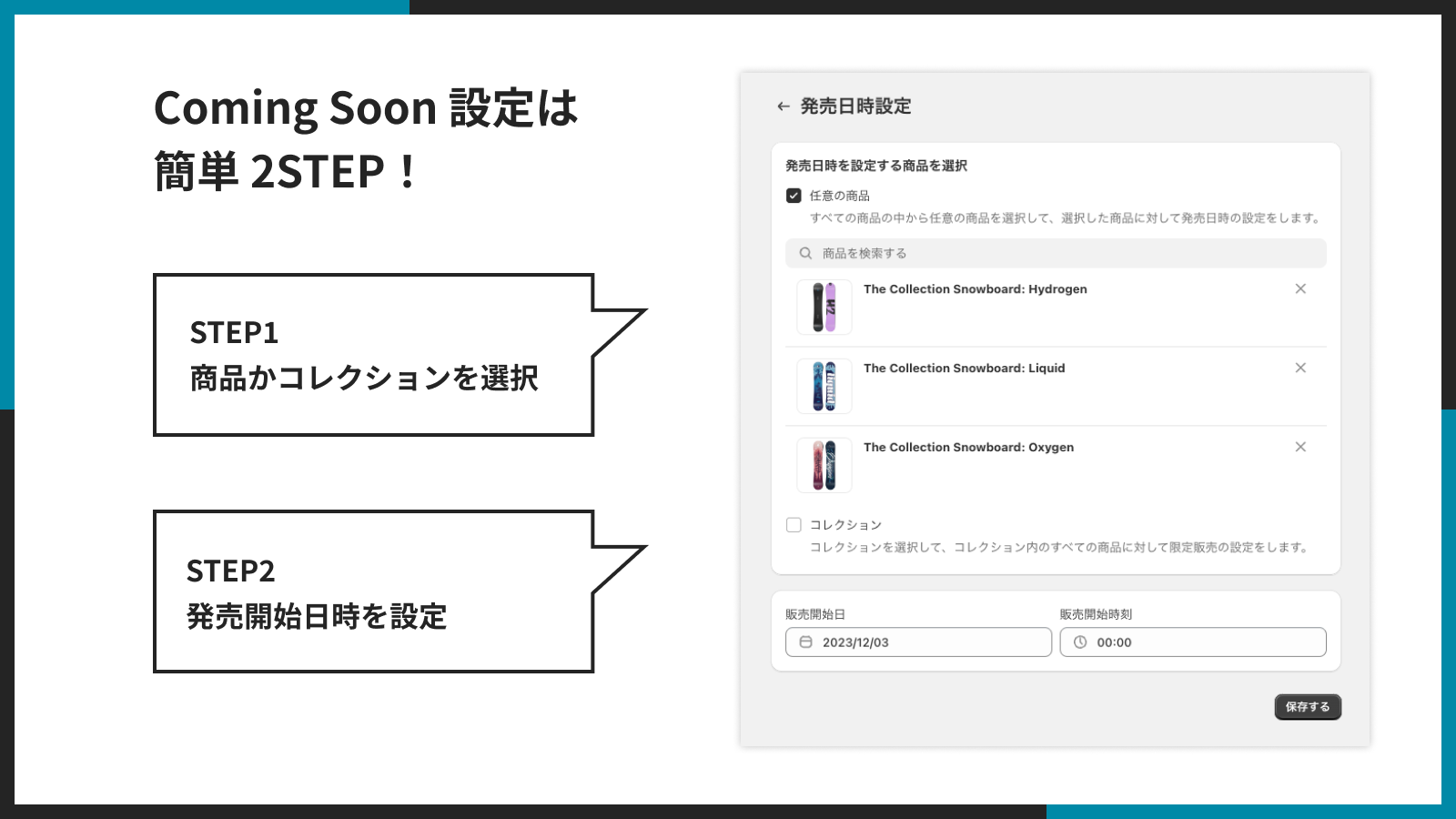
- Easily set up the Coming Soon feature for each product.
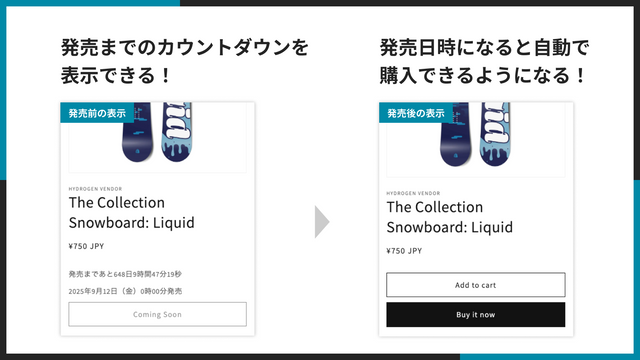
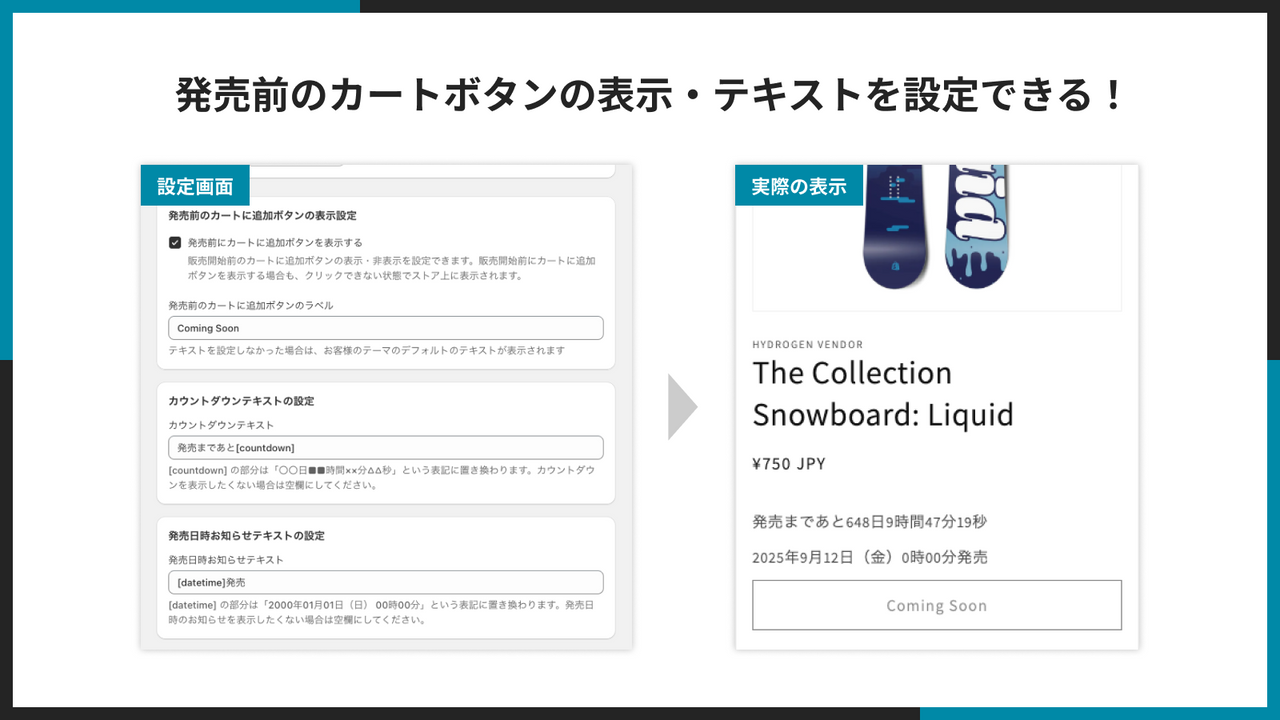
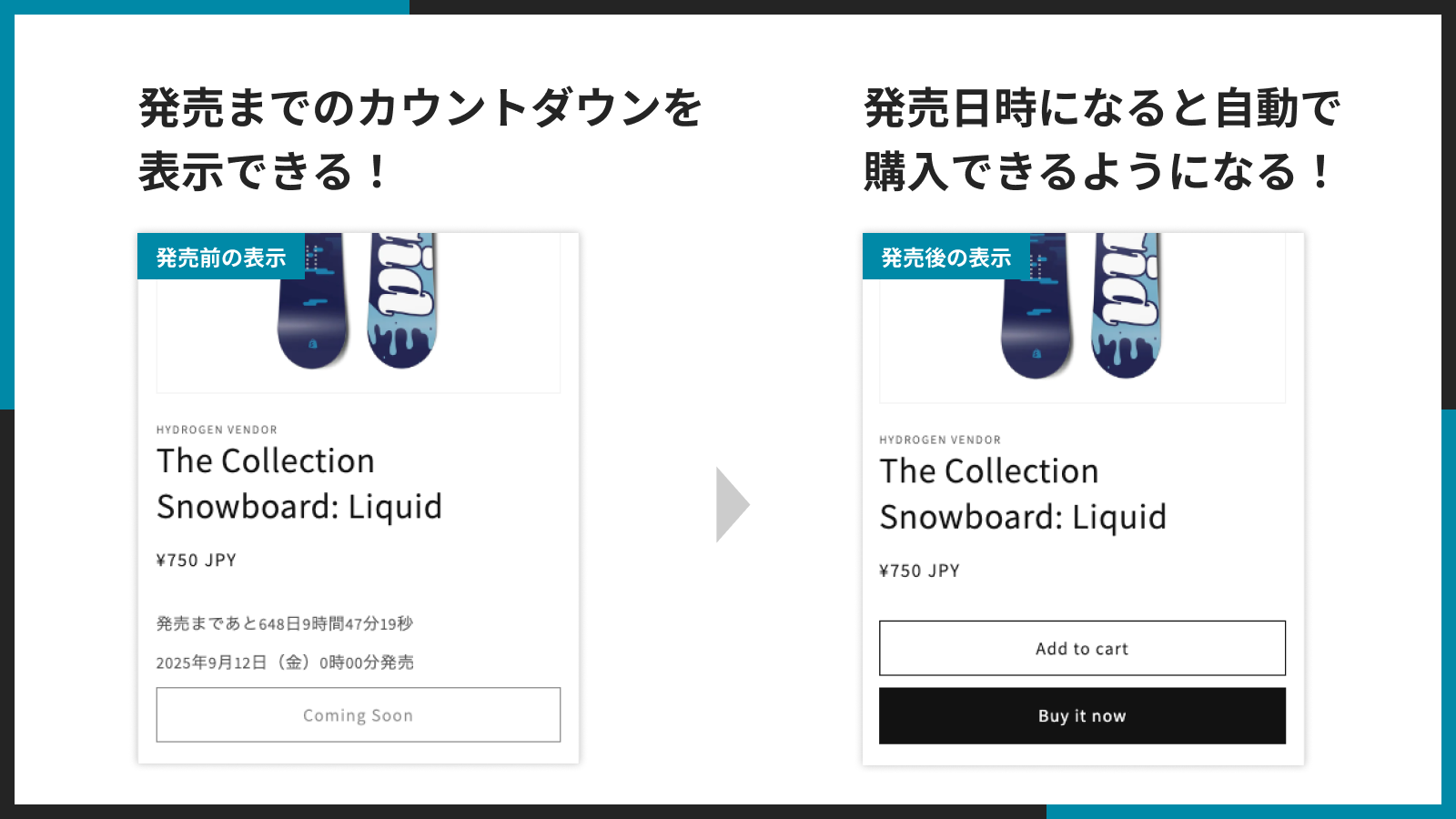
- Display a countdown timer until the product launch before it goes live.
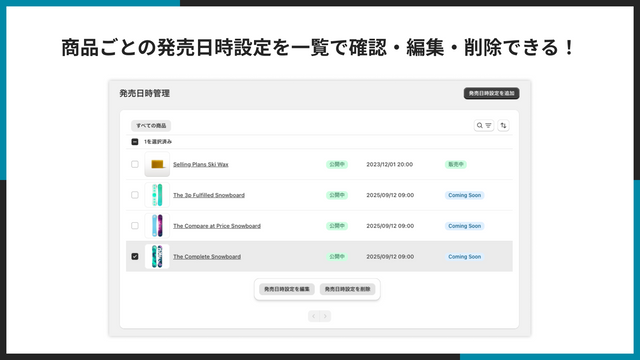
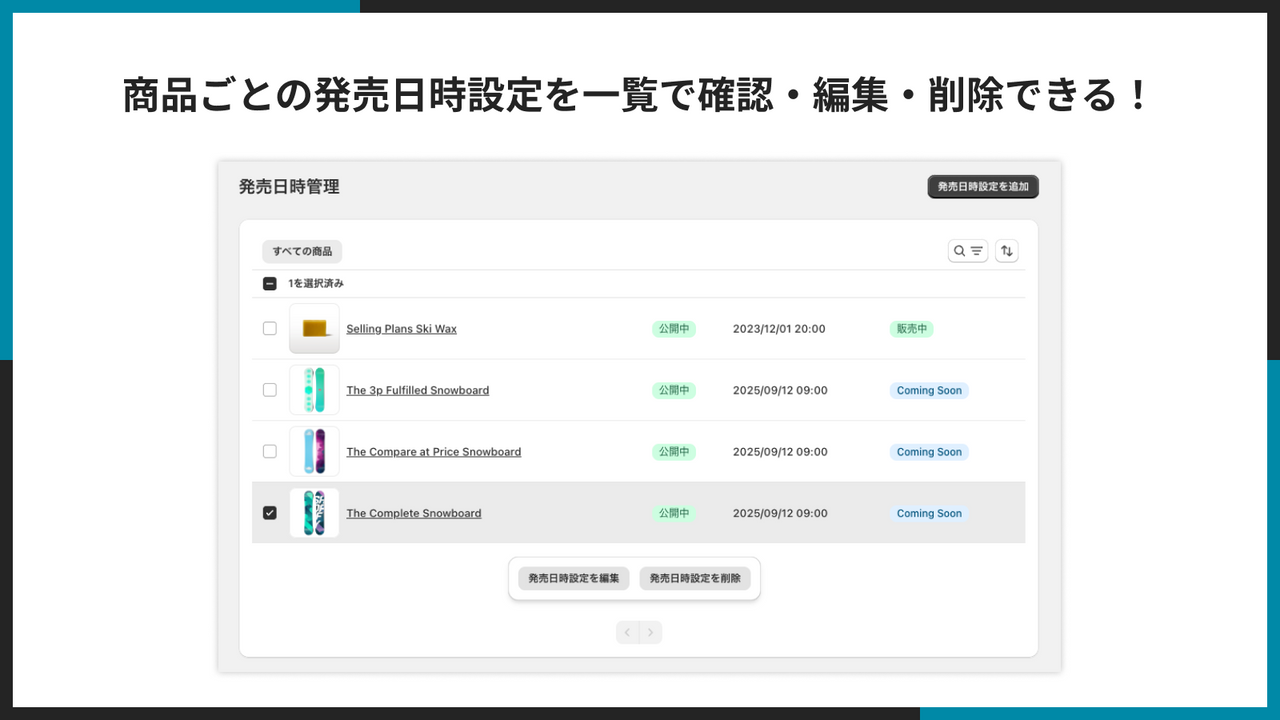
- Set up the Coming Soon feature for multiple products at the same time.
- Robust order protection to reliably prevent purchases of products outside their sales period. Leverages the Cart and Checkout Validation API, making it more robust than existing apps.
Merchant-Friendly
- New Product Launch Merchants
- Limited Sale Merchants
- Multi-product Management Merchants
- Order Safety-focused Merchants
Basic Information
- Developer:UnReact Inc.
- Address:飯氏912-30, 福岡市西区, JP-40, 819-0371, JP
- Price: Free / Free plan
- Rating:5 / 5
- Comment Count:2 comment
- Release Date:2023-12-5
- Supported languages:Japanese
- Compatible products:Shopify
Application Screenshot
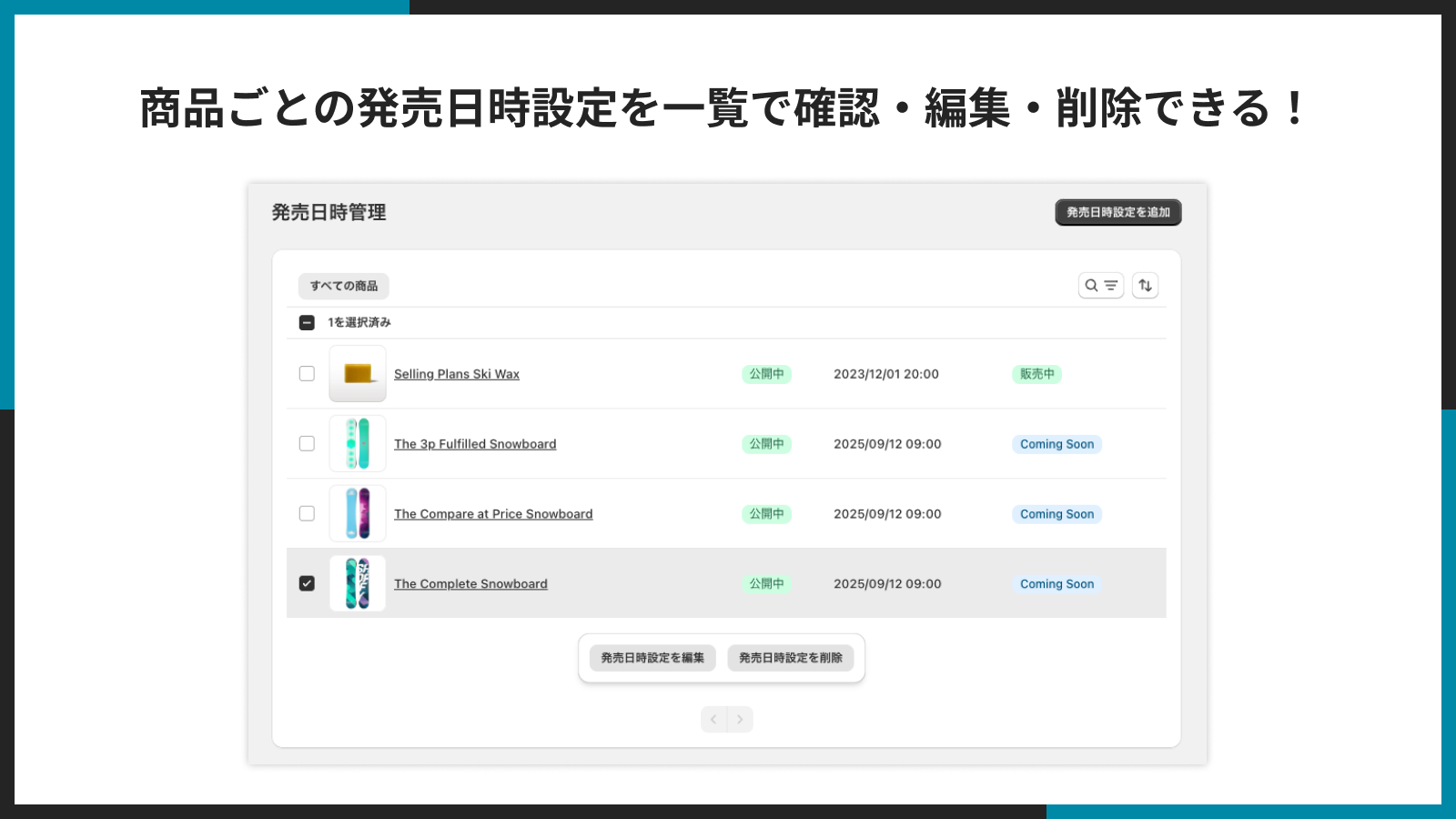
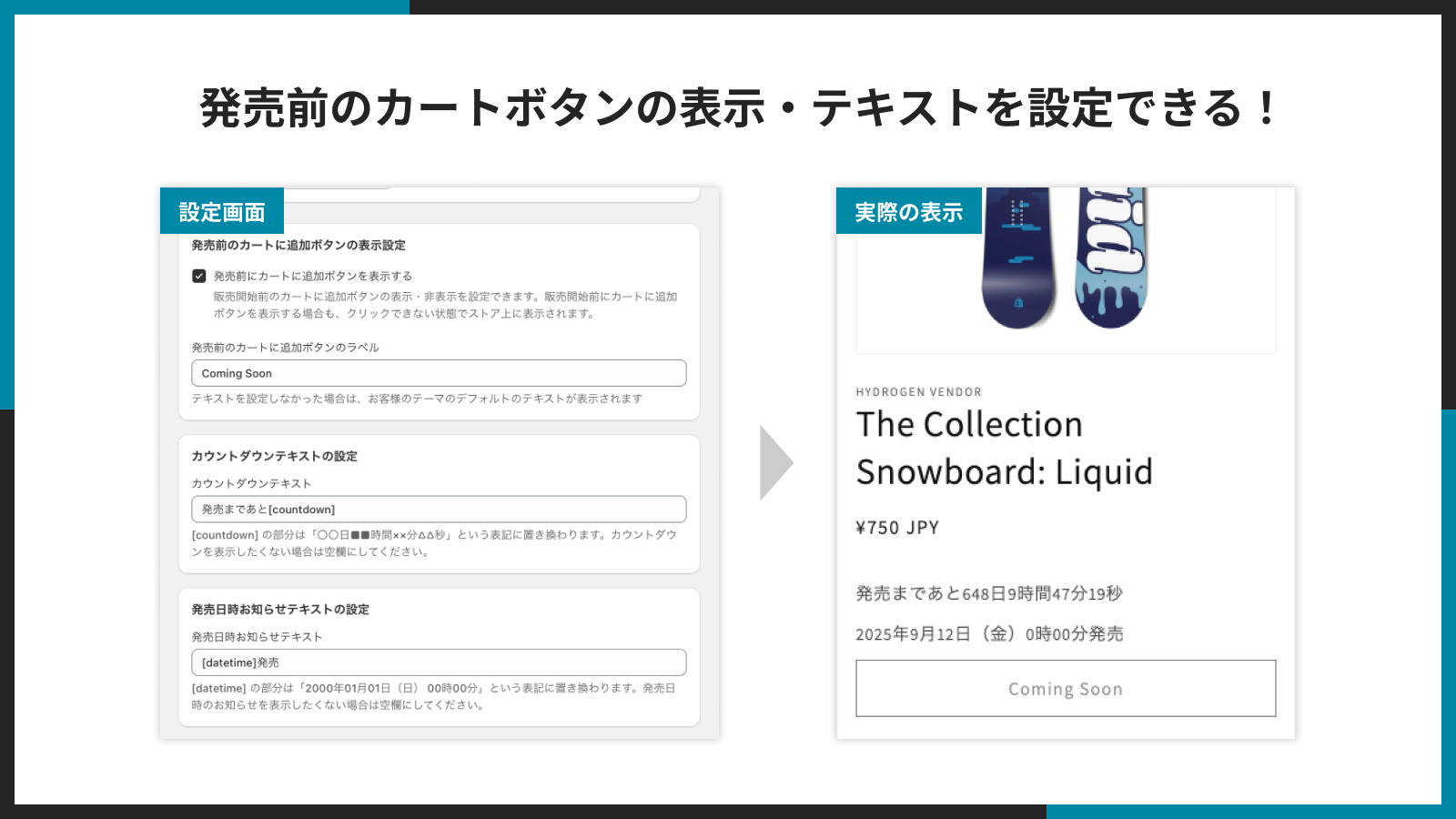
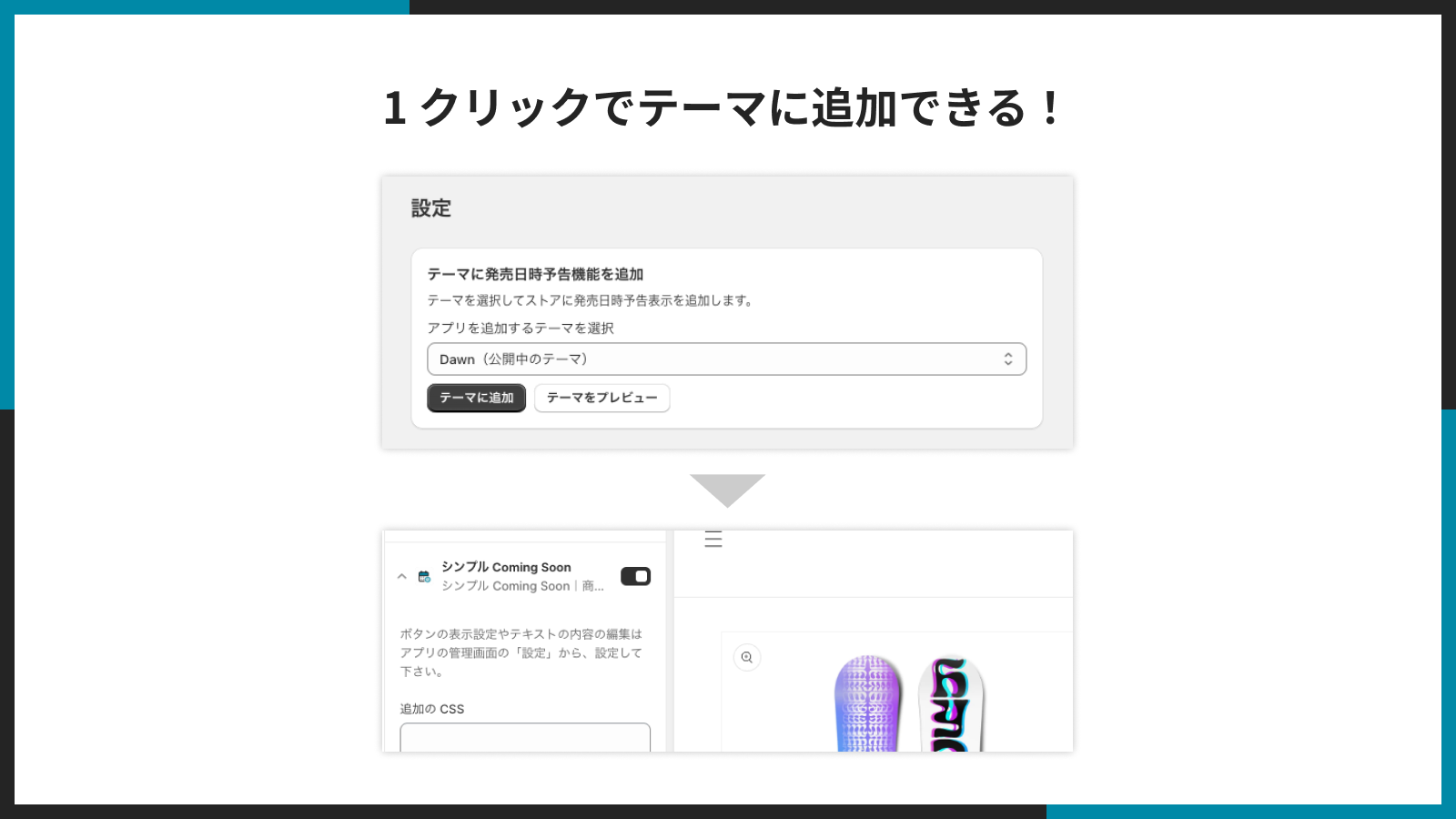
Price Plan
Basic Plan
- You can try the app for free for 7 days from the installation date.
- For development stores, you can try all features indefinitely and completely free of charge.
- With annual billing, you can enjoy the equivalent of 2 months free, making it a cost-effective option.
User Location & Comments
User Location
Comments
Shopify API Used
- POST /admin/api/products.json
- PUT /admin/api/products/{product_id}.json
- GET /admin/api/products.json
Permission:write_products,read_products,manage_inventory
- POST /admin/api/metafields.json
- PUT /admin/api/metafields/{metafield_id}.json
- GET /admin/api/metafields.json
Permission:write_products,read_products,manage_metafields
- POST /admin/api/bulk_operations.json
- GET /admin/api/bulk_operations/{operation_id}.json
- PUT /admin/api/products/{product_id}.json
Permission:write_products,read_products,manage_bulk_operations
- POST /admin/api/checkout_validation_rules.json
- PUT /admin/api/checkout_validation_rules/{rule_id}.json
- GET /admin/api/checkout_validation_rules.json
Permission:write_checkout_rules,read_checkout_rules,manage_orders