
App Introduction
Upload any custom fonts and Google Fonts you want to give your website an elegant look. Introducing AnyFont – a powerful font management app that simplifies customizing your store’s fonts. With AnyFont, you can easily change fonts without any CSS knowledge. Choose from a wide range of fonts including Google Fonts and custom fonts, with support for fonts up to 20MB in size. Since fonts are stored in files for faster loading, AnyFont is a must-have tool for anyone looking to elevate their website design.
Core Functionality
- GDPR Compliant: Choose from over 1,000 fonts via Google Fonts integration
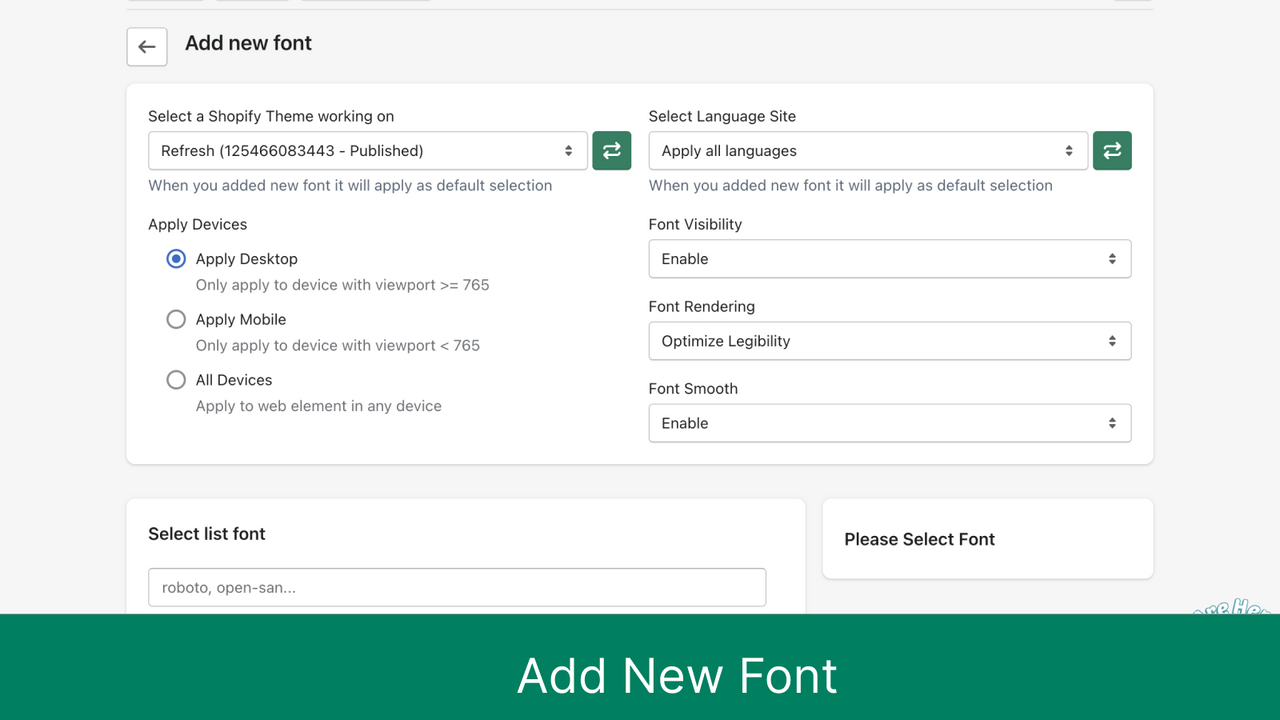
- Upload any local and custom fonts. Customize font styles with a live preview
- Assign different fonts to headings and body text, and select any position on your site
Merchant-Friendly
- Brand Independent Station Merchants
- Cross-border E-commerce Stores
- Multilingual E-commerce Merchants
- Design-oriented E-commerce Stores
Basic Information
- Developer:SoluCommerce
- Address:Ho Chi Minh City, VN
- Price: Free / Free plan
- Rating:4.6 / 5
- Comment Count:10 comment
- Release Date:2023-2-16
- Supported languages:English
- Compatible products:Shopify
Application Screenshot






Price Plan
Free
Free Plan
User Location & Comments
User Location
Comments
Shopify API Used
- GET /admin/api/themes/{theme_id}/assets.json?resource=google_fonts
- POST /admin/api/themes/{theme_id}/assets.json
- PUT /admin/api/themes/{theme_id}/assets.json
Permission:read_themes,write_themes,manage_assets
- POST /admin/api/themes/{theme_id}/assets.json?asset[key]=assets/fonts/{font_file}
- PUT /admin/api/themes/{theme_id}/assets.json?asset[key]=assets/fonts/{font_file}
- GET /admin/api/themes/{theme_id}/assets.json?asset[key]=assets/fonts/{font_file}
Permission:read_themes,write_themes,manage_assets
- PUT /admin/api/themes/{theme_id}/settings.json
- GET /admin/api/themes/{theme_id}/settings.json
- POST /admin/api/themes/{theme_id}/assets.json?asset[key]=config/settings_data.json
Permission:read_themes,write_themes,manage_settings



