
App Introduction
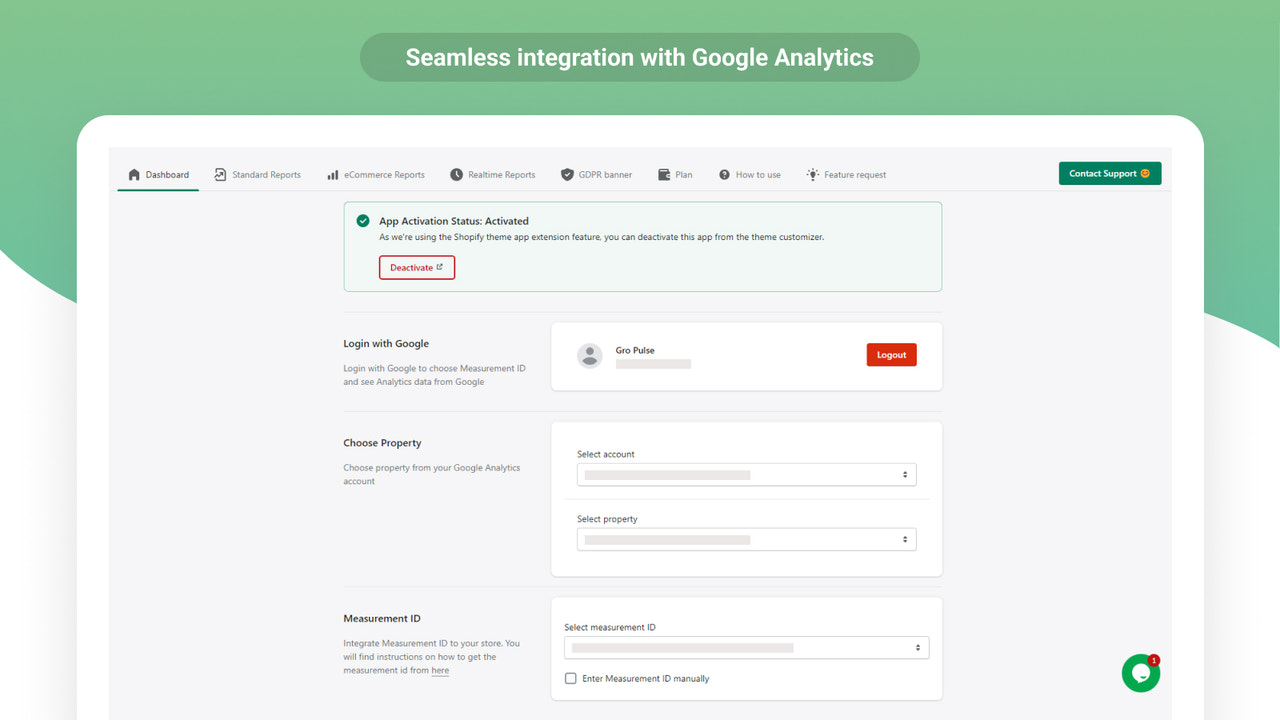
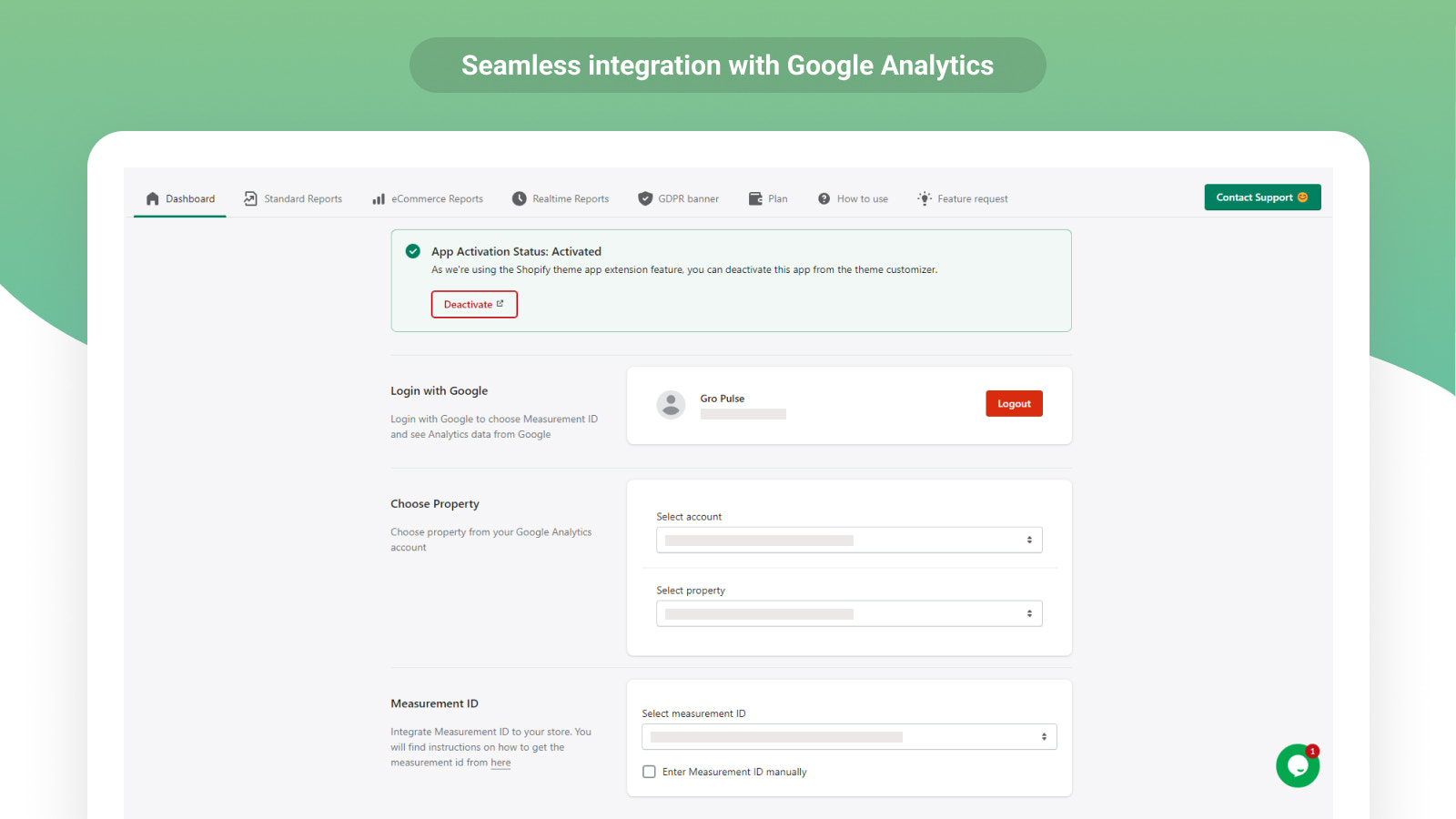
Analyzely helps you fully leverage all the benefits of using Google Analytics 4. Analyzely - Google Analytics 4 App provides a comprehensive way to integrate Google Analytics into your store. With its seamless integration with GA4, you’ll gain clear insights into your store visitors and their behaviors. Additionally, the app offers automatic Measurement ID integration, making it easier for you to set up and start tracking your store’s data. You can also view reports directly from the app dashboard, providing a convenient way to monitor your store’s performance.
Core Functionality
- Seamlessly integrate with GA4 for fast and accurate analytics (no coding required)
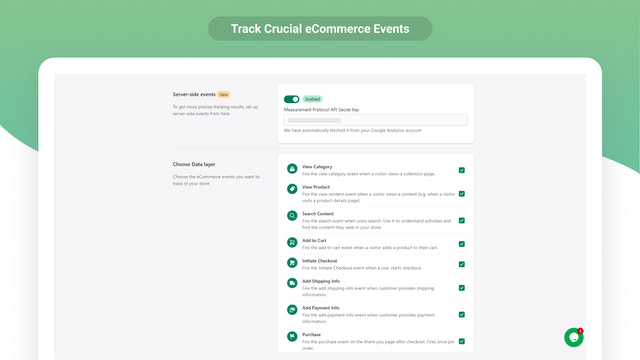
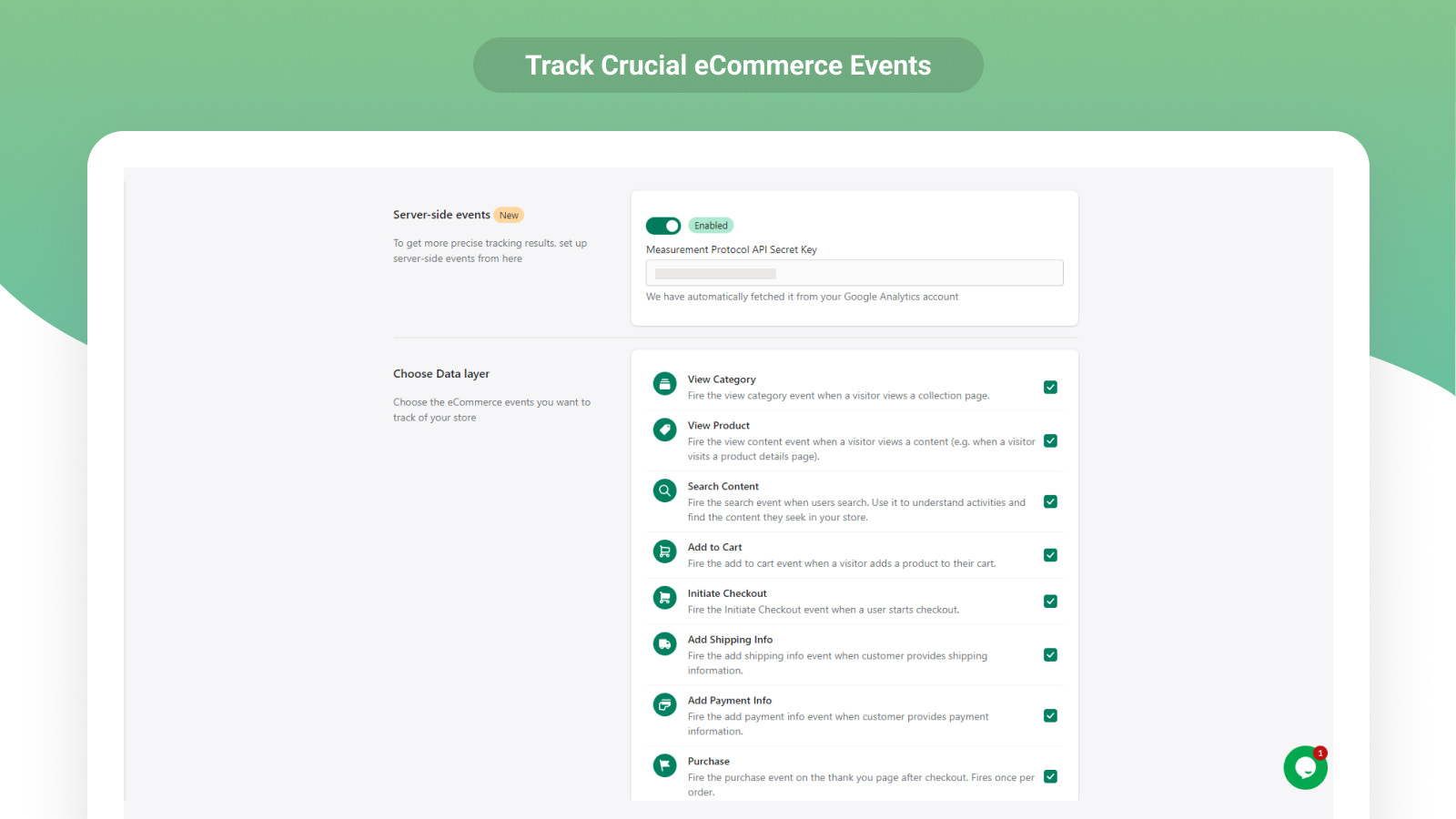
- Improve your e-commerce strategy with comprehensive event tracking
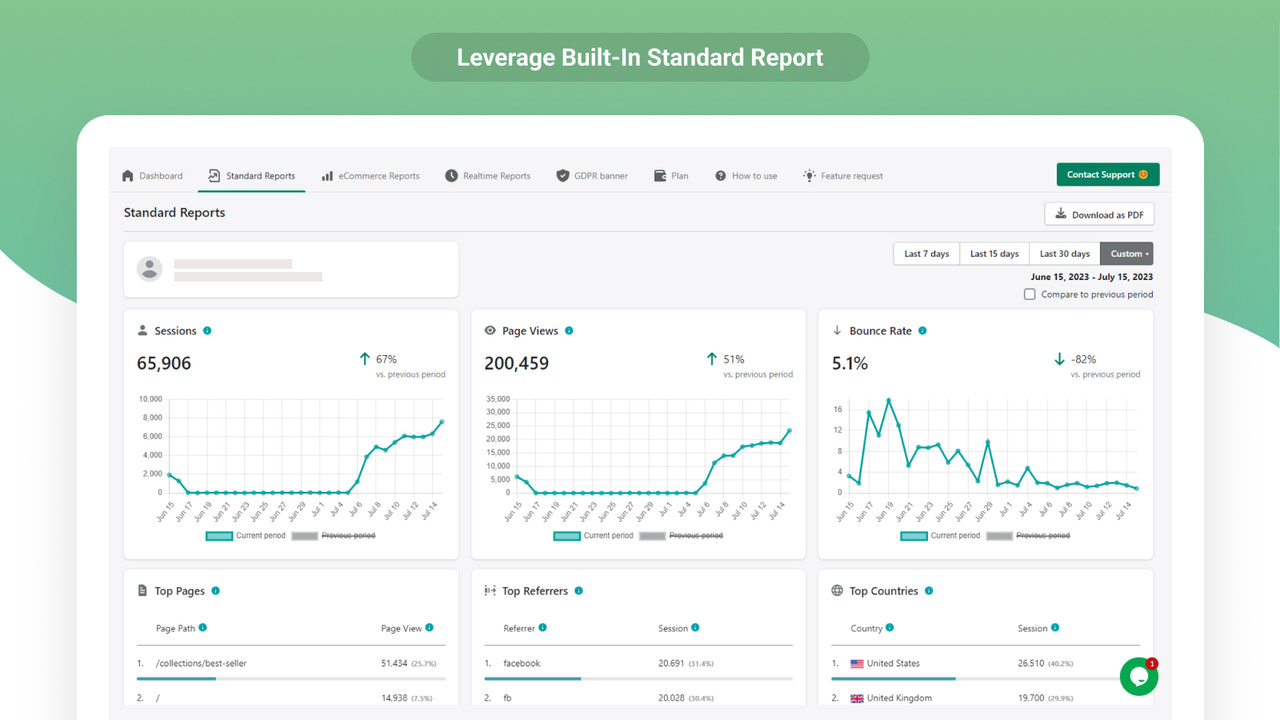
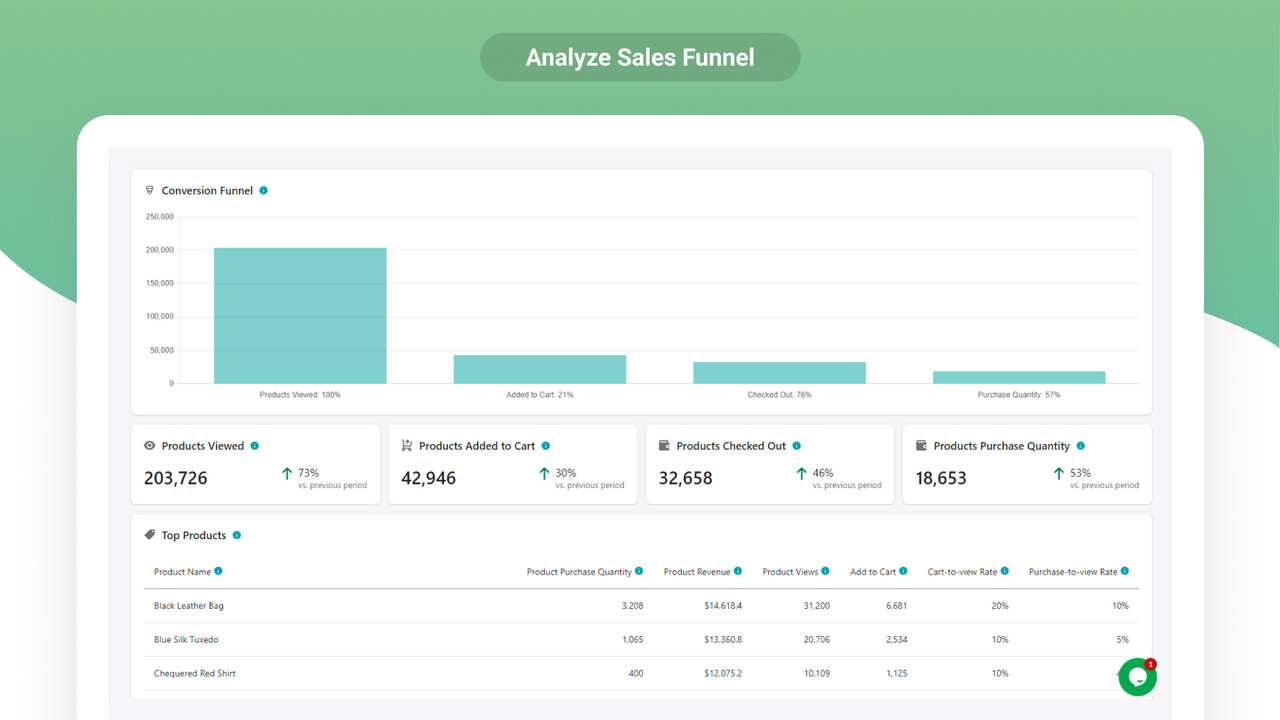
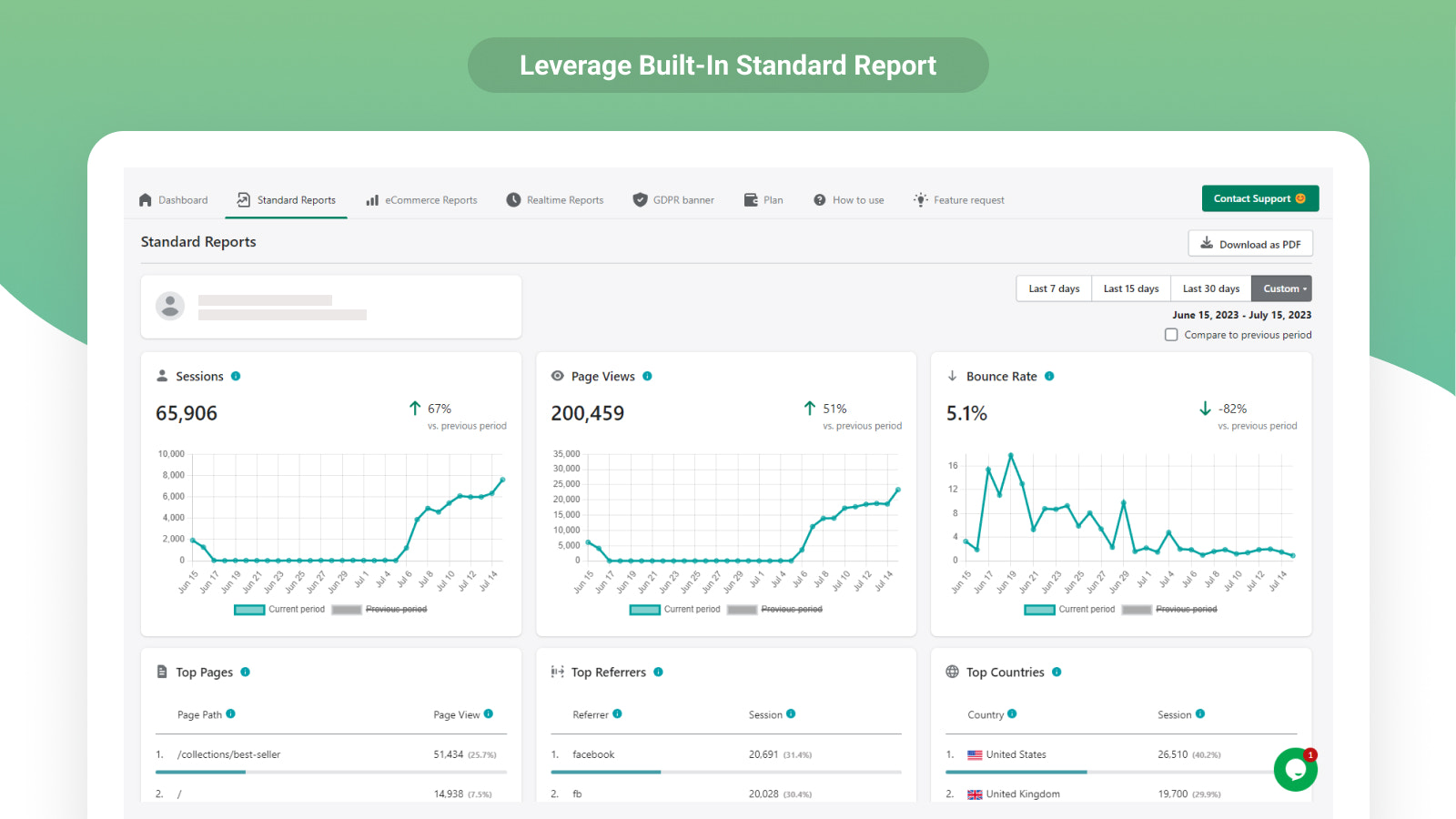
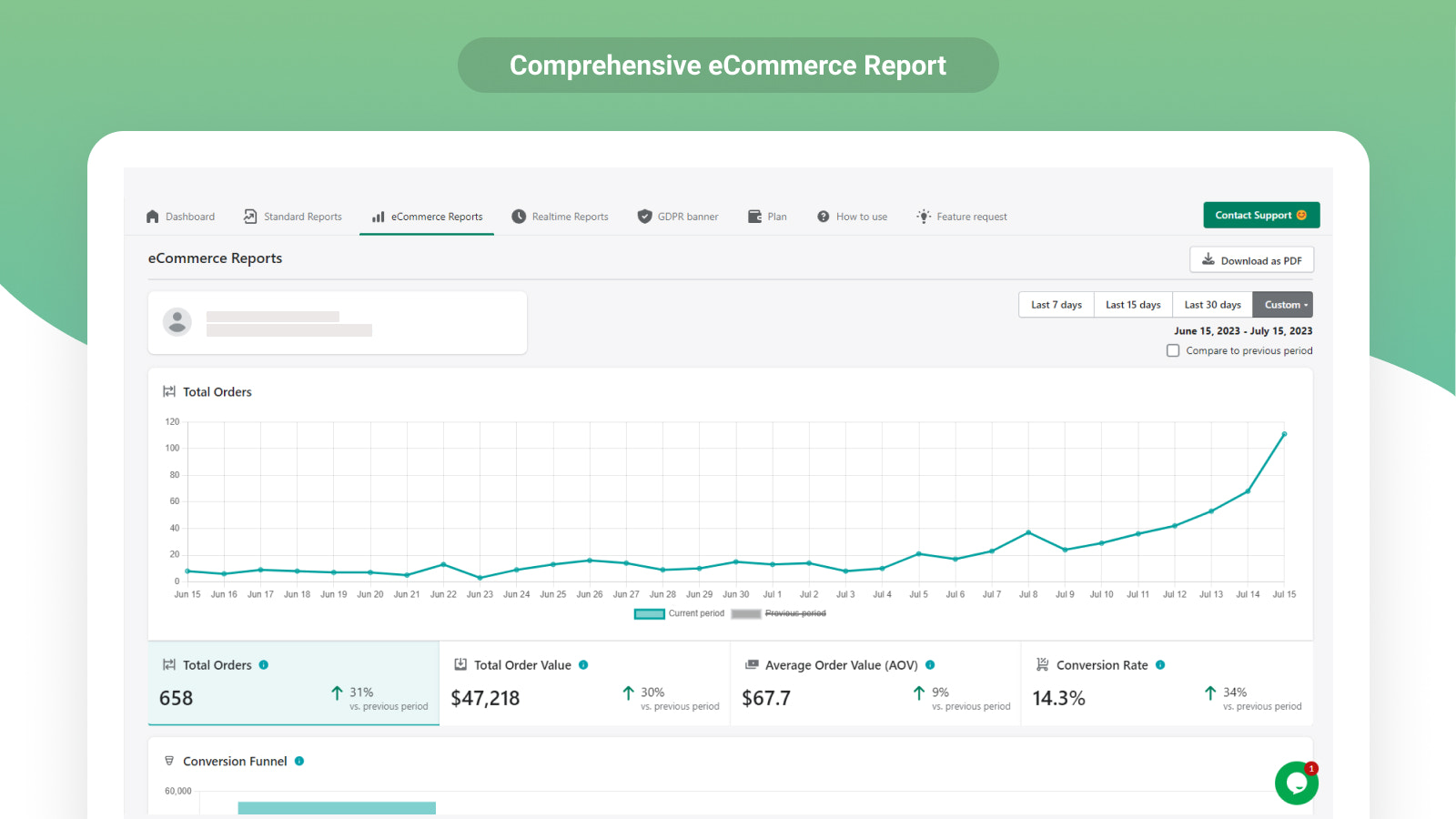
- Standard and e-commerce reports: View key store metrics in one place
- Achieve precise purchase tracking via server-side event integration
- Enable GDPR-compliant tracking to maintain data protection standards
Merchant-Friendly
- Independent Station Merchants
- Cross-border E-commerce
- Small & Medium E-commerce Sellers
- Brand E-commerce
Basic Information
- Developer:GroPulse
- Address:Dhaka, Bangladesh, Dhaka, 1219, BD
- Price: Free / Free plan
- Rating:4.6 / 5
- Comment Count:102 comment
- Release Date:2022-8-29
- Supported languages:English、Simplified Chinese、Traditional Chinese、French、German、Japanese、Spanish、Portuguese (Brazil)、Portuguese (Portugal)、Italian、Korean、Czech、Danish、Dutch、Finnish、Hindi、Vietnamese、Greek
- Compatible products:Shopify
Application Screenshot







Price Plan
免费计划
- GA4 Measurement ID Integration
- Standard Analysis Reports
- Report Download Options
- Filter by Date Range
- AI Analysis (10 Credits)
- Simple GA4 Setup Guide
专业月度计划
- Includes all Free Plan features
- E-commerce Reports
- Real-time Reports
- Client and Server-side Event Tracking
- GDPR-Compliant Tracking
- AI Analytics (30 Credits)
- Priority Support
User Location & Comments
User Location
Comments
Shopify API Used
- POST /admin/api/analytics/google_analytics_4.json
- PUT /admin/api/analytics/google_analytics_4/{id}.json
- GET /admin/api/analytics/google_analytics_4.json
Permission:write_analytics,read_analytics,manage_settings
- POST /admin/api/analytics/events.json
- PUT /admin/api/analytics/events/{event_id}.json
- GET /admin/api/analytics/events.json
Permission:write_analytics,read_analytics,manage_events
- GET /admin/api/analytics/reports/ecommerce.json
- POST /admin/api/analytics/reports/custom.json
- PUT /admin/api/analytics/reports/custom/{id}.json
Permission:read_analytics,read_orders,read_products
- POST /admin/api/analytics/server_events.json
- PUT /admin/api/analytics/server_events/{id}.json
- GET /admin/api/analytics/server_events.json
Permission:write_analytics,read_analytics,manage_server_events
- POST /admin/api/analytics/compliance/gdpr.json
- PUT /admin/api/analytics/compliance/gdpr/{id}.json
- GET /admin/api/analytics/compliance/gdpr.json
Permission:write_analytics,read_analytics,manage_compliance



