
App Introduction
Advanced Also Bought Product Recommendations: Boost Your Sales Through Cross-Selling and Product Discoverability Back in 2016, we created Also Bought to bring the proven Amazon "Customers Who Bought This Also Bought" recommendation widget to Shopify. Its unparalleled AI has been trained on billions of products and orders, refined and polished over years. Also Bought analyzes your store’s full sales history, new orders, and product updates in real time—with no limits on product count, order volume, or traffic—making it Shopify’s authoritative recommendation engine.
Core Functionality
- Fully customizable UI: Easily adjust all text, colors, or sizes
- Widgets can be displayed on product pages and cart pages
- Multiple recommendation types: Automatic, manual, by type, by collection, etc.
- One-click installation and out-of-the-box styles integrated with the most popular themes
- Hassle-free operation: Achieve high availability even during BFCM traffic peaks
Merchant-Friendly
- Independent Station Merchants
- Fashion Apparel Merchants
- Home Goods Merchants
- Electronics 3C Merchants
- Beauty & Skincare Merchants
Basic Information
- Developer:Code Black Belt
- Address:Paseo Independencia 3, 2 A, Zaragoza, Z, 50001, ES
- Price: Free / Free plan
- Rating:4.8 / 5
- Comment Count:341 comment
- Release Date:2016-5-6
- Supported languages:English、Spanish、Portuguese (Brazil)、Italian、Dutch、German、French、Simplified Chinese、Traditional Chinese
- Compatible products:Shopify
Application Screenshot






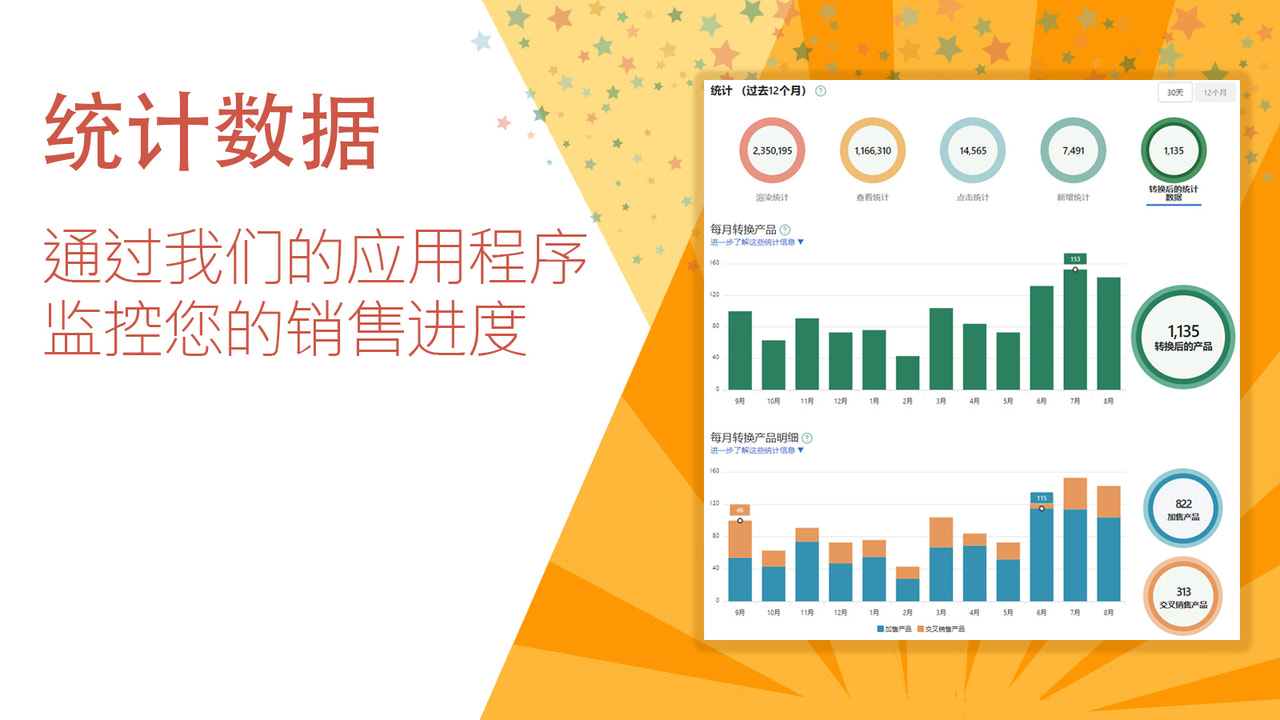








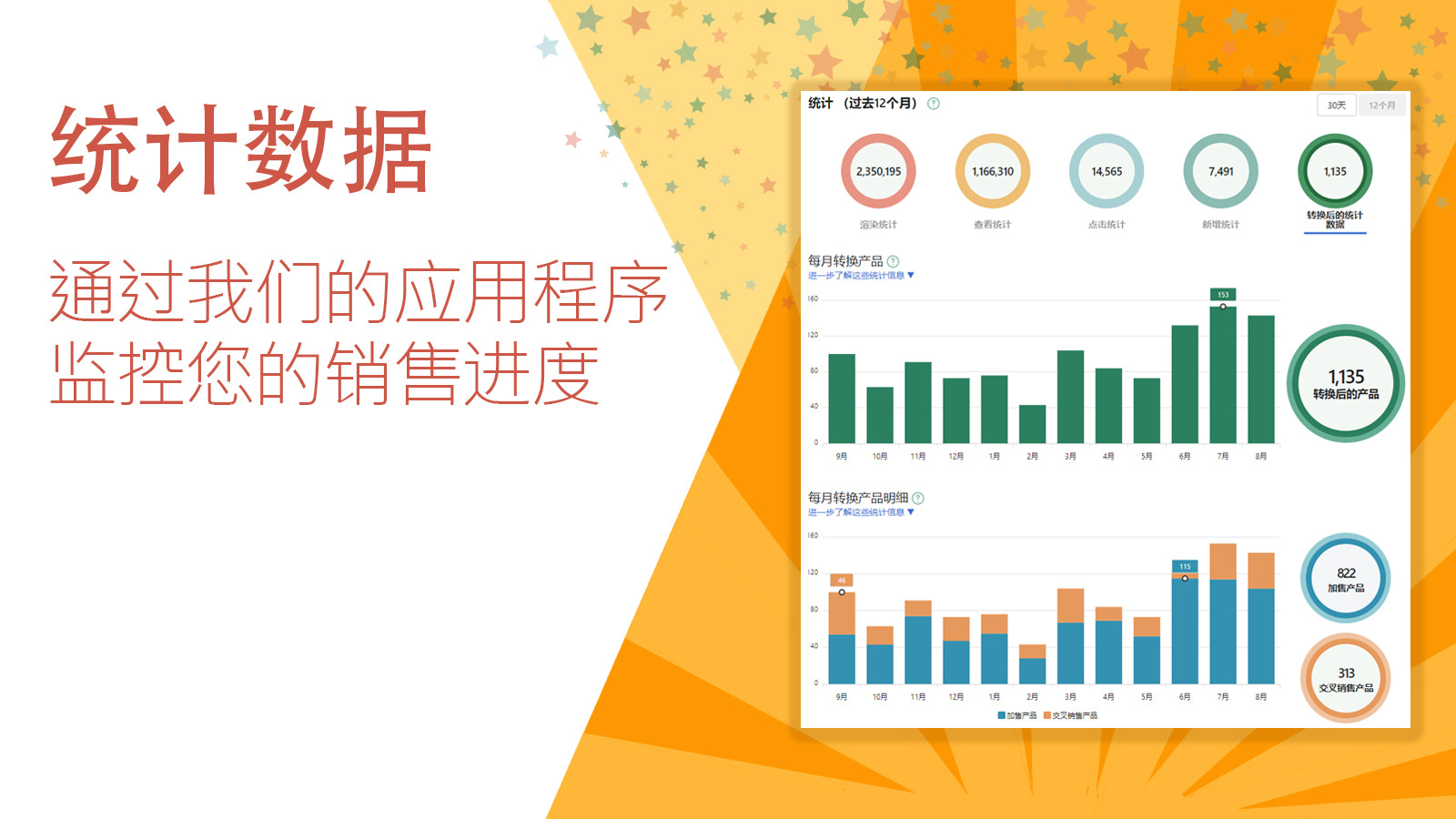





Price Plan
Starter
- Free for development stores
- Install and configure before launch
- Free during trial period
Professional
- Fixed monthly fee, no hidden costs
- Unlimited products, orders, and traffic
- Fast, efficient, and professional support
User Location & Comments
User Location
Comments
Shopify API Used
- POST /admin/api/settings/themes/{theme_id}/assets.json
- PUT /admin/api/settings/themes/{theme_id}/assets/{asset_key}.json
- GET /admin/api/settings/themes/{theme_id}/assets.json
Permission:write_themes,read_themes,manage_online_store
- POST /admin/api/sections.json
- PUT /admin/api/sections/{section_id}.json
- GET /admin/api/sections.json
Permission:write_sections,read_sections,manage_online_store
- POST /admin/api/recommendations.json
- PUT /admin/api/recommendations/{id}.json
- GET /admin/api/recommendations.json
Permission:write_recommendations,read_recommendations,manage_products
- POST /admin/api/apps/{app_id}/installations.json
- PUT /admin/api/themes/{theme_id}/app_extensions.json
- GET /admin/api/themes.json
Permission:write_apps,read_themes,manage_online_store
- POST /admin/api/performance_settings.json
- PUT /admin/api/performance_settings/{id}.json
- GET /admin/api/performance_settings.json
Permission:write_performance,read_performance,manage_store



