
App Introduction
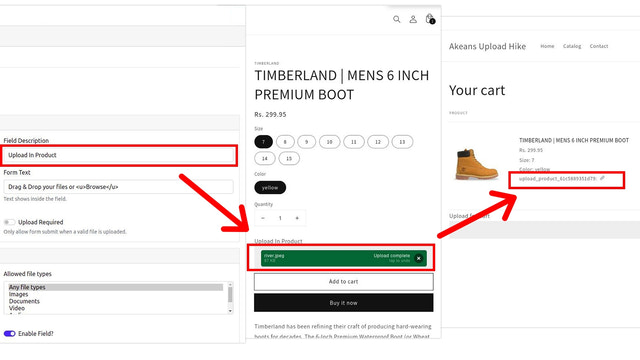
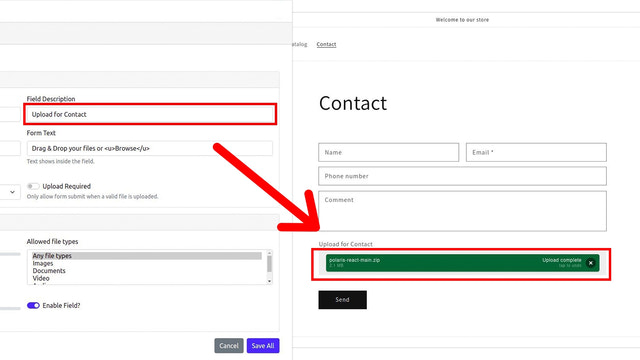
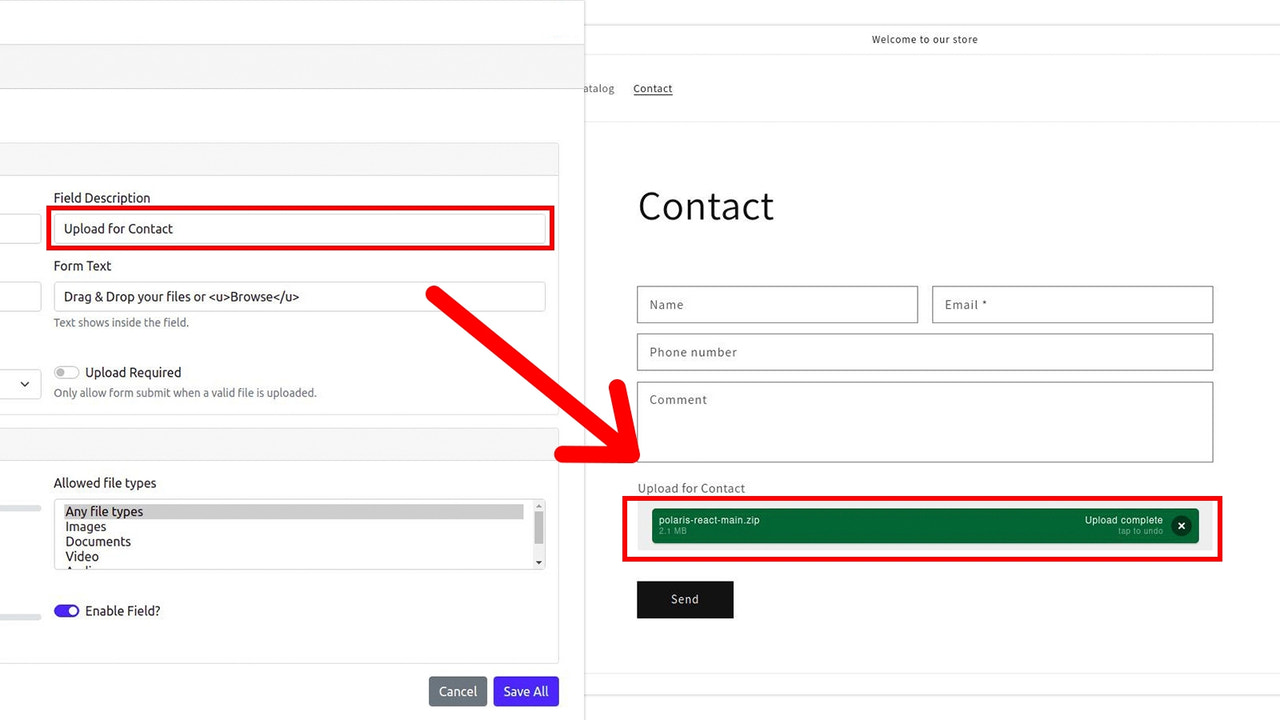
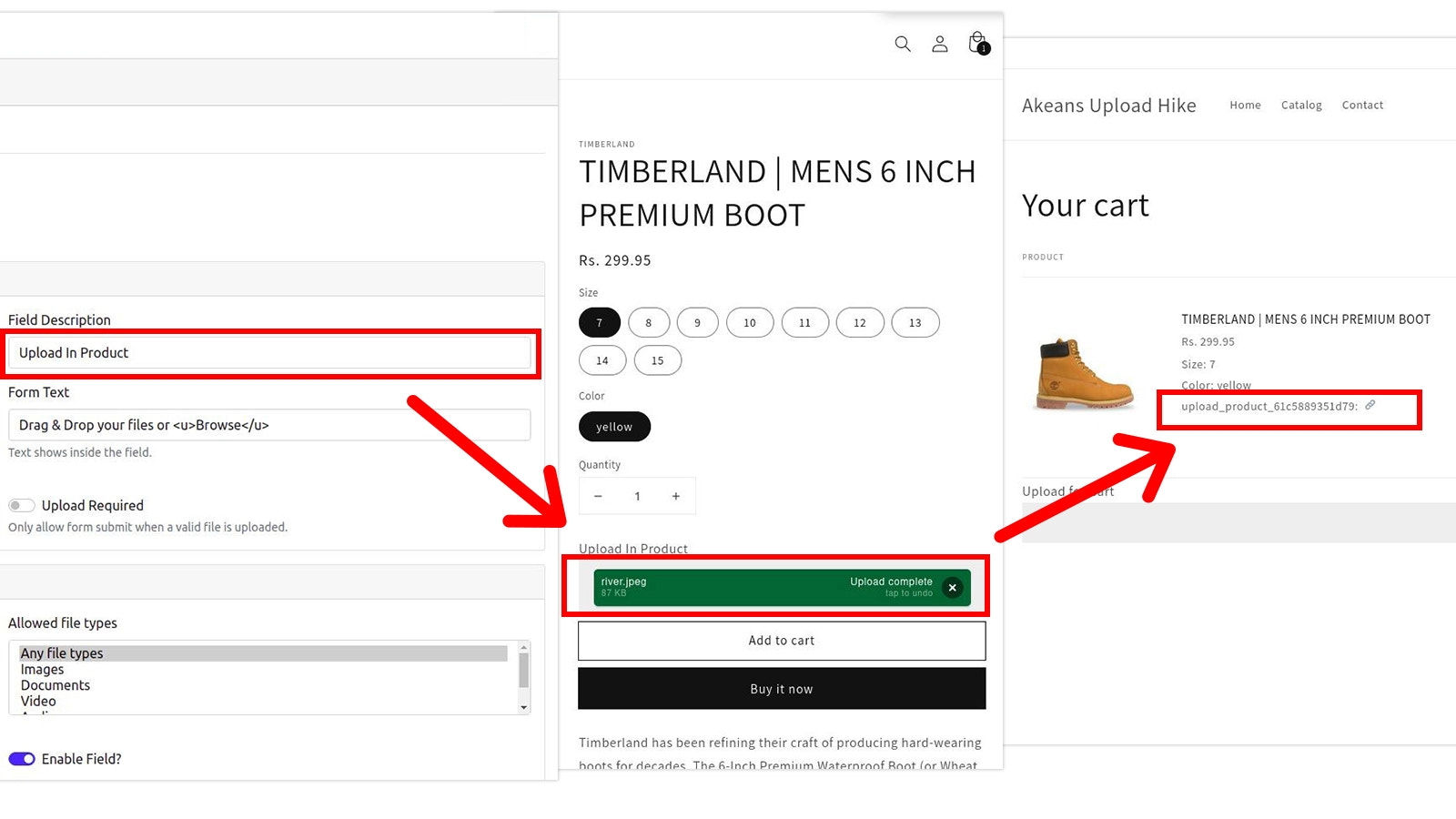
It allows your store customers to upload files directly on the product, contact, cart, and registration pages. Transform your Shopify store experience with Akeans Upload Hike. Empower your customers to seamlessly upload files on the product, contact, cart, and account registration pages. Built-in file type and size validation ensures only appropriate files are accepted. Enjoy unlimited uploads, letting your customers share their content without constraints. Easily manage uploads with intuitive tools, ensuring a smooth and efficient process for both you and your customers.
Core Functionality
- Easily create customizable file uploads for your products.
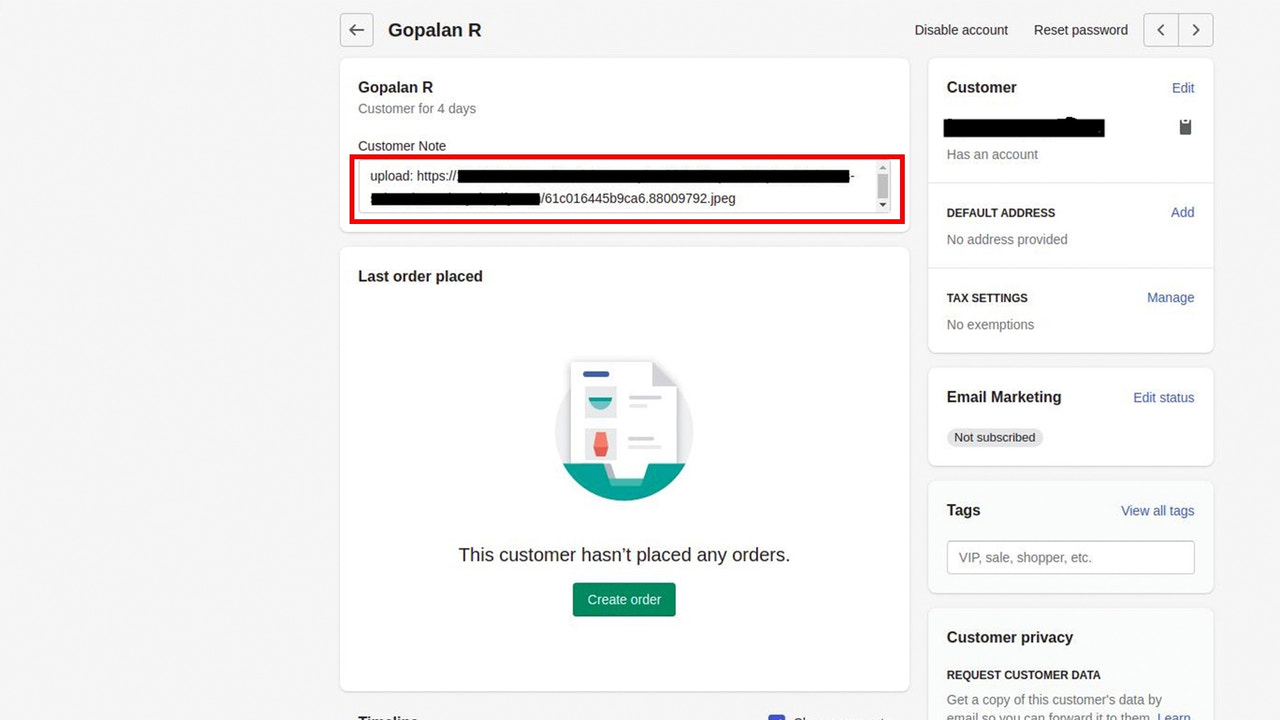
- Download customer files directly from the corresponding order—no hassle required.
- Effortlessly set up multiple upload fields for each product.
- Let customers preview, enhance, rotate, and crop images.
- Set minimum/maximum height and width, and accept specific file types or aspect ratios.
Merchant-Friendly
- Custom Product Merchants
- Design Service Merchants
- Printing E-commerce
- Creative Studios
Basic Information
- Developer:Akeans LLC
- Address:525 N Tryon St Suite 1600, Charlotte, NC, 28202, US
- Price: Free / Free plan
- Rating:0 / 5
- Comment Count:0 comment
- Release Date:2022-1-11
- Supported languages:English
- Compatible products:Shopify
Application Screenshot






Price Plan
免费试用
- 25 order-associated uploads
- Maximum 10MB file size for uploads
- No support
- 2GB storage space
- File uploads stored for 7 days
基础计划
- 500 order-associated uploads
- Max 50MB file size per upload
- Theme support
- 10GB storage space
- Zip file of all uploads available at any time
标准计划
- 2000 order-associated uploads
- Maximum 200MB file size for uploads
- Theme support
- 50GB storage space
- Compressed packages of all uploads available at any time
高级计划
- Unlimited Uploads Associated with Orders
- Maximum 1000MB Upload File Size
- Theme Support
- 100GB Storage Space
- Compressed Packages of All Uploads Available Anytime
User Location & Comments
User Location
Comments
Shopify API Used
- POST /admin/api/products/{product_id}/file_upload_fields.json
- PUT /admin/api/products/{product_id}/file_upload_fields/{field_id}.json
- GET /admin/api/products/{product_id}/file_upload_fields.json
Permission:write_products,read_products,manage_file_uploads
- GET /admin/api/orders/{order_id}/customer_files.json
- GET /admin/api/orders/{order_id}/customer_files/{file_id}.json
- POST /admin/api/orders/{order_id}/customer_files/{file_id}/download.json
Permission:read_orders,manage_file_uploads,download_files
- POST /admin/api/products/{product_id}/multi_file_fields.json
- PUT /admin/api/products/{product_id}/multi_file_fields/{field_id}.json
- GET /admin/api/products/{product_id}/multi_file_fields.json
Permission:write_products,read_products,manage_file_uploads
- POST /admin/api/products/{product_id}/image_editors.json
- PUT /admin/api/products/{product_id}/image_editors/{editor_id}.json
- GET /admin/api/products/{product_id}/image_editors.json
Permission:write_products,read_products,manage_file_uploads
- POST /admin/api/products/{product_id}/file_validation_rules.json
- PUT /admin/api/products/{product_id}/file_validation_rules/{rule_id}.json
- GET /admin/api/products/{product_id}/file_validation_rules.json
Permission:write_products,read_products,manage_file_uploads