F: HTML/CSS : JS Liquid Code
App Introduction
Easily insert sections with HTML/CSS/JS, and use the Theme Updater to add scripts or code to any theme Use this app to update your theme or inject custom HTML/CSS/JavaScript code/scripts into theme sections. Store merchants don’t need to edit Liquid code files or mess up their codebase—simply add a theme section block extension and input your HTML/CSS/JS theme section code anytime. Whether you want to turn buttons red, add a bar at the top of the page, or insert scripts, this app makes it quick and easy. With the Theme Updater, adjust theme updates as needed.
Core Functionality
- Insert code snippets into any theme. Just copy and paste HTML code snippets
- Easily add CSS snippets to any theme to customize it according to your needs
- Easily add JavaScript snippets to any theme to include additional JS code
- Update theme changes using the powerful theme updater
- Add Google Analytics, Google Tag Manager, Facebook Pixel, and Meta Tag verification codes.
Merchant-Friendly
- Independent Station Merchants
- Cross-border E-commerce Sellers
- Brand Self-built Stores
- Boutique E-commerce Merchants
Basic Information
- Developer:Final Apps
- Address:Thrissur, KL, IN
- Price: Free / Free plan
- Rating:5 / 5
- Comment Count:3 comment
- Release Date:2022-10-4
- Supported languages:English
- Compatible products:Shopify
Application Screenshot


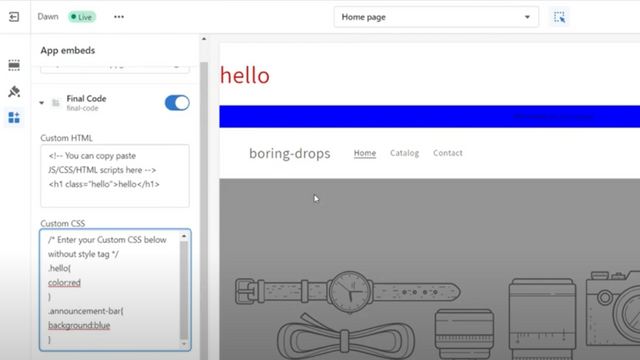


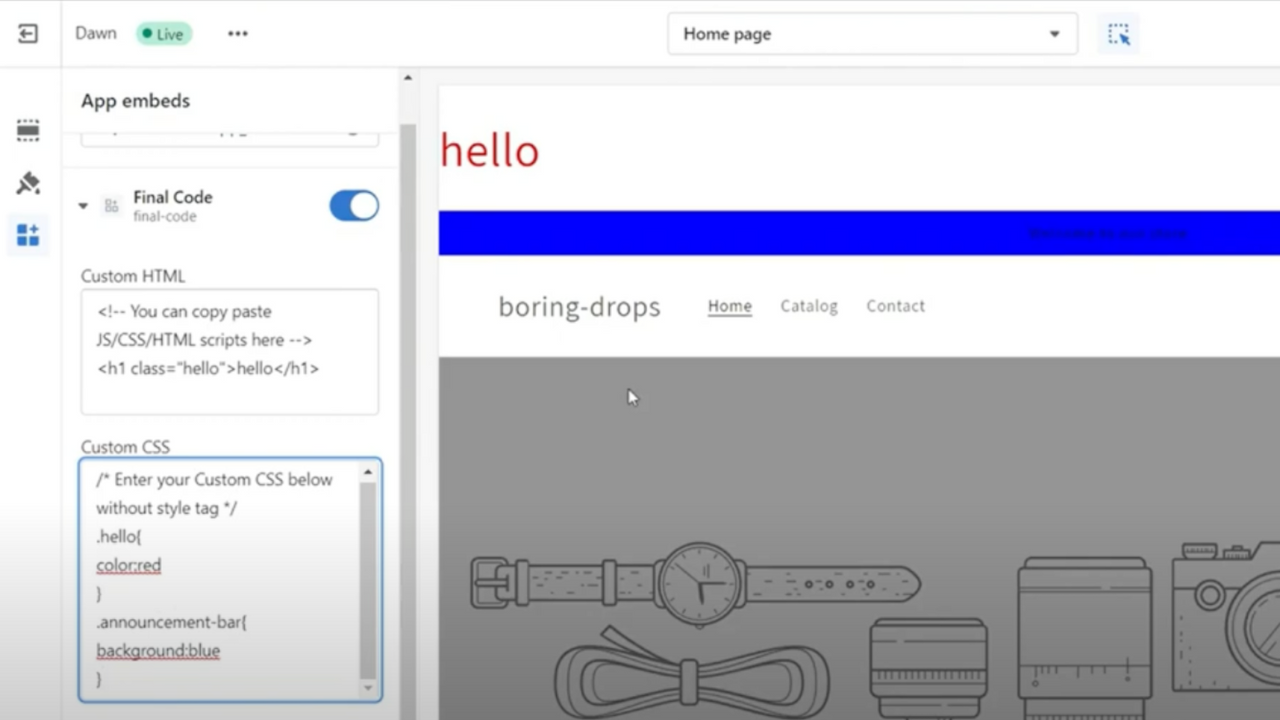

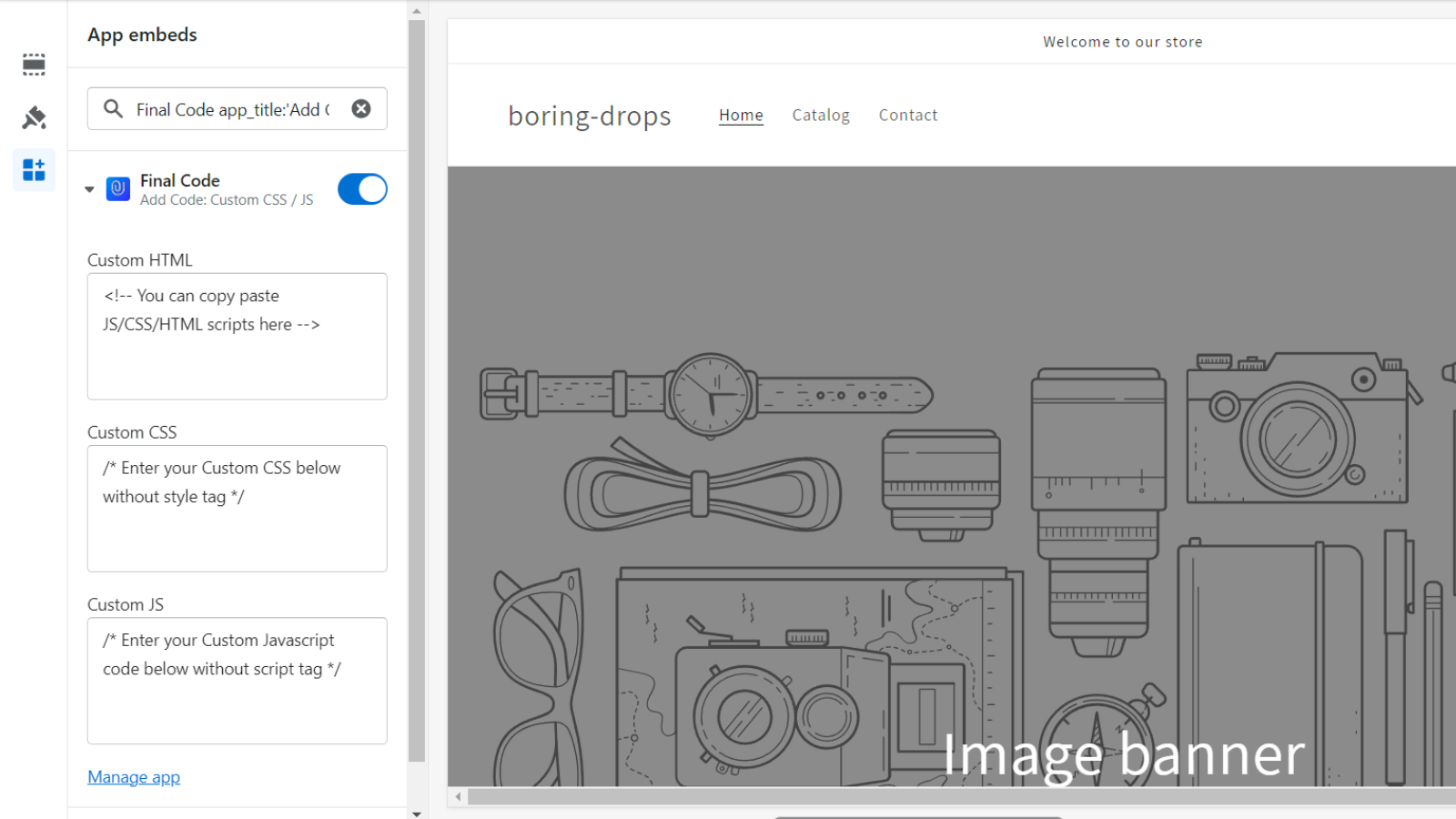
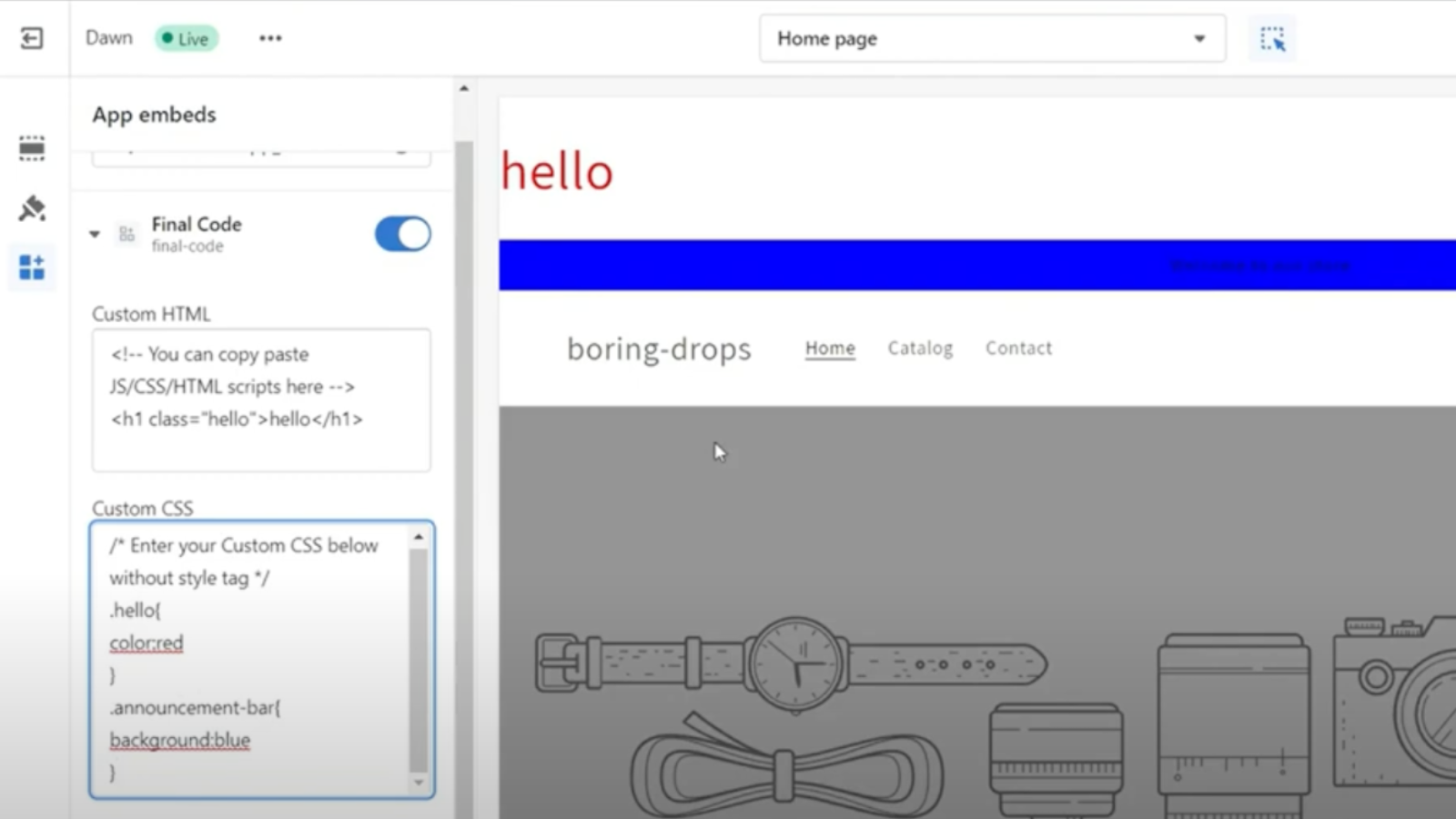
Price Plan
免费计划
- A free HTML/CSS/JS block
- Sections
- Script Editor
- Code
- Theme Editor
无限计划
- Theme Scheduler
- Sections
- Script Editor
- Code
- Unlimited HTML/CSS/JS Blocks
- Theme Editor
- Priority Support
User Location & Comments
User Location
Comments
Shopify API Used
- POST /admin/api/themes/{theme_id}/assets.json
- PUT /admin/api/themes/{theme_id}/assets.json
- GET /admin/api/themes/{theme_id}/assets.json
Permission:write_themes,read_themes,manage_online_store
- POST /admin/api/themes/{theme_id}/assets.json
- PUT /admin/api/themes/{theme_id}/assets.json
- GET /admin/api/themes/{theme_id}/assets.json
Permission:write_themes,read_themes,manage_online_store
- POST /admin/api/themes/{theme_id}/assets.json
- PUT /admin/api/themes/{theme_id}/assets.json
- GET /admin/api/themes/{theme_id}/assets.json
Permission:write_themes,read_themes,manage_online_store
- POST /admin/api/themes/{theme_id}/publish.json
- PUT /admin/api/themes/{theme_id}/settings.json
- GET /admin/api/themes.json
Permission:write_themes,read_themes,manage_online_store
- POST /admin/api/themes/{theme_id}/assets.json
- PUT /admin/api/themes/{theme_id}/assets.json
- GET /admin/api/themes/{theme_id}/assets.json
Permission:write_themes,read_themes,manage_online_store